image-audio
 Aditya Solanki
Act as an expert frontend web and mobile app developer. Build a complete, production-ready "Offline Image & Audio Utility Toolkit" inside a single, self-contained HTML file (with embedded CSS and vanilla JavaScript). The entire app must work 100% offline using browser-native APIs (HTML5 Canvas, FileReader, Web Audio API) with zero external server uploads and zero external CDN dependencies that could break offline. ### 1. Visual Design & UI System - **Theme & Aesthetic:** Use a colorful, modern light glassmorphism design (soft pastel mesh gradient background, frosted translucent white cards with subtle borders, soft shadows, and crisp dark slate typography). Do NOT use dark themes, black backgrounds, neon colors, or electric blue. - **Mobile-First Layout:** Design for mobile portrait viewports (responsive up to desktop), featuring a sticky top header ("MediaKit Offline"), a clean dashboard grid of tools, and a bottom or back navigation bar when inside an active tool. - **Language:** Use strictly clean English across all UI labels, buttons, code comments, and variable names. ### 2. Core Functional Tools (4 Modules) Build a tab or card switcher so users can jump between these four working tools: 1. **Passport Photo & Custom Image Resizer:** - Upload an image (`JPG`, `PNG`, `WEBP`). - Offer quick preset buttons: "Indian Passport (35x45 mm / 413x531 px)", "Square Profile (1080x1080 px)", "YouTube Thumbnail (1280x720 px)", plus custom Width/Height inputs with an "Aspect Ratio Lock" toggle. - Include a live HTML5 Canvas preview and a target file-size quality slider (10% to 100%). - Provide a 1-tap "Download Resized Image" button. 2. **Image Format Converter & Compressor:** - Upload any image and display original file size and dimensions. - Allow converting between `PNG`, `JPEG`, and `WEBP` formats using Canvas `toBlob()`. - Show the estimated new file size in KB/MB before downloading. 3. **Offline Audio Trimmer & Ringtone Cutter:** - Upload an audio file (`MP3`, `WAV`, `OGG`, `M4A`) and decode it locally using the Web Audio API (`AudioContext`). - Render a clean visual waveform on an HTML5 Canvas. - Provide Start Time and End Time range sliders (with numeric seconds display), an audio preview player ("Play Selection"), and an "Export Trimmed WAV" button that encodes the sliced `AudioBuffer` into a downloadable `.wav` file. 4. **Quick Quote & Text Card Maker:** - A lightweight graphic generator for social media cards or thumbnails. - Inputs: Custom headline text, subtext, background gradient selector (4–5 light pastel/vibrant presets), text alignment, and font size slider. - Render live onto an HTML5 Canvas and allow 1-tap PNG export. ### 3. Technical & Performance Requirements - **Zero Lag & Memory Safety:** Properly revoke object URLs (`URL.revokeObjectURL`) and close unused `AudioContext` instances so the app runs smoothly on mid-range Android WebViews without memory leaks. - **Error Handling:** Show clean, user-friendly toast notifications for unsupported file types, empty inputs, or successful file downloads. - **Code Quality:** Write clean, modular, well-structured vanilla JavaScript inside a single `<script>` tag and clean CSS inside a single `<style>` tag so the single HTML file can be directly wrapped into an Android APK.


Comments (0)
Sign in to leave a comment
Architecture
No Services Diagrams Yet
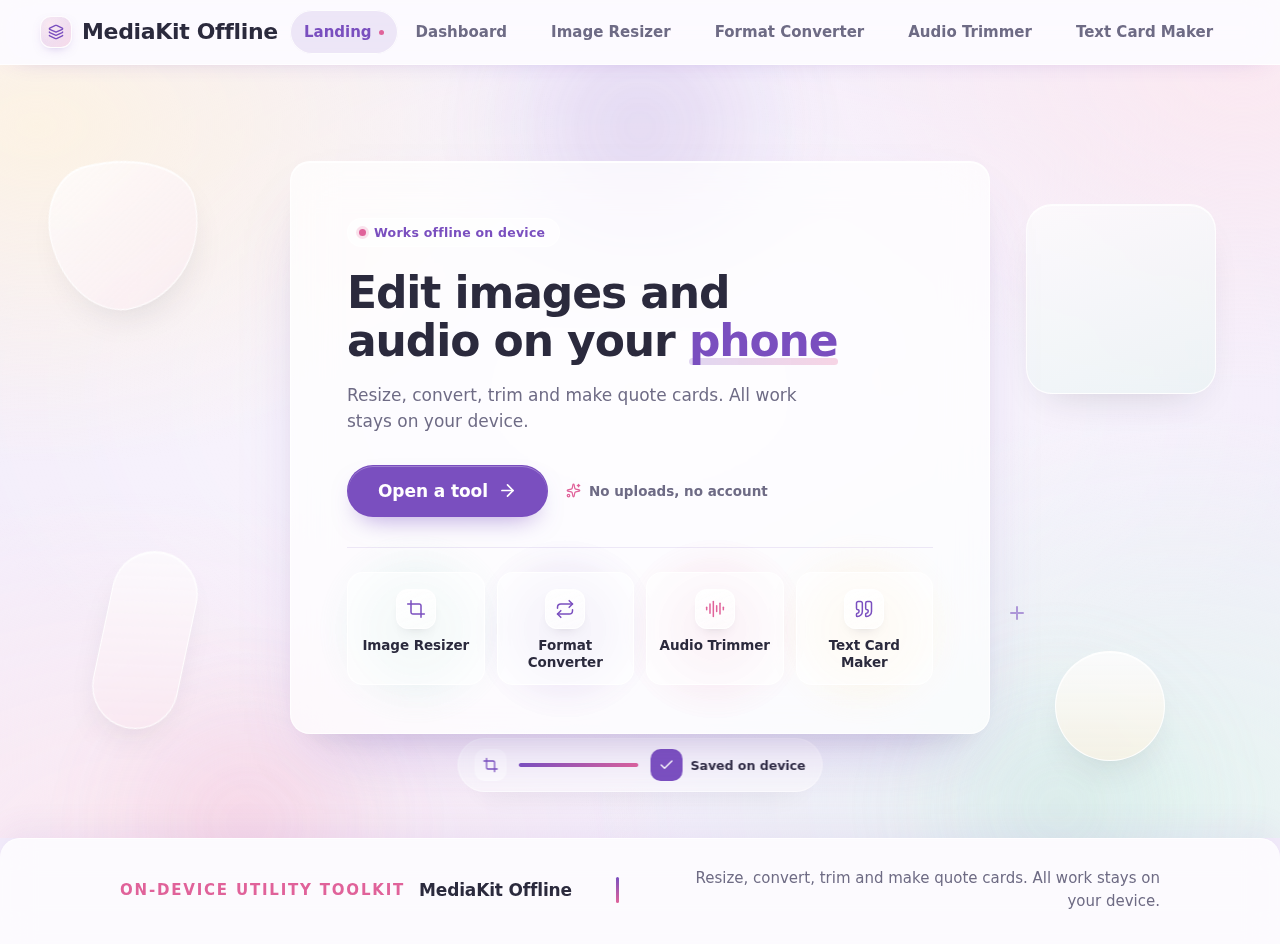
Edit images and audio on your phone
Resize, convert, trim and make quote cards. All work stays on your device.
- Image Resizer
- Format Converter
- Audio Trimmer
- Text Card Maker
Edit images and audio on your phone
Resize, convert, trim and make quote cards. All work stays on your device.
- Image Resizer
- Format Converter
- Audio Trimmer
- Text Card Maker
No comments yet. Be the first!