hollow-task
 Davood sharifi
1. What your app really is (core idea) Your app = Task + Action + Automation Engine Instead of just: “Write a task” You want: “When I press start → do actions automatically” Example: Task: “Morning routine” Open email Send report Open Word Start a game install 2. Core Features (architecture) A. Task Manager Basic structure: Task ├── id ├── name ├── trigger (manual / time / event) └── actions[] B. Actions (very important) Each task contains actions like: Action ├── type (email, open_app, write_file, install_app) ├── parameters └── status Examples: Send Email: type: "email" params: to: "test@email.com" subject: "Hello" body: "Message" Open App: type: "open_app" params: app_name: "Word" C. Automation Engine (the brain) This is the algorithm that runs tasks. Pseudo-code: for each task: if trigger condition is true: run task.actions sequentially Execution: function runTask(task): for action in task.actions: execute(action) 3. Triggers (how tasks start) You need different triggers: Manual (user clicks button) Time-based (e.g. 8:00 AM) Event-based (file created, app opened) Example: if current_time == task.time: runTask(task) 4. PC Control vs Phone Control (important difference) PC (easier) You can use: Python (automation) Node.js OS APIs Examples: Open apps → subprocess Write files → file system Control mouse/keyboard → libraries like pyautogui Phone (harder ⚠️) Android: Use accessibility services Use automation APIs iOS: Very restricted (Apple blocks most automation) 5. System Design (high-level) Frontend (UI) ↓ Backend / Logic Engine ↓ Execution Layer (OS interaction) 6. Suggested Tech Stack Beginner-friendly: Frontend: React / Flutter Backend: Node.js OR Python Database: SQLite (simple) Firebase (cloud) 7. Example Algorithm (full flow) User creates task: Task: "Work Start" Trigger: 09:00 Actions: 1. Open Outlook 2. Send Email 3. Open Word Execution loop: while true: for task in tasks: if task.trigger == current_time: runTask(task) sleep(1 minute) 8. Security (VERY important) You are dealing with: Email sending App control Possibly passwords So: NEVER store passwords in plain text Use OAuth for email (like Gmail API) Ask user permission clearly 9. MVP (start small) Don’t try everything at once. Start with: Create tasks Add simple actions: Open app Show notification Add time trigger Add execution engine Then expand. 10. Reality check (important) What you want is powerful—but: Full control of phone + PC = complex Cross-platform automation is hard OS restrictions will limit you Start with: 👉 PC automation first 👉 Then Android 👉 Then cloud sync Design a full database schema Give you real code (Python or Node.js) Help you build a prototype step-by-step

Comments (0)
Sign in to leave a comment
Project Tasks
No tasks generated yet.
Tasks will appear here as requirements are defined.

Automate Your Workflows with Intelligent Task Engines
Design, trigger, and monitor complex automations visually. hollow-task chains actions, manages triggers, and executes tasks so you can focus on what matters.
Design Your Workflows Visually
Build powerful automation pipelines with our intuitive drag-and-drop canvas. Connect triggers, actions, and monitors into seamless workflows — no code required.
Why Choose hollow-task?
Built for productivity. Designed to save you hours every week by turning complex routines into one-click automations.
Automate Repetitive Tasks
Chain actions like sending emails, opening apps, and writing files into seamless workflows that execute with zero manual effort.
Multi-Trigger Support
Kick off tasks manually, on a schedule, or based on system events. Combine trigger types to build intelligent, context-aware automations.
Real-Time Monitoring
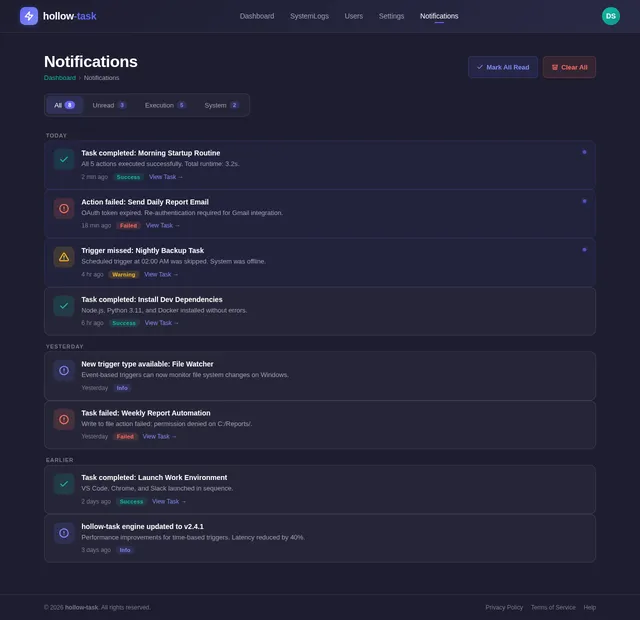
Track every action as it executes with live status updates. Get instant notifications on completion, failures, and performance insights.
Trusted by Leading Teams
Built for Everyone
Whether you are automating personal workflows or managing an entire platform, hollow-task adapts to your role.
Regular User
A typical user who creates and manages tasks for personal or professional use. Focused on simplifying daily routines through automation.
- Simplify daily routines
- Automate repetitive tasks
- Save time with smart workflows
- Intuitive UI
- Reliable Execution
- Clear Notifications
- Easy Task Builder
Admin
A system administrator responsible for maintaining the platform, ensuring stability, monitoring usage, and managing user access across the organization.
- Ensure system stability
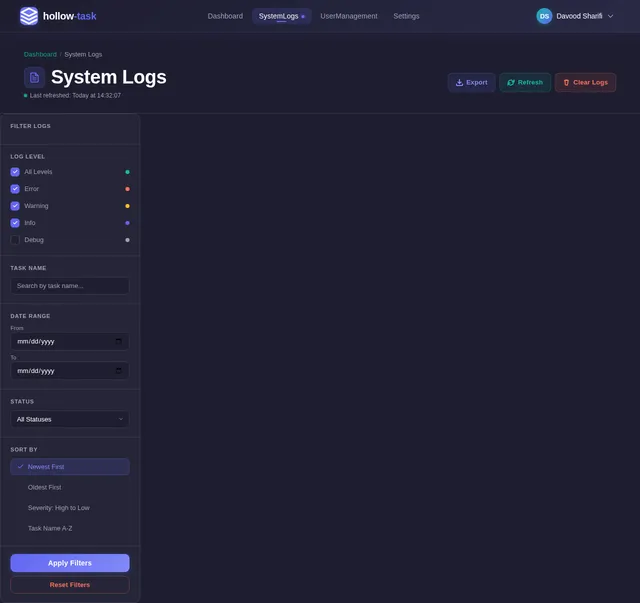
- Monitor usage and logs
- Manage user access and roles
- Advanced Configuration
- Detailed Logs
- Security Controls
- Role Management
Your Automation Workflow
From login to live monitoring — create powerful automated workflows in four simple steps.
Login
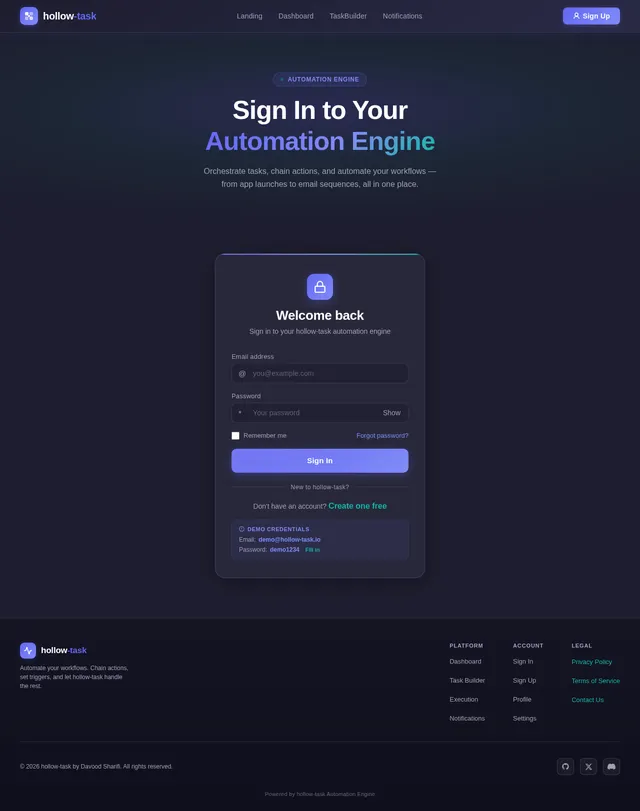
Securely authenticate and access your workspace
Dashboard
View active tasks, triggers, and system status
Create Task
Define actions, set triggers, and chain workflows
Monitor Execution
Track progress in real-time with live status updates
What Our Users Say
Teams of all sizes trust hollow-task to automate their most critical workflows.
hollow-task transformed how our team handles repetitive processes. What used to take hours of manual work now runs automatically in the background. The visual workflow builder is incredibly intuitive.
The multi-trigger system is a game changer. We set up event-based automations that respond to file changes, scheduled reports, and manual approvals — all in a single workflow. Truly powerful.
As an admin, the monitoring dashboard gives me full visibility into every running task. I can track execution logs, manage user roles, and ensure system stability from one place. Outstanding platform.
Built with Modern Technology
hollow-task is powered by a carefully chosen stack designed for performance, scalability, and intelligent automation.
Platform Expansion
hollow-task is growing beyond the desktop. Here is our journey from PC to a fully connected, cross-platform automation ecosystem.
Full desktop automation engine with system-level task execution, file operations, app launching, and email workflows. Currently live and battle-tested.
LiveMobile companion app for managing and triggering tasks on-the-go. Push notifications, remote execution triggers, and mobile-optimized dashboard.
In DevelopmentNative iOS integration with Shortcuts support, Apple Watch notifications, and seamless cross-device task synchronization via iCloud.
PlannedCentralized cloud platform for task synchronization, team collaboration, shared workflow templates, and cross-device execution history.
ExploringReady to Automate?
Stop repeating yourself. Build powerful workflows that run your tasks automatically — from opening apps to sending emails, all on autopilot.
Stay in the Loop
Get the latest updates on new features, platform expansions, and automation tips delivered straight to your inbox.
No spam, ever. Unsubscribe at any time.
Frequently Asked Questions
Everything you need to know about building and running automated workflows with hollow-task.
Creating a task is simple. Navigate to the Dashboard, click "Create Task," and give it a name and description. Then add actions like sending emails, opening applications, or writing to files. Finally, set a trigger (manual, time-based, or event-based) and save. Your task is ready to execute.
hollow-task supports a variety of actions out of the box: sending emails via OAuth-secured connections, opening applications on your PC, writing or appending to files, and installing applications. Each action runs sequentially within a task, and you can monitor the status of every step in real time.
Absolutely. Security is a top priority. We use OAuth for all email-related actions so your credentials are never stored directly. Sensitive data is encrypted at rest and in transit. User permissions and role-based access control ensure only authorized users can modify system settings or access logs.
hollow-task supports three trigger types: Manual triggers let you start tasks with a single click. Time-based triggers execute tasks on a schedule (e.g., every day at 9:00 AM). Event-based triggers respond to system events like a file being created or an application being opened.
Yes. While a task is running, you can pause it to temporarily halt action execution or stop it entirely. The Execution monitor shows real-time progress for each action, so you always know exactly where a task is in its workflow before deciding to intervene.
Currently, hollow-task is optimized for PC automation on Windows. Mobile support for Android is on the roadmap, followed by cloud synchronization to keep your tasks in sync across devices. iOS support will be explored with consideration for Apple platform restrictions.
No comments yet. Be the first!