hi
 ima Bling
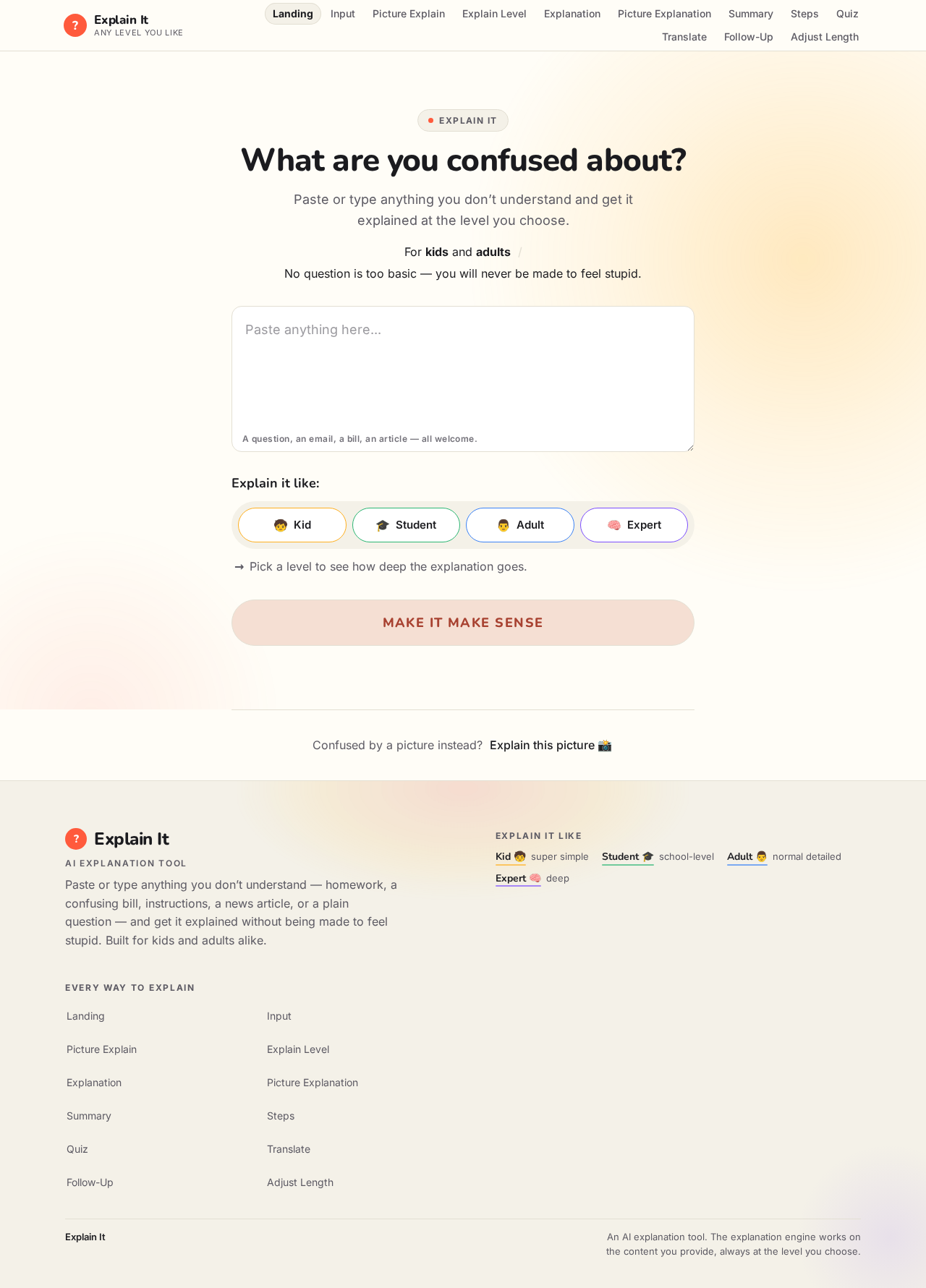
Bet. We need something **kids AND adults would actually use**, not another boring chatbot. ### 🧠 Idea: **“Explain It” AI** You paste or type **anything you don't understand**, and the AI explains it at whatever level you want. **Example:** > “What is a mortgage?” You can choose: * 🧒 **Kid mode** → super simple * 🎓 **Student mode** → school-level explanation * 👨 **Adult mode** → normal detailed explanation * 🧠 **Expert mode** → deep explanation But here's the 🔥 part: **“Make it make sense” button** * Paste homework * Paste an email * Paste a confusing bill * Paste instructions * Paste a news article * Upload a picture of something confusing And it breaks it down **without making you feel stupid**. ### Extra features * **Explain this picture** 📸 * **Summarize this** * **Turn it into steps** * **Quiz me on it** * **Translate + explain** * **Ask follow-up questions** * **Make it shorter/longer** The website could look ridiculously simple: > **What are you confused about?** > `[ Paste anything here... ]` > > **Explain it like:** > `Kid 🧒 | Student 🎓 | Adult 👨 | Expert 🧠` > > **[ MAKE IT MAKE SENSE ]** That has a much broader audience than something only kids or only adults would use.

Comments (0)
Sign in to leave a comment
Architecture
No Services Diagrams Yet
Explain It
What are you confused about?
Paste or type anything you don’t understand and get it explained at the level you choose.
For kids and adultsNo question is too basic — you will never be made to feel stupid.
Explain it like:
Pick a level to see how deep the explanation goes.
Confused by a picture instead?Explain this picture
Explain It
What are you confused about?
Paste or type anything you don’t understand and get it explained at the level you choose.
For kids and adultsNo question is too basic — you will never be made to feel stupid.
Explain it like:
Pick a level to see how deep the explanation goes.
Confused by a picture instead?Explain this picture
No comments yet. Be the first!