headphones-volume
by CJ
CJ
CJMake me an app so I can control everything on my headphones like the volume turn one headphones or both off and over $0


Comments (0)
Sign in to leave a comment
Project Tasks
23 planning tasks#1
Generate system requirement document
0m 39s0.05 cr used
Done#2
Generate personas & user flows
0m 3s0.05 cr used
Done#7
Create flow for Headphone Owner
0m 3sCredits in parent
Done#8
Landing
2m 16sCredits in subtasks
Done#17
Fix Landing review finding: The requested headphone controls are not present: the…
0m 19s0.02 cr used
Error#16
Fix Landing: The requested headphone controls are not present: the landing page offers only an entry…
0m 20sCredits unavailable
Error#12
Landing / Navigation
0m 0s0.85 cr used
Done#10
Landing / Instrument Face
0m 43s0.85 cr used
Done#11
Landing / Entry Plate
0m 31s0.85 cr used
Done#13
Landing / Footer
0m 0s0.85 cr used
Done#14
Navigation
0m 19sCredits in parent
Done#15
Footer
0m 21sCredits in parent
Done#9
Controls
3m 28sCredits in subtasks
Done#25
Fix Controls review findings: frontend/src/components/Controls Instrument Panel.jsx: the… (+3 more)
0m 50s0.02 cr used
Done#18
Controls / Navigation
0m 0s0.85 cr used
Done#19
Controls / Instrument Panel
0m 42s0.85 cr used
Done#20
Controls / Footer
0m 0s0.85 cr used
Done#21
Fix Controls: The volume dial's only updates while is true, but calls on the dial div — pointer…
0m 58sCredits unavailable
Done#22
Fix Controls: Fires a on every pointer-move tick during a drag (each call), issuing a write per pixel…
1m 12sCredits unavailable
Done#23
Fix Controls: The error path sets but immediately overwrites with before the async write resolves, and…
0m 58sCredits unavailable
Done#24
Fix Controls: Toggles the selected target based on (which is ); because is set synchronously and…
1m 12sCredits unavailable
Done#5
Architecture
0.05 cr needed
Backlog#6
Workspace task plan
0.05 cr needed
Backlog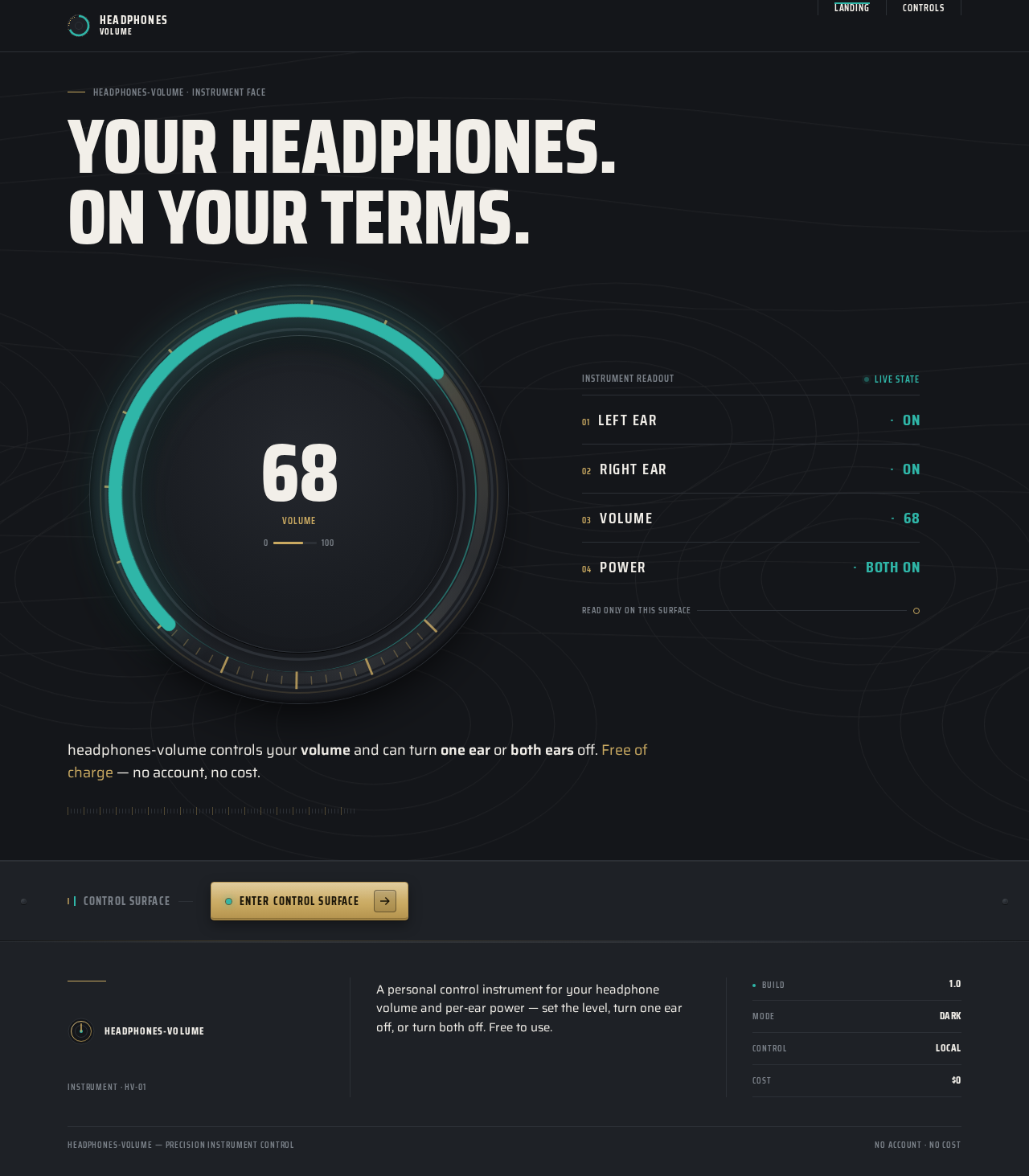
Your headphones.On your terms.
68
Volume
Instrument readout
Live state- Left earON
- Right earON
- Volume68
- PowerBOTH ON
headphones-volume controls your volume and can turn one ear or both ears off. Free of charge — no account, no cost.
Control surface
Enter control surfaceYour headphones.On your terms.
68
Volume
Instrument readout
Live state- Left earON
- Right earON
- Volume68
- PowerBOTH ON
headphones-volume controls your volume and can turn one ear or both ears off. Free of charge — no account, no cost.
Control surface
Enter control surface
No comments yet. Be the first!