
hardy-invoices

bySwaravox

Build a production-ready multi-tenant micro-SaaS called “PayNudge” for Indian freelancers, consultants, and small digital agencies. It automatically sends respectful email reminders for unpaid invoices. Use free or free-tier tools only: 8080.ai for building. Supabase Free for authentication and PostgreSQL. GitHub Free for source control. Vercel Hobby, Cloudflare Pages, or 8080.ai hosting. Mailpit for local email testing. A free-tier transactional email provider for early production testing. Razorpay test mode only for payment testing. Ollama locally or Google AI Studio free usage for optional AI. PostHog Free or Google Analytics for analytics. Clearly mark services that may cost money in production, especially email, WhatsApp, SMS, AI, hosting, and payment processing. Do not make paid services mandatory for development. PRODUCT POSITIONING: “PayNudge helps Indian service businesses get paid faster by automatically following up on unpaid invoices.” FIRST NICHE: Indian web-development and digital-marketing agencies with 2–10 employees. PLANS: Free: ₹0/month, 5 active invoices, 10 reminders/month, one reminder sequence, email reminders. Solo: ₹299/month, 50 active invoices, 150 reminders/month, custom templates, payment links, Gmail connection. Pro: ₹799/month, 250 active invoices, 1,000 reminders/month, 5 team members, AI tone controls, client history, branded emails. Studio: ₹1,999/month, unlimited invoices, 5,000 reminders/month, 10 team members, client portal, reports, webhooks, priority support. Agency White-label: ₹4,999/month, multiple workspaces, custom branding, client dashboards, reseller mode. Implement plan limits and upgrade prompts. Add a 14-day Pro trial without requiring a credit card. Add annual billing with two months free, but support manual plan assignment during development. Payments may remain optional until validation. CORE PAGES: Landing page, pricing, signup, login, password reset, onboarding, dashboard, clients, invoices, reminder sequences, email templates, delivery logs, billing, workspace settings, team members, help, and onboarding checklist. DASHBOARD: Show outstanding amount, due-soon invoices, overdue invoices, paid invoices, amount recovered after reminders, reminders sent, email opens, and payment-link clicks where supported. DATABASE TABLES: workspaces(id, name, owner_id, plan, timezone, currency, logo_url, created_at) workspace_members(id, workspace_id, user_id, role, created_at) clients(id, workspace_id, name, email, phone, company_name, preferred_language, notes, created_at) invoices(id, workspace_id, client_id, invoice_number, amount, currency, issue_date, due_date, payment_url, status, notes, created_at, updated_at) reminder_sequences(id, workspace_id, name, active, created_at) reminder_steps(id, sequence_id, offset_days, timing_type, channel, template_id, enabled, created_at) email_templates(id, workspace_id, name, subject, body, tone, language, is_default, created_at) reminder_events(id, workspace_id, invoice_id, step_id, scheduled_at, sent_at, status, provider_message_id, error_message, created_at) payments(id, workspace_id, invoice_id, amount, paid_at, provider, reference, created_at) subscriptions(id, workspace_id, plan, status, trial_ends_at, provider, provider_customer_id, current_period_end) audit_logs(id, workspace_id, user_id, action, entity_type, entity_id, metadata, created_at) Enable Supabase Row Level Security. Users may access only workspaces where they are owners or members. Owners manage billing and members. Members manage clients, invoices, and reminders according to role. AUTHENTICATION: Support email/password, Google login if available, password reset, logout, protected routes, and workspace creation after signup. INVOICES: Allow users to create, edit, archive, delete, and mark invoices as paid. Fields: client, amount, currency, invoice number, issue date, due date, payment URL, and notes. Support INR by default plus USD and EUR. Add CSV import with this format: client_name,client_email,invoice_number,amount,currency,issue_date,due_date,payment_url Validate emails, amounts, dates, duplicate invoice numbers, and required fields. Add search, filters, invoice status, pause reminders, and payment history. DEFAULT REMINDER SEQUENCE: 7 days before due date: friendly upcoming-payment reminder. On due date: payment due today. 3 days overdue: polite follow-up. 10 days overdue: firm but professional follow-up. 21 days overdue: final follow-up requesting a payment date. Allow users to edit, disable, reorder, and create steps. Never send more than one reminder for an invoice within 24 hours. EMAIL: Use Mailpit locally and a free-tier provider in early production. Create responsive HTML and plain-text messages containing client name, invoice number, exact amount, due date, payment button, sender name, and reply-to email. Add pause, unsubscribe, and dispute-contact options. Track sends, failures, provider IDs, opens, and clicks where supported. Never send for paid, archived, paused, or cancelled invoices. Respect workspace timezone. REMINDER WORKER: Implement an hourly scheduled job using Supabase scheduled functions, GitHub Actions, Cloudflare Cron, or 8080.ai scheduling. Find unpaid invoices whose reminder steps are due, check plan limits, render the template, send the email, and save a reminder_events record. Make it idempotent so repeated jobs cannot send duplicates. Retry temporary failures with exponential backoff. Add dry-run mode and test-email mode. Never send a reminder if the invoice is paid or paused. PAYMENT TRACKING: For MVP, support payment URLs, payment-link click tracking, and a manual “Mark as paid” button. Add optional Razorpay test-mode webhooks using environment variables. Verify webhook signatures. On valid payment, mark invoice paid, create a payment record, cancel pending reminders, and create an audit log. Never treat a browser redirect alone as proof of payment. AI FEATURES: Add “Improve message with AI.” Support friendly, professional, firm, concise, Telugu, and Hindi options. AI must never change invoice number, amount, currency, due date, payment URL, sender, legal claims, fees, or deadlines. Show the generated draft for approval before sending. If no AI key exists, use built-in templates. Prefer Ollama locally or Google AI Studio free usage. Minimize sensitive data sent to AI. Use this AI instruction: “You write concise, respectful invoice payment reminders. Never invent facts, fees, legal consequences, deadlines, or payment details. Preserve the exact invoice number, amount, currency, due date, and payment URL supplied by the user. Ask the recipient to reply if there is a dispute. Output only a subject and email body.” CLIENTS: Provide client search, filters, detail pages, invoice history, payment history, reminder history, notes, preferred language, communication preference, pause controls, and total outstanding amount. ANALYTICS: Show invoice aging, reminders by week, payments after reminders, recovered amount, and delivery failures. Use only PostHog Free or Google Analytics for anonymous product analytics. Never expose financial data in public analytics. BILLING: Build pricing and plan-management UI with manual plan assignment. Add optional Razorpay subscriptions later. Use environment variables, test/production separation, webhook verification, and never store card details. SECURITY: Validate and sanitize input. Enforce server-side authorization for every workspace resource. Protect webhooks. Rate-limit login, invoice creation, CSV imports, AI requests, and email sending. Keep secrets in environment variables. Do not log API keys, payment secrets, or unnecessary email contents. Add audit logs for login, invoice creation, edits, reminders, plan changes, and payments. Add account deletion and data export. Prevent cross-tenant data leakage. DESIGN: Use a clean, modern, mobile-responsive blue-and-white interface. Primary CTA: “Add invoice.” Format INR as ₹25,000. Include useful empty states, demo data, clear upgrade prompts, and English as default. Make translation files ready for Telugu and Hindi. Add a disclaimer that PayNudge is not accounting, legal, or tax advice software. ONBOARDING: Create workspace. Select business type. Set currency and timezone. Set sender name and reply-to email. Add a client. Add an invoice. Activate the default sequence. Send a test email. Show setup progress. TESTING: Create tests for authentication, workspace isolation, Row Level Security, invoice status changes, reminder scheduling, timezones, duplicate-send prevention, plan limits, CSV validation, webhook signatures, unsubscribe, pause behavior, AI draft approval, and marking invoices paid. Add demo seed data and an end-to-end test from signup to invoice creation, reminder preview, and payment completion. DEPLOYMENT: Provide README, .env.example, database migrations, Supabase setup, Mailpit setup, scheduled-job setup, email-provider setup, Razorpay test setup, deployment instructions, sample CSV, troubleshooting, and complete file structure. Clearly separate implemented features from optional integrations. Build a reliable MVP first. Prioritize email reminders, invoice status handling, plan limits, security, onboarding, and agency workflows. Do not build full accounting, SMS, or automatic WhatsApp sending in the first version. At the end, display setup instructions, environment variables, test results, and remaining tasks.

LandingAuthenticationUPI Payment PageInvoice Management Page
Landing

Comments (0)

No comments yet. Be the first!

Architecture

No Services Diagrams Yet

Architecture diagrams will be automatically generated when the Project Manager creates tasks for your project.

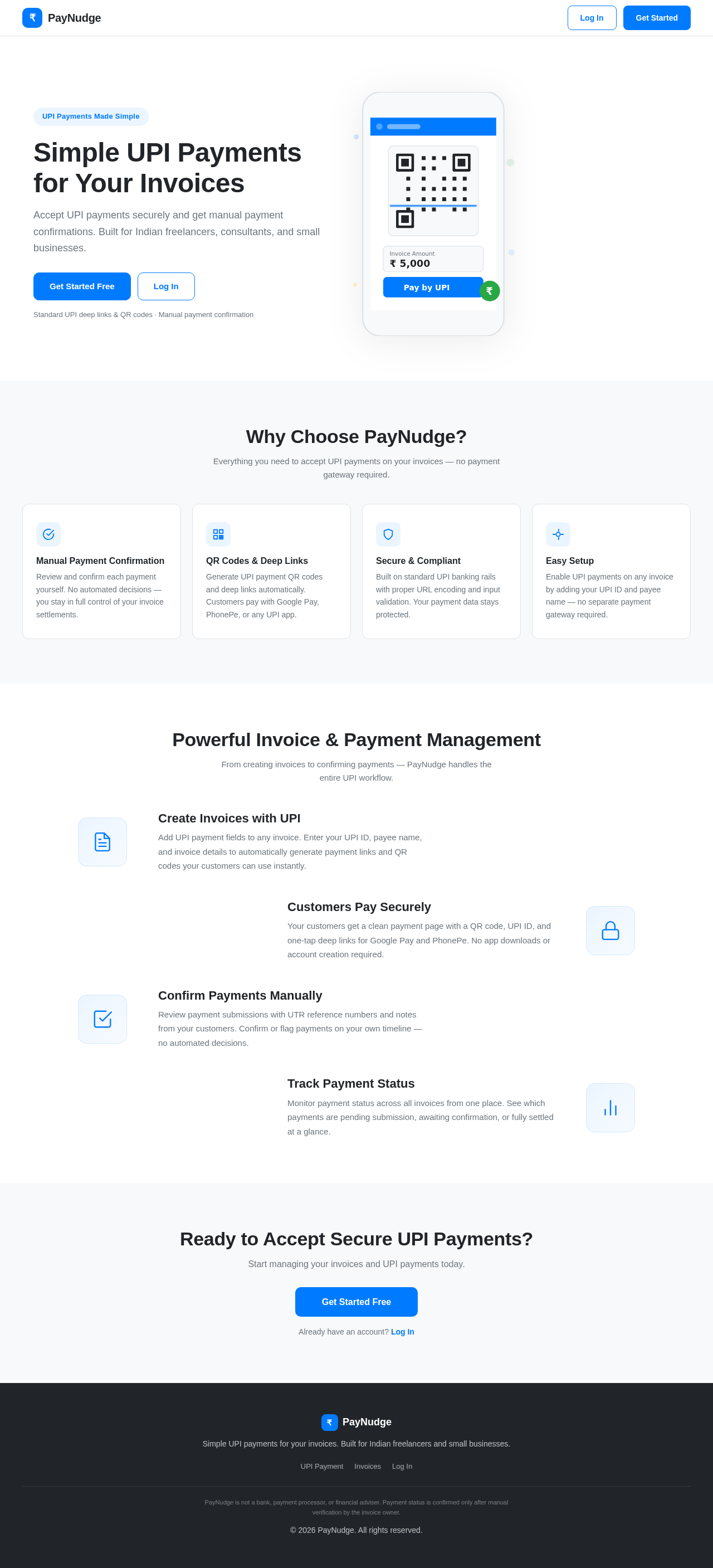
Landing design preview
UPI Payment Page: Access invoice with UPI payment options
UPI Payment Page: Choose to pay via UPI deep link, QR code, or UPI ID
UPI Payment Page: Customer's UPI app: Complete payment attempt in Google Pay, PhonePe, or other UPI app
UPI Payment Page: 1. Optionally submit UTR/reference number and payment note
UPI Payment Page: 2. Validate optional submission
UPI Payment Page: 3. Show error if submission fails or required fields are missing
UPI Payment Page: Store UTR/reference and note; update invoice status
Invoice Management Page: Invoice owner notified of payment submission
Landing design preview
UPI Payment Page: Access invoice with UPI payment options
UPI Payment Page: Choose to pay via UPI deep link, QR code, or UPI ID
UPI Payment Page: Customer's UPI app: Complete payment attempt in Google Pay, PhonePe, or other UPI app
UPI Payment Page: 1. Optionally submit UTR/reference number and payment note
UPI Payment Page: 2. Validate optional submission
UPI Payment Page: 3. Show error if submission fails or required fields are missing
UPI Payment Page: Store UTR/reference and note; update invoice status
Invoice Management Page: Invoice owner notified of payment submission