hardy-emails
by Hello Mcdonald
create a website that can search and Extract Emails


Comments (0)
Sign in to leave a comment
Project Tasks
44 tasks#1
Generate system requirement document
0m 31s0.05 cr used
Done#2
Generate personas & user flows
0m 5s0.05 cr used
Done#5
Architecture
0m 16s0.05 cr used
Done#6
Workspace task plan
0m 57s0.05 cr used
Done#7
Create flow for Email researcher
0m 4sCredits in parent
Done#8
Landing
2m 42sCredits in subtasks
Done#9
Search
2m 52sCredits in subtasks
Done#10
Extract
4m 16sCredits in subtasks
Done#11
Landing / Hero Band
0m 24s0.65 cr used
Done#12
Landing / Line Map
0m 28s0.65 cr used
Done#13
Landing / Navigation
0m 0s0.65 cr used
Done#14
Landing / Footer
0m 0s0.65 cr used
Done#15
Navigation
0m 22sCredits in parent
Done#16
Footer
0m 13sCredits in parent
Done#17
Fix Landing: The Line Map uses the vertical schematic on tablet and desktop, producing a stretched…
0m 31sCredits unavailable
Done#18
Fix Landing review finding: The Line Map uses the vertical schematic on tablet and…
0m 12s0 cr used
Done#19
Search / Navigation
0m 0s0.65 cr used
Done#20
Search / Query Band
0m 32s0.65 cr used
Done#21
Search / Results Panel
0m 32s0.65 cr used
Done#22
Search / Footer
0m 1s0.65 cr used
Done#23
Extract / Navigation Slot
0m 0s0.65 cr used
Done#24
Extract / List Panel
1m 7s0.65 cr used
Done#25
Extract / Footer Slot
0m 1s0.65 cr used
Done#26
Extract / List Intro
0m 13s0.65 cr used
Done#27
Fix Search: The search band and the results panel are two disconnected state owners for the same…
1m 14sCredits unavailable
Done#28
Fix Search: Calls but from is and returns , so is always undefined and the fallback is used. The…
1m 3sCredits unavailable
Done#29
Fix Search: The success state never renders the matching email addresses. is only used for in the…
1m 3sCredits unavailable
Done#30
Fix Search review findings: frontend/src/components/Search Query Band.jsx: the search… (+2 more)
0m 50s0 cr used
Done#31
Fix Extract: Is rendered with no prop, so inside is always false; the panel permanently shows and…
1m 4sCredits unavailable
Error#32
Fix Extract: The SRD requires a download control for the usable list (), but the panel only renders…
0m 26sCredits unavailable
Done#33
Fix Extract review findings: frontend/src/pages/Extract.jsx: `<Extract List Panel />` is… (+1 more)
0m 16s0 cr used
Done#34
Fix Extract review finding: frontend/src/pages/Extract.jsx: `<Extract List Panel />` is…
0m 37s0 cr used
Paused#35
Create backend_modules diagram
0m 11sCredits in parent
Done#36
Create frontend_modules diagram
0m 11sCredits in parent
Done#37
Create sequence diagram
0m 11sCredits in parent
Done#38
Create service_network diagram
0m 11sCredits in parent
Done#39
Search email addresses and show tabular results
13m 45s100 cr estimated
Error#40
Serve search requests with progress, error, and retry handling
100 cr estimated
To Do#41
Extract matching addresses into a usable list
13m 8s100 cr estimated
Error#42
Carry results to Extract and echo query on empty results
80 cr estimated
To Do#43
Store and query email address records in Maria DB
100 cr estimated
To Do#44
Wire the Search page to live search results
120 cr estimated
To Do#45
Wire the Extract page to live extraction, copy, and download
120 cr estimated
To Do#46
Make the Landing page entry actions navigate
60 cr estimated
To Do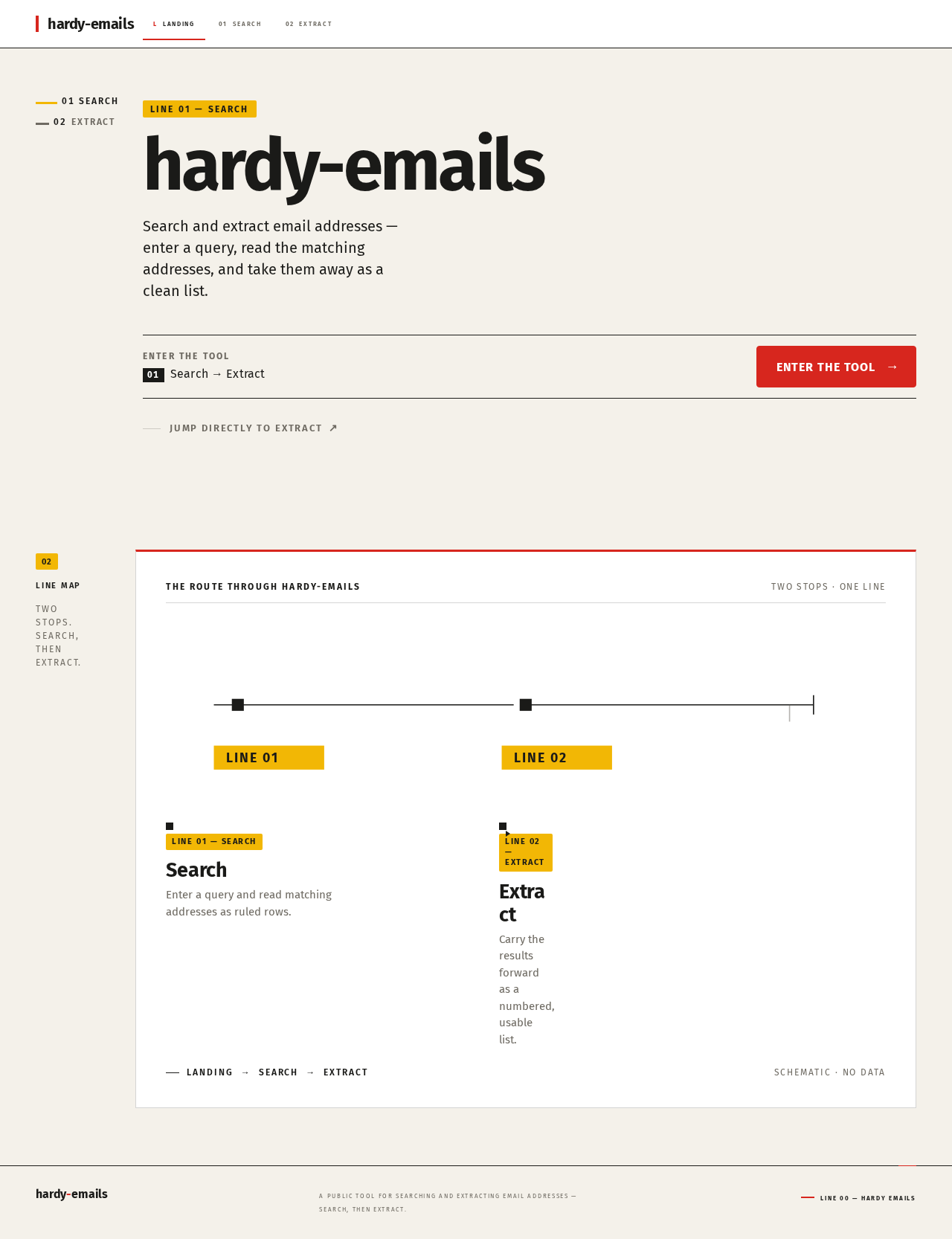
Line 01 — Search
hardy-emails
Search and extract email addresses — enter a query, read the matching addresses, and take them away as a clean list.
Enter the toolSearch → Extract
Enter the tool02Line mapTwo stops. Search, then extract.
The route through hardy-emails
- 01LINE 01 — SEARCHSearchEnter a query and read matching addresses as ruled rows.
- 02LINE 02 — EXTRACTExtractCarry the results forward as a numbered, usable list.
Landing Search ExtractSchematic · No data
Line 01 — Search
hardy-emails
Search and extract email addresses — enter a query, read the matching addresses, and take them away as a clean list.
Enter the toolSearch → Extract
Enter the tool02Line mapTwo stops. Search, then extract.
The route through hardy-emails
- 01LINE 01 — SEARCHSearchEnter a query and read matching addresses as ruled rows.
- 02LINE 02 — EXTRACTExtractCarry the results forward as a numbered, usable list.
Landing Search ExtractSchematic · No data
No comments yet. Be the first!