hardy-dashboard
 Hiren Gandhi
Dashboard Overview of total jobs (Active, Completed, Pending) Daily/Monthly revenue summary Pending payments & overdue invoices Recent activities timeline 2. Customer Management Add/Edit/Delete customer Fields: Customer Name Contact Number Email Company Name Address View complete job history per customer 3. Job Management (Main Module) Each job should include: Date Customer Name (linked to customer module) Job Description Quantity / Specifications Status Tracker: Quotation Order Confirmed Printing Binding Delivery Priority (Normal / Urgent) Notes / Attachments (design files, PDFs) 4. Quotation Management Create & send quotation Auto-generate quotation number Fields: Job details Price breakdown Taxes Total amount Option to convert quotation → order 5. Order Management Convert quotation into confirmed order Track order status Assign production stage 6. Production Tracking Track job stages: Printing Binding Ready for Delivery Assign responsible staff Status updates with timestamps 7. Delivery Management Delivery Date Delivery Status (Pending / Delivered) Delivery notes Option to upload proof (signature/image) 8. Invoice Management Generate invoice automatically from order Unique invoice number GST calculation (if applicable) Download as PDF 9. Payment Tracking Payment Status (Paid / Partial / Pending) Payment Method (Cash / UPI / Bank / Cheque) Payment Date Outstanding balance tracking 🔸 Additional Features 🔍 Search & Filter (by customer, date, status) 📊 Reports: Sales report Pending jobs Payment report 🔔 Notifications: Pending delivery alerts Payment reminders 📁 File Upload (designs, proofs) 👥 Multi-user roles (Admin / Staff) 🔸 Technical Requirements Web-based responsive application Backend: Node.js / Django / Laravel (any scalable framework) Database: MySQL / PostgreSQL Authentication: Secure login system API-ready architecture Cloud storage integration (optional) 🔸 UI/UX Guidelines Clean and minimal interface Color-coded job statuses Easy navigation with sidebar Mobile-friendly dashboard 🔸 Goal Build a CRM that: Simplifies job tracking Reduces manual errors Improves customer handling Gives complete visibility from quotation to payment
Comments (0)
Sign in to leave a comment
System Requirements
System Requirements Document (SRD)
Project Name: hardy-dashboard
1. Introduction
The hardy-dashboard is a comprehensive CRM solution designed to streamline job tracking, customer management, and production workflows for businesses. Developed specifically for Hiren Gandhi in India, this system aims to simplify operations, reduce manual errors, and provide complete visibility from quotation to payment. With support for multi-user roles and local storage, hardy-dashboard is tailored to meet the specific needs of businesses handling complex job workflows.
2. System Overview
The hardy-dashboard is a web-based responsive application that integrates multiple modules to manage jobs, customers, quotations, orders, production, delivery, invoices, and payments. It provides a centralized platform for tracking all aspects of business operations, ensuring efficiency and accuracy.
Key features include:
- Dashboard for real-time insights into jobs, revenue, payments, and activities.
- Customer Management to maintain detailed customer profiles and job histories.
- Job Management as the core module for tracking job details and statuses.
- Quotation and Order Management to streamline the workflow from quotes to confirmed orders.
- Production and Delivery Tracking for monitoring job stages and logistics.
- Invoice and Payment Tracking for financial management.
- Additional features like search, reports, notifications, and local file uploads.
The system supports multi-user roles (Admin and Staff) with a maximum of three users and ensures data persistence through local storage.
3. Functional Requirements
Dashboard
- As Admin, I should be able to view an overview of total jobs (Active, Completed, Pending).
- As Admin, I should be able to see daily and monthly revenue summaries.
- As Admin, I should be able to track pending payments and overdue invoices.
- As Admin, I should be able to view a timeline of recent activities.
Customer Management
- As Admin, I should be able to add, edit, and delete customer profiles.
- As Admin, I should be able to input customer details, including:
- Customer Name
- Contact Number
- Company Name
- Address
- As Admin, I should be able to view complete job history for each customer.
Job Management
- As Admin, I should be able to create and manage jobs with the following details:
- Date
- Customer Name (linked to the customer module)
- Job Description
- Quantity / Specifications
- Status Tracker (Quotation, Order Confirmed, Printing, Binding, Delivery)
- Priority (Normal / Urgent)
- Notes / Attachments (design files, PDFs)
Quotation Management
- As Admin, I should be able to create and send quotations.
- As Admin, I should be able to auto-generate quotation numbers.
- As Admin, I should be able to input quotation details, including:
- Job details
- Price breakdown
- Taxes
- Total amount
- As Admin, I should be able to convert quotations into orders.
Order Management
- As Admin, I should be able to convert quotations into confirmed orders.
- As Admin, I should be able to track order statuses.
- As Admin, I should be able to assign production stages to orders.
Production Tracking
- As Admin, I should be able to track job stages (Printing, Binding, Ready for Delivery).
- As Admin, I should be able to assign responsible staff to production stages.
- As Admin, I should be able to update statuses with timestamps.
Delivery Management
- As Admin, I should be able to input delivery dates and statuses (Pending / Delivered).
- As Admin, I should be able to add delivery notes.
- As Admin, I should be able to upload proof of delivery (signature/image).
Invoice Management
- As Admin, I should be able to generate invoices automatically from orders.
- As Admin, I should be able to assign unique invoice numbers.
- As Admin, I should be able to calculate GST (if applicable).
- As Admin, I should be able to download invoices as PDFs.
Payment Tracking
- As Admin, I should be able to track payment statuses (Paid / Partial / Pending).
- As Admin, I should be able to input payment methods (Cash / UPI / Bank / Cheque).
- As Admin, I should be able to input payment dates.
- As Admin, I should be able to track outstanding balances.
Additional Features
- As Admin, I should be able to search and filter data (by customer, date, status).
- As Admin, I should be able to generate reports (Sales report, Pending jobs, Payment report).
- As Admin, I should receive notifications for pending deliveries and payment reminders.
- As Admin, I should be able to upload files (designs, proofs).
4. User Personas
Admin
- Full access to all modules and functionalities.
- Responsible for managing jobs, customers, quotations, orders, production, delivery, invoices, and payments.
Staff
- Limited access to assigned modules (e.g., production tracking, delivery management).
- Responsible for updating job statuses and handling assigned tasks.
5. Visuals Colors and Theme
Color Palette
- Background: #F5F9FC (Soft Sky Blue)
- Surface: #FFFFFF (Pure White)
- Text: #2E3A59 (Deep Navy Blue)
- Accent: #FF6F61 (Warm Coral)
- Muted Tones: #B0BEC5 (Soft Gray-Blue)
6. Signature Design Concept
Interactive Workflow Timeline
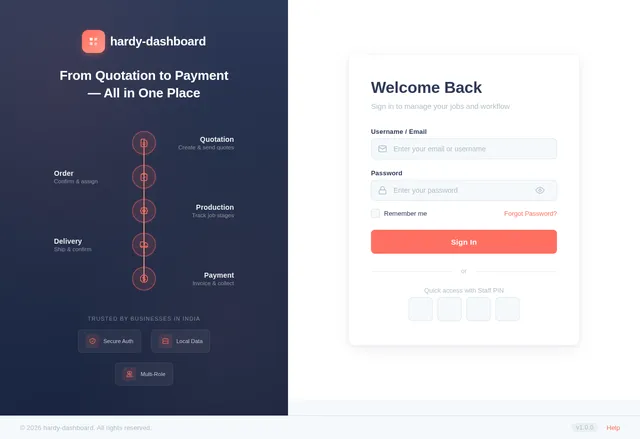
The homepage will feature an interactive workflow timeline that visually represents the stages of job tracking (Quotation → Order → Production → Delivery → Payment).
- Design: A horizontal timeline with animated icons for each stage.
- Interaction: Users can hover over each stage to see detailed information, such as timestamps, responsible staff, and attached files.
- Animation: Smooth transitions between stages, with color-coded statuses (e.g., green for completed, orange for pending).
- Micro-interactions: Clicking on a stage will expand it into a modal view with detailed data and action buttons.
This design creates an engaging and intuitive experience, making job tracking visually appealing and easy to understand.
7. Non-Functional Requirements
- The system must support up to three user roles.
- All data must be stored locally for security and control.
- The application must be responsive and mobile-friendly.
- The system must ensure secure authentication for all users.
8. Tech Stack
Frontend
- React for Web
Backend
- Python
- FastAPI
Database
- MySQL (with Alembic for migrations)
Local Orchestration
- Docker
- docker-compose
9. Assumptions and Constraints
- The system will operate in the Indian locale, with INR as the default currency and IST as the timezone.
- File uploads will be stored locally, with no cloud storage integration.
- Multi-user roles will be limited to three users (Admin and Staff).
10. Glossary
- CRM: Customer Relationship Management.
- GST: Goods and Services Tax, applicable in India.
- Responsive Design: A design approach ensuring the application works seamlessly across devices.
- Modal View: A pop-up window that overlays the main content to display additional information.
This updated SRD reflects your request for multi-user roles and local storage while maintaining the original vision for hardy-dashboard. Let me know if there are any further refinements needed, Hiren!
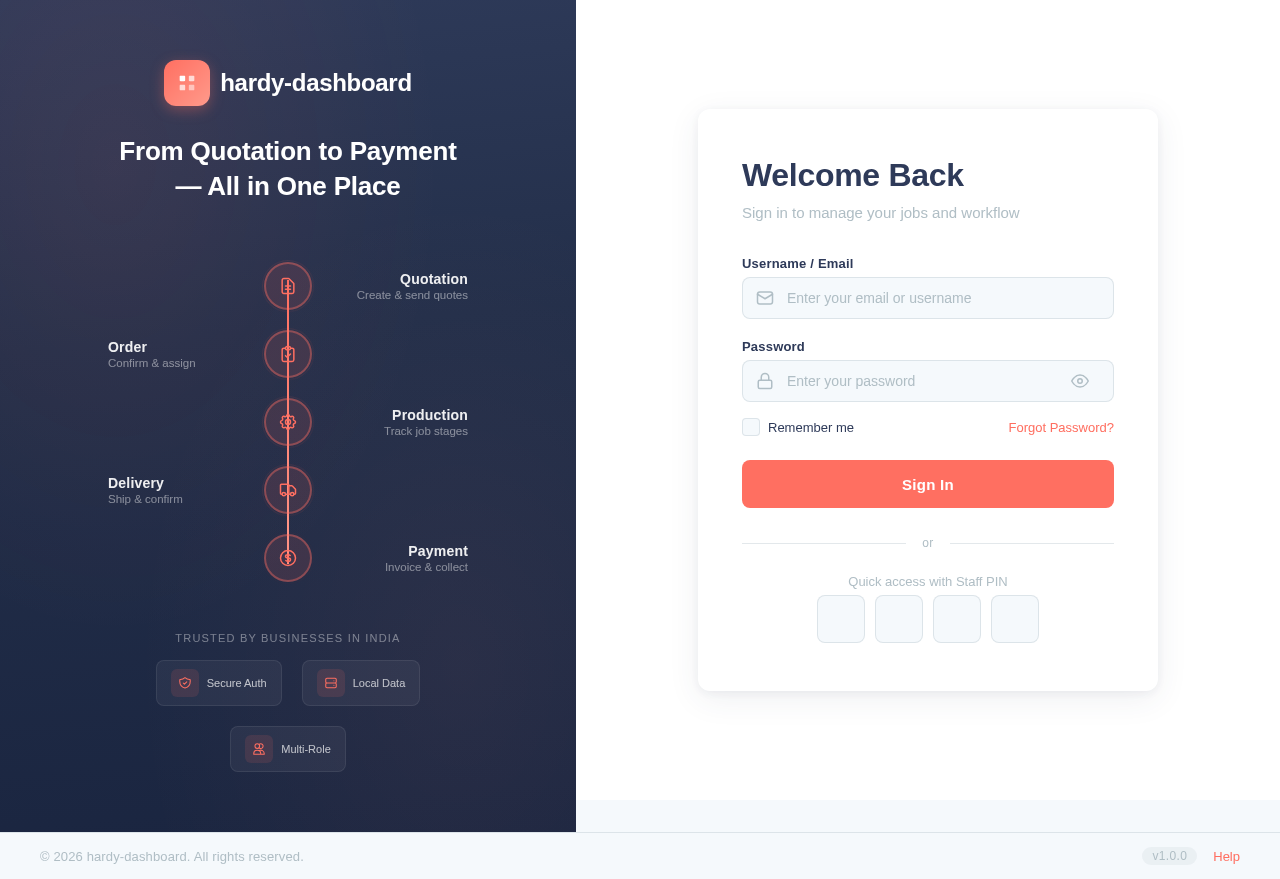
Welcome Back
Sign in to manage your jobs and workflow
No comments yet. Be the first!