hardy-cafeflow

bySwapnil Swapnil

app.cafeflow.fun

LandingCafé SetupLoginTable OrdersCounter Billing
Landing

Comments (0)

No comments yet. Be the first!

Project Tasks

95 tasks
#1

Generate system requirement document

0m 45s0.05 cr used
Done
#2

Generate personas & user flows

0m 8s0.05 cr used
Done
#5

Architecture

0m 20s0.05 cr used
Done
#6

Workspace task plan

1m 47s0.05 cr used
Done
#7

Create flow for Café owner or manager

0m 6sCredits in parent
Done
#8

Create flow for Café staff member

0m 6sCredits in parent
Done
#9

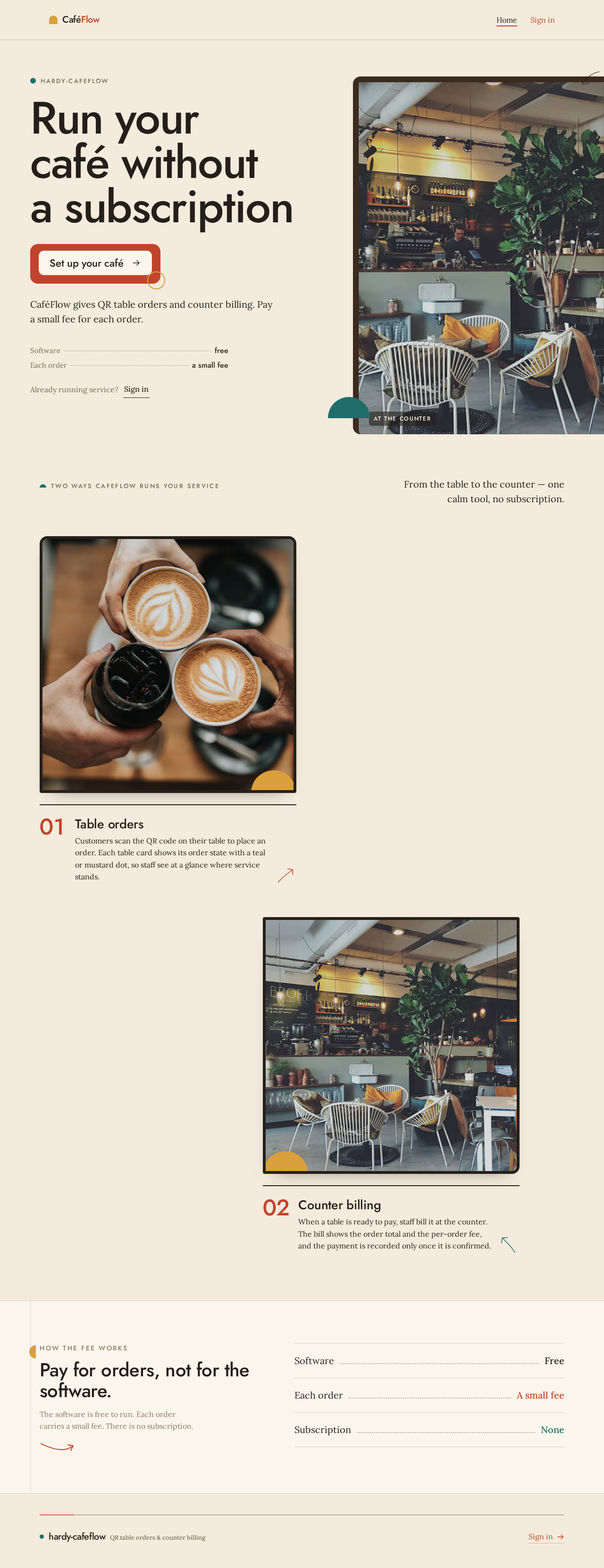
Landing

1m 59sCredits in subtasks
Done
#10

Login

2m 7sCredits in subtasks
Done
#11

Café Setup

4m 5sCredits in subtasks
Done
#12

Table Orders

3m 53sCredits in subtasks
Done
#13

Counter Billing

4m 13sCredits in subtasks
Done
#14

Landing / Hero

0m 26s0.85 cr used
Done
#15

Landing / Capability Gallery

0m 24s0.85 cr used
Done
#16

Landing / Fee Row

0m 21s0.85 cr used
Done
#17

Landing / Footer

0m 17s0.85 cr used
Done
#18

Landing / Navigation

0m 1s0.85 cr used
Done
#19

Navigation

0m 12sCredits in parent
Done
#20

Login / Navigation

0m 0s0.85 cr used
Done
#21

Login / Access Panel

0m 32s0.85 cr used
Done
#22

Login / Footer

0m 0s0.85 cr used
Done
#23

Café Setup / Cafe Setup Header

0m 0s0.85 cr used
Done
#24

Café Setup / Cafe Setup Intro

0m 16s0.85 cr used
Done
#25

Café Setup / Cafe Setup Workspace

0m 59s0.85 cr used
Done
#26

Café Setup / Cafe Setup Footer

0m 0s0.85 cr used
Done
#27

Table Orders / Header

0m 0s0.85 cr used
Done
#28

Table Orders / Intro

0m 10s0.85 cr used
Done
#29

Table Orders / Workspace

0m 58s0.85 cr used
Done
#30

Table Orders / Footer

0m 0s0.85 cr used
Done
#31

Counter Billing / Navigation

0m 0s0.85 cr used
Done
#32

Counter Billing / Intro

0m 12s0.85 cr used
Done
#33

Counter Billing / Workspace

0m 50s0.85 cr used
Done
#34

Counter Billing / Footer

0m 0s0.85 cr used
Done
#35

Fix Café Setup: Table names break mid-word at desktop width, splitting 'Courtyard' across lines

0m 38sCredits unavailable
Done
#36

Fix Café Setup review finding: Table names break mid-word at desktop width, splitting…

0m 12s0 cr used
Done
#37

Create backend_modules diagram

0m 15sCredits in parent
Done
#38

Create er_diagram diagram

0m 15sCredits in parent
Done
#39

Create frontend_modules diagram

0m 15sCredits in parent
Done
#40

Create sequence diagram

0m 15sCredits in parent
Done
#41

Create service_network diagram

0m 14sCredits in parent
Done
#42

Sign-in, first-use enrollment, and session-gated café access

120 cr estimated
To Do
#43

Record table orders and reflect state dot and running total

100 cr estimated
To Do
#44

Save café name and tables with QR identifiers before service

120 cr estimated
To Do
#45

Serve owner-configured tables to staff for order taking

80 cr estimated
To Do
#46

Record and review customer table orders from QR codes

100 cr estimated
To Do
#47

Record counter payment and mark order paid with fee confirmation

120 cr estimated
To Do
#48

Verify identity and route users by role after sign-in

120 cr estimated
To Do
#49

Keep orders awaiting payment when a payment record fails

100 cr estimated
To Do
#50

Show per-order fee on each billed order and bill summary

100 cr estimated
To Do
#51

Let the owner or manager add, rename, and remove tables

100 cr estimated
To Do
#52

Open a table's order with line items and running total

100 cr estimated
To Do
#53

Save café details and tables with QR identifiers

120 cr estimated
To Do
#54

Record counter payment with confirmed amount and method

120 cr estimated
To Do
#55

Mark a table order ready for billing

80 cr estimated
To Do
#56

Bill an order and close it out at the counter

120 cr estimated
To Do
#57

Keep the draft and offer retry when order submission fails

100 cr estimated
To Do
#58

Free a table for the next order once billing completes

100 cr estimated
To Do
#59

Open a table order and add or adjust its line items

120 cr estimated
To Do
#60

Restrict Table Orders and Counter Billing to staff and owner/manager

100 cr estimated
To Do
#61

Show orders awaiting payment in Counter Billing

100 cr estimated
To Do
#62

Enroll and verify café identities with role-based routing

140 cr estimated
To Do
#63

Serve live table order state with state dots, line items, and totals

120 cr estimated
To Do
#64

Serve saved tables with per-table QR links

100 cr estimated
To Do
#65

Create a staff identity and route to Table Orders

100 cr estimated
To Do
#66

Persist café data in Maria DB bound to café and identity

120 cr estimated
To Do
#67

Restrict Café Setup to the owner or manager

100 cr estimated
To Do
#68

Show empty table list with add-table prompt on first visit

60 cr estimated
To Do
#69

Let staff change an order's state

100 cr estimated
To Do
#70

Application-owned sign-in for café identities

140 cr estimated
To Do
#71

Choose table and items when recording an order

80 cr estimated
To Do
#72

Enforce role restrictions on protected destinations

120 cr estimated
To Do
#73

Show a loading skeleton while awaiting-payment orders load

60 cr estimated
To Do
#74

Owner confirms counter payments

100 cr estimated
To Do
#75

Owner sets up café and tables with QR identifiers

120 cr estimated
To Do
#76

Table Orders and Counter Billing stay responsive without full reloads

120 cr estimated
To Do
#77

Staff bill orders at the counter with a small per-order fee

120 cr estimated
To Do
#78

Counter Billing requires a signed-in café identity

100 cr estimated
To Do
#79

Show orders awaiting payment with totals, per-order fee, and payment result

100 cr estimated
To Do
#80

Owner acts in service on Table Orders and Counter Billing

120 cr estimated
To Do
#81

Clear empty state when no orders await payment

60 cr estimated
To Do
#82

Show saved café name and tables with QR codes

100 cr estimated
To Do
#83

Select an order and confirm the amount with a bill summary

100 cr estimated
To Do
#84

a QR code for each table

100 cr estimated
To Do
#85

Load the table grid with a loading skeleton

80 cr estimated
To Do
#86

Show a calm empty state naming the next step when no orders are active

60 cr estimated
To Do
#87

Identify which orders are ready for billing

80 cr estimated
To Do
#88

Retry a failed café save without losing unsaved changes

100 cr estimated
To Do
#89

Hand the bill to the customer at the counter

80 cr estimated
To Do
#90

Block bill confirmation when the per-order fee cannot be shown

100 cr estimated
To Do
#91

Serve café configuration and table list for Café Setup

80 cr estimated
To Do
#92

Record a small per-order fee on each billed order

100 cr estimated
To Do
#93

Wire Counter Billing to live orders, fees, and payment recording

120 cr estimated
To Do
#94

Wire Login to enrollment, sign-in, and role-based routing

120 cr estimated
To Do
#95

Wire Table Orders to live tables, order entry, and state dots

120 cr estimated
To Do
#96

Wire Café Setup to saved configuration, tables, and QR codes

120 cr estimated
To Do
#97

Add Landing navigation, fee model, and reduced-motion behavior

80 cr estimated
To Do
Live
Landing design preview

Landing: Read product explanation

Landing: Review per-order fee model

Login: Choose enrollment mode

Login: 1. Enter credentials and owner role

Login: 2. Correct inline enrollment error

Café Setup: Enter café name

Café Setup: Add tables with labels

Café Setup: View and copy table QR links

Café Setup: 1. Save café and tables

Café Setup: 2. Retry save with values kept

Table Orders: Review live table orders

Table Orders: Mark order ready for billing

Counter Billing: Select order awaiting payment

Counter Billing: Confirm amount and per-order fee

Counter Billing: 1. Record counter payment

Counter Billing: 2. Retry failed payment record

Counter Billing: View paid confirmation

Landing: Use sign-in link

Login: 1. Sign in with credentials

Login: 2. Correct invalid credentials

Café Setup: Resume saved café state