garnet-image
 Jaseem Ali
i will attach a image file which i need to make the diagonal lines to proper measurents and convert in to autocad

Comments (0)
Sign in to leave a comment
Project Tasks17
Align App Color Theme
As a developer, I want a unified color palette and theme system established across the entire application so that all pages share a consistent visual identity derived from the Landing page design, using the specified colors: Background #F5F5F5, Surface #FFFFFF, Text #333333, Accent #007BFF, Muted #CCCCCC.
Implement Landing Page UI
As a visitor, I want to see a polished and informative landing page (v2 design) so that I can understand the purpose of Garnet-Image and be encouraged to sign up or log in. Implementation must be based on the existing v2 JSX design provided.
Build Login Page UI
As a returning user, I want a clean and secure login page (v2 design) so that I can authenticate with my credentials and access my workspace and dashboard.
Build Signup Page UI
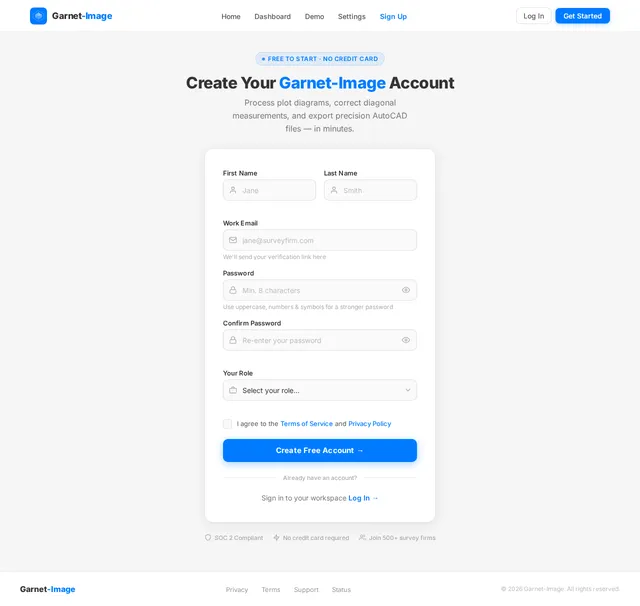
As a new user, I want an intuitive signup page (v2 design) so that I can create an account and gain access to the Garnet-Image platform.
Build Dashboard Page UI
As an admin user, I want a dashboard overview page (v2 design) so that I can monitor system stats, recent activity, and key metrics related to processed diagrams and user actions.
Build Users Management UI
As an admin, I want a users management page (v2 design) so that I can view, edit, activate, or deactivate user accounts and manage roles within the Garnet-Image platform.
Build Settings Pipeline UI
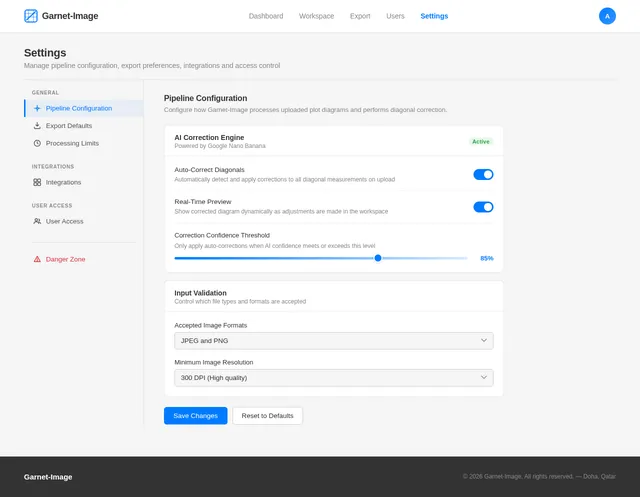
As a power user, I want a settings and pipeline configuration page (v2 design) so that I can customize the image processing pipeline parameters and set default export preferences for AutoCAD files.
Build Demo Page UI
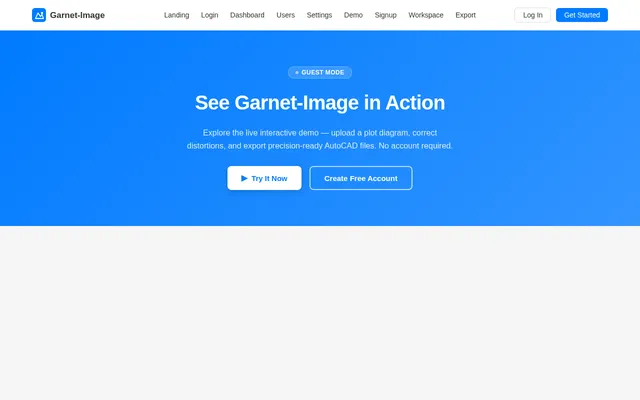
As a prospective or new user, I want a demo page (v2 design) that displays a sample plot diagram so that I can understand how Garnet-Image processes and visualizes diagrams before uploading my own.
Build Workspace Page UI
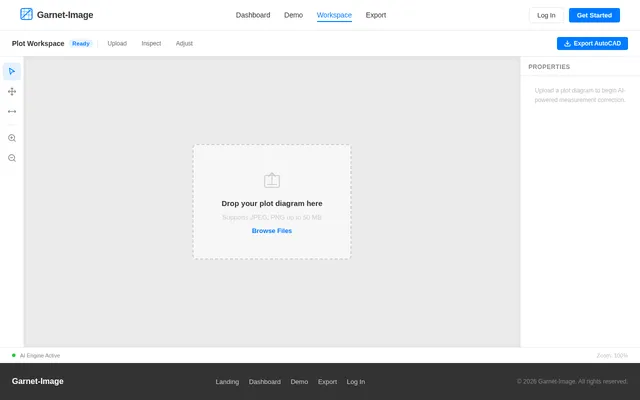
As a user, I want a workspace page (v2 design) where I can upload a plot diagram image, inspect detected diagonal measurements, and manually adjust measurement values so that the corrected diagram accurately reflects real-world dimensions.
Build Export Page UI
As a user, I want an export page (v1 design) where I can configure AutoCAD export preferences and download the processed diagram as an AutoCAD file so that I can use the corrected plot diagram in my CAD workflows.
Build App Navigation Shell
As a developer, I want a unified application navigation shell with routing, sidebar, and navbar layout so that all pages share a consistent structural foundation and users can navigate seamlessly between sections of the Garnet-Image platform.
Implement Image Upload API
As a backend service, I want an image upload API endpoint so that the frontend workspace can securely send plot diagram images to the server for storage and downstream AI processing.
Implement User Management API
As an admin, I want a user management API so that I can programmatically retrieve, update, activate, and deactivate user accounts and manage roles through the admin interface.
Implement Pipeline Settings API
As a user, I want a pipeline settings configuration API so that my custom pipeline parameters and export defaults are persisted on the server and applied consistently during image processing and AutoCAD export.
Implement Diagonal Correction API
As a backend service, I want a diagonal measurement correction API so that uploaded plot diagram images are analyzed, diagonal measurements are detected, and corrected values are computed and returned to the frontend.
Integrate AI Image Processing
As an AI engineer, I want to integrate Google Nano Banana AI into the image processing pipeline so that uploaded plot diagram images are analyzed using AI to detect, extract, and correct diagonal measurements with high accuracy.
Implement AutoCAD Export API
As a backend service, I want an AutoCAD export API that accepts export preferences and a processed diagram so that the system can generate and serve a downloadable AutoCAD file to the user.

Turn Hand-Drawn Plot Diagrams into Precise AutoCAD Files
Upload your plot diagram and let our AI-powered engine automatically detect and correct diagonal measurements. Get industry-standard AutoCAD files in under 10 seconds — no manual drafting required.
Interactive Plot Correction Workspace
Experience how Garnet-Image corrects diagonal measurements in real time. Hover over diagonal lines to inspect measurements, then adjust the slider to see corrections applied.
Everything You Need for Precise Plot Processing
A complete toolkit for architects and engineers to transform hand-drawn plot diagrams into precise AutoCAD files.
Drag and drop JPEG or PNG plot diagrams up to 50MB for instant processing and analysis.
Google Nano Banana AI automatically detects and corrects diagonal measurements for precision.
Hover over diagonal lines to instantly view current and corrected measurements on your diagram.
Fine-tune any measurement with an intuitive slider tool and see updates reflected in real time.
Download corrected diagrams as industry-standard DWG or DXF files with full version history.
Specify export preferences including AutoCAD version, layer structure, and dimension styles.
How Garnet-Image Works
From upload to AutoCAD export in four simple steps
Upload Your Plot Diagram
Upload your hand-drawn or scanned plot diagram in JPEG or PNG format, up to 50MB in size.
AI Corrects Diagonals
Our AI engine powered by Google Nano Banana detects and corrects all diagonal measurements automatically.
Inspect & Adjust
Review corrections in the interactive workspace. Use the slider tool to manually fine-tune any measurement.
Export AutoCAD File
Download your precise AutoCAD DWG/DXF file with full layer configuration and version control options.
Built for Technical Precision
Who Uses Garnet-Image?
Built for professionals who demand precision. From system admins to field surveyors, every role has a tailored experience.
Manages user access, oversees the image processing pipeline, and configures system-wide export defaults for AutoCAD conversions.
Sign In as Admin→Uploads plot diagrams for AI-powered correction, inspects diagonal measurements in the workspace, and exports precise AutoCAD files.
Get Started as User→Explores Garnet-Image capabilities, views sample plot corrections, and registers for a full account to start processing diagrams.
Explore as Guest→Trusted by Architects & Engineers
See how professionals rely on Garnet-Image for precise plot processing
Garnet-Image has revolutionized our workflow. Converting hand-drawn plot diagrams to precise AutoCAD files used to take hours. Now it takes under 10 seconds with near-perfect accuracy.
The diagonal correction feature is incredibly precise. We process dozens of plot diagrams weekly, and the accuracy of the measurements has saved us countless revision cycles.
As a surveyor, precision is everything. The real-time measurement preview and manual adjustment slider give me full confidence in every AutoCAD file we export.
Our team adopted Garnet-Image last quarter and productivity has increased by 40%. The layer configuration on export is exactly what we needed for our AutoCAD pipeline.
The interactive workspace feels like a digital drafting table. Being able to hover over diagonals and see corrected measurements in real-time is a game changer for our team.
We handle large-scale projects with complex plot boundaries. Garnet-Image supports files up to 50MB and the 99.9% uptime means we never miss a deadline.
Ready to Convert Your First Plot Diagram?
Upload your hand-drawn plot diagram and get a precise, industry-standard AutoCAD file in under 10 seconds. No credit card required.
No comments yet. Be the first!