garnet-image
 Jaseem Ali
i will attach a image file which i need to make the diagonal lines to proper measurents and convert in to autocad

Comments (0)
Sign in to leave a comment
System Requirements
System Requirements Document (SRD)
Project Name: Garnet-Image
1. Introduction
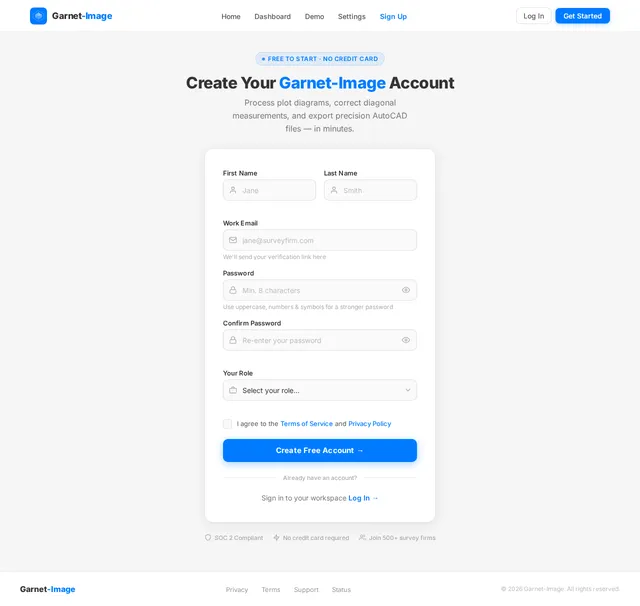
The Garnet-Image project aims to process and refine plot diagrams by correcting diagonal measurements and converting them into precise AutoCAD files. This ensures accurate representation of plot boundaries and dimensions for architectural and engineering purposes.
This document outlines the system requirements for achieving the objectives of the Garnet-Image project, including functional and non-functional requirements, user personas, and design concepts.
2. System Overview
The Garnet-Image system will:
- Process input images of plot diagrams.
- Correct diagonal measurements to ensure accuracy.
- Convert the corrected diagrams into AutoCAD files.
- Provide a user-friendly interface for uploading images and downloading AutoCAD files.
The system will cater to users such as architects, engineers, and surveyors who require precise plot diagrams for planning and development purposes.
3. Functional Requirements
- As a User, I should be able to upload an image of a plot diagram.
- As a User, I should be able to view the corrected diagonal measurements on the plot diagram.
- As a User, I should be able to download the corrected plot diagram in AutoCAD format.
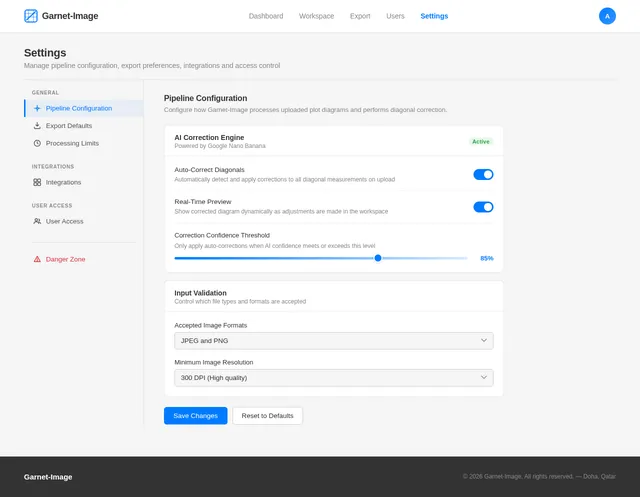
- As a User, I should be able to specify export preferences for the AutoCAD file (e.g., version, layers).
4. User Personas
-
Admin
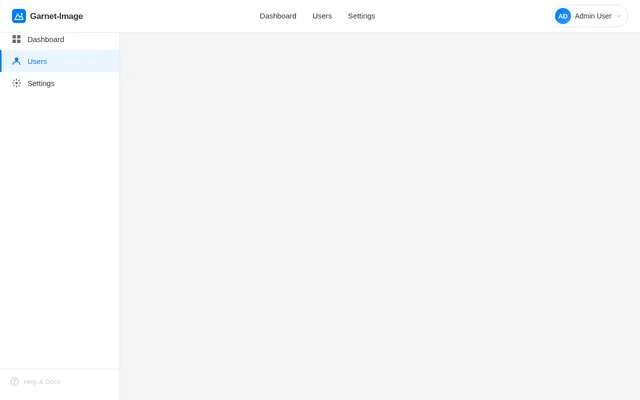
- Manages user access and system configurations.
- Oversees the processing pipeline for image corrections and AutoCAD conversions.
-
User
- Uploads plot diagrams for processing.
- Downloads corrected diagrams in AutoCAD format.
-
Guest
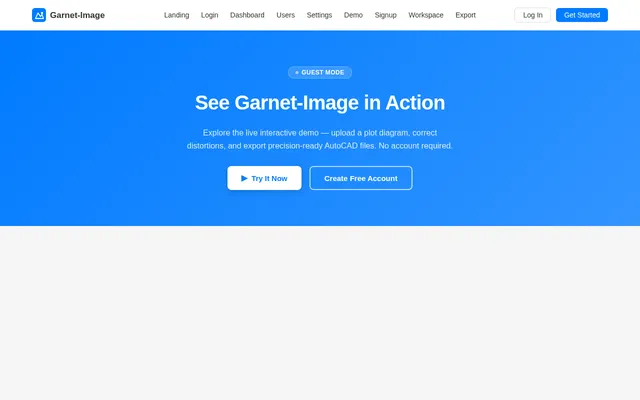
- Views system capabilities but cannot upload or download files.
5. Visuals Colors and Theme
The Garnet-Image project will use a professional and precise theme to reflect its technical nature.
Color Palette:
- Background: #F5F5F5 (light gray)
- Surface: #FFFFFF (white)
- Text: #333333 (dark gray)
- Accent: #007BFF (blue)
- Muted: #CCCCCC (light gray)
This palette ensures clarity and focus on the technical content.
6. Signature Design Concept
Interactive Plot Correction Interface
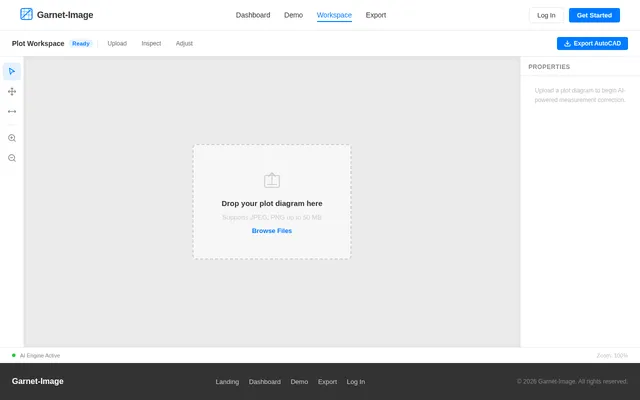
The homepage will feature an interactive plot correction tool. Users will see a digital workspace resembling a drafting table.
-
Key Features:
- The uploaded plot diagram will appear in the center of the workspace.
- Users can hover over diagonal lines to view their current and corrected measurements.
- A slider tool will allow users to adjust measurements manually if needed.
- Real-time updates will display the corrected diagram dynamically.
-
Animations and Transitions:
- Smooth zoom-in and zoom-out transitions for detailed inspection.
- Subtle highlights on selected lines or points.
- A glowing effect on the "Download AutoCAD File" button when the corrections are complete.
This design ensures an engaging and intuitive user experience.
7. Non-Functional Requirements
- The system must process images and generate AutoCAD files within 10 seconds.
- The system must support image uploads up to 50 MB.
- The system must ensure 99.9% uptime for uninterrupted access.
- The AutoCAD files must comply with industry standards for compatibility.
8. Tech Stack
- Frontend: React for Web
- Backend: Python with FastAPI
- Database: MySQL (with Alembic for migrations)
- AI Tools: Google Nano Banana for image processing
- Local Orchestration: Docker, docker-compose
- Server-Side Orchestration: Kubernetes
9. Assumptions and Constraints
- The input images will be in standard formats (e.g., JPEG, PNG).
- The system will not handle highly distorted or low-resolution images.
- Users must have AutoCAD software to open the downloaded files.
- The system will operate in the Qatar timezone (AST).
10. Glossary
- AutoCAD: A software application for computer-aided design (CAD) and drafting.
- Diagonal Measurements: The lengths of diagonal lines within a plot diagram.
- Plot Diagram: A graphical representation of land divisions.
- Alembic: A database migration tool for Python.
This document serves as the foundation for the development and implementation of the Garnet-Image project.

Turn Hand-Drawn Plot Diagrams into Precise AutoCAD Files
Upload your plot diagram and let our AI-powered engine automatically detect and correct diagonal measurements. Get industry-standard AutoCAD files in under 10 seconds — no manual drafting required.
Interactive Plot Correction Workspace
Experience how Garnet-Image corrects diagonal measurements in real time. Hover over diagonal lines to inspect measurements, then adjust the slider to see corrections applied.
Everything You Need for Precise Plot Processing
A complete toolkit for architects and engineers to transform hand-drawn plot diagrams into precise AutoCAD files.
Drag and drop JPEG or PNG plot diagrams up to 50MB for instant processing and analysis.
Google Nano Banana AI automatically detects and corrects diagonal measurements for precision.
Hover over diagonal lines to instantly view current and corrected measurements on your diagram.
Fine-tune any measurement with an intuitive slider tool and see updates reflected in real time.
Download corrected diagrams as industry-standard DWG or DXF files with full version history.
Specify export preferences including AutoCAD version, layer structure, and dimension styles.
How Garnet-Image Works
From upload to AutoCAD export in four simple steps
Upload Your Plot Diagram
Upload your hand-drawn or scanned plot diagram in JPEG or PNG format, up to 50MB in size.
AI Corrects Diagonals
Our AI engine powered by Google Nano Banana detects and corrects all diagonal measurements automatically.
Inspect & Adjust
Review corrections in the interactive workspace. Use the slider tool to manually fine-tune any measurement.
Export AutoCAD File
Download your precise AutoCAD DWG/DXF file with full layer configuration and version control options.
Built for Technical Precision
Who Uses Garnet-Image?
Built for professionals who demand precision. From system admins to field surveyors, every role has a tailored experience.
Manages user access, oversees the image processing pipeline, and configures system-wide export defaults for AutoCAD conversions.
Sign In as Admin→Uploads plot diagrams for AI-powered correction, inspects diagonal measurements in the workspace, and exports precise AutoCAD files.
Get Started as User→Explores Garnet-Image capabilities, views sample plot corrections, and registers for a full account to start processing diagrams.
Explore as Guest→Trusted by Architects & Engineers
See how professionals rely on Garnet-Image for precise plot processing
Garnet-Image has revolutionized our workflow. Converting hand-drawn plot diagrams to precise AutoCAD files used to take hours. Now it takes under 10 seconds with near-perfect accuracy.
The diagonal correction feature is incredibly precise. We process dozens of plot diagrams weekly, and the accuracy of the measurements has saved us countless revision cycles.
As a surveyor, precision is everything. The real-time measurement preview and manual adjustment slider give me full confidence in every AutoCAD file we export.
Our team adopted Garnet-Image last quarter and productivity has increased by 40%. The layer configuration on export is exactly what we needed for our AutoCAD pipeline.
The interactive workspace feels like a digital drafting table. Being able to hover over diagonals and see corrected measurements in real-time is a game changer for our team.
We handle large-scale projects with complex plot boundaries. Garnet-Image supports files up to 50MB and the 99.9% uptime means we never miss a deadline.
Ready to Convert Your First Plot Diagram?
Upload your hand-drawn plot diagram and get a precise, industry-standard AutoCAD file in under 10 seconds. No credit card required.
No comments yet. Be the first!