food-diary
by Wei Hung Yeo
Wei Hung YeoProject Name: Coach-Share Food Diary Core Purpose: A mobile-first, single-page visual food diary inspired by the "See How You Eat" app. It allows users to track their daily food intake across distinct meals, see timestamps, and generate a clean, readable summary view ready to share with a health coach. Target Tech Stack: React / Tailwind CSS / Lucide React Icons (Client-side execution with local storage persistence to save credits). Core App Features & Layout: 1. Single-Page Chronological Timeline: - Display a single, continuous daily view tracking Breakfast, Lunch, Dinner, and Snacks. - Each meal card must display: A placeholder for a photo/upload, a text description field, a calorie/macro note field, and an automatic timestamp (e.g., "Logged at 08:30 AM"). 2. Interactive Logging Controls: - Quick-add buttons at the top of the page for each meal type. - Text input fields that auto-save locally so data is persistent across browser refreshes. 3. "Share with Coach" Module: - A prominent button that generates a clean, read-only summary layout optimized for mobile screenshots or printing. - Include a simple "Copy Text Summary to Clipboard" action that formats the day's meals into a neat text list for easy pasting into WhatsApp, iMessage, or email. Strict Constraints for AI Agents: - Maintain all logic on a single page using React state and localStorage. - Do not build a backend database, user authentication (login), or external cloud storage architecture. - Use mock image placeholders/URLs for food photos to keep asset management purely front-end. - Style using clean, high-contrast Tailwind CSS utility classes, prioritizing a minimalist, modern fitness aesthetic.

Comments (0)
Sign in to leave a comment
Architecture
No Services Diagrams Yet
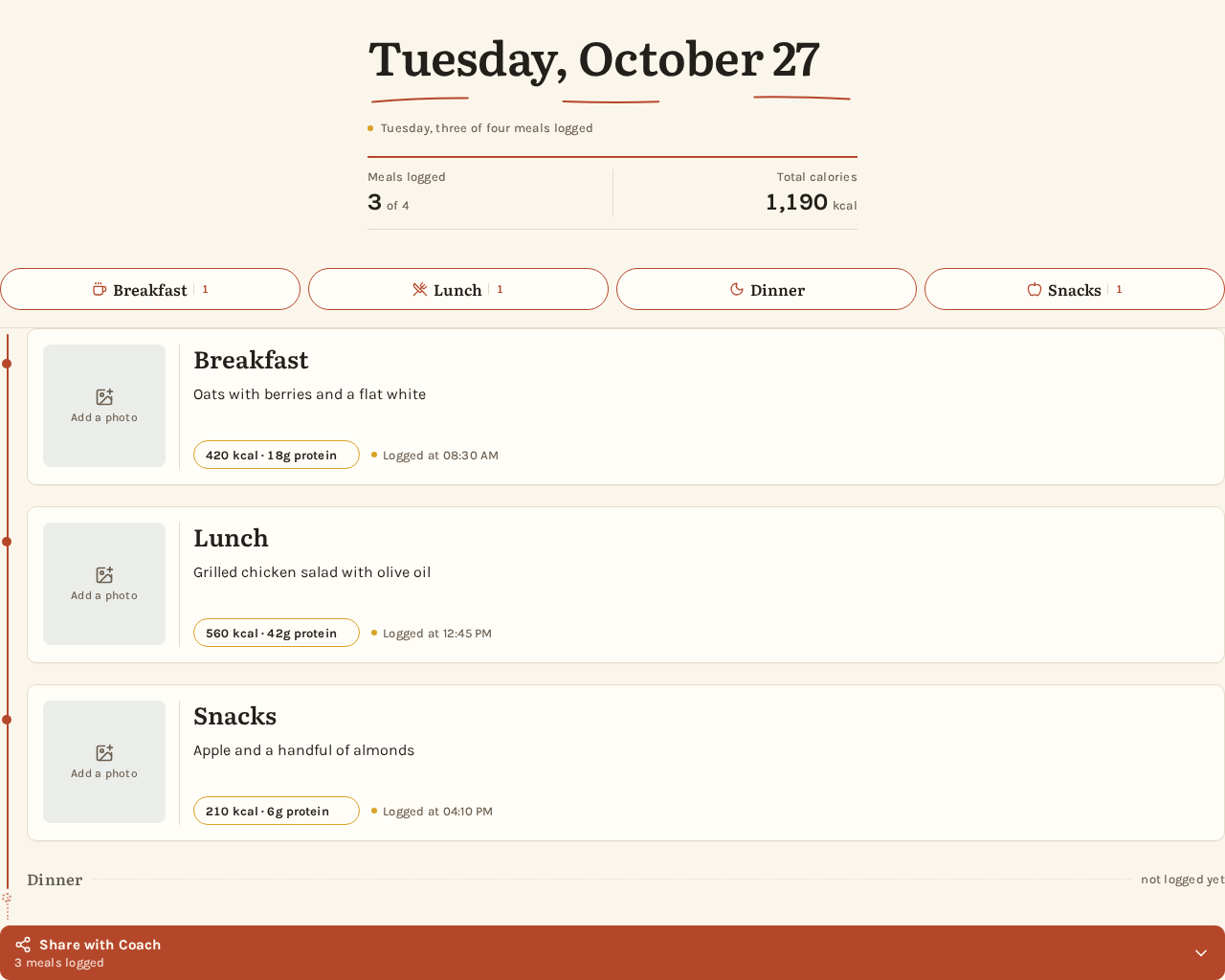
Wednesday, October 28
Wednesday, three of four meals logged
Meals logged3 of 4
Total calories1,190 kcal
Lunch
Snacks
- Dinnernot logged yet
Wednesday, October 28
Wednesday, three of four meals logged
Meals logged3 of 4
Total calories1,190 kcal
Breakfast
Lunch
Snacks
- Dinnernot logged yet
No comments yet. Be the first!