embroidery-render-photoshop
 viral ghelani
Create a adobe photoshop cs6 compatible filter to turn a color shape into embroidery render


Comments (0)
Sign in to leave a comment
Project Tasks
31 planning tasksGenerate system requirement document
Generate personas & user flows
Architecture
Workspace task plan
Create flow for Embroidery designer
Landing
Workspace
Embroidery Render
Landing / Drop Stage
Landing / Input Guide
Landing / Navigation
Landing / Footer
Navigation
Footer
Fix Landing: The primary file action only reads the file stream and marks it ready; it never decodes…
Fix Landing review finding: frontend/src/components/Landing Drop Stage.jsx: The primary…
Workspace / Navigation
Workspace / File Intake
Workspace / Layer Tree
Workspace / Canvas
Workspace / Render Panel
Workspace / Footer
Embroidery Render / Navigation
Embroidery Render / Stage
Embroidery Render / Density Diagram
Embroidery Render / Footer
Fix Workspace: Tablet three-pane grid makes the Canvas column too narrow for its heading and controls…
Fix Workspace: The canvas never consumes the layer selection made in the layer tree — it hardcodes and…
Fix Workspace: The canvas picks its own file independently of the file loaded in — it calls and takes…
Fix Workspace: The color-shape selection is local-only and never reaches the render panel — is…
Fix Workspace review findings: Tablet three-pane grid makes the Canvas column too narrow… (+3 more)
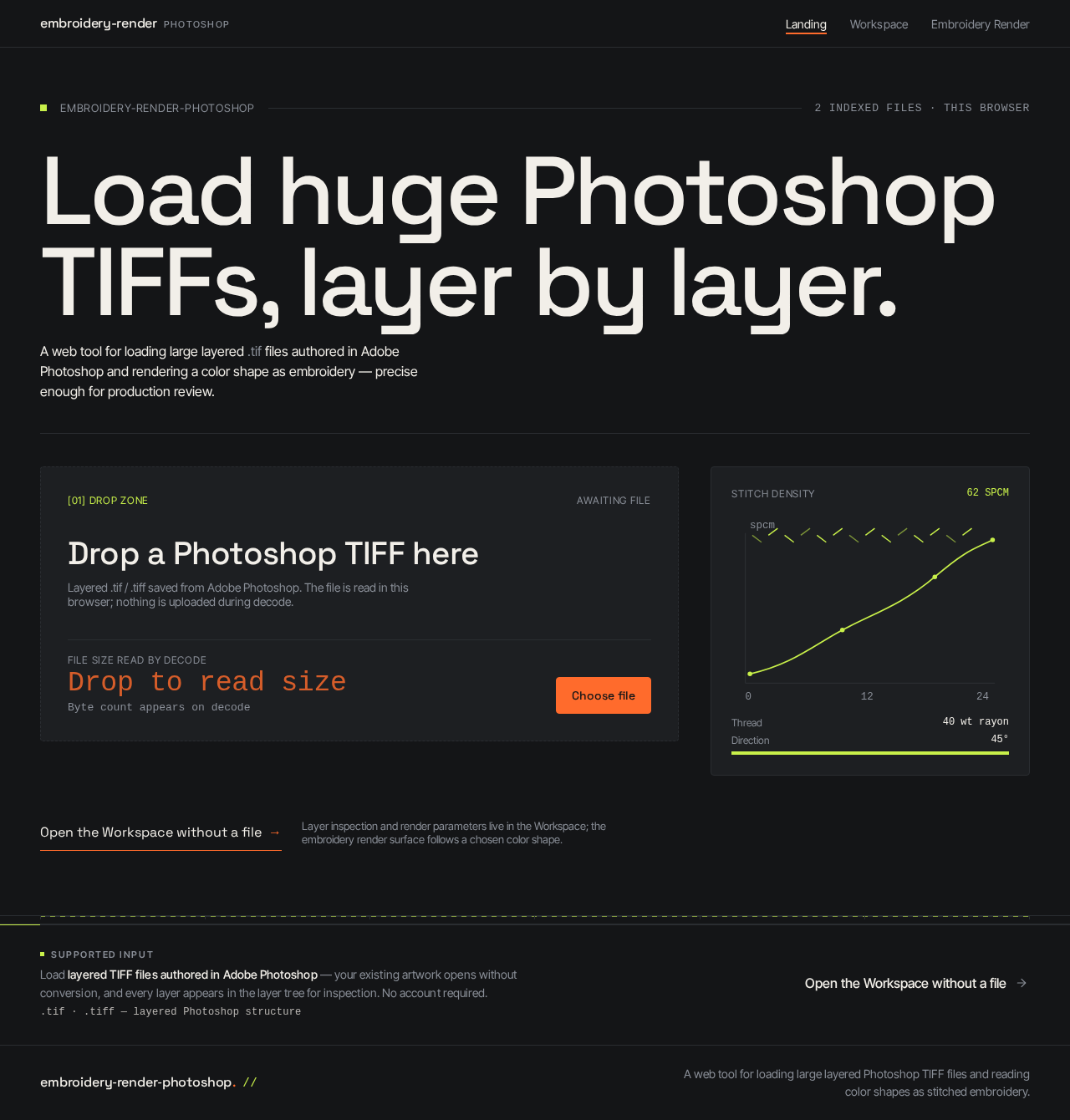
Load huge Photoshop TIFFs, layer by layer.
A web tool for loading large layered .tif files authored in Adobe Photoshop and rendering a color shape as embroidery — precise enough for production review.
Layer inspection and render parameters live in the Workspace; the embroidery render surface follows a chosen color shape.
Load layered TIFF files authored in Adobe Photoshop — your existing artwork opens without conversion, and every layer appears in the layer tree for inspection. No account required.
Load huge Photoshop TIFFs, layer by layer.
A web tool for loading large layered .tif files authored in Adobe Photoshop and rendering a color shape as embroidery — precise enough for production review.
Layer inspection and render parameters live in the Workspace; the embroidery render surface follows a chosen color shape.
Load layered TIFF files authored in Adobe Photoshop — your existing artwork opens without conversion, and every layer appears in the layer tree for inspection. No account required.
No comments yet. Be the first!