Cotton T-Shirts
Trending upRevenue$4,200
Units Sold12
build an frontend for inventory management software for a wholesale Business of Clothing business.


Sign in to leave a comment
Eagle-Inventory is an in-house inventory management system designed for a wholesale clothing business. The system aims to provide a streamlined and efficient way for team members to manage and track inventory, with a focus on sales tracking, inventory filling, and searching capabilities.
Eagle-Inventory is being developed to serve as an internal tool for managing inventory within a wholesale clothing business. The system will feature a custom user interface tailored to the needs of in-house team members. The primary components include:
The system will not include features for external vendor interaction or public access. Access is application-owned, and authentication is required for persistent internal access.
Track Sales and Inventory
Manage Inventory
explicitexplicitexplicitrequired_inferenceAccessing the Dashboard
Managing Inventory
Authentication Flow
The dashboard will feature a clean, modern design with a focus on usability and clarity. The layout will prioritize data visualization for sales trends and inventory levels, using charts and graphs to provide immediate insights. The inventory management page will offer a straightforward interface for making adjustments and adding new items, with clear feedback on actions taken. The authentication page will ensure a seamless and secure entry point for team members.
required_inference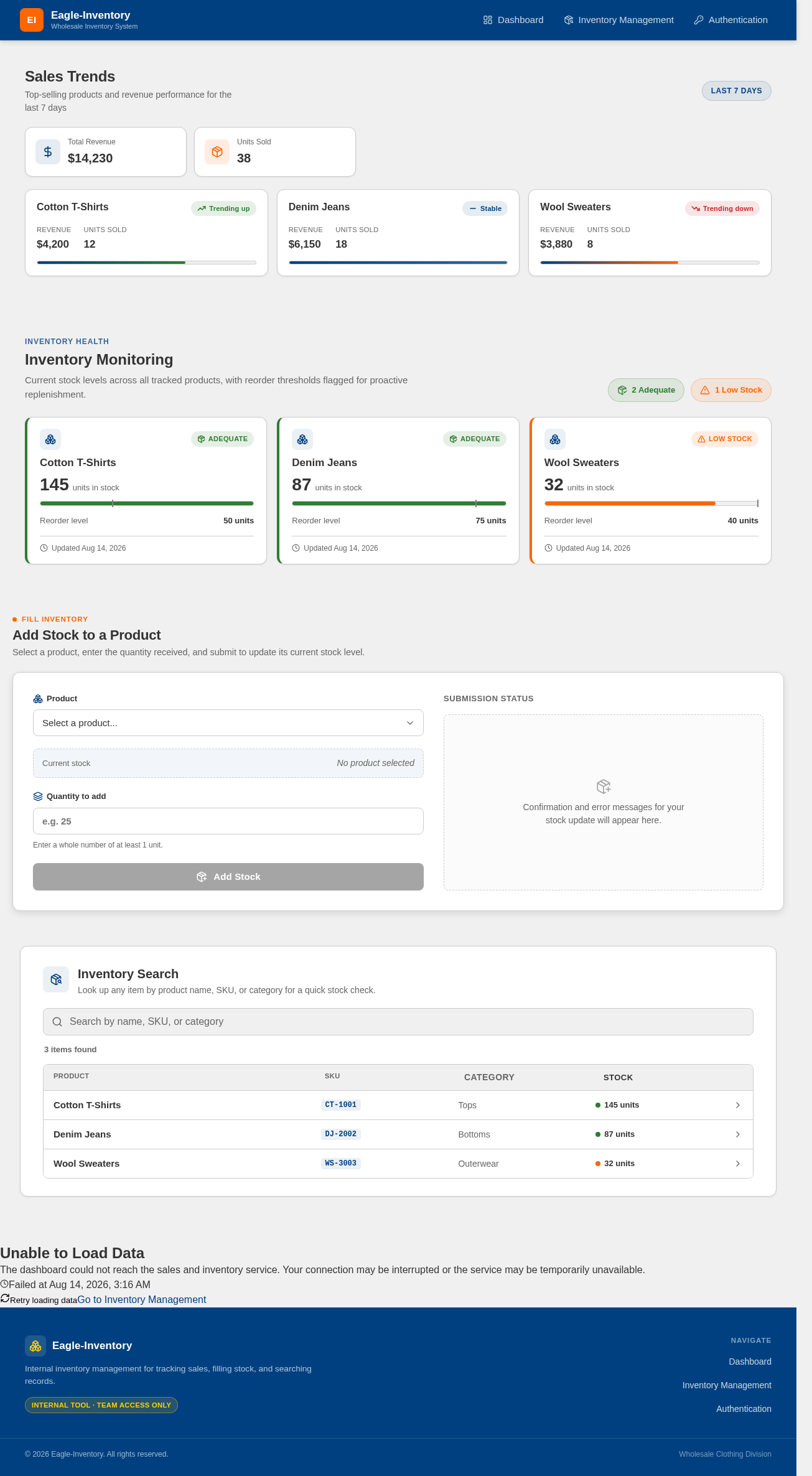
Top-selling products and revenue performance for the last 7 days
Current stock levels across all tracked products, with reorder thresholds flagged for proactive replenishment.
Select a product, enter the quantity received, and submit to update its current stock level.
Confirmation and error messages for your stock update will appear here.
Look up any item by product name, SKU, or category for a quick stock check.
The dashboard could not reach the sales and inventory service. Your connection may be interrupted or the service may be temporarily unavailable.
Top-selling products and revenue performance for the last 7 days
Current stock levels across all tracked products, with reorder thresholds flagged for proactive replenishment.
Select a product, enter the quantity received, and submit to update its current stock level.
Confirmation and error messages for your stock update will appear here.
Look up any item by product name, SKU, or category for a quick stock check.
The dashboard could not reach the sales and inventory service. Your connection may be interrupted or the service may be temporarily unavailable.
No comments yet. Be the first!