search the whole basket
01 · findSearch vegetables
Find any vegetable by name — from palak to baby corn — and drop it straight into your cart.
 Veerachar Veer Veerachar Veer
Building a cross-platform mobile application (Android and iOS) for Dr. Vegetable is an exciting venture! To make this vision a reality, you need a solid blueprint covering both the User App (Customer-facing) and the Admin Panel (Back-office management) for manual editing, pricing charts, and coupon controls. Phase 1: Customer App Features (Android & iOS) Authentication: Phone Number Login: Quick and secure OTP (One-Time Password) verification using services like Firebase Authentication or MSG91. Home Page: Search bar, categorized vegetable lists (leafy, roots, exotic, daily essentials), banner sliders for ongoing offers, and daily price highlights. Cart & Checkout: Add/remove items, quantity adjustments, and real-time total calculation. Delivery Rules Engine: Free Delivery: Automatically applied for orders ≥Rs. 200. Delivery Charge: Automatically added for orders <Rs. 200. Payment Gateway & Modes: COD (Cash on Delivery): Pay when the order arrives. UPI Integration: Direct triggers for Google Pay and PhonePe (via UPI intents). Post-Purchase Experience: Tracking ID: Real-time status updates (Order Placed → Packed → Out for Delivery → Delivered). Feedback & Complaints: Simple rating system for delivery/quality and a ticketing form for issue resolution. Discounts & Offers: Apply promo codes at checkout for instant price reductions. Phase 2: Admin Panel Features (Manual Control Dashboard) Since you requested manual editing capabilities for day-to-day operations, the Admin Web Dashboard or mobile-admin app should include: Price Chart Management: A separate master sheet/table where you can manually update daily vegetable prices (e.g., changing tomato price from Rs. 40 to Rs. 35) instantly across both Android and iOS apps. Offer & Discount Coupon Manager: Create custom coupon codes (e.g., DRVEG50), set minimum purchase limits, define discount percentages or flat amounts, and set expiry dates. Manual Banner & Template Control: Upload promotional banner designs and switch between UI layout templates for festive seasons or special sales. Order & Delivery Management: View incoming customer orders, assign delivery tracking IDs, and manage customer complaints. Phase 3: Recommended Technology Stack To build this efficiently for both Android and iOS with a robust backend: Frontend (Mobile App): Flutter or React Native (Allows you to write a single codebase that deploys smoothly to both Google Play Store and Apple App Store). Backend & Database: Node.js with Express or Firebase paired with MongoDB or PostgreSQL to handle user profiles, dynamic price charts, and cart logic. Payment Integration: Razorpay or Cashfree (Easily handles UPI apps like Google Pay, PhonePe, credit/debit cards, and COD tracking). Suggested Next Steps UI/UX Wireframes: Draft basic screen layouts for the Home Page, Cart, and Admin Dashboard. Database Schema Design: Structure how your dynamic vegetable price charts and coupon codes will be stored in the database. Would you like to start by outlining the database structure for the dynamic price chart and manual coupon system?

Sign in to leave a comment
Dr. Vegetable
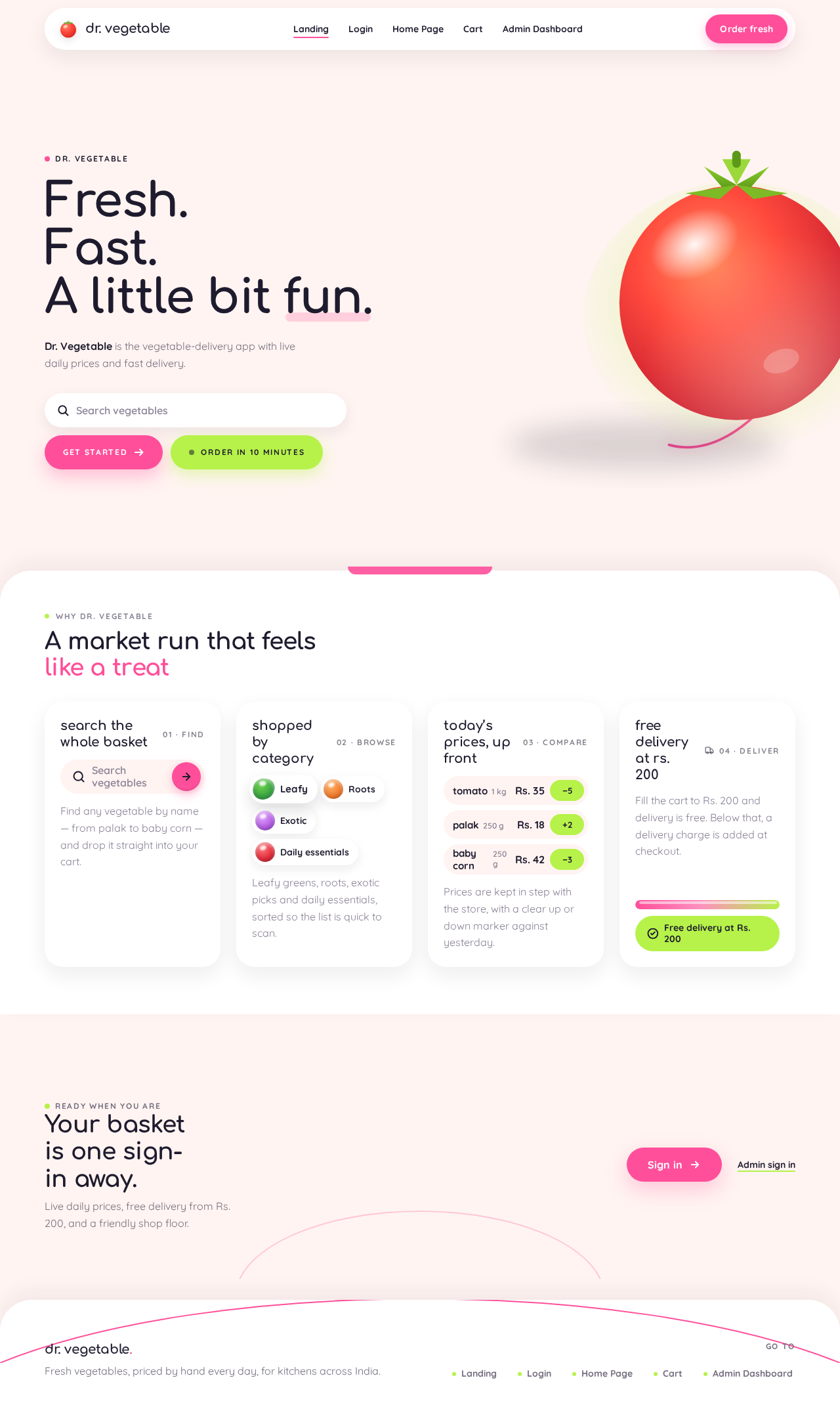
Dr. Vegetable is the vegetable-delivery app with live daily prices and fast delivery.
Find any vegetable by name — from palak to baby corn — and drop it straight into your cart.
Leafy greens, roots, exotic picks and daily essentials, sorted so the list is quick to scan.
Prices are kept in step with the store, with a clear up or down marker against yesterday.
Fill the cart to Rs. 200 and delivery is free. Below that, a delivery charge is added at checkout.
Ready when you are
Live daily prices, free delivery from Rs. 200, and a friendly shop floor.
Dr. Vegetable
Dr. Vegetable is the vegetable-delivery app with live daily prices and fast delivery.
Find any vegetable by name — from palak to baby corn — and drop it straight into your cart.
Leafy greens, roots, exotic picks and daily essentials, sorted so the list is quick to scan.
Prices are kept in step with the store, with a clear up or down marker against yesterday.
Fill the cart to Rs. 200 and delivery is free. Below that, a delivery charge is added at checkout.
Ready when you are
Live daily prices, free delivery from Rs. 200, and a friendly shop floor.
No comments yet. Be the first!