divine-calculator
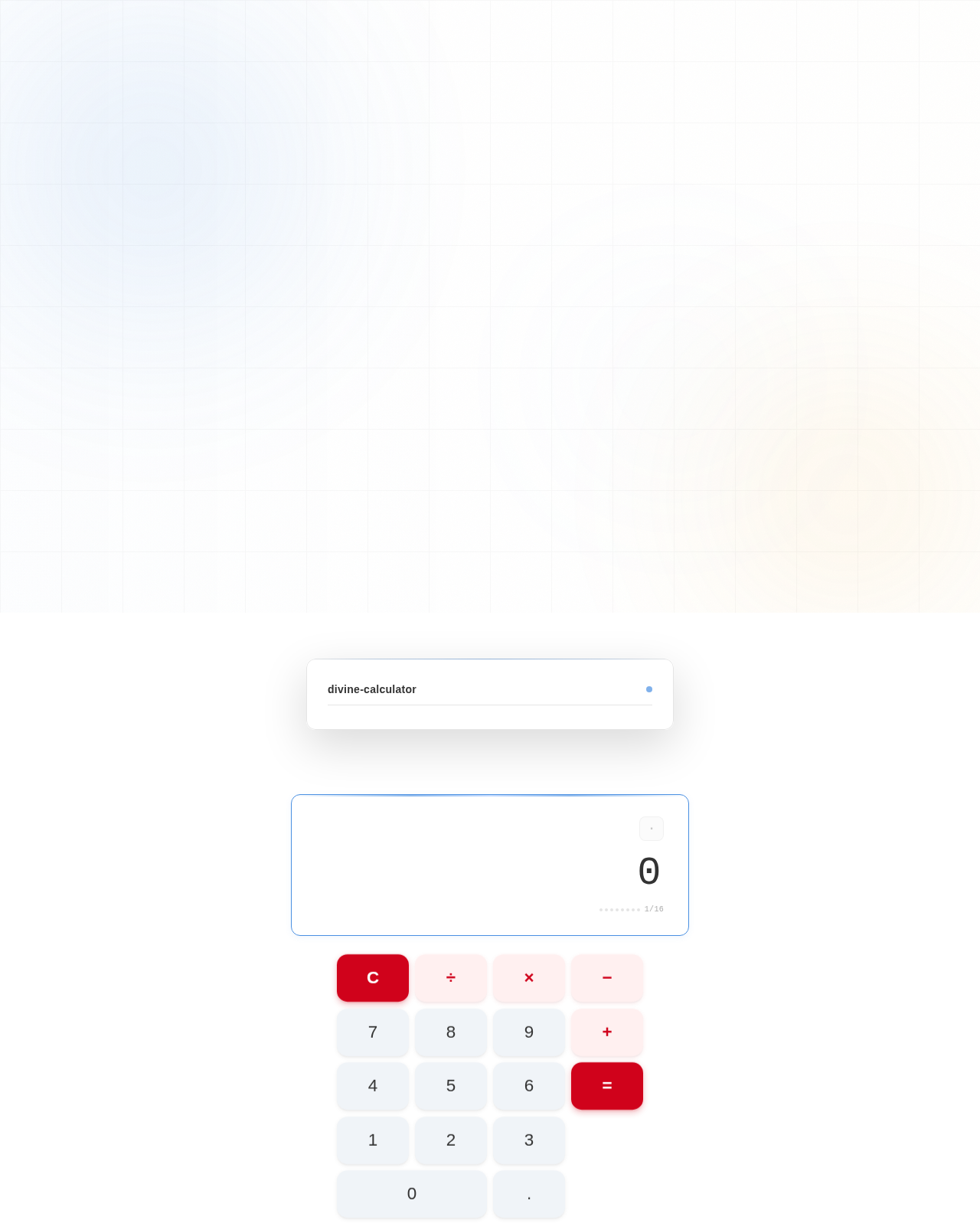
build a calculator with single design page and minimal design

Comments (0)
Sign in to leave a comment
System Requirements
Divine-Calculator System Requirements Document
Introduction
The purpose of this document is to outline the system requirements for the "Divine-Calculator" project. This project aims to create a simple, efficient calculator with a single design page and minimal design, focusing on basic arithmetic operations.
System Overview
The Divine-Calculator is designed to provide users with a straightforward tool for performing basic arithmetic calculations. The focus is on simplicity and ease of use, ensuring that users can quickly and efficiently perform calculations without unnecessary distractions.
Functional Requirements
- As a User, I should be able to perform basic arithmetic operations such as addition, subtraction, multiplication, and division.
- As a User, I should be able to clear the current calculation to start a new one.
- As a User, I should be able to view the result of my calculations immediately after input.
User Personas
- User: Individuals looking for a simple and efficient tool to perform basic arithmetic calculations without additional features or distractions.
Visuals Colors and Theme
The Divine-Calculator will feature a unique color palette that aligns with its minimalistic design philosophy:
- primary: #4A90E2 (a calming blue for the main interface)
- primary_light: #A6C8FF (a lighter blue for hover states)
- secondary: #F5A623 (a warm amber for emphasis and highlights)
- accent: #D0021B (a vibrant red for active states and CTAs)
- highlight: #F8E71C (a bright yellow for notifications and active indicators)
- bg: #FFFFFF (a clean white for the background)
- surface: rgba(255, 255, 255, 0.9) (a subtle white for card/panel backgrounds)
- text: #333333 (a dark grey for primary text)
- text_muted: #777777 (a softer grey for secondary text)
- border: rgba(0, 0, 0, 0.1) (a light grey for borders)
Signature Design Concept
The Divine-Calculator will feature a unique interactive design concept: a "floating calculator" interface. The calculator will appear to float above the background, with subtle shadow effects creating a sense of depth. Users can interact with the calculator through smooth, animated transitions powered by framer-motion. When a button is pressed, it will slightly depress and then return to its original position with a gentle bounce, providing tactile feedback. The interface will be responsive, ensuring a seamless experience across devices.
Interaction Model & Motion Direction
The landing page for the Divine-Calculator will utilize an "animated" interaction model. This includes:
- Smooth transitions between button states using spring physics.
- Hover effects that subtly highlight interactive elements.
- Animated reveals for calculation results, enhancing user engagement.
Internal pages, if any, will maintain a "static" interaction model to prioritize clarity and speed.
Non-Functional Requirements
- The calculator must load within 2 seconds on standard internet connections.
- The interface should be responsive and accessible on both desktop and mobile devices.
- The application should handle up to 100 concurrent users without performance degradation.
Tech Stack
- Frontend: React for Web
- Backend: Python with FastAPI
- Database: Not applicable for this project as it does not require data persistence.
Assumptions and Constraints
- The calculator will only perform basic arithmetic operations.
- The design will remain minimalistic, with no additional features beyond the core functionality.
- The application will be developed for the web platform only.
Glossary
- Arithmetic Operations: Basic mathematical operations including addition, subtraction, multiplication, and division.
- Responsive Design: An approach to web design that makes web pages render well on a variety of devices and window or screen sizes.
- Interactive Design: Design that allows users to interact with the interface in a dynamic way, often involving animations or transitions.
No comments yet. Be the first!