deep-system
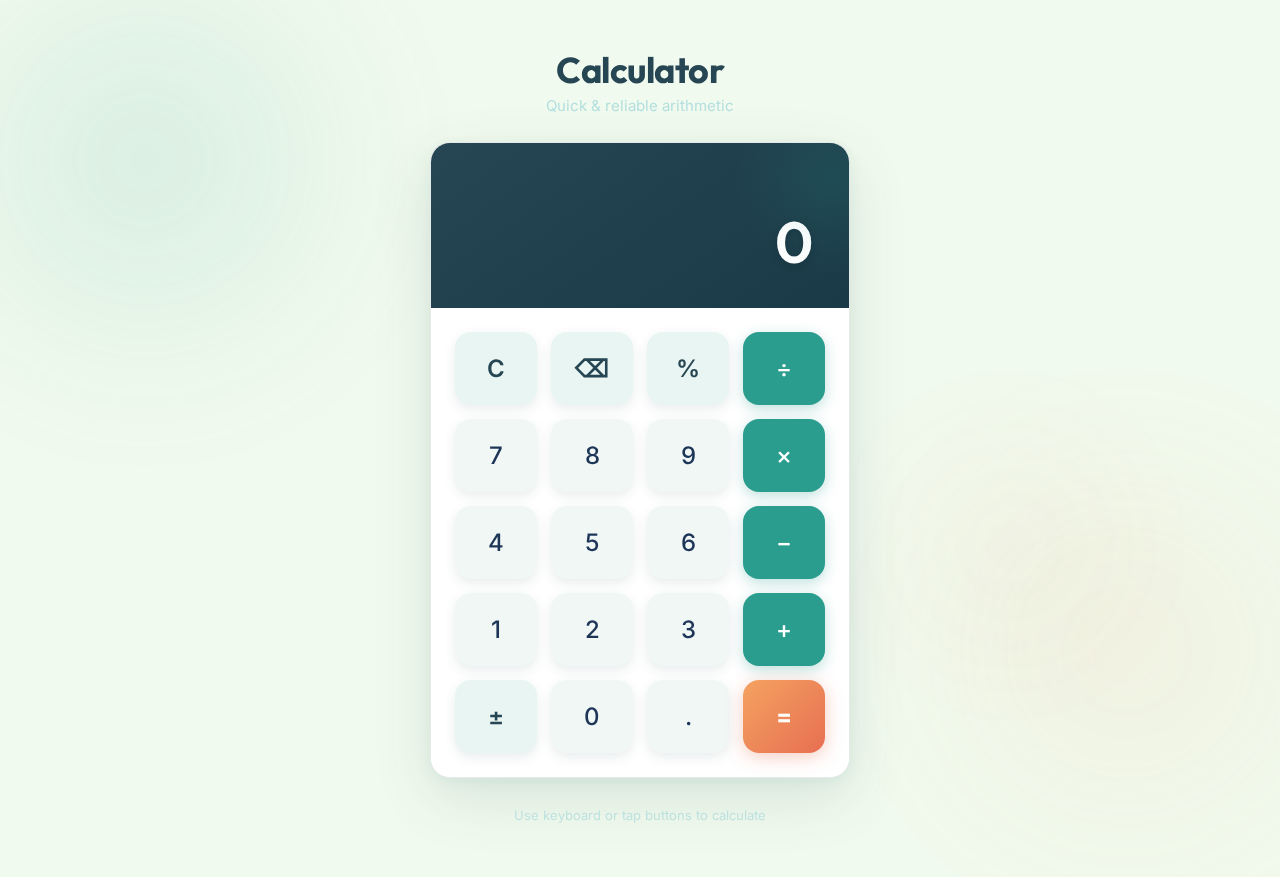
start a project to build a simple single page design of calculator

Comments (0)
Sign in to leave a comment
Project Tasks4
Build Calculator UI
As a Frontend Developer, implement the single-page calculator application using React. Include the display screen with smooth transition effects, arithmetic operation buttons (addition, subtraction, multiplication, division), clear button, backspace button, and decimal point button. Use framer-motion for button press animations and result update transitions. Apply the specified color theme (#2A9D8F primary teal, #264653 dark blue, #F4A261 accent orange, etc.) and ensure a minimalist, centered, responsive layout with subtle shadow effects on buttons.
Setup Design System Theme
As a UI/UX Designer, configure the global design system and theme for the calculator application. Define CSS variables or a theme configuration file with all specified colors: primary (#2A9D8F), primary_light (#E9F5F2), secondary (#264653), accent (#F4A261), highlight (#E76F51), bg (#F1FAEE), surface (rgba(42,157,143,0.8)), text (#1D3557), text_muted (#A8DADC), border (rgba(38,70,83,0.2)). Install and configure framer-motion for animations. Ensure responsive breakpoints are defined for various screen sizes per non-functional requirements.
Setup CI/CD Pipeline
As a DevOps Engineer, configure a CI/CD pipeline for the calculator frontend application. Set up automated build, lint, and test steps on pull requests. Configure deployment to a static hosting environment (e.g., Vercel, Netlify, or S3+CloudFront) for production and preview environments. Ensure environment variables and build configuration are properly managed.
Implement Calculator Logic
As a Frontend Developer, implement the core calculator logic as a reusable hook or utility module. Handle all arithmetic operations (addition, subtraction, multiplication, division), input chaining, decimal point support, backspace/correction, clear functionality, and edge cases such as division by zero, multiple decimals, and overflow. Ensure calculations are performed without noticeable delay per non-functional requirements. Write unit tests for all calculation scenarios.
Calculator
Quick & reliable arithmetic
No comments yet. Be the first!