deep-system
start a project to build a simple single page design of calculator

Comments (0)
Sign in to leave a comment
System Requirements
deep-system System Requirements Document
Introduction
The purpose of this document is to outline the system requirements for the "deep-system" project. This project involves creating a simple single-page design for a calculator application. The document will detail the functional and non-functional requirements, user personas, user flows, visual design, and other relevant aspects of the project.
System Overview
The deep-system project aims to deliver a straightforward, user-friendly calculator application. The application will be designed as a single-page layout, ensuring ease of use and accessibility. The primary goal is to provide a seamless user experience with essential calculator functionalities.
The deep-system project aims to deliver a straightforward, user-friendly calculator application. The application will be designed as a simple single-page layout, ensuring ease of use and accessibility. The primary goal is to provide a seamless user experience with essential calculator functionalities.
Functional Requirements
- As a User, I should be able to perform basic arithmetic operations such as addition, subtraction, multiplication, and division.
- As a User, I should be able to clear the current input or result.
- As a User, I should be able to view the current input and result on the display screen.
- As a User, I should be able to use a decimal point for fractional calculations.
- As a User, I should be able to use the backspace function to correct input errors.
User Personas
- User: A general user who needs to perform basic arithmetic calculations quickly and efficiently.
Core User Flows
- User opens the calculator application -> User inputs numbers and selects an operation -> User views the result on the display -> User clears the input or continues with another calculation.
Visuals Colors and Theme
- primary: #2A9D8F (Teal)
- primary_light: #E9F5F2 (Light Teal)
- secondary: #264653 (Dark Blue)
- accent: #F4A261 (Orange)
- highlight: #E76F51 (Coral)
- bg: #F1FAEE (Off White)
- surface: rgba(42, 157, 143, 0.8)
- text: #1D3557 (Navy Blue)
- text_muted: #A8DADC (Light Blue)
- border: rgba(38, 70, 83, 0.2)
Signature Design Concept
The homepage of the deep-system calculator will feature an interactive, minimalist design. The calculator interface will be centered on the page, with a sleek, modern aesthetic. The buttons will have a subtle shadow effect that responds to clicks, providing a tactile feel. The display will have a smooth transition effect when numbers and results are updated. The overall design will be clean, with ample white space to ensure focus on the calculator itself. The use of the framer-motion library will enhance the button animations and transitions, making the interaction fluid and engaging.
The homepage of the deep-system calculator will feature an interactive, minimalist design. The calculator interface will be centered on the page, with a sleek, modern aesthetic. The buttons will have a subtle shadow effect that responds to clicks, providing a tactile feel. The display will have a smooth transition effect when numbers and results are updated. The overall design will be clean, with ample white space to ensure focus on the calculator itself. The use of the framer-motion library will enhance the button animations and transitions, making the interaction fluid and engaging. The design will adhere to a simple single-page layout.
Interaction Model & Motion Direction
The interaction model for the deep-system calculator will be "static" with minimal motion. The focus will be on clarity and ease of use, with subtle animations for button presses and result updates to enhance user interaction without overwhelming the user.
Non-Functional Requirements
- The application should load quickly and perform calculations without noticeable delay.
- The design should be responsive and accessible on various devices and screen sizes.
- The application should be intuitive and easy to use, requiring no prior instruction.
Tech Stack
- Frontend: React for Web
- Backend: Not applicable for a simple single-page design
- Database: Not applicable for a simple single-page design
Assumptions and Constraints
- The application will be a single-page design with no backend or database integration.
- The design will focus on simplicity and user-friendliness.
- The application will be accessible on modern web browsers.
Glossary
- Single-page design: A web application that fits on a single page, providing a seamless user experience without page reloads.
- Responsive design: An approach to web design that makes web pages render well on a variety of devices and window or screen sizes.
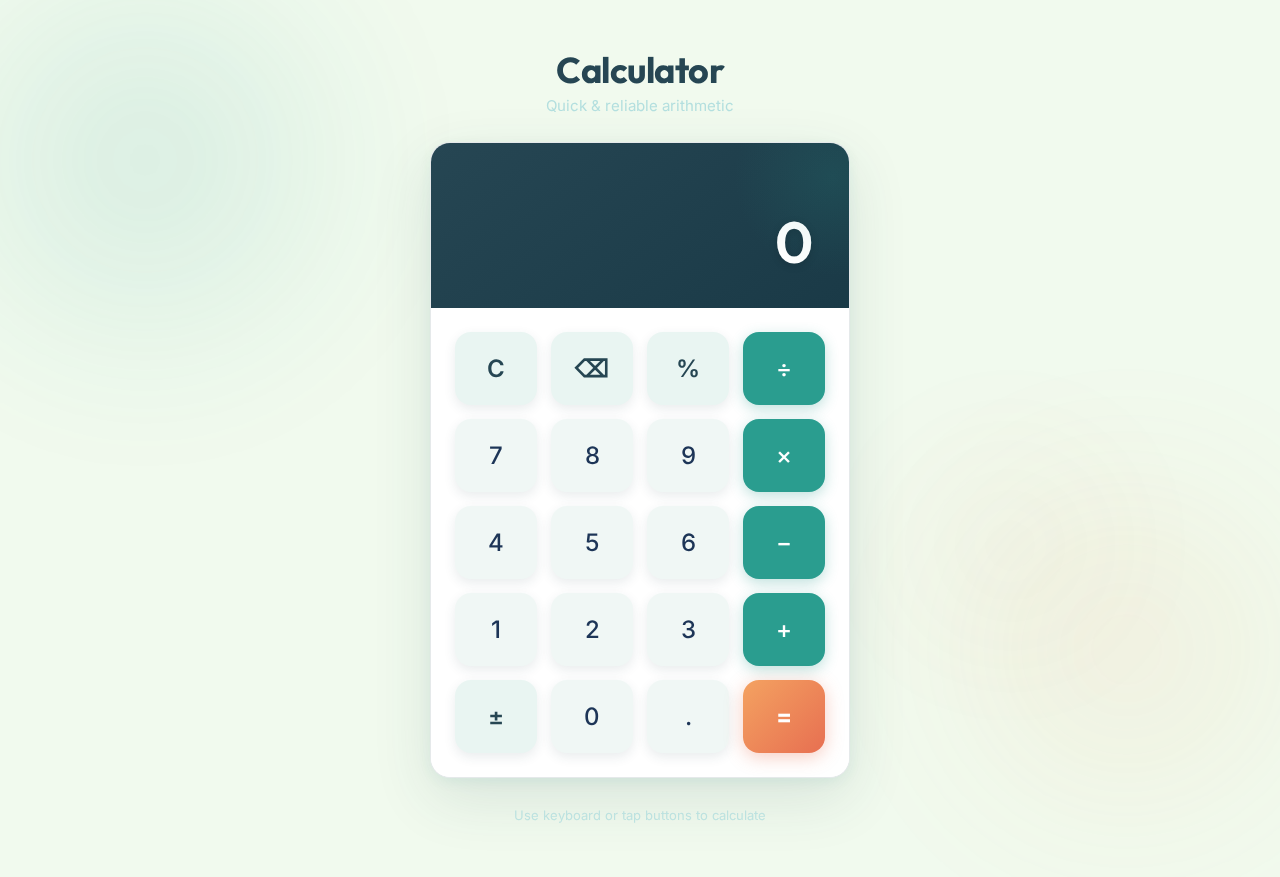
Calculator
Quick & reliable arithmetic
Calculator
Quick & reliable arithmetic
No comments yet. Be the first!