deep-app
 Omer Timna
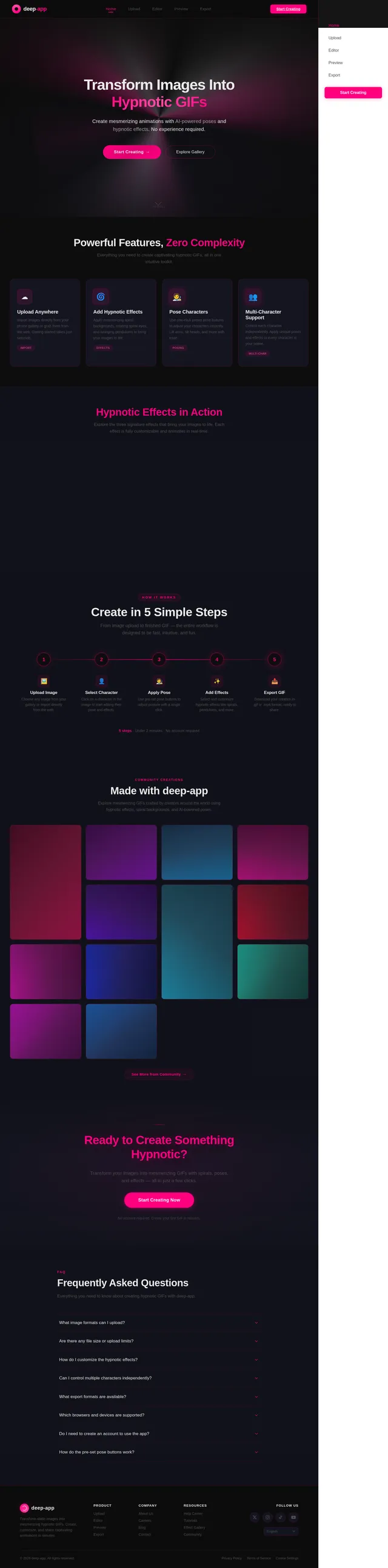
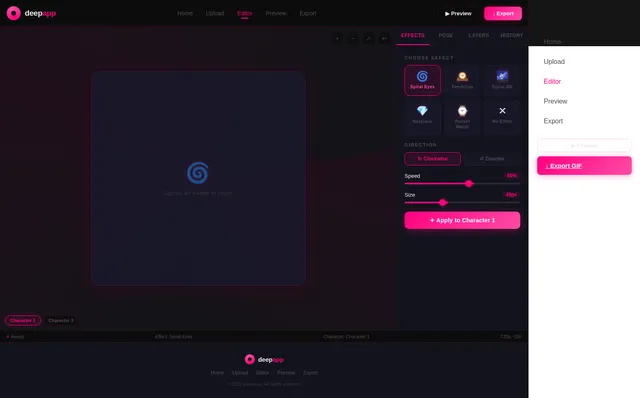
Hypno gif maker: an app where I can take a picture of any animted/realistic character from the internet/my phone's gallery and turn it to a gif picture by adding hypnotic effects to it. The hypnotic effects can be for example, a big spiral background that spins in a circular motion, hypnotic spirals in the character's eyes that also spin in a circular motion, and swinging pendulums(pocket watch, necklace, pendant, etc)that swing from side to side in a continuous motion. Other hypnotic effects are also welcomed. Also, if possible, I would like to add features that control the placement of the hypnotic effects on the picture(except for the spiral background effect, because it covers the whole background anyway)and also the posture of the character(by being able to move it's head, arms, hands, etc). If there's more then one character in the picture, let the posture control feature work on all the characters.


Comments (0)
Sign in to leave a comment
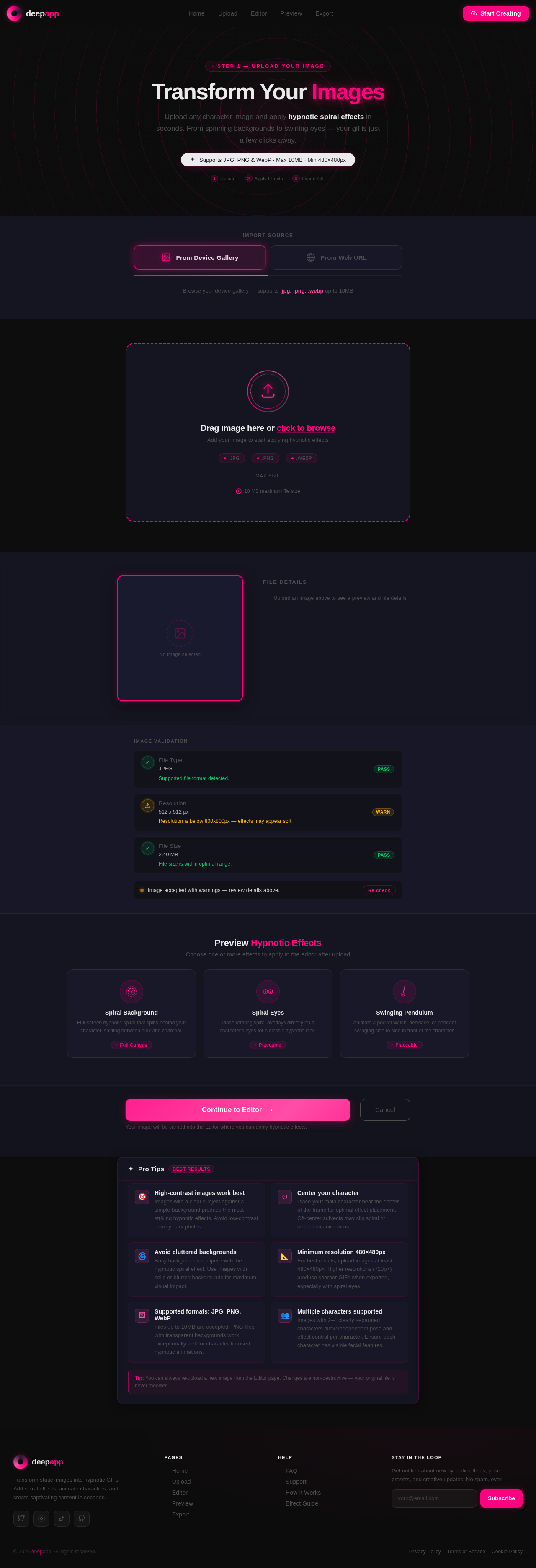
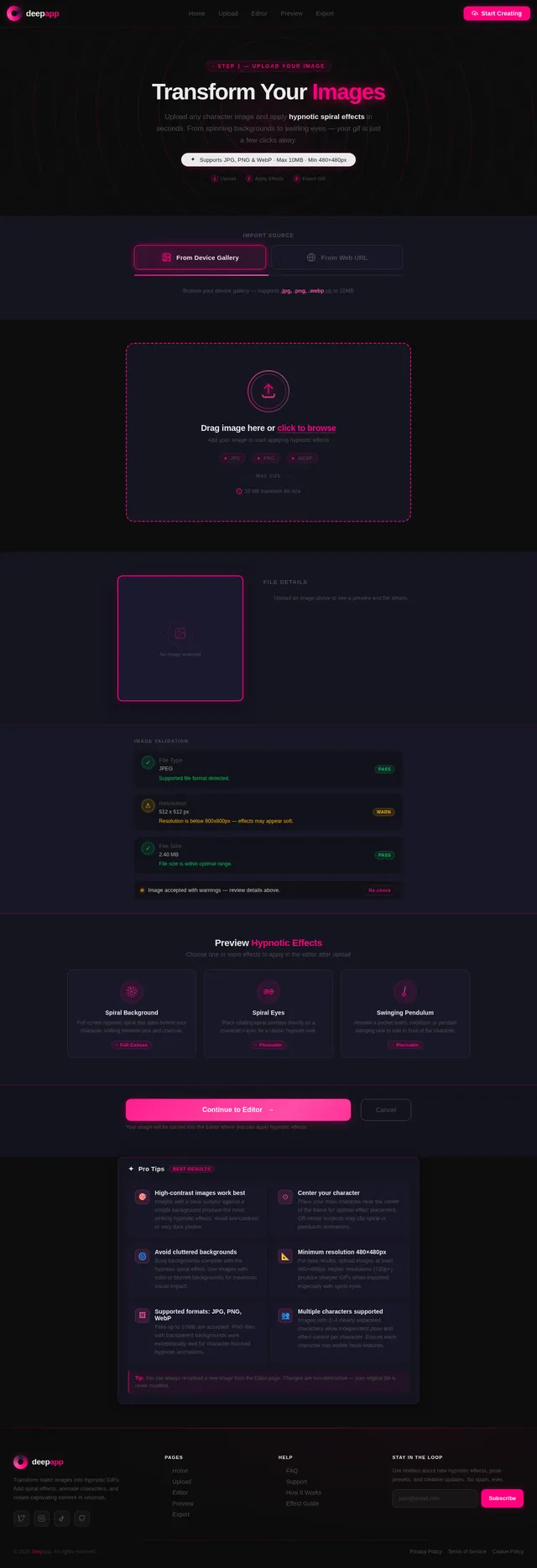
Transform Your Images
Upload any character image and apply hypnotic spiral effects in seconds. From spinning backgrounds to swirling eyes — your gif is just a few clicks away.
Import Source
Drag image here or click to browse
Add your image to start applying hypnotic effects
Image Validation
- Pass
File Type
JPEG
- Warn
Resolution
512 x 512 px
- Pass
File Size
2.40 MB
Preview Hypnotic Effects
Choose one or more effects to apply in the editor after upload
Spiral Background
Full-screen hypnotic spiral that spins behind your character, shifting between pink and charcoal.
Full CanvasSpiral Eyes
Place rotating spiral overlays directly on a character's eyes for a classic hypnotic look.
PlaceableSwinging Pendulum
Animate a pocket watch, necklace, or pendant swinging side to side in front of the character.
PlaceableYour image will be carried into the Editor where you can apply hypnotic effects.
Pro Tips
Best ResultsHigh-contrast images work best
Images with a clear subject against a simple background produce the most striking hypnotic effects. Avoid low-contrast or very dark photos.
Center your character
Place your main character near the center of the frame for optimal effect placement. Off-center subjects may clip spiral or pendulum animations.
Avoid cluttered backgrounds
Busy backgrounds compete with the hypnotic spiral effect. Use images with solid or blurred backgrounds for maximum visual impact.
Minimum resolution 480×480px
For best results, upload images at least 480×480px. Higher resolutions (720p+) produce sharper GIFs when exported, especially with spiral eyes.
Supported formats: JPG, PNG, WebP
Files up to 10MB are accepted. PNG files with transparent backgrounds work exceptionally well for character-focused hypnotic animations.
Multiple characters supported
Images with 2–4 clearly separated characters allow independent pose and effect control per character. Ensure each character has visible facial features.
No comments yet. Be the first!