dawn-hello
 Killer Bhai
Hello
Comments (0)
Sign in to leave a comment
Project Tasks21
Implement Theme Color System
As a developer, main app mein consistent color theme aur design system implement karna chahta hoon taaki saare mock-design pages ka visual style ek jaisa rahe. Ismein #0D1117 background, #161B22 surface, #C9D1D9 text, #58A6FF accent, aur #8B949E muted colors ko global CSS variables / Tailwind config / design tokens mein set karna hoga. Typography scale, spacing system, aur reusable component base (buttons, cards, inputs) bhi is task mein cover honge.
Implement Home Page UI
As a user (Killer Bhai), main Home screen dekh ke seedha Voice Assistant activate kar sakoon ya Settings mein ja sakoon. Existing JSX design v3 ko React mein wire up karna hai — hero section, AI voice trigger button, navigation shortcuts, galaxy map interactions (twinkle animations, parallax nebula background), aur status indicators sab implement honge. Theme t1 ke tokens use honge.
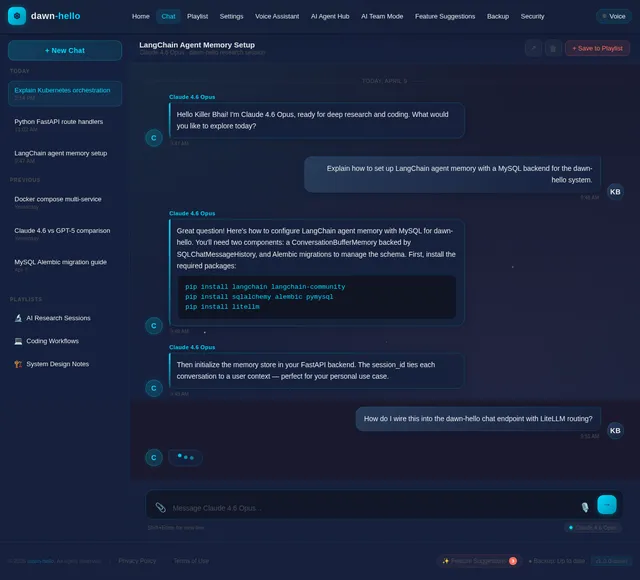
Implement Chat Page UI
As a user, main AI se conversation kar sakoon aur usse save kar sakoon playlist mein. Existing JSX design v2 ko React mein implement karna hai — message bubbles, input bar, model selector, save button, aur response rendering (markdown support). Guest user bhi responses dekh sake. Theme t1 ke tokens use honge.
Implement Playlist Page UI
As a user, main apni saved conversations ko playlist ki tarah browse aur replay kar sakoon. Existing JSX design v1 ko React mein wire up karna hai — saved chat cards, search/filter, delete option, aur conversation preview. Theme t1 ke tokens use honge.
Implement Settings Page UI
As a user, main ek central Settings screen se saare app controls access kar sakoon — AI Agent Hub, AI Team Mode, Feature Suggestions, Backup, Security, aur Voice Assistant settings ke links. Existing JSX design v1 ko React mein implement karna hai. Theme t1 ke tokens use honge.
Implement AI Agent Hub UI
As a user, main available AI agents (free/paid) dekh sakoon, unka status check karoon aur activate/deactivate kar sakoon. Existing JSX design v1 ko React mein wire up karna hai — agent cards, free/paid badges, status indicators (purchased/active/available), aur agent detail view. Settings se navigate hoga.
Implement AI Team Mode UI
As a user (Killer Bhai), main AI Team Mode enable/disable kar sakoon aur task division configuration set kar sakoon. Parallel research mode bhi toggle ho sake. Existing JSX design v1 ko React mein implement karna hai — toggle switches, task division UI, team status panel. Settings se navigate hoga.
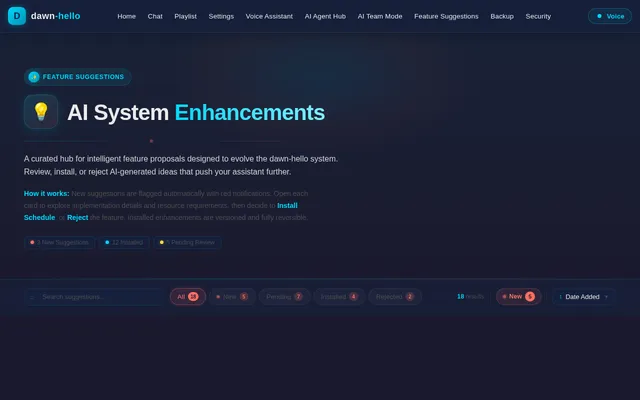
Implement Feature Suggestions UI
As a user, main nayi feature suggestions ki notifications dekh sakoon aur unhe install ya reject kar sakoon. Existing JSX design v2 ko React mein wire up karna hai — suggestion cards, red notification badges, install/reject buttons, aur suggestion history. Settings se navigate hoga.
Implement Backup Page UI
As a user, main 6-month backup configure kar sakoon, external backup set karoon, playlist backup enable karoon aur data recovery initiate kar sakoon. Existing JSX design v1 ko React mein implement karna hai — backup schedule settings, external storage config, recovery options. Settings se navigate hoga.
Implement Security Settings UI
As a user (Killer Bhai), main voice lock enable karoon, admin permissions manage karoon aur app protection settings configure karoon. Existing JSX design v1 ko React mein wire up karna hai — voice lock toggle, permission matrix, protection level selector. Settings se navigate hoga.
Implement Voice Assistant Settings UI
As a user, main Voice Assistant ki activation settings configure karoon, identity recognition setup karoon aur response system customize karoon. Existing JSX design v1 ko React mein implement karna hai — activation trigger settings, voice identity config, response mode toggles. Settings se navigate hoga (Guest user bhi limited voice settings dekh sake).
Build Chat Backend API
As a user, main AI se real-time chat kar sakoon jahan backend intelligent LLM routing kare. FastAPI mein chat endpoints banane hain — POST /api/chat/message (streaming support), GET /api/chat/history, POST /api/chat/save. MySQL mein conversation storage, Alembic migration, aur multi-model support ke liye Langchain/Litellm integration prepare karna (actual LLM routing t20 mein hoga).
Implement Update Upgrade System
As a user (Killer Bhai), main app ka current version dekh sakoon, available updates check karoon, version history browse karoon aur rollback kar sakoon agar zaroorat ho. Frontend: Settings se navigate hone wali Update & Upgrade page (React, theme t1 tokens). Backend (FastAPI): GET /api/updates/current, GET /api/updates/available, POST /api/updates/apply, GET /api/updates/history, POST /api/updates/rollback/{version_id}. MySQL mein version_history table, Alembic migration.
Build Voice Assistant Backend API
As a developer, mujhe FastAPI mein Voice Assistant ke liye backend endpoints chahiye — activation state save karna, identity recognition config store karna (MySQL + Alembic migration), response system preferences persist karna, aur voice lock ke saath Security module se integrate karna. Endpoints: GET/POST /api/voice/settings, POST /api/voice/activate.
Build Playlist Backend API
As a user, main apni saved conversations ko playlist mein organize aur manage kar sakoon. FastAPI mein playlist CRUD endpoints banane hain — POST /api/playlist/save, GET /api/playlist, DELETE /api/playlist/{id}, GET /api/playlist/{id}/messages. MySQL schema aur Alembic migrations, chat API (t13) se saved conversation link karna.
Build AI Agent Hub API
As a user, main AI agents ki list fetch kar sakoon, unka free/paid status dekh sakoon aur activate/deactivate kar sakoon. FastAPI mein endpoints: GET /api/agents, GET /api/agents/{id}, POST /api/agents/{id}/activate, POST /api/agents/{id}/deactivate. MySQL mein agent registry table, Alembic migration, aur agent status tracking logic.
Build Feature Suggestions API
As a user, main feature suggestions ki list fetch kar sakoon, notification badges mein unread count dekh sakoon aur install ya reject action le sakoon. FastAPI mein endpoints: GET /api/suggestions, POST /api/suggestions/{id}/install, POST /api/suggestions/{id}/reject, GET /api/suggestions/notifications. MySQL mein suggestions table, Alembic migration, aur notification status tracking.
Build Backup System API
As a user, main backup schedule configure kar sakoon, manual backup trigger karoon aur recovery initiate kar sakoon. FastAPI mein endpoints: GET/POST /api/backup/config, POST /api/backup/trigger, GET /api/backup/history, POST /api/backup/restore/{backup_id}. MySQL mein backup_logs table, Alembic migration, 6-month retention logic, external storage adapter (S3/local), aur playlist backup integration.
Build Security Settings API
As a user (Killer Bhai), main voice lock backend se enable/disable kar sakoon, admin permissions manage karoon aur protection level set karoon. FastAPI mein endpoints: GET/POST /api/security/settings, POST /api/security/voice-lock/enable, POST /api/security/voice-lock/disable, GET/POST /api/security/permissions. MySQL mein security_config table, Alembic migration, voice lock state management.
Integrate LLM Multi-Model Routing
As a developer, chat backend mein GPT 5.4, Claude 4.6 Opus, aur Google Nano Banana ke liye intelligent LLM routing implement karna chahta hoon. Langchain aur Litellm use karke unified interface banana hai — model selection logic, fallback handling, streaming support, token usage tracking, aur cost optimization. Chat API (t13) ke POST /api/chat/message endpoint mein routing layer inject hoga. Alembic migration for model_usage_logs table.
Build AI Team Mode API
As a user (Killer Bhai), main AI Team Mode backend se enable/disable kar sakoon aur task division configuration persist ho sake. FastAPI mein endpoints: GET/POST /api/team-mode/config, POST /api/team-mode/enable, POST /api/team-mode/disable. MySQL mein team config table, Alembic migration, parallel research mode logic, aur AI Agent Hub (t15) ke active agents se integration.
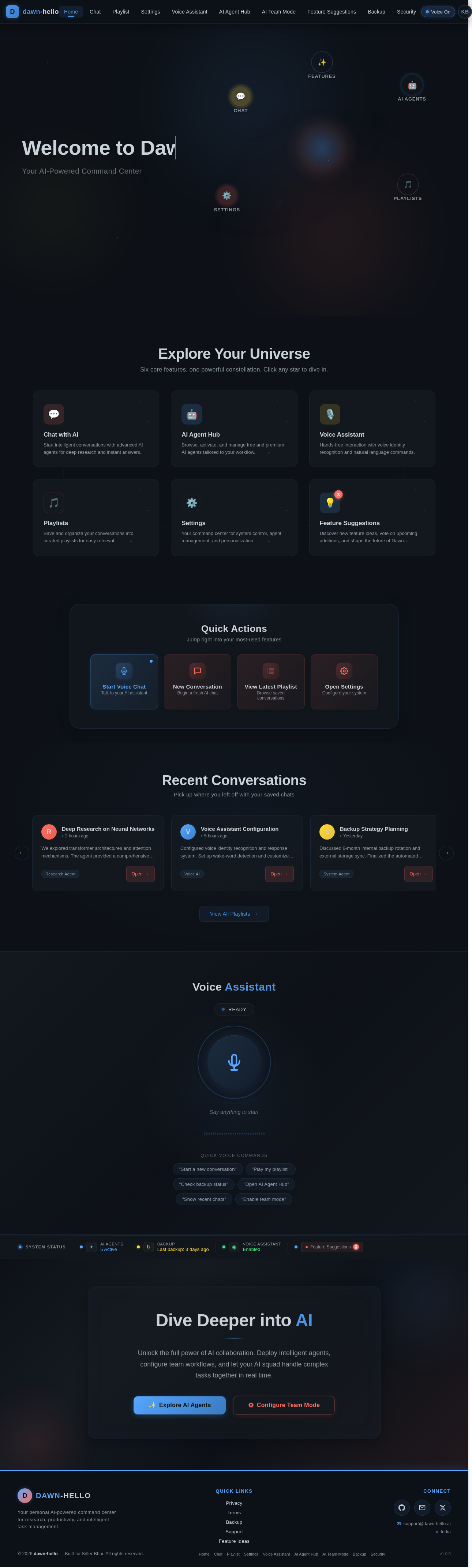
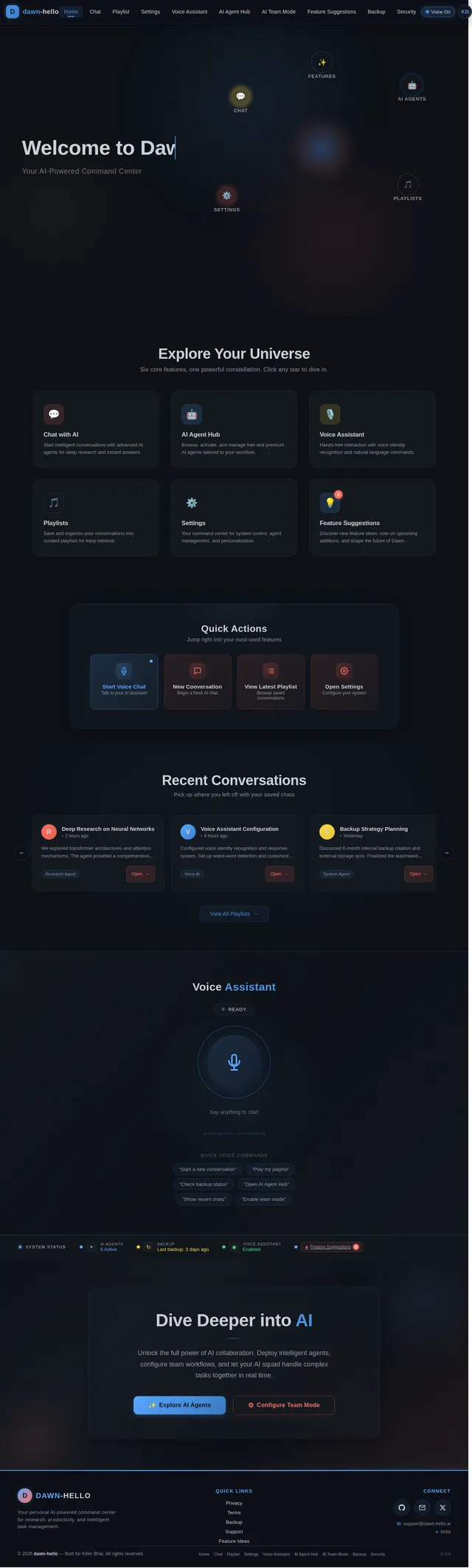
Welcome to Dawn
Your AI-Powered Command Center
Explore Your Universe
Six core features, one powerful constellation. Click any star to dive in.
Chat with AI
Start intelligent conversations with advanced AI agents for deep research and instant answers.
AI Agent Hub
Browse, activate, and manage free and premium AI agents tailored to your workflow.
Voice Assistant
Hands-free interaction with voice identity recognition and natural language commands.
Playlists
Save and organize your conversations into curated playlists for easy retrieval.
Settings
Your command center for system control, agent management, and personalization.
Feature Suggestions
Discover new feature ideas, vote on upcoming additions, and shape the future of Dawn.
Quick Actions
Jump right into your most-used features
Recent Conversations
Pick up where you left off with your saved chats
We explored transformer architectures and attention mechanisms. The agent provided a comprehensive breakdown of self-attention layers and positional encoding strategies.
Configured voice identity recognition and response system. Set up wake-word detection and customized the assistant personality to match preferences.
Discussed 6-month internal backup rotation and external storage sync. Finalized the automated playlist backup schedule with encryption settings.
Organized a multi-agent workflow for competitive analysis. Three agents handled data gathering, summarization, and insight generation in parallel.
Reviewed 12 new feature suggestions including real-time collaboration, enhanced security protocols, and smart playlist auto-categorization.
Ran a full system security audit. Updated admin permissions, enabled voice recognition lock, and reviewed access logs for anomalies.
Voice Assistant
Say anything to start
Quick Voice Commands
Dive Deeper into AI
Unlock the full power of AI collaboration. Deploy intelligent agents, configure team workflows, and let your AI squad handle complex tasks together in real time.
No comments yet. Be the first!