dawn-hello
 Killer Bhai
Hello
Comments (0)
Sign in to leave a comment
System Requirements
System Requirements Document (SRD) for Project: dawn-hello
1. Introduction
The dawn-hello project is a visionary system designed for personal use by Killer Bhai in India. It aims to provide a futuristic, AI-powered interface with advanced features such as voice assistance, AI agent collaboration, and robust customization options. This document outlines the system's requirements, features, and design principles to ensure a seamless and efficient user experience.
The system is tailored to Killer Bhai's specific needs, offering a personalized, intuitive, and secure platform for productivity and task management. Additionally, the system includes a selective re-run capability to allow regeneration of specific sections of this document as needed.
2. System Overview
The dawn-hello system is a personal productivity and AI management tool that integrates cutting-edge AI technologies to assist users in research, communication, and task management. The system is designed to be intuitive, minimalistic, and highly customizable, catering to the specific needs of the user. Key features include:
- A voice-activated AI assistant for natural language interaction.
- A centralized settings hub for complete system control.
- AI agent collaboration through team modes and task division.
- Advanced data management with playlist organization and backup options.
- Security and privacy features to protect user data.
- Selective re-run capability for regenerating specific sections of the SRD.
The system is optimized for Killer Bhai's personal use, ensuring it aligns with his preferences and requirements.
3. Functional Requirements
Story Points:
Home Interface
- As a User, I should see a minimal interface with only the main features.
- As a User, I should be able to interact with an AI voice assistant to ask questions.
- As a User, I should receive answers from AI agents after deep research.
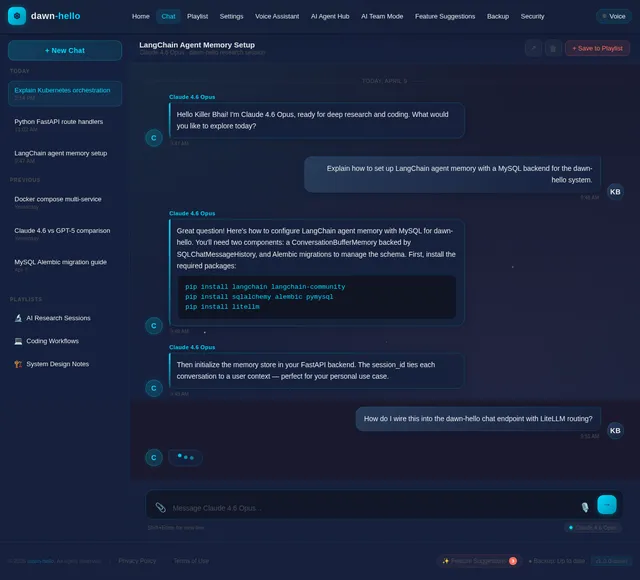
- As a User, I should have a chat/conversation screen to interact with the AI.
- As a User, I should be able to save chats to a playlist.
Settings (System Control Center)
- As a User, I should access all system features from the settings menu.
- As a User, I should manage AI agents, team modes, and system updates from settings.
AI Agent Hub
- As a User, I should view all AI agents categorized as free or paid.
- As a User, I should see the status of agents (purchased, active, available).
AI Team Mode
- As a User, I should enable or disable team mode for AI agents.
- As a User, I should divide tasks among agents and integrate results.
Feature Suggestions
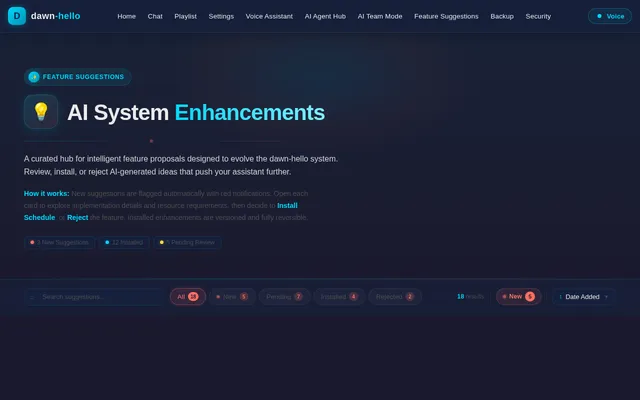
- As a User, I should see new feature ideas saved in this section.
- As a User, I should receive red notifications for new feature suggestions.
- As a User, I should view feature details and decide to install or reject them.
Backup System
- As a User, I should have options for 6-month internal backup and external storage backup.
- As a User, I should back up playlists and recover data.
Security Settings
- As a User, I should enable voice recognition locks and admin permissions.
- As a User, I should configure system protection settings.
Voice Assistant Settings
- As a User, I should activate or deactivate the voice assistant.
- As a User, I should configure voice identity recognition and response systems.
Update & Upgrade
- As a User, I should update the system and upgrade features.
- As a User, I should view version history and roll back to previous versions.
Selective Re-run Capability
- As a User, I should be able to trigger regeneration of specific sections of the SRD as needed.
4. User Personas
-
Primary User (Killer Bhai):
- A tech-savvy individual who requires a personal AI-powered system for research, productivity, and task management.
- Prefers minimalistic design and advanced customization options.
- Values privacy, security, and data organization.
-
Guest User (Optional for future expansion):
- A secondary user with limited access to the system's features.
5. Visuals Colors and Theme
Unique Color Palette:
- Background: #0D1117 (Midnight Navy)
- Surface: #161B22 (Charcoal Gray)
- Text: #C9D1D9 (Soft White)
- Accent: #58A6FF (Sky Blue)
- Muted Tones: #8B949E (Muted Steel)
This palette reflects a sleek, modern, and professional aesthetic, aligning with the system's advanced AI capabilities and Killer Bhai's preferences.
6. Signature Design Concept
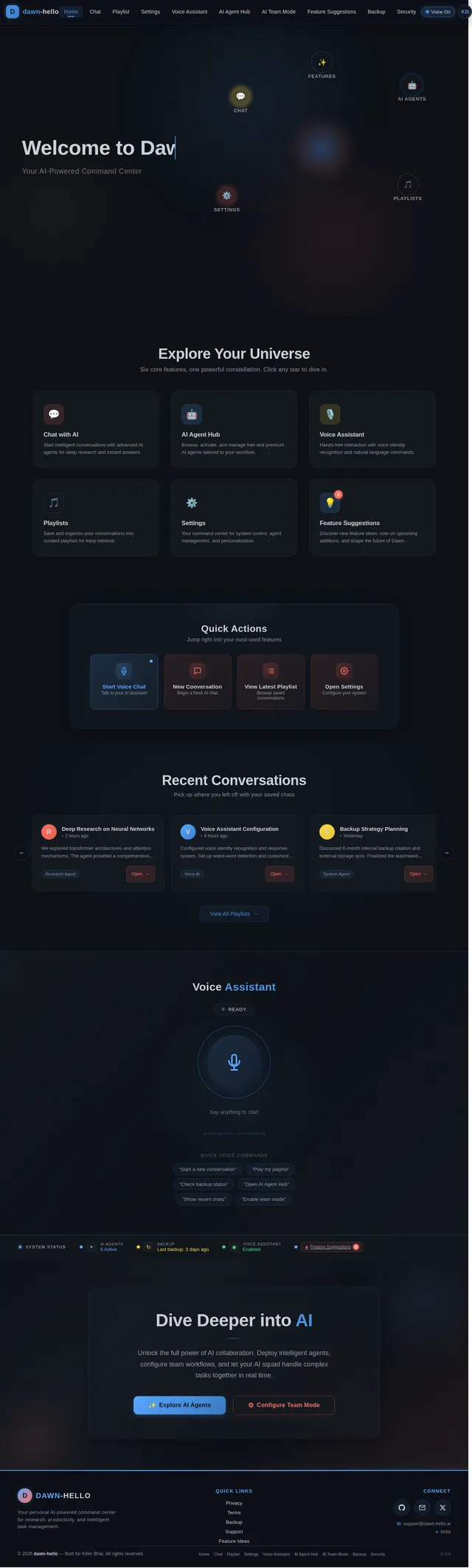
Interactive AI Galaxy Landing Page
The home page of dawn-hello will feature an interactive galaxy map where each star represents a feature or section of the system. Users can navigate through the galaxy by clicking on stars, which will zoom in and reveal the corresponding feature (e.g., AI Agent Hub, Settings, Playlist).
- Animations: Stars will twinkle subtly, and constellations will form dynamically as users hover over them.
- Transitions: Smooth zoom-in and zoom-out effects with a parallax background of a nebula.
- Micro-interactions: Clicking on a star will trigger a ripple effect, and the selected feature will "orbit" into focus.
- Color Shifts: The galaxy's colors will shift slightly based on the time of day (e.g., warmer tones during the day, cooler tones at night).
This design will create a memorable first impression and reinforce the futuristic theme of the system.
7. Non-Functional Requirements
- The system should load the home interface within 2 seconds.
- Voice assistant responses should have a latency of less than 1 second.
- The system should support up to 100 simultaneous AI agents in team mode.
- Data backups should complete within 5 minutes for up to 1TB of data.
- The system should maintain 99.9% uptime.
- The selective re-run capability should allow regeneration of SRD sections within 5 seconds.
8. Tech Stack
- Frontend: React for Web
- Backend: Python with FastAPI
- Database: MySQL with Alembic for migrations
- AI Models:
- GPT 5.4 for user-friendly responses
- Claude 4.6 Opas for academic or coding work
- Google Nano Banana for image generation
- AI Tools: Langchain, Litellm for LLM Routing
- Orchestration:
- Local: Docker, docker-compose
- Server-side: Kubernetes
9. Assumptions and Constraints
- The system is designed for personal use by Killer Bhai and may not scale for multiple users without modifications.
- The AI models and tools will require internet connectivity for optimal performance.
- The system assumes the user has a basic understanding of AI and technology.
- The selective re-run capability assumes that the SRD is modular and can be regenerated in parts.
10. Glossary
- AI Agent: A virtual assistant capable of performing specific tasks.
- Playlist: A collection of saved chats organized into categories.
- Team Mode: A feature allowing multiple AI agents to collaborate on tasks.
- Feature Suggestions: New ideas or updates proposed for the system.
- Backup System: A mechanism to save and recover data.
- Selective Re-run Capability: A feature allowing the user to regenerate specific sections of the SRD as needed.
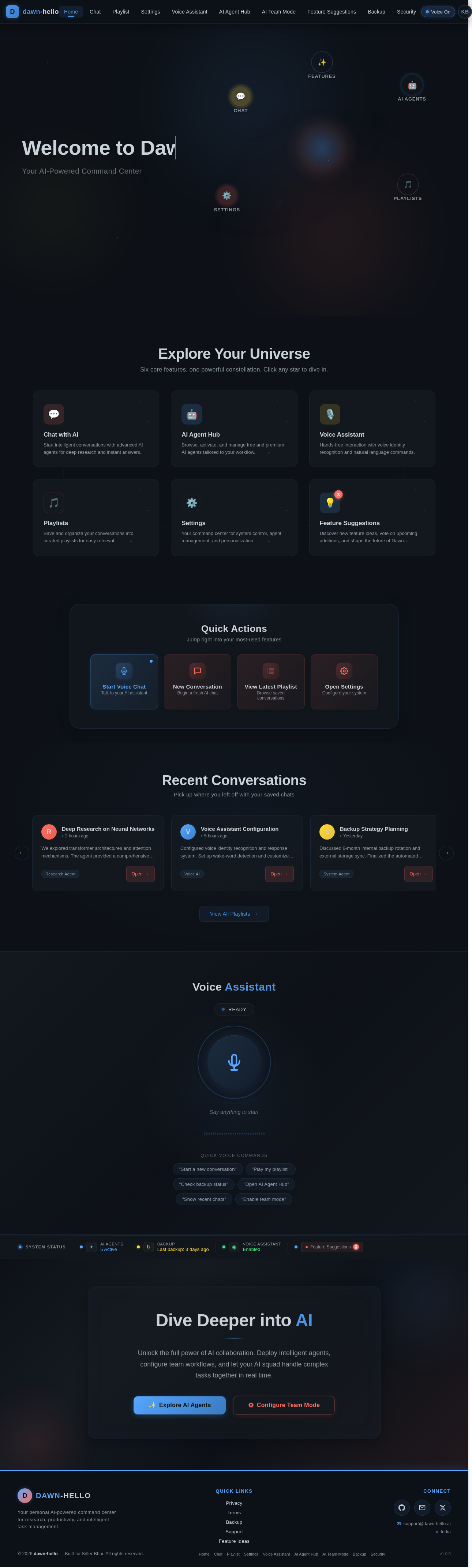
Welcome to Dawn
Your AI-Powered Command Center
Explore Your Universe
Six core features, one powerful constellation. Click any star to dive in.
Chat with AI
Start intelligent conversations with advanced AI agents for deep research and instant answers.
AI Agent Hub
Browse, activate, and manage free and premium AI agents tailored to your workflow.
Voice Assistant
Hands-free interaction with voice identity recognition and natural language commands.
Playlists
Save and organize your conversations into curated playlists for easy retrieval.
Settings
Your command center for system control, agent management, and personalization.
Feature Suggestions
Discover new feature ideas, vote on upcoming additions, and shape the future of Dawn.
Quick Actions
Jump right into your most-used features
Recent Conversations
Pick up where you left off with your saved chats
We explored transformer architectures and attention mechanisms. The agent provided a comprehensive breakdown of self-attention layers and positional encoding strategies.
Configured voice identity recognition and response system. Set up wake-word detection and customized the assistant personality to match preferences.
Discussed 6-month internal backup rotation and external storage sync. Finalized the automated playlist backup schedule with encryption settings.
Organized a multi-agent workflow for competitive analysis. Three agents handled data gathering, summarization, and insight generation in parallel.
Reviewed 12 new feature suggestions including real-time collaboration, enhanced security protocols, and smart playlist auto-categorization.
Ran a full system security audit. Updated admin permissions, enabled voice recognition lock, and reviewed access logs for anomalies.
Voice Assistant
Say anything to start
Quick Voice Commands
Dive Deeper into AI
Unlock the full power of AI collaboration. Deploy intelligent agents, configure team workflows, and let your AI squad handle complex tasks together in real time.
No comments yet. Be the first!