dawai-setu
 dawai setu
Build a complete, polished, modern, responsive healthcare web application called **DAWAI-SETU (Drug Availability Watch & Inter-facility Transfer Utility)**. ## PROBLEM & PURPOSE The project addresses the problem of emerging medicine shortages: a shortage at one facility can become a regional disruption because of changing consumption, replenishment delays, uneven inventories and geographic constraints. DAWAI-SETU should detect shortages early, forecast stockout risk, identify regional patterns, find available surplus, recommend redistribution/intervention and track the transfer until the receiving facility gets the stock. Core flow: **Detect → Explain → Predict → Find Surplus → Recommend → Transfer → Track → Prevent Regional Shortage** The prototype uses **simulated healthcare supply-chain data** representing 500+ medicines and 40+ hospitals, pharmacies, laboratories, medicine dealers and blood banks across the **Mangalore–Udupi–Manipal region**. Clearly label data as simulated/demo data. ## 1. LOGIN / REGISTRATION First screen: DAWAI-SETU login/registration. User selects: * Hospital * Pharmacy * Laboratory * Medicine Dealer Collect: * Manager/user name * Facility/company name * Facility type * Email OR phone number Then: **Send verification code → Enter OTP → Account verified** OTP can be simulated for the prototype if no real SMS/email service exists. Request location permission because geography is important for distance, redistribution and logistics. Use nearby healthcare-facility density to classify the area as **Urban / Semi-Urban / Rural**, rather than using only a simple facility-count rule. Show this classification in the profile and use it in risk/logistics calculations. ## 2. ROLE-BASED SIDEBAR For a Hospital Manager: * Dashboard * My Hospital * Medicines * Blood Bank * Regional Redistribution * Regional Map * Facility Network * Inbox * Transfers * Alerts * History For Pharmacy/Medicine Dealer: * Dashboard * My Company/Pharmacy Inventory * Regional Redistribution * Regional Map * Facility Network * Inbox/Requests * Transfers * Alerts * History For Laboratory/Blood Bank: * Dashboard * Blood Bank * Regional Blood Network * Regional Map * Facility Network * Inbox * Transfers * Alerts * History Admin/Regional Authority should see the complete regional network, shortages, map, facilities, alerts, transfers and intervention recommendations. ## 3. MAIN DASHBOARD Show: * Total medicines * Critical medicines * At-risk medicines * Surplus medicines * Expiring medicines * Active transfers * Incoming/outgoing requests * Regional shortage alerts Include an AI summary such as: “3 medicines require attention. 2 nearby facilities have surplus stock that could cover projected shortages.” ## 4. MEDICINE INVENTORY For every medicine show: * Name/category * Current stock * Unit * Average daily consumption * Consumption trend * Days of stock remaining * Incoming stock * Replenishment/lead time * Supplier * Expiry date * Criticality * Risk level * AI analysis * Recommended action Calculate: **Days of Stock = Current Stock ÷ Average Daily Consumption** Compare remaining stock against replenishment time. Risk must NOT depend only on stock quantity. Traffic-light status: 🟢 Low/Safe 🟡 At Risk 🟠 High Risk 🔴 Critical/Stockout ## 5. AI RISK ANALYSIS AI risk should consider: * Current stock * Consumption rate/trend * Days remaining * Replenishment time * Incoming stock * Expiry * Medicine criticality * Nearby availability * Regional shortage patterns * Geographic/logistics constraints Every AI risk must explain WHY. Example: **🔴 Critical — 92% estimated stockout risk** * Consumption increased 24% * Only 3.2 days of stock remain * Replenishment requires 8 days * No incoming shipment * 2 nearby facilities are also declining Show: **Stockout probability + estimated stockout window + confidence (High/Moderate/Low).** Do not present predictions as certain facts. ## 6. SURPLUS & SHORTAGE MATCHING If our facility has surplus: Show: **“You have surplus stock that nearby facilities need.”** Provide a **Resolve** button. Clicking it opens the relevant facility and allows us to offer a recommended quantity. If our facility is at risk: Show: **“A nearby facility has surplus stock you may need.”** Provide **Request Units**. Surplus calculation should consider expected consumption and safety stock, not simply total stock. Also use **expiry-aware redistribution**: prioritize suitable surplus that may expire sooner when another facility needs it, using FEFO principles where appropriate. ## 7. REGIONAL REDISTRIBUTION Provide a medicine/blood-group search. Example: Search **Amoxicillin**. Show all relevant facilities with: * Facility name/type * Location * Distance * Current stock * Available/surplus units * Consumption * Days remaining * Risk * Expiry * Estimated delivery time * Offer/Request button Rank sources using: **Urgency + safe surplus + distance + estimated delivery time + source safety stock + expiry**, not distance alone. If no search is entered, show two columns: ### WE CAN HELP Medicines where our facility has surplus and other facilities need stock. ### WE NEED HELP Medicines where our facility is approaching stockout and other facilities have surplus. ## 8. REGIONAL SHORTAGE INTELLIGENCE The system must detect progression: **Facility-level risk → Emerging regional risk → Regional shortage** Example: Hospital B becomes low → Hospital D and Pharmacy E also decline → system identifies an emerging regional shortage. Show: * Number of affected facilities * Locations * Consumption trend * Regional stock * Projected demand * Replenishment delays * Available surplus * Recommended interventions Add **“What happens if we do nothing?”** simulation: Without intervention: Day 1 🟡 → Day 3 🟠 → Day 4 🔴 → Day 6 more facilities affected → Day 8 regional shortage. With recommended redistribution: Transfer initiated → stock received → risk decreases. ## 9. INTERVENTIONS AI recommendations can include: * Redistribute from surplus facility * Request emergency replenishment from medicine dealer * Monitor * Escalate regional shortage to authority/admin ## 10. BLOOD BANK For hospitals/blood facilities, use the same intelligence for blood. Track: * Blood group * Available units * Reserved units * Consumption/demand * Expiry * Incoming units * Risk * Nearby availability Example: O+ → 8 units → demand 5/day → 🔴 Critical → nearby blood bank has available units → Request Units. Create a **Regional Blood Network** connecting participating hospital blood banks and regional blood banks. ## 11. REGIONAL MAP Create an interactive Mangalore–Udupi–Manipal map. Facility markers: 🟢 Surplus/Adequate 🟡 At Risk 🔴 Critical/Stockout Allow: * Search * Zoom * Facility-type filters * Medicine filters * Blood-group filters Clicking a facility shows its inventory, risk, surplus/shortage and transfer opportunities. ## 12. FACILITY NETWORK Show all hospitals, pharmacies, laboratories and medicine dealers in the region. Display: * Name * Type * Location * Urban/Semi-Urban/Rural * Available resources * Critical shortages * Surplus * Network status ## 13. TRANSFERS & DELIVERY Complete workflow: **Request/Offer → Approval → Pickup Scheduled → Picked Up → In Transit → Delivered → Received → Inventory Updated** Both source and destination should see the status. For urban facilities, simulate integration with a last-mile service such as **Swiggy Genie**. Do not claim a real integration unless an actual API is connected. Show a delivery timeline similar to a delivery app: ✓ Approved ✓ Pickup scheduled ✓ Picked up → In transit ○ Delivered ○ Received Show distance and estimated delivery time. Rural facilities can have longer logistics/replenishment estimates. ## 14. INBOX & HISTORY Inbox: * Requests * Offers * Alerts * Approvals History: * Transfer ID * Medicine/blood * Source * Destination * Quantity * Date/time * Status * Approval * Delivery Keep a traceable audit trail. ## 15. INVENTORY UPDATE When a transfer is received: * Source inventory decreases * Destination inventory increases * Days of stock updates * AI risk recalculates * Dashboard updates Example: Hospital B: 2.1 days 🔴 → receives 150 units → 7.2 days 🟢. ## 16. DATA CONFIDENCE Show confidence for AI results: * High * Moderate * Low Example: “Moderate confidence because consumption data has not been updated for 4 days.” ## 17. ROLE PERMISSIONS Hospital Manager: manage hospital medicines/blood, offer/request stock, approve outgoing transfers, receive incoming transfers. Pharmacy/Dealer: manage medicine inventory, offer/request/supply stock. Blood-bank/Lab manager: manage blood inventory and transfers. Regional Admin: monitor the entire network, regional shortages, alerts, transfers and interventions. ## 18. DESIGN Use a professional healthcare operations design, not a generic AI dashboard. Style: * Clean * Modern * Trustworthy * Data-rich but uncluttered * Responsive * Accessible Use cards, tables, charts, map, search/filter controls, traffic-light indicators, AI insight panels and transfer timelines. ## MOST IMPORTANT REQUIREMENT Do not create disconnected decorative pages. All features must connect into a working story: **Login → Inventory → Risk Detection → AI Explanation → Forecast → Regional Search → Surplus/Shortage Match → Recommendation → Request/Offer → Approval → Pickup → Transit → Delivery → Receive → Inventory Update → Risk Recalculation.** The central value proposition is: > **DAWAI-SETU bridges healthcare facilities before shortages become crises.** It should answer: **What do we have? What will we need? What is at risk? Why? Who nearby has surplus? What should we do now? What happens if we do nothing? Did our intervention reduce the risk?**

Comments (0)
Sign in to leave a comment
Architecture
No Services Diagrams Yet
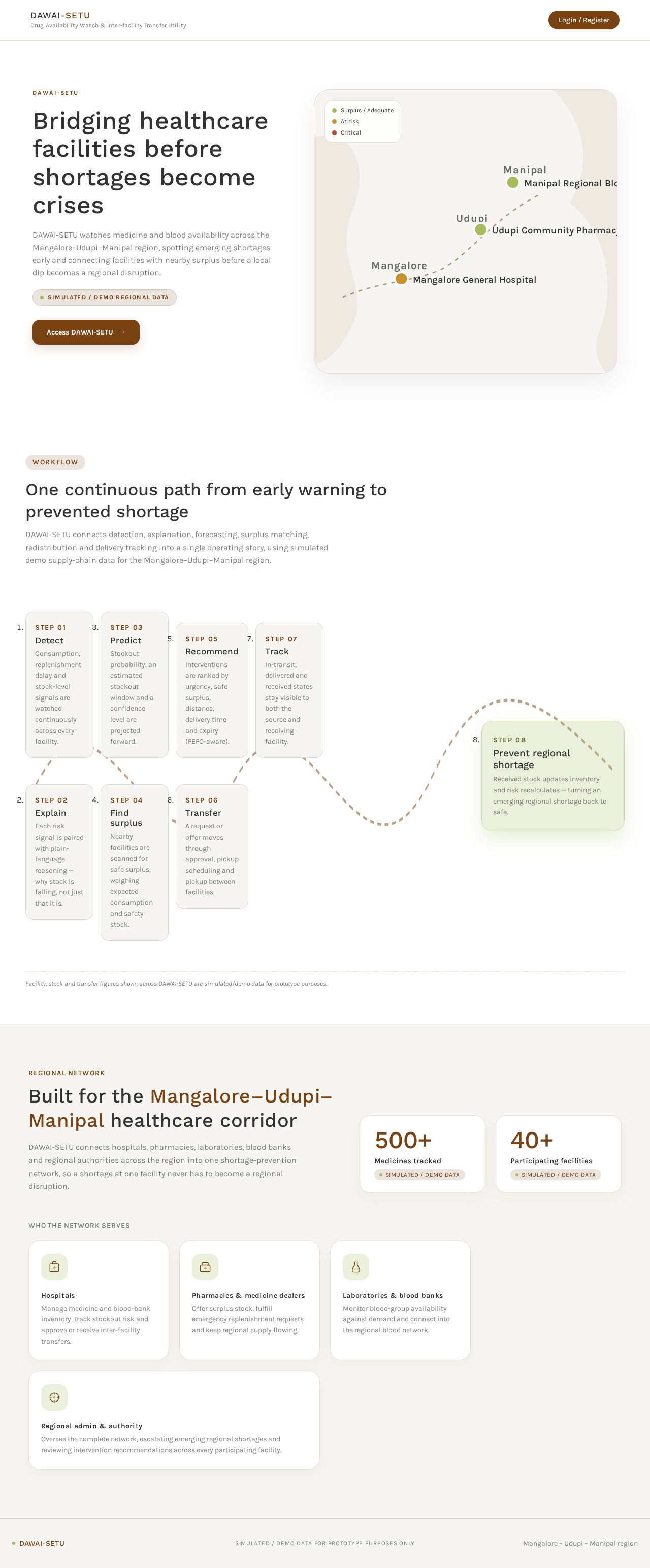
Bridging healthcare facilities before shortages become crises
DAWAI-SETU watches medicine and blood availability across the Mangalore–Udupi–Manipal region, spotting emerging shortages early and connecting facilities with nearby surplus before a local dip becomes a regional disruption.
Simulated / demo regional dataOne continuous path from early warning to prevented shortage
DAWAI-SETU connects detection, explanation, forecasting, surplus matching, redistribution and delivery tracking into a single operating story, using simulated demo supply-chain data for the Mangalore–Udupi–Manipal region.
- Step 01
Detect
Consumption, replenishment delay and stock-level signals are watched continuously across every facility.
- Step 02
Explain
Each risk signal is paired with plain-language reasoning — why stock is falling, not just that it is.
- Step 03
Predict
Stockout probability, an estimated stockout window and a confidence level are projected forward.
- Step 04
Find surplus
Nearby facilities are scanned for safe surplus, weighing expected consumption and safety stock.
- Step 05
Recommend
Interventions are ranked by urgency, safe surplus, distance, delivery time and expiry (FEFO-aware).
- Step 06
Transfer
A request or offer moves through approval, pickup scheduling and pickup between facilities.
- Step 07
Track
In-transit, delivered and received states stay visible to both the source and receiving facility.
- Step 08
Prevent regional shortage
Received stock updates inventory and risk recalculates — turning an emerging regional shortage back to safe.
Facility, stock and transfer figures shown across DAWAI-SETU are simulated/demo data for prototype purposes.
Regional network
Built for the Mangalore–Udupi–Manipal healthcare corridor
DAWAI-SETU connects hospitals, pharmacies, laboratories, blood banks and regional authorities across the region into one shortage-prevention network, so a shortage at one facility never has to become a regional disruption.
Who the network serves
Hospitals
Manage medicine and blood-bank inventory, track stockout risk and approve or receive inter-facility transfers.
Pharmacies & medicine dealers
Offer surplus stock, fulfill emergency replenishment requests and keep regional supply flowing.
Laboratories & blood banks
Monitor blood-group availability against demand and connect into the regional blood network.
Regional admin & authority
Oversee the complete network, escalating emerging regional shortages and reviewing intervention recommendations across every participating facility.
Bridging healthcare facilities before shortages become crises
DAWAI-SETU watches medicine and blood availability across the Mangalore–Udupi–Manipal region, spotting emerging shortages early and connecting facilities with nearby surplus before a local dip becomes a regional disruption.
Simulated / demo regional dataOne continuous path from early warning to prevented shortage
DAWAI-SETU connects detection, explanation, forecasting, surplus matching, redistribution and delivery tracking into a single operating story, using simulated demo supply-chain data for the Mangalore–Udupi–Manipal region.
- Step 01
Detect
Consumption, replenishment delay and stock-level signals are watched continuously across every facility.
- Step 02
Explain
Each risk signal is paired with plain-language reasoning — why stock is falling, not just that it is.
- Step 03
Predict
Stockout probability, an estimated stockout window and a confidence level are projected forward.
- Step 04
Find surplus
Nearby facilities are scanned for safe surplus, weighing expected consumption and safety stock.
- Step 05
Recommend
Interventions are ranked by urgency, safe surplus, distance, delivery time and expiry (FEFO-aware).
- Step 06
Transfer
A request or offer moves through approval, pickup scheduling and pickup between facilities.
- Step 07
Track
In-transit, delivered and received states stay visible to both the source and receiving facility.
- Step 08
Prevent regional shortage
Received stock updates inventory and risk recalculates — turning an emerging regional shortage back to safe.
Facility, stock and transfer figures shown across DAWAI-SETU are simulated/demo data for prototype purposes.
Regional network
Built for the Mangalore–Udupi–Manipal healthcare corridor
DAWAI-SETU connects hospitals, pharmacies, laboratories, blood banks and regional authorities across the region into one shortage-prevention network, so a shortage at one facility never has to become a regional disruption.
Who the network serves
Hospitals
Manage medicine and blood-bank inventory, track stockout risk and approve or receive inter-facility transfers.
Pharmacies & medicine dealers
Offer surplus stock, fulfill emergency replenishment requests and keep regional supply flowing.
Laboratories & blood banks
Monitor blood-group availability against demand and connect into the regional blood network.
Regional admin & authority
Oversee the complete network, escalating emerging regional shortages and reviewing intervention recommendations across every participating facility.
No comments yet. Be the first!