


AI Communication
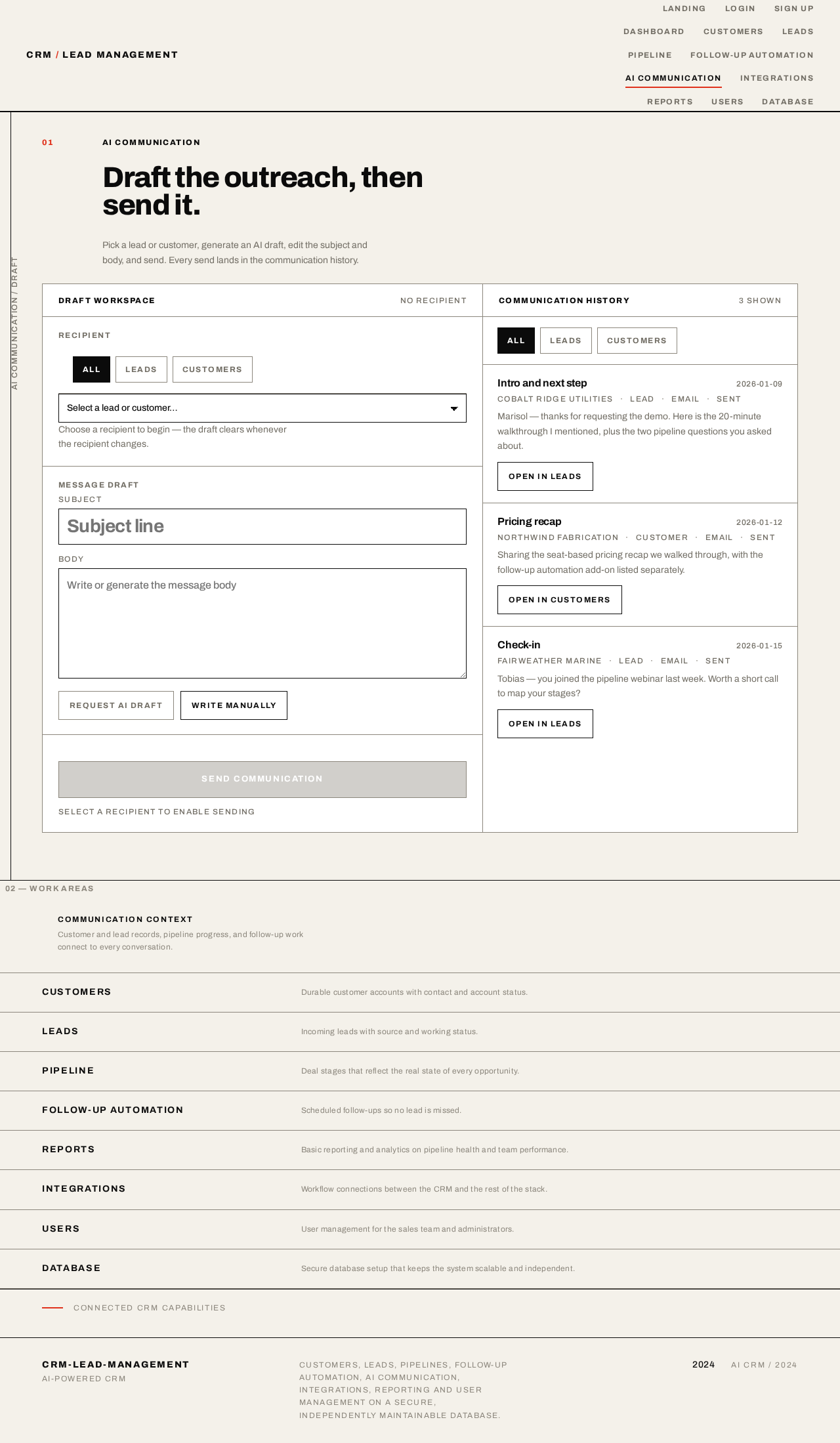
Draft the outreach, then send it.
Pick a lead or customer, generate an AI draft, edit the subject and body, and send. Every send lands in the communication history.
Draft workspace
Choose a recipient to begin — the draft clears whenever the recipient changes.
Select a recipient to enable sending
Communication history
Intro and next step
2026-01-09
Marisol — thanks for requesting the demo. Here is the 20-minute walkthrough I mentioned, plus the two pipeline questions you asked about.
Pricing recap
2026-01-12
Sharing the seat-based pricing recap we walked through, with the follow-up automation add-on listed separately.
Check-in
2026-01-15
Tobias — you joined the pipeline webinar last week. Worth a short call to map your stages?
02 — Work areas
Communication context
Customer and lead records, pipeline progress, and follow-up work connect to every conversation.
Customers
Durable customer accounts with contact and account status.
Leads
Incoming leads with source and working status.
Pipeline
Deal stages that reflect the real state of every opportunity.
Follow-up Automation
Scheduled follow-ups so no lead is missed.
Reports
Basic reporting and analytics on pipeline health and team performance.
Integrations
Workflow connections between the CRM and the rest of the stack.
Users
User management for the sales team and administrators.
Database
Secure database setup that keeps the system scalable and independent.
Connected CRM capabilities
No comments yet. Be the first!