crimson-application
by Diya Trivedi
Diya Trivedistart a simple single page design of the todo application

Comments (0)
Sign in to leave a comment
Project Tasks
25 tasks#1
Generate system requirement document
0m 34s0.05 cr used
Done#2
Generate personas & user flows
0m 3s0.05 cr used
Done#7
Create flow for Todo user
0m 3sCredits in parent
Done#8
Todo
1m 59sCredits in subtasks
Done#13
Fix Todo review findings: frontend/src/components/Todo Workspace.jsx: the add action… (+1 more)
0m 7s0.02 cr used
Error#11
Fix Todo: The add action clears the draft only after succeeds, but on failure the draft remains…
0m 7sCredits unavailable
Error#12
Fix Todo: Failed completion and deletion actions do not restore the prior row state or preserve…
0m 7sCredits unavailable
Error#9
Todo / Hero
0m 19s0.85 cr used
Done#10
Todo / Workspace
0m 59s0.85 cr used
Done#4
Design remaining pages
Not recorded0.05 cr needed
Done#5
Architecture
0m 19s0.05 cr used
Done#14
Create backend_modules diagram
0m 16sCredits in parent
Done#15
Create er_diagram diagram
0m 16sCredits in parent
Done#16
Create frontend_modules diagram
0m 16sCredits in parent
Done#17
Create service_network diagram
0m 16sCredits in parent
Done#6
Workspace task plan
1m 21s0.05 cr used
Done#18
Add, complete, and delete todos with durable state
120 cr estimated
To Do#19
Serve the todo list with loading, empty, and retry states
120 cr estimated
To Do#20
Restore saved todos and completion state on return
120 cr estimated
To Do#21
Persist todos across revisits and support add, complete, delete
120 cr estimated
To Do#22
Provide todo list read with loading placeholder and mutations
100 cr estimated
To Do#23
Persist todo text and completion state and show saved items
120 cr estimated
To Do#24
Anonymous durable todo list with add, complete, delete, and recovery
120 cr estimated
To Do#25
Read and return the persisted todo list
60 cr estimated
To Do#26
Wire the Todo page to live add, complete, delete, and durable list state
120 cr estimated
To Do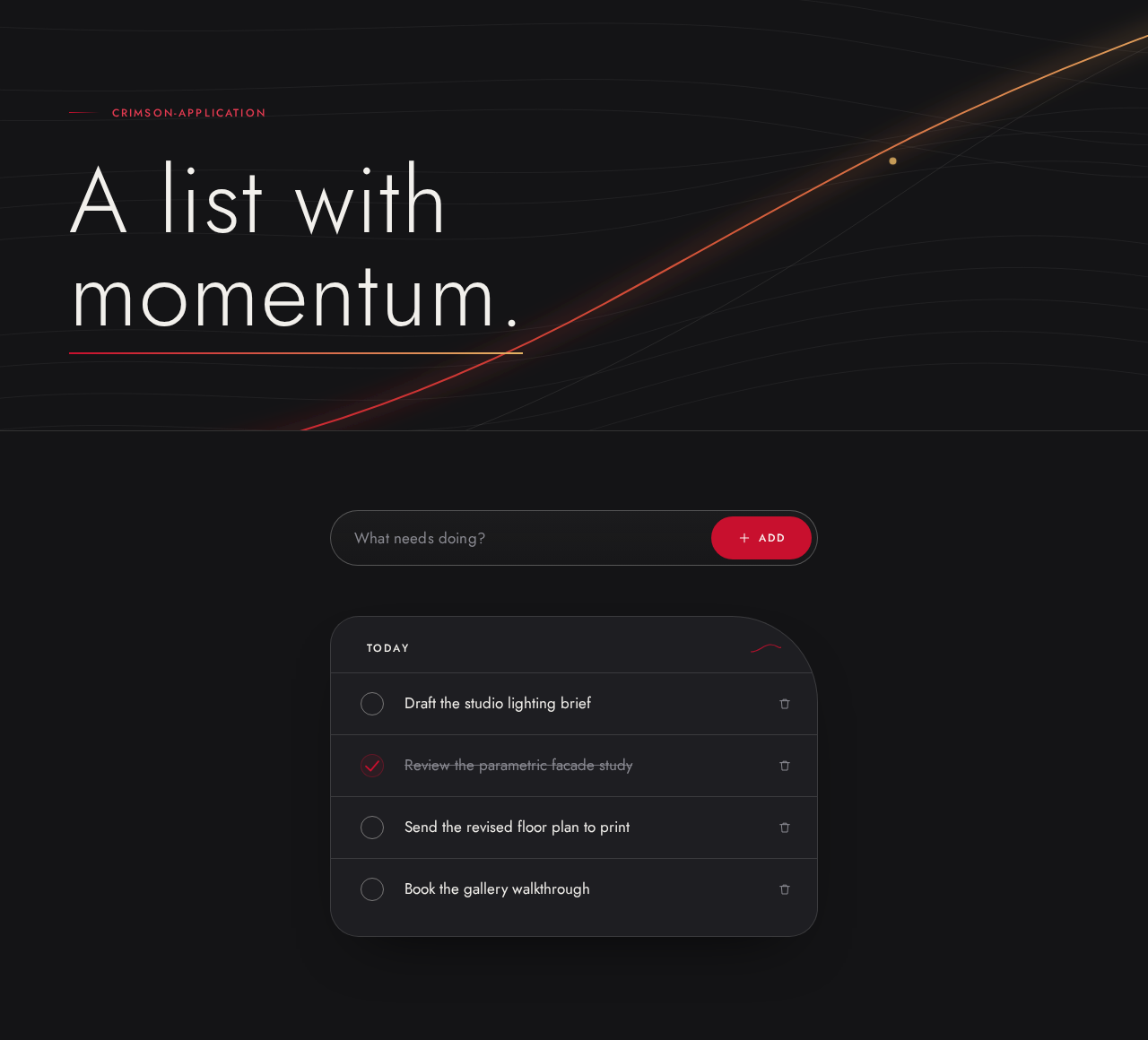
crimson-application
A list with momentum.
Your todo list
Today
Draft the studio lighting brief
Review the parametric facade study
Send the revised floor plan to print
Book the gallery walkthrough
No comments yet. Be the first!