copper-website
 Shashwat
build an automated website for dropshipping
Comments (0)
Sign in to leave a comment
System Requirements
System Requirements Document (SRD) for copper-website
1. Introduction
The copper-website project aims to develop an automated dropshipping website tailored for Shashwat's needs in India. The platform will focus on providing a streamlined, basic interface for managing product listings, order fulfillment, and supplier integration. By automating key processes, the website will save time and effort while ensuring a smooth user experience.
This document outlines the system requirements for the copper-website, including functional and non-functional specifications, user personas, design concepts, and technical considerations.
2. System Overview
The copper-website will serve as an automated platform for dropshipping, allowing users to manage inventory, process orders, and integrate with suppliers. The focus will be on simplicity and ease of use, ensuring that even users with minimal technical expertise can navigate the platform effortlessly.
Key features include:
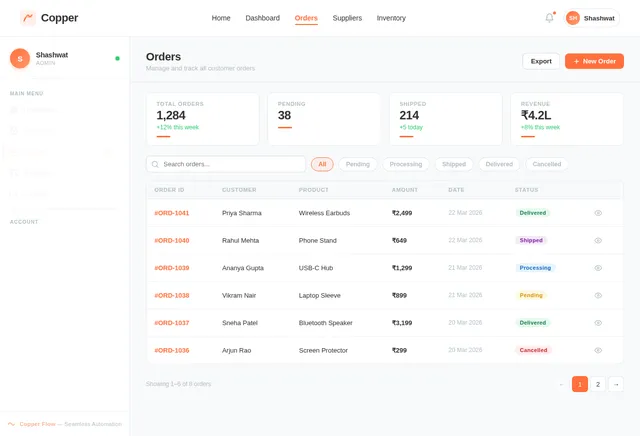
- A basic interface for product listings and order management.
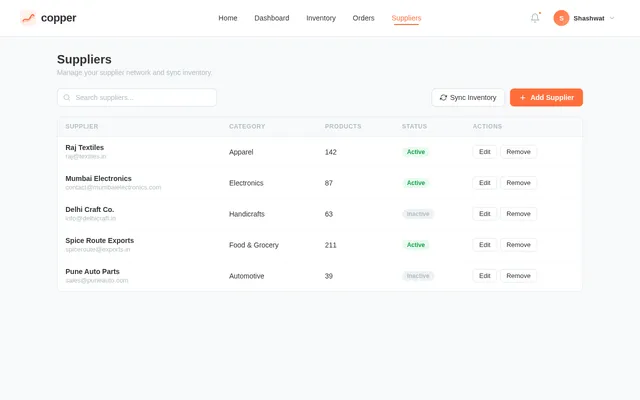
- Automated syncing with supplier inventories.
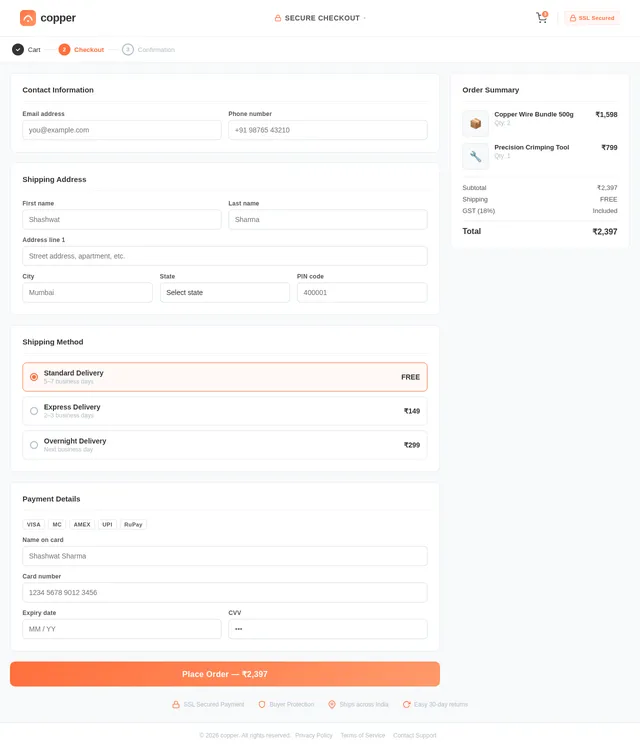
- Integration with payment gateways for seamless transactions.
- Notifications for order updates and customer communication.
The platform will be designed to cater to the Indian market, with locale-specific defaults such as INR currency, IST timezone, and support for regional languages if needed.
3. Functional Requirements
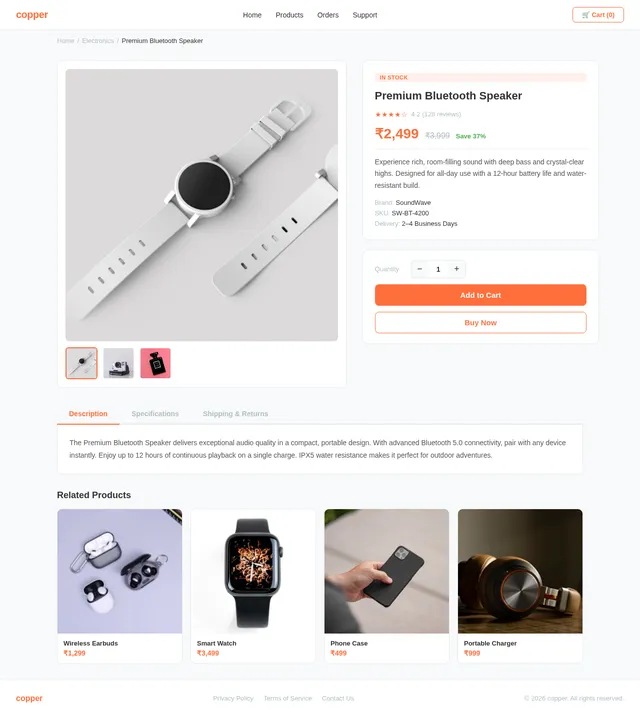
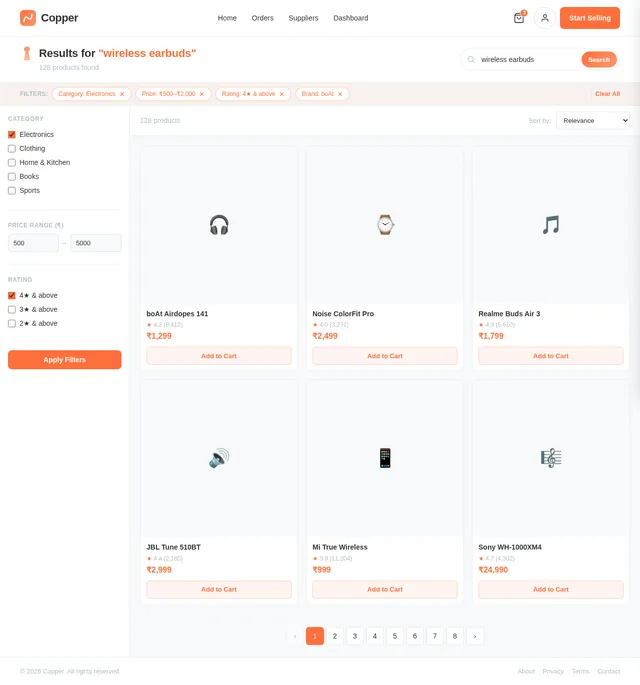
- As a User, I should be able to view product listings with basic details (name, price, image).
- As a User, I should be able to search for products using keywords.
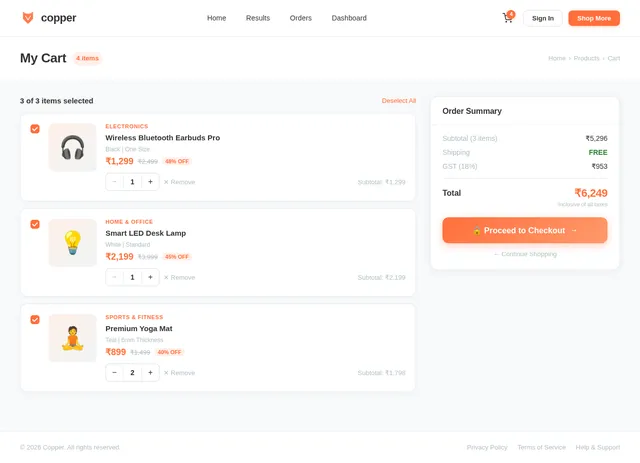
- As a User, I should be able to add products to a shopping cart.
- As a User, I should be able to place an order and make payments directly on the website.
- As a User, I should receive automated notifications for order confirmation and shipping updates.
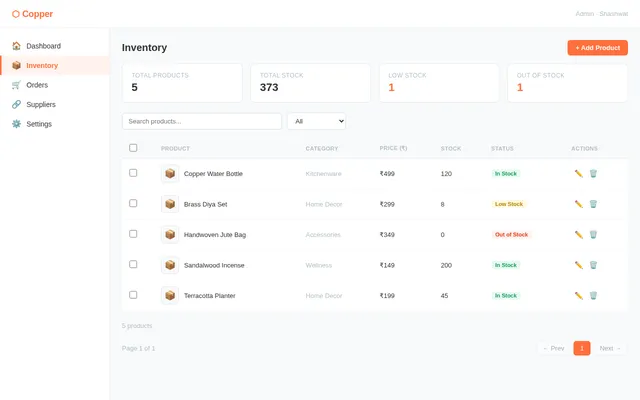
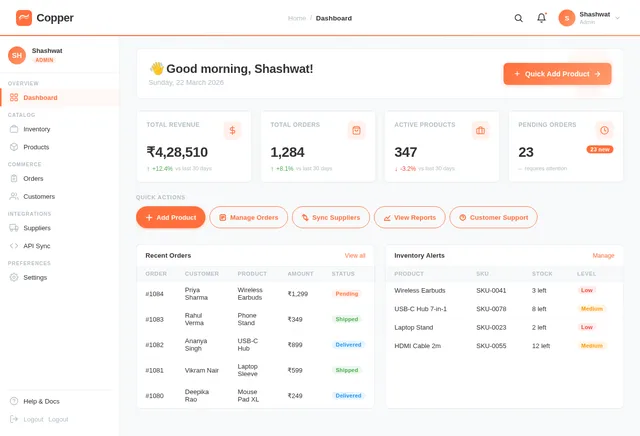
- As an Admin, I should be able to add, edit, or remove products from the inventory.
- As an Admin, I should be able to view and manage orders.
- As an Admin, I should be able to integrate with supplier APIs for inventory syncing.
4. User Personas
1. User (Customer)
- Description: End-users who browse the website to purchase products.
- Goals: Find and purchase products easily, receive timely updates on orders.
- Pain Points: Complicated navigation, lack of order updates.
2. Admin
- Description: The website owner or manager responsible for maintaining the platform.
- Goals: Manage inventory, process orders, and ensure smooth operation of the website.
- Pain Points: Manual inventory updates, difficulty in managing orders.
5. Visuals Colors and Theme
Color Palette
The copper-website will feature a clean and professional aesthetic with a unique color palette inspired by the theme of simplicity and efficiency:
- Background: #F8F9FA (Soft Light Gray)
- Surface: #FFFFFF (Pure White)
- Text: #333333 (Dark Charcoal)
- Accent: #FF6F3C (Vibrant Copper Orange)
- Muted: #B0BEC5 (Soft Steel Gray)
This palette ensures a modern and minimalistic look while emphasizing key elements with the copper-orange accent.
6. Signature Design Concept
"Copper Flow" Interactive Homepage
The homepage will feature a dynamic copper ribbon animation that flows across the screen, symbolizing seamless automation and efficiency. This ribbon will subtly respond to user interactions, such as hovering or scrolling, creating a sense of fluidity and engagement.
Key elements:
- Hero Section: The copper ribbon will weave through product categories, with each category represented as a glowing orb that expands when hovered over.
- Micro-Interactions: As users scroll, the ribbon will "unfold" sections of the website, such as featured products, testimonials, and call-to-action buttons.
- Transitions: Smooth fade-ins and slide-ins for text and images, synchronized with the ribbon's movement.
- Color Shifts: The ribbon will subtly change shades of copper-orange as users navigate, creating a visually dynamic experience.
This design will make the copper-website instantly memorable while maintaining a clean and user-friendly interface.
7. Non-Functional Requirements
- The website should load within 3 seconds on a standard broadband connection.
- The platform must be mobile-responsive and compatible with major browsers (Chrome, Firefox, Safari, Edge).
- Ensure data security with HTTPS encryption and secure payment gateways.
- The system should handle up to 10,000 concurrent users without performance degradation.
- Automated backups should occur daily to prevent data loss.
8. Tech Stack
Frontend
- React for Web
Backend
- Python
- FastAPI
Database
- MySQL (with Alembic for migrations)
AI Tools
- GPT 5.2 for user-friendly responses (e.g., customer support chatbots)
Local Orchestration
- Docker
- docker-compose
Server-Side Orchestration
- Kubernetes
9. Assumptions and Constraints
Assumptions
- The website will primarily cater to the Indian market.
- Users will have access to stable internet connections.
- Suppliers will provide APIs for inventory syncing.
Constraints
- The design must remain simple and intuitive, avoiding overly complex features.
- The platform must comply with Indian e-commerce regulations and payment gateway standards.
10. Glossary
- Dropshipping: A retail fulfillment method where a store doesn't keep the products it sells in stock. Instead, it purchases items from a third party and ships them directly to the customer.
- API: Application Programming Interface, a set of functions and procedures allowing the creation of applications that access the features or data of an operating system, application, or other services.
- IST: Indian Standard Time.
- INR: Indian Rupee, the currency of India.
This document provides a comprehensive overview of the requirements for the copper-website project. By focusing on simplicity and automation, the platform will deliver a seamless experience for both users and administrators. Let’s bring this vision to life, Shashwat!
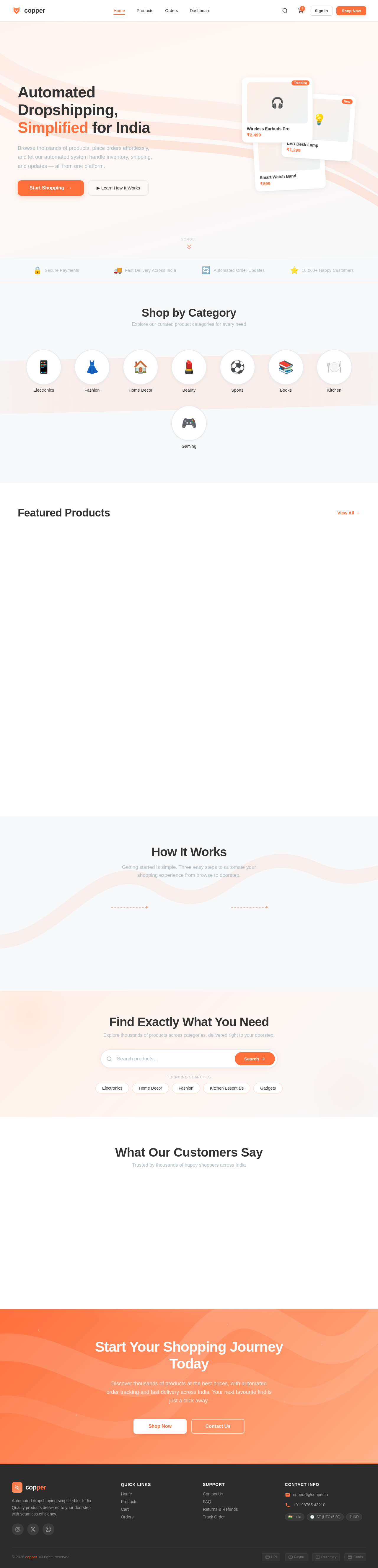
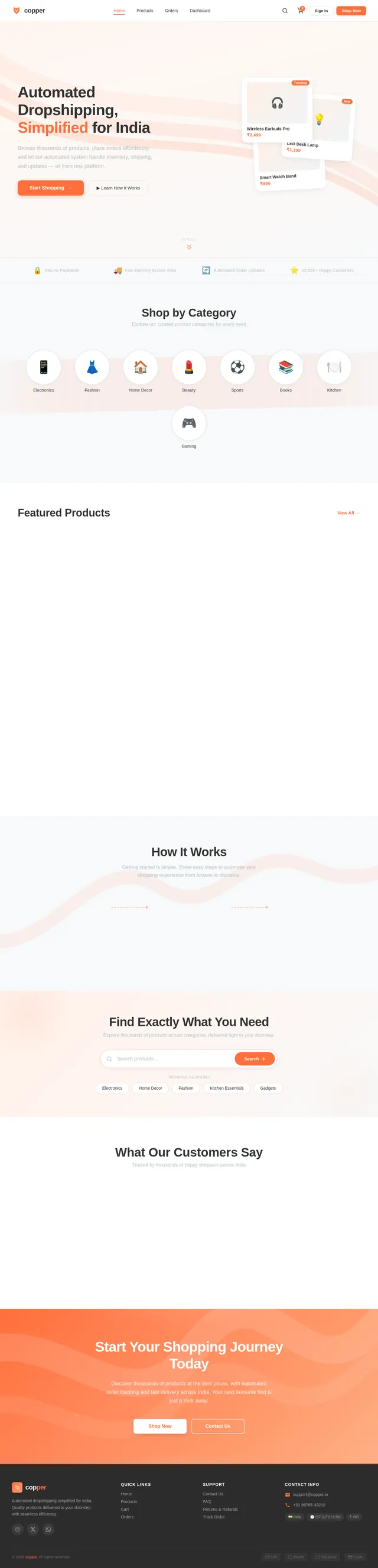
Automated Dropshipping, Simplified for India
Browse thousands of products, place orders effortlessly, and let our automated system handle inventory, shipping, and updates — all from one platform.
Shop by Category
Explore our curated product categories for every need
Featured Products
View All→Wireless Bluetooth Earbuds
₹1,299
Smart LED Desk Lamp
₹2,499
Organic Cotton T-Shirt
₹899
Stainless Steel Water Bottle
₹649
Portable Phone Charger 10000mAh
₹1,599
Bamboo Cutting Board Set
₹1,149
Minimalist Analog Watch
₹3,499
Handcrafted Ceramic Mug
₹499
How It Works
Getting started is simple. Three easy steps to automate your shopping experience from browse to doorstep.
Browse & Search Products
Explore our curated catalog of trending products. Use smart search and filters to find exactly what you need.
Add to Cart & Checkout
Add your favorites to the cart and complete your purchase with secure payment options including UPI and cards.
We Handle the Rest
Sit back while we automate order fulfillment, supplier coordination, and delivery tracking across India.
Find Exactly What You Need
Explore thousands of products across categories, delivered right to your doorstep.
Trending Searches
What Our Customers Say
Trusted by thousands of happy shoppers across India
Start Your Shopping Journey Today
Discover thousands of products at the best prices, with automated order tracking and fast delivery across India. Your next favourite find is just a click away.
No comments yet. Be the first!