clever-packages
 Neto Jaime Francisco Meque
mini 3 Correndo por segundosCorreu por 248 segundos summarize_auto Histórico de ações chevron_right Aqui estão as principais ações tomadas para o aplicativo: download Instalei 6 pacotes. edit Editei 8 arquivos. metadata.json check_circle src/lib/utils.ts check_circle src/types/game.ts check_circle src/types/countries.ts check_circle src/components/WorldMap.tsx check_circle src/components/EvolutionPanel.tsx check_circle src/App.tsx check_circle src/index.css check_circle build Construído
Comments (0)
Sign in to leave a comment
System Requirements
System Requirements Document (SRD)
1. Introduction
This document outlines the system requirements for the development and deployment of an application designed to be converted into an APK for Android distribution. The application aims to provide a seamless experience for users while maintaining high performance and compatibility with Android devices. This document has been updated to include specific locations and tools for the APK conversion process.
2. System Overview
The application is a web-based solution that will be converted into an APK for Android devices. It includes interactive components, data visualization, and user-friendly interfaces. The primary goal is to ensure the application is optimized for Android platforms while maintaining its core functionality and design integrity. The conversion process will leverage tools such as Capacitor and Android Studio to streamline the APK generation.
3. Functional Requirements as Story Points
- As a Developer, I should be able to convert the application into an APK for Android distribution.
- As a User, I should be able to interact with the application seamlessly on Android devices.
- As a Developer, I should have access to a step-by-step guide for converting the app to APK.
- As a Developer, I should be able to install necessary dependencies and tools for APK conversion.
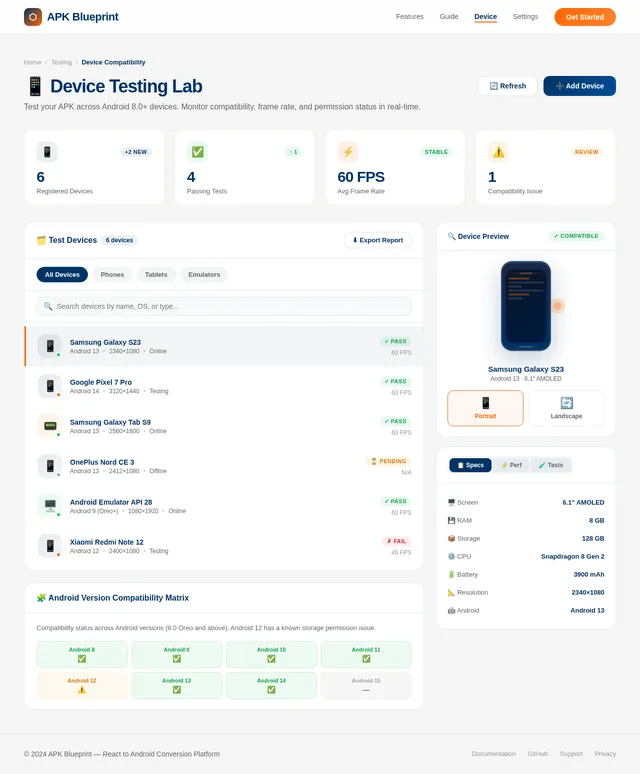
- As a Developer, I should be able to test the APK on various Android devices to ensure compatibility.
- As a Developer, I should be able to configure Android Studio for APK generation.
- As a Developer, I should be able to configure AndroidManifest.xml permissions for the APK.
- As a Developer, I should know the exact locations and tools required for each step of the APK conversion process.
4. User Personas
- Developer: Responsible for building, maintaining, and converting the application into an APK. Needs clear documentation, tools, and specific locations for the conversion process.
- End User: The target audience who will use the application on Android devices. Requires a smooth, intuitive, and responsive experience.
5. Visuals Colors and Theme
The application should use a modern and clean design aesthetic. Suggested color palette:
- Primary Color: Deep Blue (#003366) for headers and key elements.
- Secondary Color: Bright Orange (#FF6600) for buttons and highlights.
- Background: Light Gray (#F5F5F5) for a neutral and professional look.
- Text: Dark Gray (#333333) for readability.
The theme should emphasize simplicity and clarity, ensuring that users can navigate the application effortlessly.
6. Signature Design Concept
Dynamic Blueprint Landing Page: The homepage will resemble a living blueprint or architectural drawing. Upon loading, users will see a grid-like background with animated pencil-sketch lines that draw the application's key features in real-time.
- Animations: As users scroll, sections of the blueprint "come to life," transitioning from sketched outlines to fully rendered components.
- Interactive Elements: Hovering over elements will display tooltips or micro-interactions, such as buttons glowing or icons expanding slightly.
- Transitions: Smooth fade-ins and slide-ins for content as users navigate.
- Color Shifts: The blueprint lines will subtly shift between the primary and secondary colors (Deep Blue and Bright Orange) to maintain visual interest.
- Micro-Interactions: Clicking on a feature will "zoom in" on that part of the blueprint, providing more details or functionality.
This design will make the application memorable and engaging while emphasizing its technical and innovative nature.
7. Non-Functional Requirements
- The application must be compatible with Android 8.0 (Oreo) and above.
- The APK size should not exceed 50 MB to ensure quick downloads and installations.
- The application should load within 3 seconds on most Android devices.
- The application must maintain a consistent frame rate of 60 FPS for smooth animations and interactions.
- The application should support both portrait and landscape orientations.
8. Tech Stack
- Frontend: React for Web
- Backend: Python with FastAPI
- Database: MySQL with Alembic for migrations
- AI Tools: Not applicable for this project
- Local Orchestration: Docker, docker-compose
- Server-Side Orchestration: Kubernetes
9. Assumptions and Constraints
- The developer has access to tools like Android Studio or Capacitor for APK conversion.
- The application is already functional as a web app and requires minimal changes for Android compatibility.
- The APK conversion process will follow standard practices and guidelines for Android development.
- Testing will be conducted on a range of Android devices to ensure compatibility.
10. Glossary
- APK: Android Package Kit, the file format used by Android for distributing and installing applications.
- Capacitor: A cross-platform native runtime for building web apps that run natively on iOS, Android, and the web.
- Docker: A platform for developing, shipping, and running applications in containers.
- Kubernetes: An open-source system for automating deployment, scaling, and management of containerized applications.
11. Step-by-Step Guide for Converting the App to APK
1. Install Dependencies:
- Ensure Node.js and npm are installed.
- Install Capacitor globally using npm:
npm install -g @capacitor/cli
2. Prepare the Application:
- Build the web application using the following command:
npm run build - Ensure all assets and dependencies are correctly configured.
3. Integrate with Capacitor:
- Initialize Capacitor in the project:
npx cap init - Add the Android platform:
npx cap add android
4. Locate and Open Android Studio:
- Navigate to the
androidfolder in your project directory. This folder is created after running thenpx cap add androidcommand. - Open the
androidfolder in Android Studio.
5. Configure Android Studio for APK Generation:
- Sync the project with Gradle files by clicking on "Sync Project with Gradle Files" in the toolbar.
- Navigate to the
AndroidManifest.xmlfile located inandroid/app/src/main/and ensure all permissions and configurations are set correctly.
6. Configure AndroidManifest.xml Permissions:
- Add the following permissions to the
AndroidManifest.xmlfile to ensure the application functions correctly:<uses-permission android:name="android.permission.INTERNET" /> <uses-permission android:name="android.permission.ACCESS_NETWORK_STATE" /> <uses-permission android:name="android.permission.WRITE_EXTERNAL_STORAGE" /> <uses-permission android:name="android.permission.READ_EXTERNAL_STORAGE" /> <uses-permission android:name="android.permission.CAMERA" /> <uses-permission android:name="android.permission.RECORD_AUDIO" /> - These permissions allow the application to access the internet, manage storage, and use device hardware like the camera and microphone.
7. Build the APK:
- In Android Studio, select "Build" > "Build Bundle(s)/APK(s)" > "Build APK(s)".
- Wait for the build process to complete.
8. Test the APK:
- Transfer the APK to an Android device.
- Install the APK and test the application for functionality and performance.
9. Optimize and Publish:
- Optimize the APK size using tools like ProGuard.
- Sign the APK for release using Android Studio.
- Publish the APK to the Google Play Store or distribute it manually.
This updated SRD includes specific locations and tools for each step of the APK conversion process, ensuring developers have all the necessary information to complete the task successfully.
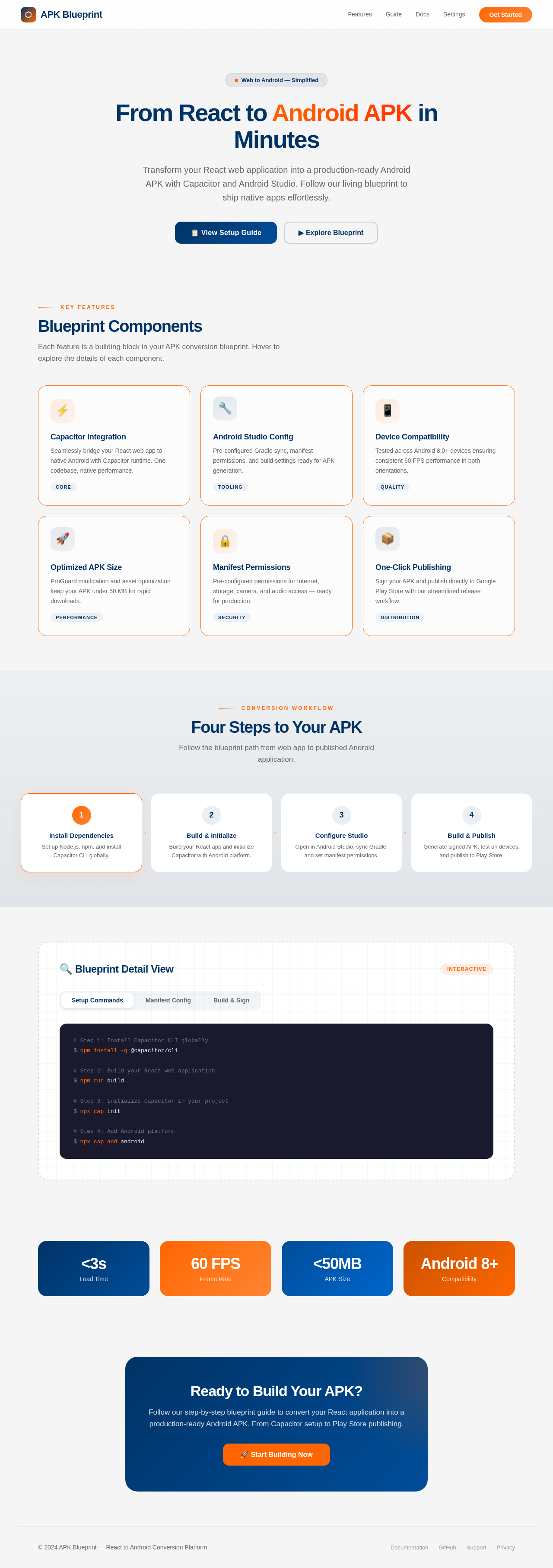
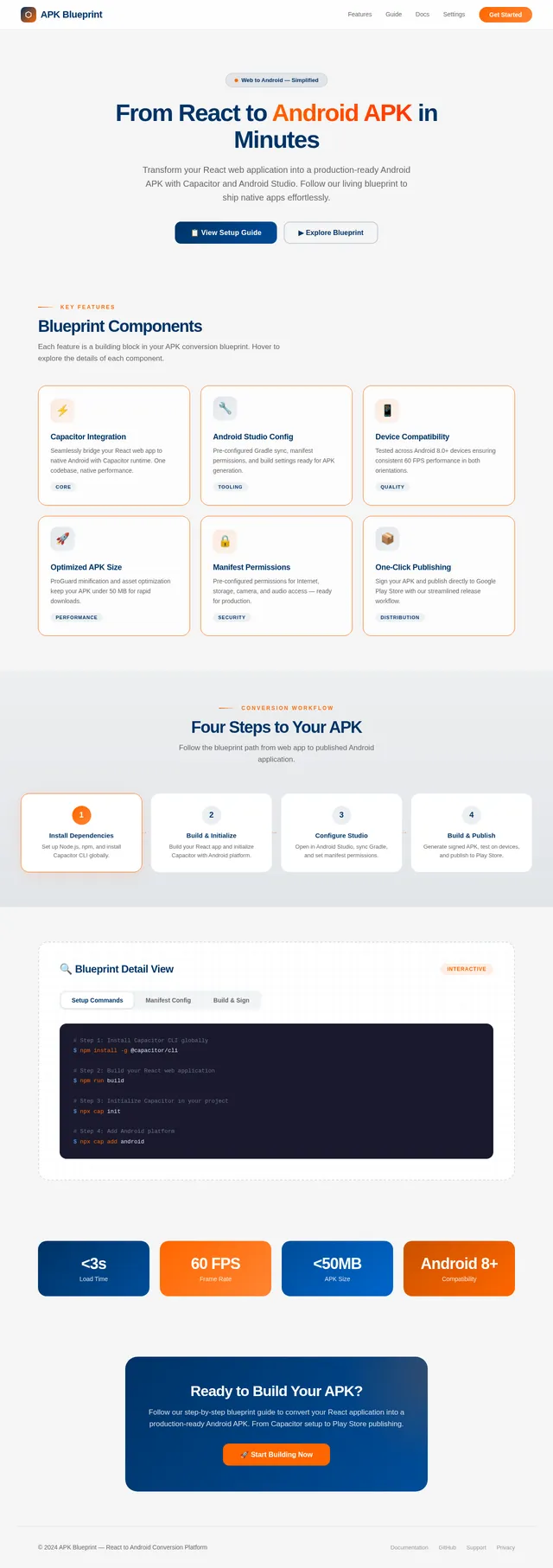
From React to Android APK in Minutes
Transform your React web application into a production-ready Android APK with Capacitor and Android Studio. Follow our living blueprint to ship native apps effortlessly.
Blueprint Components
Each feature is a building block in your APK conversion blueprint. Hover to explore the details of each component.
Capacitor Integration
Seamlessly bridge your React web app to native Android with Capacitor runtime. One codebase, native performance.
CoreAndroid Studio Config
Pre-configured Gradle sync, manifest permissions, and build settings ready for APK generation.
ToolingDevice Compatibility
Tested across Android 8.0+ devices ensuring consistent 60 FPS performance in both orientations.
QualityOptimized APK Size
ProGuard minification and asset optimization keep your APK under 50 MB for rapid downloads.
PerformanceManifest Permissions
Pre-configured permissions for Internet, storage, camera, and audio access — ready for production.
SecurityOne-Click Publishing
Sign your APK and publish directly to Google Play Store with our streamlined release workflow.
DistributionFour Steps to Your APK
Follow the blueprint path from web app to published Android application.
Install Dependencies
Set up Node.js, npm, and install Capacitor CLI globally.
→Build & Initialize
Build your React app and initialize Capacitor with Android platform.
→Configure Studio
Open in Android Studio, sync Gradle, and set manifest permissions.
→Build & Publish
Generate signed APK, test on devices, and publish to Play Store.
🔍 Blueprint Detail View
InteractiveReady to Build Your APK?
Follow our step-by-step blueprint guide to convert your React application into a production-ready Android APK. From Capacitor setup to Play Store publishing.
No comments yet. Be the first!