cedar-eventhub
 Drashti Solanki
# EventHub — Event Management & Booking Platform Build a responsive web application called **EventHub**, an event discovery and ticket booking platform. ## User Roles The application must support three roles: ### 1. Customer Customers can: * Register and login. * Browse events. * Search events. * Filter events. * View event details. * Book tickets. * View booking history. * Cancel eligible bookings. * Manage their profile. * Receive notifications. ### 2. Organizer Organizers can: * Register and login. * Create events. * Edit their own events. * Publish events. * Cancel their own events. * Create ticket types. * Manage ticket availability. * View bookings for their events. * View attendees. * View event statistics. ### 3. Admin Admins can: * Access the admin dashboard. * Manage customers. * Manage organizers. * Manage events. * Manage bookings. * Manage event categories. * Manage support requests. * Manage FAQs. * View platform statistics. ## Authentication Implement: * Registration. * Login. * Logout. * Protected routes. * Role-based access. * Session persistence. Customer registration fields: * Full Name * Email * Phone * Password * Confirm Password Organizer registration fields: * Organization Name * Contact Person * Email * Phone * Password * Confirm Password Validation must handle: * Required fields. * Invalid email. * Duplicate email. * Weak password. * Password mismatch. * Invalid phone number. ## Authorization Customers must only access their own: * Profile. * Bookings. * Notifications. Organizers must only manage their own: * Events. * Ticket types. * Bookings. * Attendees. Admins can access platform-wide data. Do not rely only on hiding frontend buttons. Backend/API authorization must also prevent unauthorized access. ## Customer Dashboard Create a customer dashboard containing: * Upcoming bookings. * Recent bookings. * Favorite events. * Notifications. * Total bookings. * Confirmed bookings. * Cancelled bookings. Provide proper: * Loading states. * Empty states. * Error states. ## Event Discovery Create a public event listing page. Each event card should display: * Event image. * Event name. * Category. * Date. * Time. * Location. * Starting ticket price. * Organizer name. Users can: * Search by event name. * Search by organizer. * Filter by category. * Filter by location. * Filter by date. * Filter by price. * Sort by date. * Sort by price. Search and filters must work together. ## Event Details The event detail page must display: * Event image. * Event name. * Description. * Category. * Organizer. * Date. * Start time. * End time. * Location. * Address. * Available ticket types. * Ticket availability. * Event rules. * Cancellation policy. Provide a prominent **Book Now** action. ## UI Requirements The application must be responsive for: * Desktop. * Tablet. * Mobile. Use a consistent design system for: * Buttons. * Forms. * Cards. * Tables. * Modals. * Dropdowns. * Alerts. * Loading states. * Empty states. Do not allow horizontal overflow on normal mobile screens. ## Important Build the application with realistic relationships between: User → Organizer → Event → Ticket Type → Booking → Customer. Use realistic sample data so the complete workflow can be tested immediately. The implementation should prioritize functional correctness, data consistency, role-based permissions, validation, responsive behavior, and error handling rather than only visual design.


Comments (0)
Sign in to leave a comment
Project Tasks
12Implement Shared Navbar
As a Frontend Developer, implement the shared Navbar component from its approved JSX/CSS design and reuse it across all declared pages without duplicating local variants. Implementation contract: - Outcome: Implement Shared Navbar - Owned behavior: - As a Frontend Developer, implement the shared Navbar component from its approved JSX/CSS design and reuse it across all declared pages without duplicating local variants. - Implement shared design sections: AdminDashboardHeader, Navbar. Acceptance criteria: - The task-owned behavior is implemented and verified without undeclared mocks or downstream assumptions. - The shared Navbar component renders once and is reused by every declared consuming page.
Implement Shared Footer
As a Frontend Developer, implement the shared Footer component from its approved JSX/CSS design and reuse it across all declared pages without duplicating local variants. Implementation contract: - Outcome: Implement Shared Footer - Owned behavior: - As a Frontend Developer, implement the shared Footer component from its approved JSX/CSS design and reuse it across all declared pages without duplicating local variants. - Implement shared design sections: Footer. Acceptance criteria: - The task-owned behavior is implemented and verified without undeclared mocks or downstream assumptions. - The shared Footer component renders once and is reused by every declared consuming page.
Implement Admin Dashboard page
As a Frontend Developer, implement the approved Admin Dashboard page design and the task-owned sections below. Implementation contract: - Outcome: Implement Admin Dashboard page - Requirement sources: - src-6aa485cfa13c4259 - src-670f2365d6b9cf34 - src-bd3bf835889439c0 - src-a2c743179f1527f7 - src-3dfc0ae7fbbc0fec - src-3d2030dc329b0ccd - src-323c66f2f761c139 - src-531d6cd3e8e752a3 - src-290f057a7cce44b5 - src-e6155556bb34b3e6 - src-b21443abe2aba75c - src-36b017038249b3dc - 2 additional source record(s) are retained in the structured implementation contract. - Owned behavior: - switch active tab/panel - view selected management panel - navigate between management workflows - maintain panel state across switches - State transitions: - dashboardStatus: 'loading' -> 'ready' or 'error' - Failure and safety behavior: - Error state with retry mechanism Acceptance criteria: - The task-owned behavior is implemented and verified without undeclared mocks or downstream assumptions. - AdminDashboardLayout renders once - Tab navigation and active panel indicator function correctly - Design adheres to layout and color scheme - Handles data loading and error states with retry
Implement Admin Dashboard Footer
As a Frontend Developer, implement the approved Admin Dashboard page design and the task-owned sections below. Implementation contract: - Outcome: Implement Admin Dashboard Footer - Requirement sources: - src-45a194f2e1d47bc7 - src-3e22acd36cc2be88 - Owned behavior: - visible and interactive behavior owned by these sections Acceptance criteria: - The task-owned behavior is implemented and verified without undeclared mocks or downstream assumptions. - The AdminDashboardFooter must render exactly once on the Admin Dashboard page. - It must display the EventHub branding, current year, system status, and version number. - The footer must adhere to the provided design tokens and animate as specified.
Implement Event Discovery page
As a Frontend Developer, implement the approved Event Discovery page design and the task-owned sections below. Implementation contract: - Outcome: Implement Event Discovery page - Requirement sources: - src-7fbfda2a88aac45e - src-9ac90982f5536564 - src-cd1a92f7cf249ff2 - src-ae001e2a14b39713 - src-c99e99b6038331c4 - src-f8f0374e358bf7d3 - src-2412316aa89cb01a - src-55941e35659b4cd6 - src-ce97a08728e7f7a0 - src-6fb79582962eb407 - Owned behavior: - hover scale effect on stickers - hover flip effect on headline - type search query - select category filter - select date filter - select location filter - apply sort order - clear all filters - submit search - render filtered event list - hover scale and color effect - click card to view event details - loading state display - empty state display - error state display - responsive grid layout Acceptance criteria: - The task-owned behavior is implemented and verified without undeclared mocks or downstream assumptions. - The Event Discovery page must render the DiscoveryHero and SearchAndFilterBar sections exactly once. - The DiscoveryHero must display the surreal imagery and interactive headline with hover effects. - The SearchAndFilterBar must allow users to search and filter events, updating the discovery_filters state accordingly. - The design must adhere to the specified color palette and typography. - The page must be accessible to all personas: Customer, Organizer. - EventGrid renders on Event Discovery page - Event cards display accurate data - Interactive hover effects function - Responsive grid adapts to screen size - Loading, empty, and error states display correctly - Navigation to Event Details page with correct event ID
Implement Event Details Hero section
As a Frontend Developer, implement the approved Event Details page design and the task-owned sections below. Implementation contract: - Outcome: Implement Event Details Hero section - Requirement sources: - src-57886eb6bc136cc7 - src-3d77027b440c712d - src-c1807044ed078103 - Owned behavior: - hover scale-in on title - hover colour flip on sticker overlays - image upload (Organizer only) - fallback placeholder for missing image Acceptance criteria: - The task-owned behavior is implemented and verified without undeclared mocks or downstream assumptions. - The EventDetailsHero section must render exactly once on the Event Details page - Display the hero image, event title, category badge, organizer branding, and date/time quick reference - Design structure and theme must match the provided JSX and CSS - Hover animations and responsive behavior must be implemented - Image upload feature must be functional for the Organizer role - Handle missing images with a fallback placeholder - Accessible to both Customer and Organizer personas
Implement Event Details page
As a Frontend Developer, implement the approved Event Details page design and the task-owned sections below. Implementation contract: - Outcome: Implement Event Details page - Requirement sources: - src-cfa9bd7c28457820 - src-a9b93d88440e1b90 - src-bdd3d1efbf96e795 - src-58ae515ca0f8f77d - src-5967a3a702b3a046 - src-96b0bf694394a36b - src-474b56d926dac2a9 - src-338dcd0cc2ff9e18 - Owned behavior: - display event information - manage ticket selection - execute booking workflow - render organizer controls - toggle publish status - manage ticket types - display bookings and attendees - present event statistics - enable event cancellation - Interfaces: - booking API - statistics API - State transitions: - booking state transition - event status change - Failure and safety behavior: - booking failure - event load error Acceptance criteria: - The task-owned behavior is implemented and verified without undeclared mocks or downstream assumptions. - observable task-owned checks
Implement Customer Dashboard Header
As a Frontend Developer, implement the approved Customer Dashboard page design and the task-owned sections below. Implementation contract: - Outcome: Implement Customer Dashboard Header - Requirement sources: - src-051234594244b2b4 - src-d6b4c5917e285c72 - Owned behavior: - Display customer name and personalized greeting - Show booking summary statistics - Fetch and display dynamic customer name on the Customer Dashboard. - Interfaces: - Consume customer.dashboard.dynamic.customer.name through customerName. - Provide customer.dashboard.dynamic.customer.name: Fetch and display dynamic customer name on the Customer Dashboard. - State transitions: - Display the current user's name dynamically. - Use neutral loading, empty, anonymous, and error states instead of restoring prototype data. - Failure and safety behavior: - Never retain or restore hardcoded prototype data as the runtime fallback when live integration fails. - Prototype-to-live replacements: - Replace "const CUSTOMER_NAME = 'Alex';" with customerName. Display the current user's name dynamically. Acceptance criteria: - The task-owned behavior is implemented and verified without undeclared mocks or downstream assumptions. - Render CustomerDashboardHeader once on Customer Dashboard page - Display dynamic customer name and accurate booking statistics - Adhere to specified design palette and typography - Include animations for greeting and stat cards - Accessible to all personas with access to Customer Dashboard - Display the current user's name dynamically. - The prototype value is absent from successful runtime rendering and from error fallbacks. - Capability customer.dashboard.dynamic.customer.name implements Fetch and display dynamic customer name on the Customer Dashboard. and is verified through its declared interfaces.
Implement Customer Dashboard Bookings section
As a Frontend Developer, implement the approved Customer Dashboard page design and the task-owned sections below. Implementation contract: - Outcome: Implement Customer Dashboard Bookings section - Requirement sources: - src-e444fb1bcf44b8b9 - src-dd58a1999b749103 - src-c1df800dadf25938 - src-e34f0813dad549d9 - src-6e4fdc48964293c9 - Owned behavior: - display bookings - filter bookings - select booking - cancel booking with confirmation - Interfaces: - booking data API - State transitions: - booking status change on cancellation - Failure and safety behavior: - handle API errors gracefully Acceptance criteria: - The task-owned behavior is implemented and verified without undeclared mocks or downstream assumptions. - render CustomerDashboardBookings section - display bookings in asymmetric layout - filter bookings by status - select booking to view details - enable cancel button for eligible bookings - open confirmation modal on cancel request - confirm or dismiss cancellation
Implement Customer Dashboard Favorites section
As a Frontend Developer, implement the approved Customer Dashboard page design and the task-owned sections below. Implementation contract: - Outcome: Implement Customer Dashboard Favorites section - Requirement sources: - src-89fbce0ae1678834 - Owned behavior: - horizontal scrolling gallery - click card to navigate to event details Acceptance criteria: - The task-owned behavior is implemented and verified without undeclared mocks or downstream assumptions. - Render the CustomerDashboardFavorites section exactly once on the Customer Dashboard page - Ensure the horizontal scrolling gallery is functional and responsive - Maintain the design structure with muted pink backgrounds and hot-pink text overlays - Clicking a card navigates to the event details page
Implement Customer Dashboard Notifications section
As a Frontend Developer, implement the approved Customer Dashboard page design and the task-owned sections below. Implementation contract: - Outcome: Implement Customer Dashboard Notifications section - Requirement sources: - src-69417d3e01a01bb3 - Owned behavior: - stacked notification feed - click notification to navigate to related event Acceptance criteria: - The task-owned behavior is implemented and verified without undeclared mocks or downstream assumptions. - Render the CustomerDashboardNotifications section exactly once on the Customer Dashboard page - Ensure the notification feed is functional and responsive - Maintain the design structure with hot pink timeline bar and soft pink notification cards - Clicking a notification navigates to the related event or booking if applicable
Implement Customer Dashboard Profile section
As a Frontend Developer, implement the approved Customer Dashboard page design and the task-owned sections below. Implementation contract: - Outcome: Implement Customer Dashboard Profile section - Requirement sources: - src-8372a9a3a7efb7f1 - src-f7f414a7ec8187d5 - src-7310860278f19204 - src-cec51b68bddb98f9 - Owned behavior: - toggle edit mode - update form fields - validate on blur - submit profile changes - cancel edit - State transitions: - edit mode toggle - form draft update - validation error display - save loading state - Failure and safety behavior: - validation error display Acceptance criteria: - The task-owned behavior is implemented and verified without undeclared mocks or downstream assumptions. - Profile management form renders with correct styling and layout - Toggle between view and edit modes functions correctly - Form fields validate on blur and display errors inline - Save and cancel buttons function as expected with loading state during save
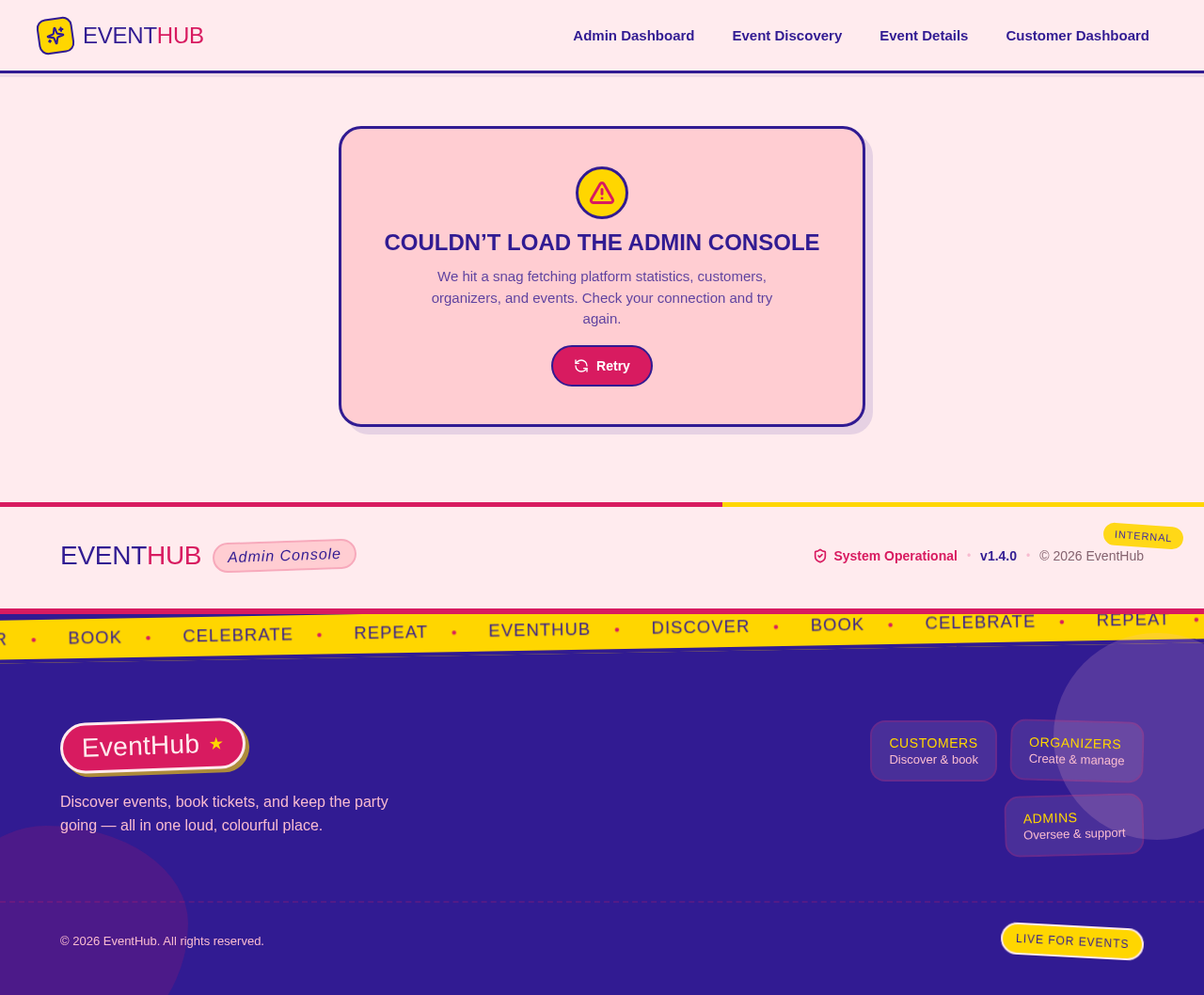
Couldn’t load the admin console
We hit a snag fetching platform statistics, customers, organizers, and events. Check your connection and try again.
Couldn’t load the admin console
We hit a snag fetching platform statistics, customers, organizers, and events. Check your connection and try again.
No comments yet. Be the first!