cedar-eventhub
 Drashti Solanki
# EventHub — Event Management & Booking Platform Build a responsive web application called **EventHub**, an event discovery and ticket booking platform. ## User Roles The application must support three roles: ### 1. Customer Customers can: * Register and login. * Browse events. * Search events. * Filter events. * View event details. * Book tickets. * View booking history. * Cancel eligible bookings. * Manage their profile. * Receive notifications. ### 2. Organizer Organizers can: * Register and login. * Create events. * Edit their own events. * Publish events. * Cancel their own events. * Create ticket types. * Manage ticket availability. * View bookings for their events. * View attendees. * View event statistics. ### 3. Admin Admins can: * Access the admin dashboard. * Manage customers. * Manage organizers. * Manage events. * Manage bookings. * Manage event categories. * Manage support requests. * Manage FAQs. * View platform statistics. ## Authentication Implement: * Registration. * Login. * Logout. * Protected routes. * Role-based access. * Session persistence. Customer registration fields: * Full Name * Email * Phone * Password * Confirm Password Organizer registration fields: * Organization Name * Contact Person * Email * Phone * Password * Confirm Password Validation must handle: * Required fields. * Invalid email. * Duplicate email. * Weak password. * Password mismatch. * Invalid phone number. ## Authorization Customers must only access their own: * Profile. * Bookings. * Notifications. Organizers must only manage their own: * Events. * Ticket types. * Bookings. * Attendees. Admins can access platform-wide data. Do not rely only on hiding frontend buttons. Backend/API authorization must also prevent unauthorized access. ## Customer Dashboard Create a customer dashboard containing: * Upcoming bookings. * Recent bookings. * Favorite events. * Notifications. * Total bookings. * Confirmed bookings. * Cancelled bookings. Provide proper: * Loading states. * Empty states. * Error states. ## Event Discovery Create a public event listing page. Each event card should display: * Event image. * Event name. * Category. * Date. * Time. * Location. * Starting ticket price. * Organizer name. Users can: * Search by event name. * Search by organizer. * Filter by category. * Filter by location. * Filter by date. * Filter by price. * Sort by date. * Sort by price. Search and filters must work together. ## Event Details The event detail page must display: * Event image. * Event name. * Description. * Category. * Organizer. * Date. * Start time. * End time. * Location. * Address. * Available ticket types. * Ticket availability. * Event rules. * Cancellation policy. Provide a prominent **Book Now** action. ## UI Requirements The application must be responsive for: * Desktop. * Tablet. * Mobile. Use a consistent design system for: * Buttons. * Forms. * Cards. * Tables. * Modals. * Dropdowns. * Alerts. * Loading states. * Empty states. Do not allow horizontal overflow on normal mobile screens. ## Important Build the application with realistic relationships between: User → Organizer → Event → Ticket Type → Booking → Customer. Use realistic sample data so the complete workflow can be tested immediately. The implementation should prioritize functional correctness, data consistency, role-based permissions, validation, responsive behavior, and error handling rather than only visual design.


Comments (0)
Sign in to leave a comment
System Requirements
System Requirements Document for cedar-eventhub
1. Introduction
EventHub is a responsive web application designed for event discovery and ticket booking. It caters to three primary user roles: Customers, Organizers, and Admins. The platform aims to provide a seamless experience for users to discover events, book tickets, and manage event-related activities. The design is inspired by a new color and context, superseding the prior Jessica Walsh-inspired visual direction.
2. System Overview
EventHub is a web-based platform that facilitates event discovery and ticket booking. It supports three user roles: Customers, Organizers, and Admins, each with distinct functionalities and access permissions. The application emphasizes functional correctness, data consistency, role-based permissions, validation, responsive behavior, and error handling.
2a. Product Interpretation and Delivery Boundary
EventHub is delivered as a responsive web application accessible on desktop, tablet, and mobile devices. It features role-based access controls to ensure that users can only access data and functionalities pertinent to their roles. The application does not support corporate minimalism or traditional grid layouts, aligning with the creative direction.
2b. Source Content Inventory
Not applicable as no content source directive was provided.
2c. Page Content and Component Coverage
Customer Dashboard
- Information/State:
- Upcoming bookings
- Recent bookings
- Favorite events
- Notifications
- Total bookings
- Confirmed bookings
- Cancelled bookings
- Primary Actions:
- View booking details
- Cancel eligible bookings
- Manage profile
- Supporting Actions:
- View notifications
- States:
- Loading
- Empty
- Error
Event Discovery
- Information/State:
- Event image
- Event name
- Category
- Date
- Time
- Location
- Starting ticket price
- Organizer name
- Primary Actions:
- Search events
- Filter events
- Sort events
- States:
- Loading
- Empty
- Error
Event Details
- Information/State:
- Event image
- Event name
- Description
- Category
- Organizer
- Date
- Start time
- End time
- Location
- Address
- Available ticket types
- Ticket availability
- Event rules
- Cancellation policy
- Primary Actions:
- Book Now
- States:
- Loading
- Error
Admin Dashboard
- Information/State:
- Platform statistics
- Customer management
- Organizer management
- Event management
- Booking management
- Event category management
- Support request management
- FAQ management
- Primary Actions:
- Manage users and events
- View platform statistics
- States:
- Loading
- Error
3. Functional Requirements
- As a Customer, I should be able to register and login to access the platform. (explicit)
- As a Customer, I should be able to browse, search, and filter events to find events of interest. (explicit)
- As a Customer, I should be able to view event details and book tickets. (explicit)
- As a Customer, I should be able to view my booking history and cancel eligible bookings. (explicit)
- As a Customer, I should be able to manage my profile and receive notifications. (explicit)
- As an Organizer, I should be able to register and login to manage my events. (explicit)
- As an Organizer, I should be able to create, edit, publish, and cancel events. (explicit)
- As an Organizer, I should be able to create ticket types and manage ticket availability. (explicit)
- As an Organizer, I should be able to view bookings, attendees, and event statistics. (explicit)
- As an Admin, I should be able to manage customers, organizers, events, bookings, event categories, support requests, and FAQs. (explicit)
- As an Admin, I should be able to view platform statistics. (explicit)
- The system must implement registration, login, logout, protected routes, role-based access, and session persistence. (explicit)
- The system must validate registration fields for required fields, invalid email, duplicate email, weak password, password mismatch, and invalid phone number. (explicit)
- The system must enforce backend/API authorization to prevent unauthorized access. (explicit)
4. User Personas
Customer
- Responsibilities: Register, login, browse events, book tickets, manage profile, view booking history, receive notifications.
- Outcomes: Discover events, manage bookings, receive updates.
Organizer
- Responsibilities: Register, login, create and manage events, manage ticket types, view bookings and attendees, view event statistics.
- Outcomes: Successfully organize and manage events, track attendance and sales.
Admin
- Responsibilities: Manage users, events, bookings, categories, support requests, FAQs, view platform statistics.
- Outcomes: Ensure platform integrity and smooth operation.
5. Core User Flows
Customer Flow
- Register or login to the platform.
- Browse or search for events using filters.
- View event details and book tickets.
- Access the customer dashboard to view upcoming and past bookings.
- Manage profile and view notifications.
Organizer Flow
- Register or login to the platform.
- Create, edit, and publish events.
- Manage ticket types and availability.
- View bookings and attendees for events.
- Access event statistics for insights.
Admin Flow
- Login to the admin dashboard.
- Manage customers, organizers, events, and bookings.
- Handle support requests and FAQs.
- View platform statistics for overall insights.
6. Visuals Colors and Theme
- Palette (light mode): [Default — not specified by user]
- Background: #FFFFFF
- Surface: #F0F0F0
- Text: #000000
- Primary: #007BFF
- Accent: #FFC107
- Muted: #6C757D
- Typography: [Default — not specified by user]
- Headings: Arial, sans-serif
- Body: Helvetica, sans-serif
- Scale: 1.2 modular, 48/36/24/18/14
- Shape Language: [Default — not specified by user]
- Simple geometric shapes
- Layout: [Default — not specified by user]
- Clean and modern grid layout
- Imagery: [Default — not specified by user]
- Realistic photography with a focus on events and gatherings
7. Signature Design Concept
The public entry page will feature a clean and modern design with a focus on usability and accessibility. Interactive elements will be highlighted with the primary color, creating a cohesive and engaging user experience. The design will incorporate clear and concise typography with a focus on readability.
8. Interaction Model & Motion Direction
- Interaction Model: Static (user-requested)
- Motion Tempo: Still
- Hero Dimensionality: Flat
- Landing Hero Motion Brief: The hero section will feature a static image with clear call-to-action buttons. The design will focus on simplicity and ease of use, ensuring accessibility for all users.
9. Non-Functional Requirements
- The application must be responsive and function correctly on desktop, tablet, and mobile devices. (explicit)
- Ensure data consistency and integrity across all user interactions. (explicit)
- Implement robust error handling and validation for all user inputs. (explicit)
- Maintain session persistence and role-based access control. (explicit)
- Provide realistic sample data for testing the complete workflow. (explicit)
10. Tech Stack
- Frontend: React
- Backend: Python/FastAPI
- Database: PostgreSQL
- Containerization: Docker/docker-compose
- Deployment: Kubernetes (if required)
11. Assumptions and Constraints
- The application will not support corporate minimalism or traditional grid layouts.
- Backend/API authorization is mandatory to prevent unauthorized access.
- The design must align with the new color and context as requested by the user.
12. Glossary
- Customer: A user who discovers and books events on the platform.
- Organizer: A user who creates and manages events on the platform.
- Admin: A user who manages the platform's operations and user accounts.
- EventHub: The name of the event discovery and ticket booking platform.
- Role-based Access: Access control based on user roles (Customer, Organizer, Admin).
Couldn’t load the admin console
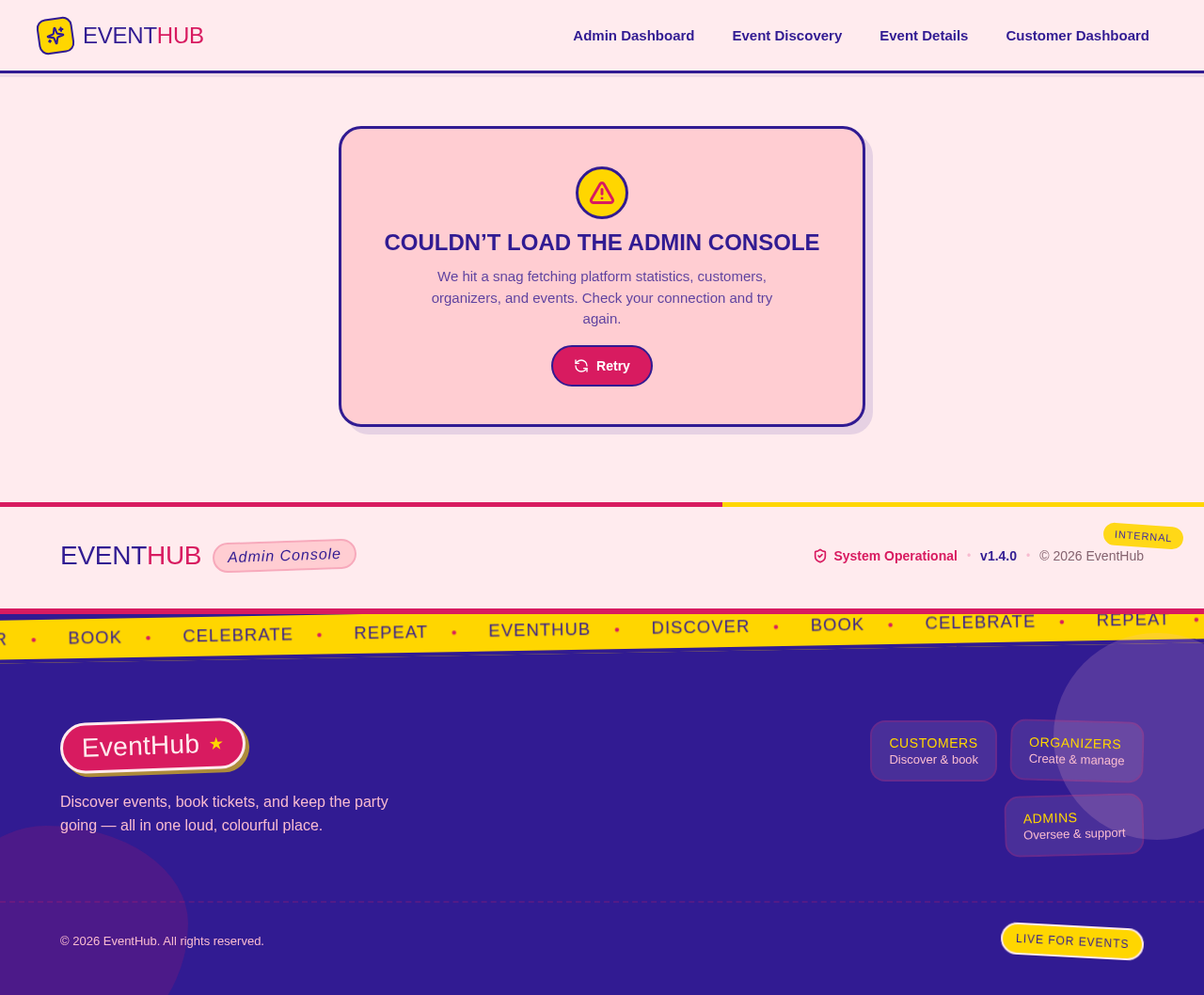
We hit a snag fetching platform statistics, customers, organizers, and events. Check your connection and try again.
Couldn’t load the admin console
We hit a snag fetching platform statistics, customers, organizers, and events. Check your connection and try again.
No comments yet. Be the first!