cart-product-selection
by Gh Hj
Gh Hj
Gh Hj1. Run the project.2. Check for errors.3. Fix all compile/runtime errors.4. Check desktop layout.5. Check mobile layout.6. Make sure images load.7. Make sure cart works.8. Make sure navigation works.9. Make sure product selection works.10. Make sure FAQ works.11. Make sure there is no horizontal overflow.12. Make the final UI as close as reasonably possible to the attached reference image. Do NOT just tell me what I should do. You are acting as the developer.


Comments (0)
Sign in to leave a comment
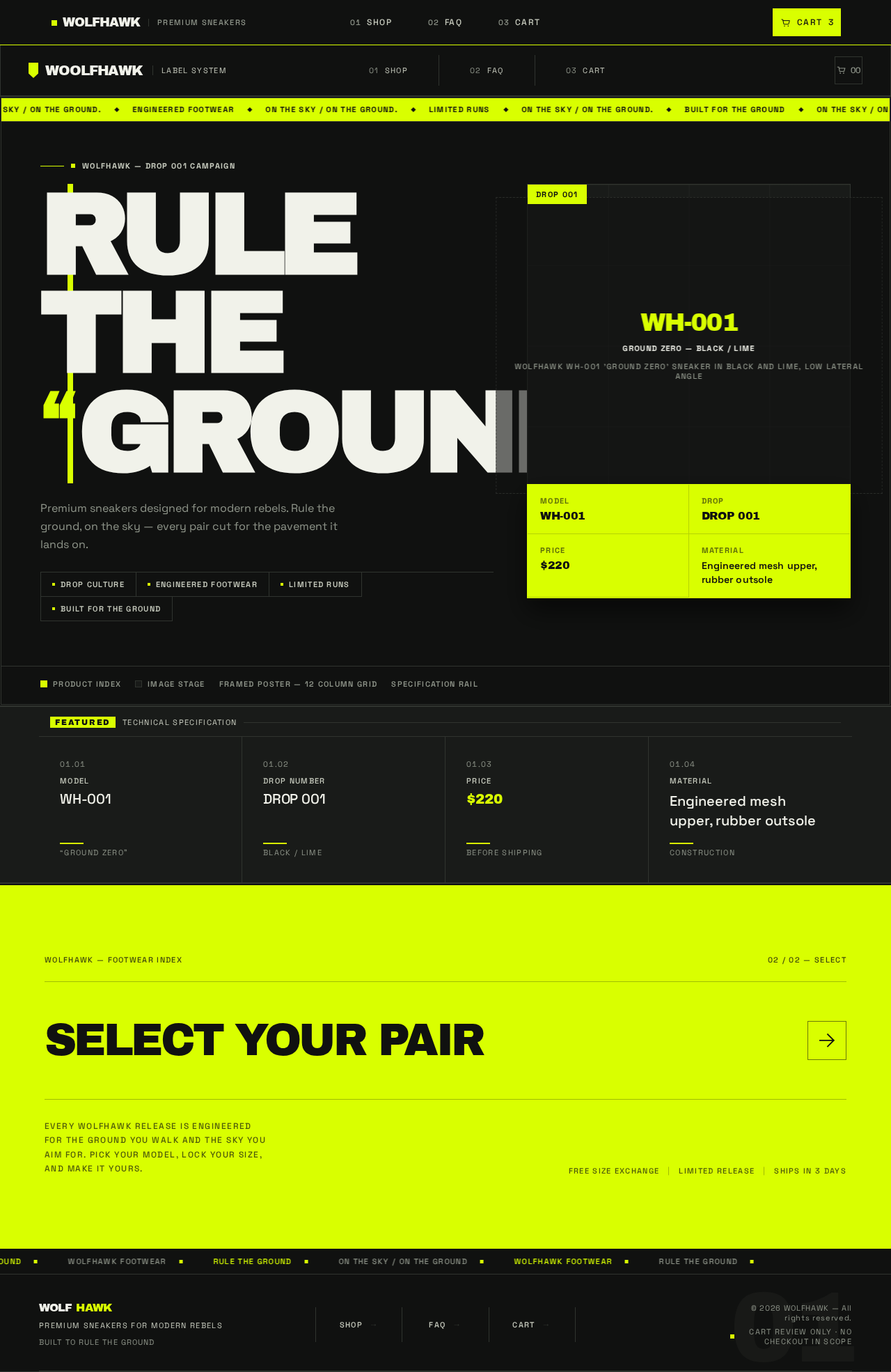
WOLFHAWK — DROP 001 CAMPAIGN
RULETHEGROUND.
Premium sneakers designed for modern rebels. Rule the ground, on the sky — every pair cut for the pavement it lands on.
WH-001GROUND ZERO — Black / LimeWOLFHAWK WH-001 'GROUND ZERO' sneaker in black and lime, low lateral angle
ModelWH-001
DropDROP 001
Price$220
MaterialEngineered mesh upper, rubber outsole
Product indexImage stageFramed poster — 12 column gridSpecification rail
FeaturedTechnical Specification
WOLFHAWK — Footwear Index02 / 02 — Select
Select Your PairEvery WOLFHAWK release is engineered for the ground you walk and the sky you aim for. Pick your model, lock your size, and make it yours.
WOLFHAWK — DROP 001 CAMPAIGN
RULETHEGROUND.
Premium sneakers designed for modern rebels. Rule the ground, on the sky — every pair cut for the pavement it lands on.
WH-001GROUND ZERO — Black / LimeWOLFHAWK WH-001 'GROUND ZERO' sneaker in black and lime, low lateral angle
ModelWH-001
DropDROP 001
Price$220
MaterialEngineered mesh upper, rubber outsole
Product indexImage stageFramed poster — 12 column gridSpecification rail
FeaturedTechnical Specification
WOLFHAWK — Footwear Index02 / 02 — Select
Select Your PairEvery WOLFHAWK release is engineered for the ground you walk and the sky you aim for. Pick your model, lock your size, and make it yours.
No comments yet. Be the first!