Create your owner account
Register your details and restaurant to get started with cafedesk-payment.
 Varsha Asawale
# CafeDesk – Dual Payment System (Online + Pay at Table) Update the existing CafeDesk QR Table Ordering System. Do not redesign the website or remove any existing features. ## 1. Customer Payment Options After a customer scans the table QR code, selects food items and clicks Place Order, show two clear payment options: **OPTION 1: Pay Online** Allow customers to pay online using supported payment gateway methods: * Google Pay (UPI) * PhonePe (UPI) * Paytm (UPI) * Other supported UPI apps * Debit/Credit Cards, if supported. After successful payment verification, automatically update the order payment status to Paid. **OPTION 2: Pay at Table (Cash)** Allow customers to select: * Pay Cash at Table. * Pay directly to the waiter. * Pay at Counter, if enabled by the restaurant. When the customer selects Pay at Table: 1. Place the order immediately. 2. Send the order to the restaurant owner's dashboard. 3. Display the table number clearly. 4. Set payment status to Pending – Cash Payment. 5. Show the customer a confirmation message: "Your order has been placed successfully! Please pay cash to the waiter at your table." 6. Do not mark the order as Paid automatically. 7. The restaurant owner or authorized staff must manually confirm cash received. 8. After confirmation, update payment status to Paid – Cash. ## 2. Restaurant Owner Payment Settings Add a Payment Settings section in every restaurant owner's dashboard. Allow owners to independently configure: * Enable Online Payment. * Enable Pay at Table (Cash). * Enable Pay at Counter. * Connect their own supported payment gateway. If online payment is disabled, hide online payment options from customers. If cash payment is disabled, hide Pay at Table from customers. The customer should only see payment methods enabled by that restaurant. ## 3. Owner Dashboard – Payment Management Display these details for every order: * Order ID. * Table number. * Customer details, if collected. * Ordered items. * Total amount. * Selected payment method. * Payment status. * Order status. Payment status options: * Pending Online Payment. * Paid Online. * Pending Cash Payment. * Paid – Cash. * Payment Failed. * Refunded. For cash orders, show a button: **Confirm Cash Received** Only authorized restaurant owners or staff can use this button. When clicked: * Verify the order belongs to their restaurant. * Record the received amount. * Update payment status to Paid – Cash. * Save confirmation time and confirming user. * Maintain a payment audit history. ## 4. Customer Order Confirmation After ordering, show: * Order number. * Restaurant name. * Table number. * Ordered food items. * Total bill. * Payment method. * Payment status. * Current order status. For cash orders, show: "Payment Pending – Please pay cash at your table." For successful online payments, show: "Payment Successful – Your order is confirmed." ## 5. Important Security Rules * Never mark online payments as successful without backend verification. * Never mark cash payments as received automatically. * Prevent duplicate payment confirmation. * Keep payment records separate for each restaurant. * Customers must never access restaurant dashboards or payment management. * One restaurant owner must never access another restaurant's payment records. ## 6. Testing Requirements Test both complete workflows: **Online Payment:** Scan QR → Select food → Place order → Choose UPI → Complete payment → Backend verifies → Owner receives Paid order. **Cash Payment:** Scan QR → Select food → Place order → Choose Pay at Table → Owner receives Pending Cash order → Customer pays waiter → Owner confirms cash → Payment becomes Paid – Cash. Keep the existing CafeDesk design, menu, QR codes, tables, dashboard and all working features unchanged. Analyze the website reference image I uploaded and create a highly detailed, copy-paste-ready prompt for Google AI Studio. My goal is to build a professional, fully responsive, client-ready website inspired by this reference design. Important instructions: Carefully analyze the complete visual style of the reference image. Understand the layout, spacing, typography, color palette, section structure, cards, buttons, backgrounds, shapes, image placement, alignment, and overall design language. Keep the same overall premium visual direction and design quality, but do NOT copy any brand name, logo, copyrighted text, or exact business identity from the reference. Turn the reference into an original website design. Create a detailed Google AI Studio prompt that includes: Overall website style and visual direction Exact layout direction for every section Hero section structure Navigation/header design Typography style and hierarchy Color palette based on the reference Buttons and CTA styles Card design and section styling Background effects, gradients, shadows, borders, and visual depth Image placement and image style Smooth animations, hover effects, scrolling effects, and micro-interactions where appropriate Fully responsive behavior for desktop, tablet, and mobile Clean professional footer Strong conversion-focused content and CTAs Generate all required high-quality images automatically if possible Do not use placeholder images or empty image boxes Make the final website look polished, premium, modern, and suitable to sell to a real client Website details: Business type: [WRITE BUSINESS TYPE] Business name: [WRITE BUSINESS NAME] Main goal: [GET LEADS / BOOKINGS / SALES / APPOINTMENTS] Target audience: [WRITE TARGET AUDIENCE] Required sections: [WRITE SECTIONS OR LET AI DECIDE] Now write ONLY one complete, detailed prompt that I can directly paste into Google AI Studio to generate the website. Do not explain the reference image separately. Do not give me suggestions or multiple options. Give me only the final Google AI Studio website-building prompt.


Sign in to leave a comment
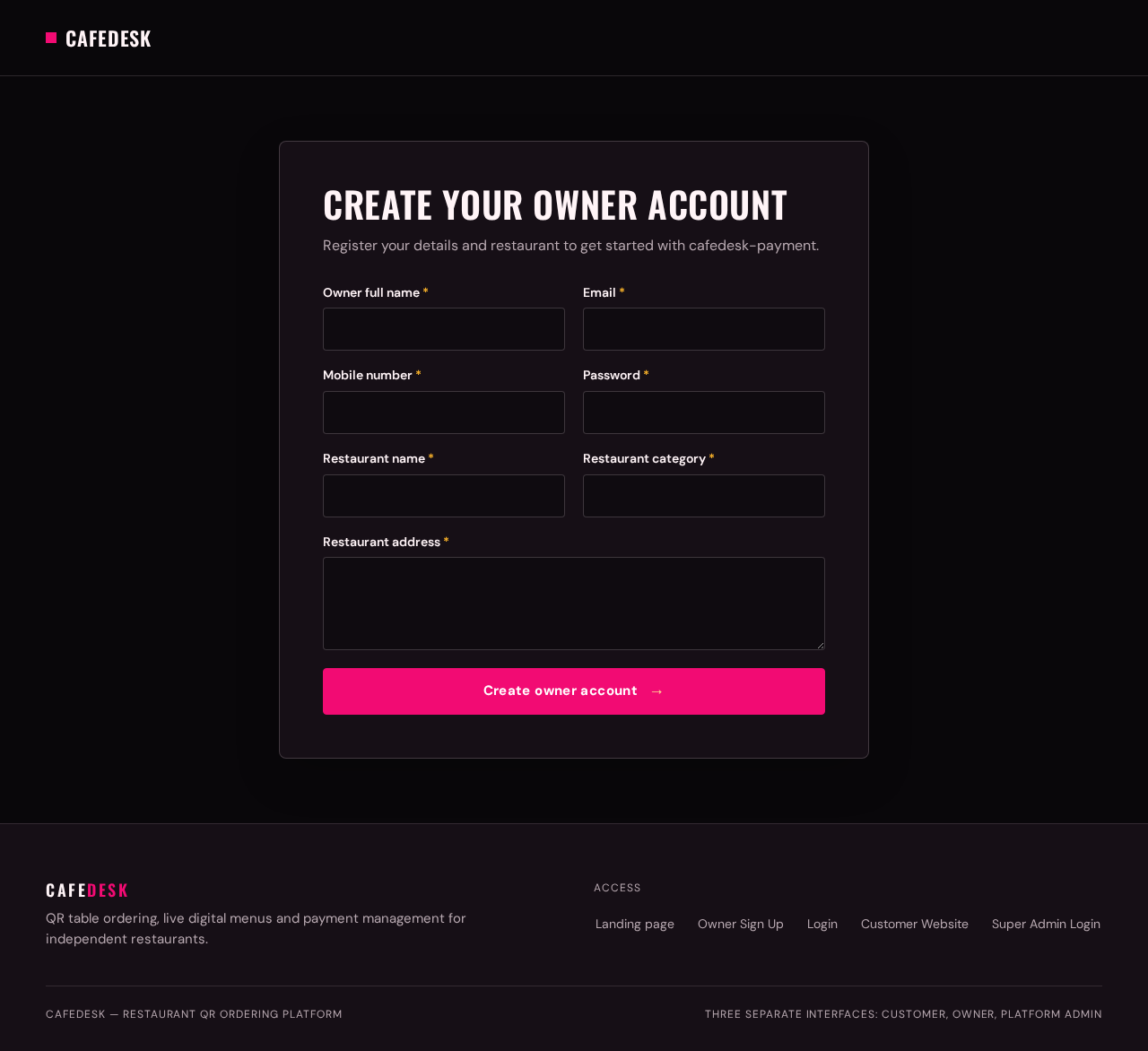
Register your details and restaurant to get started with cafedesk-payment.
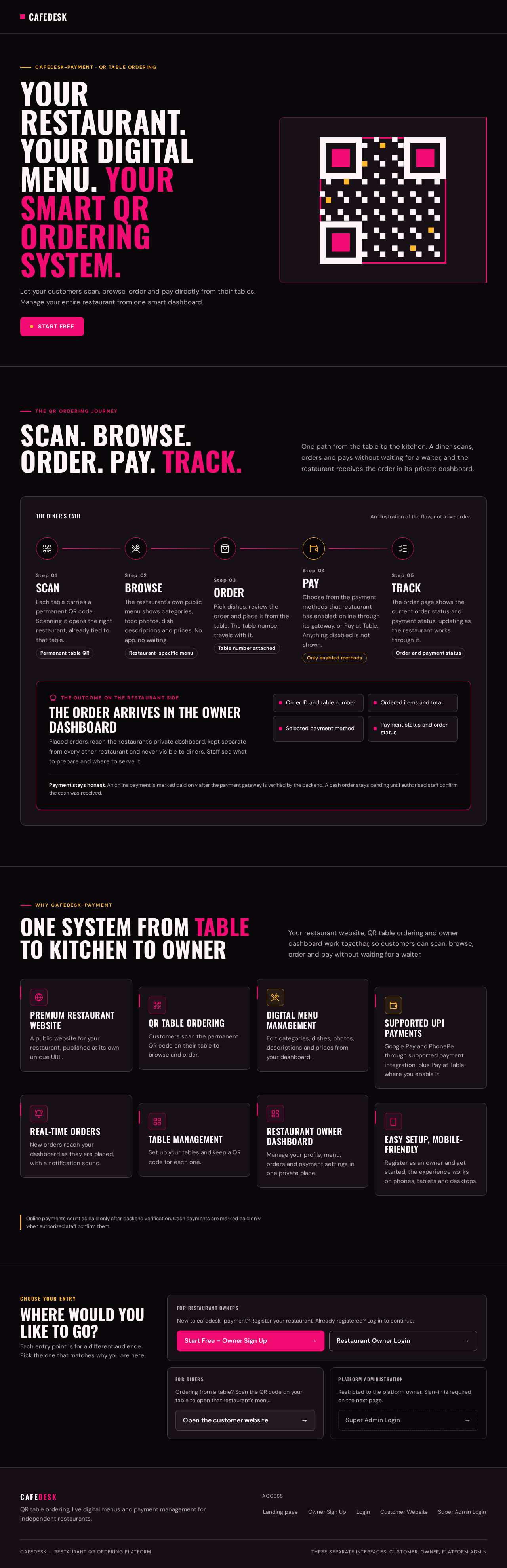
cafedesk-payment · QR table ordering
Let your customers scan, browse, order and pay directly from their tables. Manage your entire restaurant from one smart dashboard.
The QR ordering journey
One path from the table to the kitchen. A diner scans, orders and pays without waiting for a waiter, and the restaurant receives the order in its private dashboard.
Each table carries a permanent QR code. Scanning it opens the right restaurant, already tied to that table.
Permanent table QRThe restaurant's own public menu shows categories, food photos, dish descriptions and prices. No app, no waiting.
Restaurant-specific menuPick dishes, review the order and place it from the table. The table number travels with it.
Table number attachedChoose from the payment methods that restaurant has enabled: online through its gateway, or Pay at Table. Anything disabled is not shown.
Only enabled methodsThe order page shows the current order status and payment status, updating as the restaurant works through it.
Order and payment statusPlaced orders reach the restaurant's private dashboard, kept separate from every other restaurant and never visible to diners. Staff see what to prepare and where to serve it.
Payment stays honest. An online payment is marked paid only after the payment gateway is verified by the backend. A cash order stays pending until authorised staff confirm the cash was received.
Your restaurant website, QR table ordering and owner dashboard work together, so customers can scan, browse, order and pay without waiting for a waiter.
A public website for your restaurant, published at its own unique URL.
Customers scan the permanent QR code on their table to browse and order.
Edit categories, dishes, photos, descriptions and prices from your dashboard.
Google Pay and PhonePe through supported payment integration, plus Pay at Table where you enable it.
New orders reach your dashboard as they are placed, with a notification sound.
Set up your tables and keep a QR code for each one.
Manage your profile, menu, orders and payment settings in one private place.
Register as an owner and get started; the experience works on phones, tablets and desktops.
Online payments count as paid only after backend verification. Cash payments are marked paid only when authorized staff confirm them.
Each entry point is for a different audience. Pick the one that matches why you are here.
New to cafedesk-payment? Register your restaurant. Already registered? Log in to continue.
Ordering from a table? Scan the QR code on your table to open that restaurant’s menu.
Restricted to the platform owner. Sign-in is required on the next page.
No comments yet. Be the first!