bright-application
 Dev Kalyani
I want to create a simple application for user to use calculator
Comments (0)
Sign in to leave a comment
System Requirements
System Requirements Document (SRD)
bright-application
1. Introduction
The bright-application is a simple, user-friendly calculator designed to perform basic arithmetic operations. This document outlines the system requirements for the development of the application, ensuring clarity and alignment with the project's goals. The application is tailored for users in India (IN), with locale-specific considerations such as timezone (IST) and currency formatting where applicable.
The primary objective is to deliver a lightweight and intuitive tool that handles addition, subtraction, multiplication, division, and one additional operation efficiently.
2. System Overview
The bright-application will be a web-based calculator accessible via desktop and mobile browsers. It will provide users with a clean interface to perform basic arithmetic calculations. The focus is on simplicity, usability, and responsiveness.
Key features include:
- Basic arithmetic operations: addition, subtraction, multiplication, and division.
- One additional operation (to be defined).
- Clear button to reset calculations.
- Support for both mouse and keyboard inputs.
The application will be developed using modern web technologies to ensure compatibility across devices and browsers.
3. Functional Requirements
User Stories:
- As a User, I should be able to perform addition, subtraction, multiplication, and division.
- As a User, I should be able to perform one additional operation (e.g., square root or percentage).
- As a User, I should be able to clear the current calculation using a clear button.
- As a User, I should be able to input numbers and operations using both mouse clicks and keyboard inputs.
4. User Personas
1. Basic User
- Description: Individuals who need a simple tool for quick arithmetic calculations.
- Goals: Perform basic mathematical operations without unnecessary complexity.
- Pain Points: Overly complicated interfaces or features that are not relevant to basic calculations.
2. Guest User
- Description: Casual users who access the calculator without any account or personalization.
- Goals: Access the calculator instantly without any setup or login requirements.
- Pain Points: Slow loading times or non-intuitive designs.
5. Visuals Colors and Theme
Color Palette:
The bright-application will feature a clean and vibrant color palette to enhance usability and visual appeal:
- Background:
#E8F0F2(Soft Sky Blue) - Surface:
#FFFFFF(Pure White) - Text:
#2C3E50(Deep Navy Blue) - Accent:
#FF6F61(Warm Coral for buttons and highlights) - Muted Tones:
#AAB7C4(Cool Gray for inactive elements)
This palette ensures readability and a modern aesthetic while maintaining simplicity.
6. Signature Design Concept
The bright-application will feature an interactive floating calculator interface that visually engages users.
Concept Details:
-
Home Page Design:
The calculator interface will appear as a floating panel on the screen, surrounded by a gradient background that subtly shifts colors throughout the day (e.g., soft blue in the morning, warm orange in the evening). -
Button Animations:
Buttons will have a 3D press effect, where they visually depress when clicked, creating a tactile experience. Hovering over buttons will cause a glowing outline (#FF6F61accent color) to guide user interaction. -
Micro-Interactions:
- When users input numbers or operations, the display will animate with a typewriter effect, making the input visually engaging.
- The clear button will pulse gently when hovered over, emphasizing its functionality.
- The additional operation button will have a unique animation (e.g., a spinning effect) to highlight its presence.
This design ensures the calculator is not only functional but also visually captivating and memorable.
7. Non-Functional Requirements
- Performance: The application should load within 2 seconds on standard broadband connections.
- Compatibility: Must work seamlessly across major browsers (Chrome, Firefox, Edge, Safari) and devices (desktop, tablet, mobile).
- Accessibility: Ensure compliance with WCAG 2.1 standards for accessibility.
- Localization: Default timezone set to IST (Indian Standard Time).
8. Tech Stack
Frontend:
- React for Web
Backend:
- Python
- FastAPI
Database:
- MySQL (using Alembic for migrations)
AI Tools (if applicable):
- Not applicable for this project.
Local Orchestration:
- Docker
- docker-compose
9. Assumptions and Constraints
Assumptions:
- Users will primarily access the application via modern browsers.
- The application will not require user accounts or data persistence.
Constraints:
- The calculator will only support basic arithmetic operations (addition, subtraction, multiplication, division, and one additional operation).
- Advanced features like scientific calculations or history tracking are out of scope for this version.
10. Glossary
- Arithmetic Operations: Basic mathematical functions including addition (+), subtraction (-), multiplication (*), and division (/).
- Floating Interface: A design concept where the calculator appears as a detached panel, creating a sense of depth and modernity.
- Typewriter Effect: A visual animation where text appears as if being typed out.
- WCAG: Web Content Accessibility Guidelines, a standard for ensuring web accessibility.
End of Document.
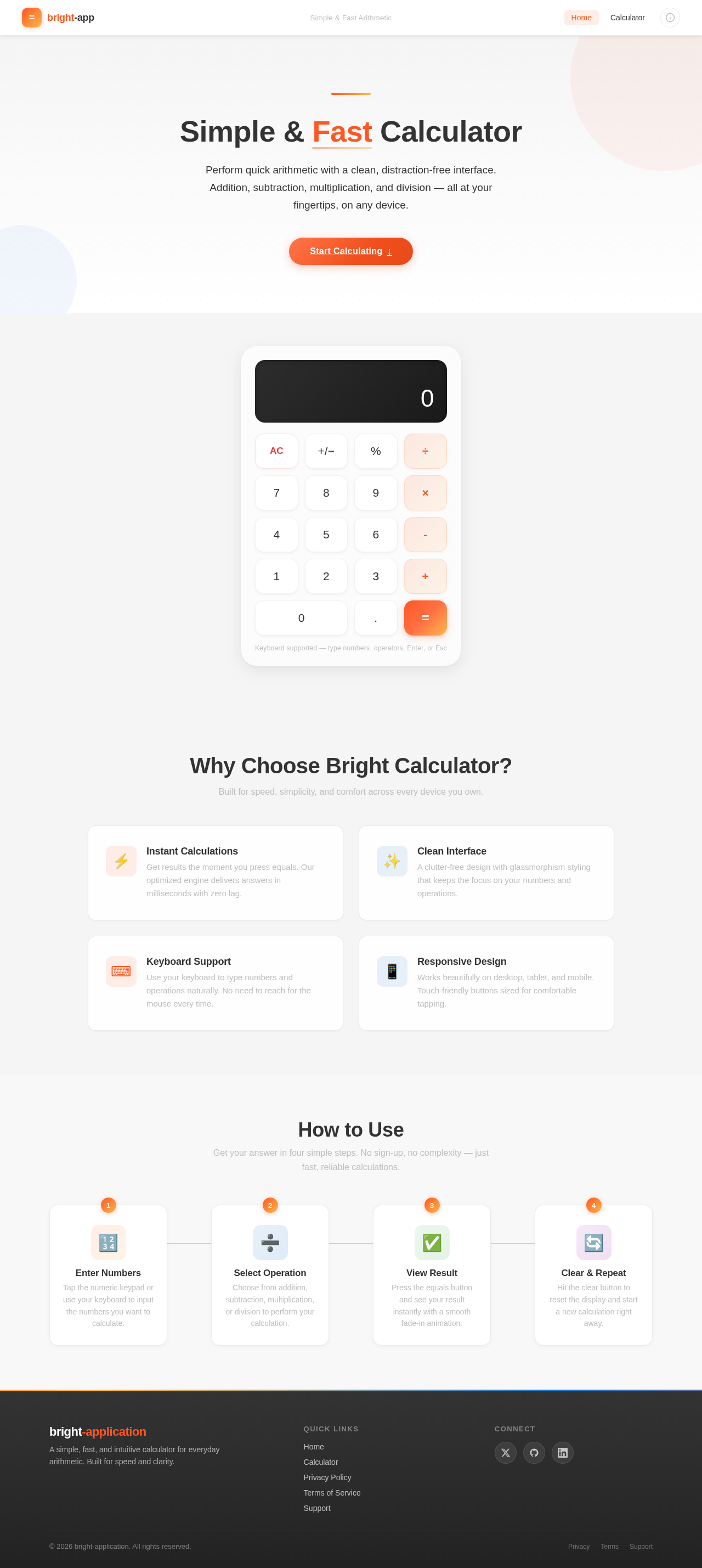
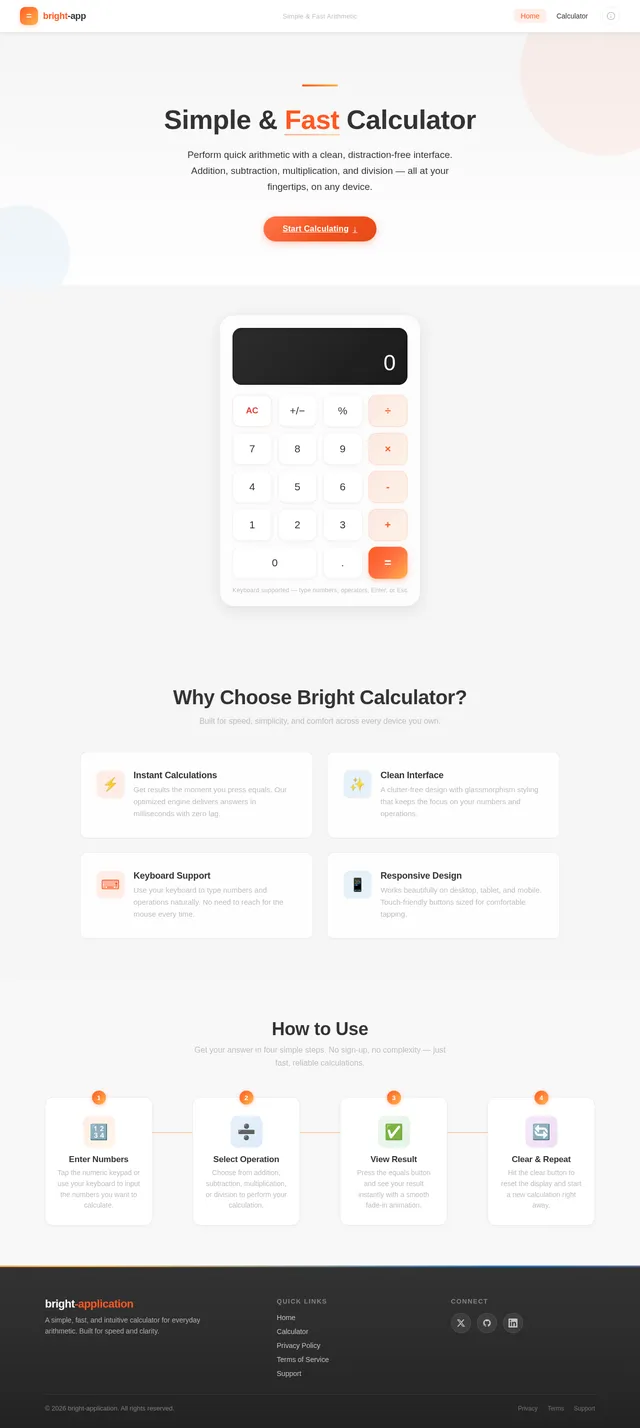
Simple & Fast Calculator
Perform quick arithmetic with a clean, distraction-free interface. Addition, subtraction, multiplication, and division — all at your fingertips, on any device.
Start Calculating↓Why Choose Bright Calculator?
Built for speed, simplicity, and comfort across every device you own.
Get results the moment you press equals. Our optimized engine delivers answers in milliseconds with zero lag.
A clutter-free design with glassmorphism styling that keeps the focus on your numbers and operations.
Use your keyboard to type numbers and operations naturally. No need to reach for the mouse every time.
Works beautifully on desktop, tablet, and mobile. Touch-friendly buttons sized for comfortable tapping.
How to Use
Get your answer in four simple steps. No sign-up, no complexity — just fast, reliable calculations.
No comments yet. Be the first!