biblioteca-virtual
 Juan Quispe
Quiero que desarrolles una APLICACIÓN WEB COMPLETA llamada inicialmente “Mi Biblioteca”, tomando como REFERENCIA VISUAL PRINCIPAL la imagen adjunta. La imagen representa el estilo, distribución, jerarquía visual y concepto general que quiero conseguir. NO quiero solamente una imagen o maqueta: quiero una INTERFAZ WEB FUNCIONAL E INTERACTIVA. OBJETIVO Crear una biblioteca virtual personal permanente, moderna, profesional, ampliable y preparada para almacenar, organizar, consultar y gestionar documentos digitales. La aplicación debe tener diseño responsive para computadora, tablet y celular. ================================================== PANTALLA DE ACCESO ================================================== Crear una pantalla/panel de acceso visual similar a la referencia. Debe contener: Imagen principal de la biblioteca. Nombre de la biblioteca: “Mi Biblioteca”. El nombre debe ser EDITABLE. Subtítulo: “Biblioteca Virtual Interactiva”. Botón “INGRESAR”. Botón de edición ✏️ junto al nombre. Opción para cambiar posteriormente la imagen. Opción de configuración. Cuando el usuario pulse “INGRESAR”, debe acceder al panel principal de la biblioteca. La imagen utilizada en la pantalla de acceso debe poder reemplazarse posteriormente sin modificar el código. Crear un dashboard siguiendo el concepto visual de la imagen de referencia. Encabezado: Icono de menú. Icono de biblioteca. Nombre editable de la biblioteca. Botón ✏️ para editar nombre. Buscador global. Notificaciones. Perfil/configuración. Agregar un banner principal: “Bienvenido a tu Biblioteca Virtual” Subtítulo: “Organiza, consulta y expande tu conocimiento.” Debajo colocar un buscador grande: “Buscar documentos, autores, temas, palabras clave...” Agregar botón: “BÚSQUEDA AVANZADA” Crear menú lateral permanente con: INICIO BIBLIOTECA Categorías Documentos Favoritos Recientes Mis notas Papelera HERRAMIENTAS IA Consultas Resúmenes Etiquetas Relaciones Estadísticas ADMINISTRACIÓN Cargar documento Gestionar categorías Configuración El menú debe ser completamente funcional. Crear tarjetas visuales para las categorías. Inicialmente utilizar: 01 DERECHO 02 SEGURIDAD Y SALUD EN EL TRABAJO 03 GESTIÓN PÚBLICA 04 MEDIO AMBIENTE 05 INGENIERÍA 06 INVESTIGACIÓN ACADÉMICA 07 ADMINISTRACIÓN Y MBA 08 TECNOLOGÍA E IA 09 DESARROLLO SOSTENIBLE 10 REFERENCIA Cada categoría debe mostrar: Número Icono Nombre Cantidad de documentos Menú de opciones Acceso a la categoría IMPORTANTE: Las categorías NO deben estar fijas en el código. El usuario debe poder: Crear categorías. Editar categorías. Eliminar categorías. Cambiar nombre. Cambiar icono. Cambiar descripción. Crear subcategorías. Reordenarlas. Permitir estructura jerárquica: Categoría └── Subcategoría └── Subcategoría └── Documentos Ejemplo: DERECHO ├── Derecho Penal ├── Derecho Procesal Penal ├── Litigación Oral ├── Jurisprudencia └── Legislación Peruana SEGURIDAD Y SALUD EN EL TRABAJO ├── Ley 29783 ├── ISO 45001 ├── IPERC ├── Comité SST └── SUNAFIL GESTIÓN PÚBLICA ├── CEPLAN ├── Invierte.pe ├── PM4R ├── Presupuesto Público └── Gestión Municipal Crear módulo para cargar documentos. Permitir inicialmente: PDF DOC DOCX XLS XLSX PPT PPTX TXT CSV imágenes y otros formatos habituales. Al cargar un documento solicitar: Título Autor Institución Año Categoría Subcategoría Tipo de documento País Palabras clave Descripción Fuente Estado Nivel de importancia Etiquetas Permitir arrastrar y soltar archivos. Mostrar progreso de carga. Detectar documentos duplicados cuando sea posible. Cada documento debe tener una ficha bibliográfica individual. Campos: ID Título Autor Institución Año Editorial/Entidad Tipo de documento Categoría Subcategoría País Idioma Palabras clave Fuente Fecha de incorporación Última actualización Estado Nivel de importancia Etiquetas Agregar sección: “RESUMEN” Agregar sección: “CONCEPTOS CLAVE” Agregar sección: “NOTAS” Agregar sección: “DOCUMENTOS RELACIONADOS” Agregar botones: Abrir Descargar Favorito Editar Compartir Eliminar Crear herramienta de generación de resúmenes mediante IA. Opciones: RESUMEN BREVE 5–10 líneas. RESUMEN EJECUTIVO 150–300 palabras. RESUMEN ACADÉMICO 1–2 páginas. FICHA DE ESTUDIO Conceptos, definiciones y puntos principales. PREGUNTAS DE ESTUDIO Generar preguntas y respuestas basadas en el documento. IMPORTANTE: Los resúmenes deben estar asociados al documento correspondiente y poder editarse y guardarse. Crear buscador global de toda la biblioteca. Debe buscar por: Título Autor Institución Año Categoría Subcategoría Palabras clave Etiquetas Contenido Resumen Tipo de documento Crear búsqueda avanzada con filtros. Ejemplo: Categoría: Derecho Tipo: Norma Año: 2020–2026 Estado: Vigente Crear: “Documentos recientes” “Favoritos” “Últimos consultados” “Documentos agregados recientemente” Cada elemento debe ser clickeable. Crear un módulo llamado: “IA CONSULTAS” Debe permitir al usuario realizar preguntas sobre los documentos almacenados. Ejemplos: “¿Qué documentos tengo sobre peligro de fuga?” “Compara estos dos documentos.” “¿Qué establece la Ley 29783 sobre el Comité SST?” “Busca documentos relacionados con comisión por omisión.” “Resume todos los documentos seleccionados.” La IA debe priorizar el contenido existente en la biblioteca. Cuando sea posible, mostrar qué documento sustenta la respuesta. Crear sistema de etiquetas. Ejemplos: #DerechoPenal #SST #ISO45001 #Perú #GestiónPública #Inviertepe #MedioAmbiente #Accidentología #IA Permitir: Crear etiquetas. Editar. Eliminar. Buscar por etiqueta. Asociar múltiples etiquetas a un documento. Crear sistema de relaciones. Permitir marcar: Complementa Modifica Deroga Cita Relacionado con Precede Sustituye Mostrar documentos relacionados dentro de cada ficha. Crear módulo opcional: “PROYECTOS” Un proyecto puede utilizar documentos de diferentes categorías sin duplicarlos. Ejemplos: Peritaje de accidentes de tránsito SGSST Gestión municipal Residuos sólidos Investigación académica Litigación oral Cada proyecto debe poder seleccionar documentos existentes de la biblioteca. Crear dashboard estadístico: Total de documentos PDF Word Excel PowerPoint Otros formatos Documentos por categoría Documentos por año Documentos favoritos Documentos recientes Categorías más utilizadas Mostrar gráficos modernos y claros. Crear una sección de configuración. Debe permitir modificar: Nombre de la biblioteca. Imagen de portada/acceso. Logo. Descripción. Categorías. Colores. Tema claro/oscuro. Preferencias de visualización. El nombre de la biblioteca NO debe estar escrito directamente en múltiples partes del código. Debe existir como una variable/configuración central para que al cambiarlo se actualice toda la aplicación. Seguir la estética de la imagen de referencia: Profesional. Elegante. Moderna. Tecnológica. Inspirada en una biblioteca física. Fondo predominantemente claro. Azul marino como color institucional principal. Tarjetas limpias. Bordes suaves. Sombras discretas. Iconografía moderna. Excelente jerarquía visual. La interfaz debe sentirse como una aplicación profesional de gestión documental y conocimiento. NO crear una página web estática. Debe sentirse como un verdadero software de biblioteca digital. Diseñar la aplicación para que posteriormente pueda incorporar: Más categorías. Más documentos. Usuarios. Permisos. Compartir documentos. Bibliotecas temáticas. Citas bibliográficas. Exportación bibliográfica. OCR. Lectura de PDF. Búsqueda semántica. IA avanzada. Copias de seguridad. Sincronización en la nube. NO limitar artificialmente el número de documentos, categorías o subcategorías. La navegación debe ser intuitiva. El usuario debe poder: Entrar a la biblioteca. Buscar un documento. Abrir una categoría. Ver documentos. Abrir una ficha. Leer resumen. Añadir a favoritos. Crear notas. Consultar a la IA. Volver al inicio. Evitar menús innecesariamente complejos. La imagen adjunta debe utilizarse como REFERENCIA VISUAL para reproducir el concepto general de: pantalla de acceso, dashboard, distribución, menú lateral, buscador, tarjetas de categorías, documentos recientes, favoritos, módulo de IA, estadísticas. Sin embargo, la implementación debe ser REALMENTE FUNCIONAL y no simplemente una copia estática de la imagen. PRIORIDAD: Funcionalidad. Organización. Facilidad de ampliación. Diseño visual. Experiencia de usuario. Antes de finalizar, verifica que todos los botones principales sean funcionales y que el sistema permita agregar nuevas categorías y documentos sin modificar manualmente el código. Entrega una primera versión funcional completa de la aplicación y deja preparada la arquitectura para futuras ampliaciones.

Comments (0)
Sign in to leave a comment
System Requirements
System Requirements Document for biblioteca-virtual
1. Introduction
The "Mi Biblioteca" project aims to develop a fully functional and interactive web application for managing a personal digital library. The application is designed to be modern, professional, and expandable, allowing users to store, organize, consult, and manage digital documents. The design is inspired by a visual reference that emphasizes a clean, organized, and visually appealing interface. The application will be responsive, supporting access from computers, tablets, and mobile devices.
2. System Overview
The application will provide a digital library platform where users can manage documents, create and edit categories, and utilize AI for document summaries. It will feature a responsive design with a professional aesthetic inspired by the provided visual reference. The application will include a dashboard, a sidebar menu, and various modules for document management, AI queries, and statistical analysis. The system will support multiple document formats and allow for future expansion without code modification.
2a. Product Interpretation and Delivery Boundary
The application will be delivered as a web-based platform accessible via modern web browsers. It will not require user accounts or differentiated permissions at this stage, focusing instead on a single-user experience. Future expansions may include multi-user support and additional features like cloud synchronization and advanced AI capabilities. The design will follow the creative direction inspired by Jony Ive, emphasizing quiet precision and a professional aesthetic.
2b. Source Content Inventory
Not applicable as no explicit content source directive was provided.
2c. Page Content and Component Coverage
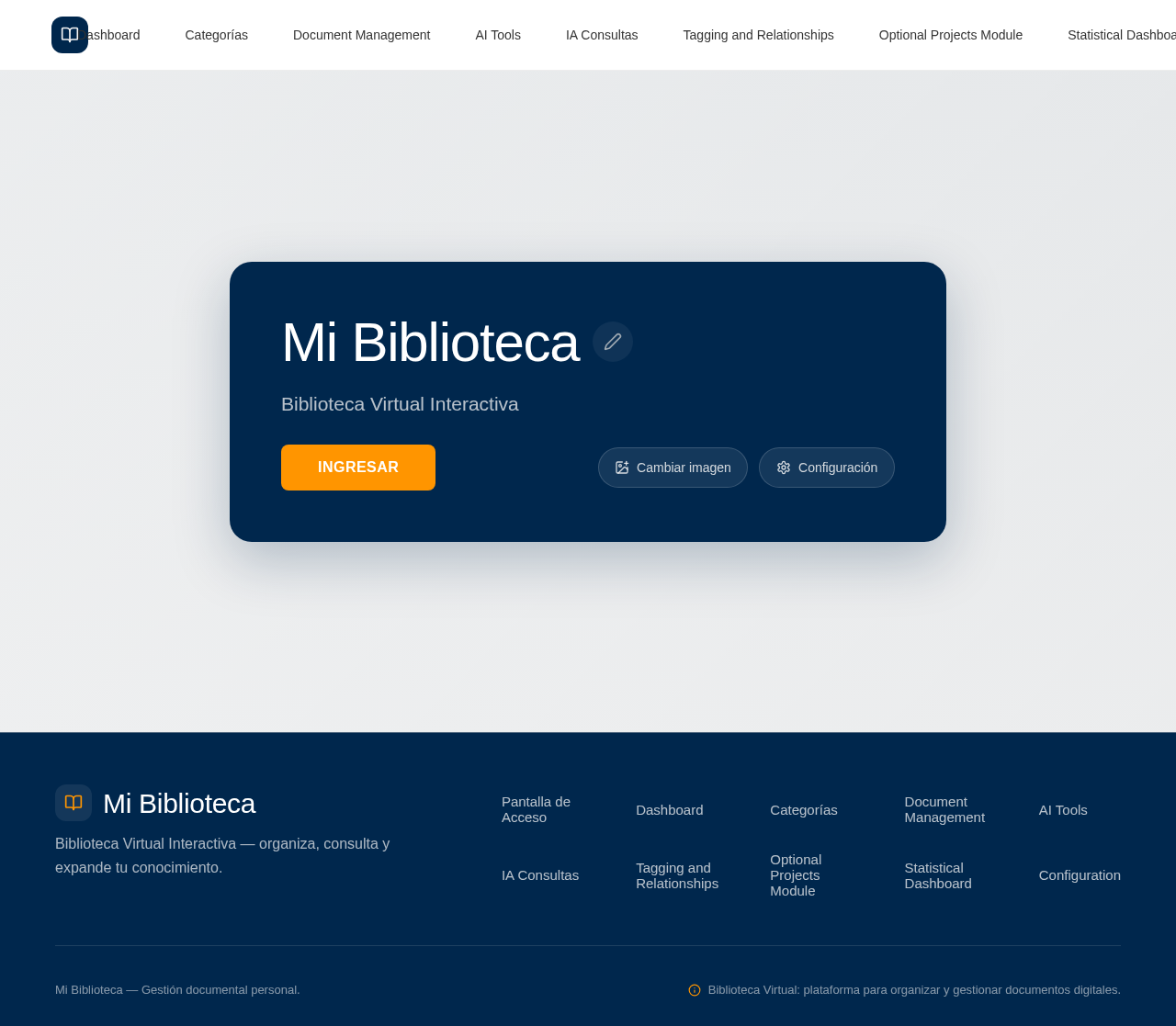
Pantalla de Acceso
- Main Image: Editable library image.
- Library Name: Editable field with inline edit icon.
- Subtitle: "Biblioteca Virtual Interactiva".
- Buttons: "INGRESAR", configuration options, and image change.
- Functionality: Enter the main dashboard upon clicking "INGRESAR".
Dashboard
- Header: Menu icon, library icon, editable library name, global search, notifications, profile/configuration.
- Main Banner: "Bienvenido a tu Biblioteca Virtual", subtitle "Organiza, consulta y expande tu conocimiento."
- Search Bar: Large search input with "BÚSQUEDA AVANZADA" button.
- Sidebar Menu:
- Inicio
- Biblioteca: Categorías, Documentos, Favoritos, Recientes, Mis notas, Papelera.
- Herramientas: IA Consultas, Resúmenes, Etiquetas, Relaciones, Estadísticas.
- Administración: Cargar documento, Gestionar categorías, Configuración.
Categorías
- Visual Cards: Number, icon, name, document count, options menu, category access.
- User Actions: Create, edit, delete, reorder categories and subcategories.
Document Management
- Upload Module: Supports PDF, DOC, DOCX, XLS, XLSX, PPT, PPTX, TXT, CSV, images.
- Document Form: Title, author, institution, year, category, subcategory, document type, country, keywords, description, source, status, importance level, tags.
- Features: Drag-and-drop upload, progress display, duplicate detection.
- Bibliographic Record: ID, title, author, institution, year, editorial/entity, document type, category, subcategory, country, language, keywords, source, incorporation date, last update, status, importance level, tags.
- Sections: Resumen, Conceptos Clave, Notas, Documentos Relacionados.
- Buttons: Open, download, favorite, edit, share, delete.
AI Tools
- Summary Generation: Brief, executive, academic, study sheet, study questions.
- Global Search: Search by title, author, institution, year, category, subcategory, keywords, tags, content, summary, document type.
- Advanced Search: Filters for category, type, year, status.
IA Consultas
- Functionality: Answer questions about stored documents, prioritize library content, show supporting documents.
Tagging and Relationships
- Tag System: Create, edit, delete, search, associate multiple tags.
- Relationship System: Mark documents as complementing, modifying, repealing, citing, related, preceding, substituting.
Optional Projects Module
- Functionality: Use documents from different categories without duplication.
Statistical Dashboard
- Metrics: Total documents, format distribution, documents by category/year, favorites, recent documents, most used categories.
- Visuals: Modern, clear graphs.
Configuration
- Settings: Modify library name, cover image, logo, description, categories, colors, light/dark theme, display preferences.
3. Functional Requirements
- As a user, I should be able to access the library through a visually appealing access screen with editable elements. [explicit]
- As a user, I should be able to enter the main dashboard by clicking "INGRESAR". [explicit]
- As a user, I should be able to edit the library name and main image without modifying the code. [explicit]
- As a user, I should be able to navigate through a functional sidebar menu with various sections. [explicit]
- As a user, I should be able to create, edit, delete, and reorder categories and subcategories. [explicit]
- As a user, I should be able to upload documents in various formats and manage them through a detailed bibliographic record. [explicit]
- As a user, I should be able to generate and edit AI-based document summaries. [explicit]
- As a user, I should be able to perform global and advanced searches across the library. [explicit]
- As a user, I should be able to utilize AI queries to interact with stored documents. [explicit]
- As a user, I should be able to manage tags and document relationships. [explicit]
- As a user, I should be able to view statistical data through a modern dashboard. [explicit]
- As a user, I should be able to configure library settings, including appearance and preferences. [explicit]
4. User Personas
- Primary User: Individual managing a personal digital library, responsible for organizing and accessing documents, creating categories, and utilizing AI tools for document management.
5. Core User Flows
-
Accessing the Library
- User opens the application.
- User views the access screen with editable library name and image.
- User clicks "INGRESAR" to enter the main dashboard.
-
Managing Categories
- User navigates to the "Biblioteca" section via the sidebar.
- User creates, edits, or deletes categories and subcategories.
- User reorders categories as needed.
-
Uploading and Managing Documents
- User selects "Cargar documento" from the sidebar.
- User uploads a document via drag-and-drop or file selection.
- User fills out the document form with required metadata.
- User views and edits the document's bibliographic record.
-
Using AI Tools
- User selects "IA Consultas" from the sidebar.
- User inputs a query related to stored documents.
- System provides answers, prioritizing existing library content.
-
Configuring Library Settings
- User navigates to "Configuración" via the sidebar.
- User modifies library name, appearance, and preferences.
- Changes are saved and reflected across the application.
6. Visuals Colors and Theme
- Muse: Jony Ive
- Palette:
- Background: #F5F5F5
- Surface: #FFFFFF
- Text: #333333
- Primary: #00274D
- Accent: #FF9500
- Muted: #D3D3D3
- Typography:
- Headings: Inter Tight — Light weight
- Body: Work Sans
- Scale: 1.414 modular
- Shape Language: Soft continuous-curve radii
- Layout: Generous whitespace, single-column focus
- Motion: Slow, physical easing; reveal-on-scroll
7. Signature Design Concept
The public entry page will feature a single-column hero with a large editable title 'Mi Biblioteca' over a navy block, with the main image of a library in the background. The CTA will be a contrasting orange button. The design will emphasize a professional and elegant aesthetic, with subtle hover states and modern iconography.
8. Interaction Model & Motion Direction
- Interaction Model: Static
- Motion Tempo: Restrained
- Hero Dimensionality: Flat
- Landing Hero Motion Brief: The hero section will feature a composed layout with a large editable title and a contrasting CTA button. Interactive elements will reveal on scroll with slow, physical easing.
9. Non-Functional Requirements
- The application must be responsive and accessible on computers, tablets, and mobile devices. [explicit]
- The system should support future expansions without code modification. [explicit]
- The application must maintain a professional and modern aesthetic. [explicit]
10. Tech Stack
- Frontend: React
- Backend: Python/FastAPI
- Storage: Appropriate document storage solution
- Deployment: Docker/docker-compose
11. Assumptions and Constraints
- The application is designed for single-user access initially, with potential for future multi-user support.
- The design and functionality are inspired by the provided visual reference and creative direction.
12. Glossary
- Biblioteca Virtual: A digital library for managing documents.
- IA Consultas: AI-powered queries related to stored documents.
- Resumen: AI-generated summary of a document.
- Categoría: A classification for organizing documents.
- Subcategoría: A subdivision within a category for further organization.
No comments yet. Be the first!