amber-teams
 AADYA SHAILY
Project management app for small teams The app enables teams to manage tasks, track progress, and collaborate using task boards and schedules. Monthly subscriptions support customized features built through Android app development for industry-specific needs.
Comments (0)
Sign in to leave a comment
Project Tasks27
Implement Theme & Structure
As a Frontend Developer, I want to implement the global color theme and layout structure across all existing scaffold pages so they look identical to the mock-design pages. This includes applying the amber-teams color palette (Background: #F0F4FF, Surface: #FFFFFF, Text: #1E293B, Accent: #FF8A47, Muted: #CBD5E1), setting up shared layout components (navbar, sidebar, containers), and removing any pages not present in the design. Scope: align all existing pages (Home, Login, Signup, Welcome, Dashboard/Overview, Dashboard/AI-Assistant, Dashboard/Settings) with the design system. Remove pages not needed per the design.
Build Landing Page
As a Frontend Developer, I want to implement the Landing page based on the existing JSX design (Landing v2) so that users can view app info and navigate to Login or Register. The page should feature the AI-powered interactive workspace simulation with task shuffle animations, glowing highlights for high-priority tasks, color-shift backgrounds on interaction, and micro-interactions on hover. Entry points: leads to Login and Signup pages.
Build Login Page
As a Frontend Developer, I want to implement the Login page based on the existing JSX design (Login v2) so that users (Admin and Member) can sign in to the application. The page should handle credential input, validation feedback, and route authenticated users to the Dashboard. Links back to Landing and forward to Dashboard.
Build Signup Page
As a Frontend Developer, I want to implement the Signup page based on the existing JSX design (Signup v1) so that new users can create an account. The page should include form fields for name, email, password, and plan selection, with validation and navigation to Login or Dashboard post-registration.
Build Dashboard Page
As a Frontend Developer, I want to implement the Dashboard/Overview page based on the existing JSX design (Dashboard v1) so that Admins and Members can view overall project progress, navigate to TaskBoards, Team management, Schedule, Integrations, and Subscription sections. The page should display visual progress indicators and serve as the main hub post-login.
Build TaskBoards Page
As a Frontend Developer, I want to implement the TaskBoards page based on the existing JSX design (TaskBoards v1) so that Admins can create, edit, and delete task boards and Members can view boards. The page should display Kanban-style columns (To Do, In Progress, Done) and support board creation/editing flows leading to the Tasks page.
Build Schedule Page
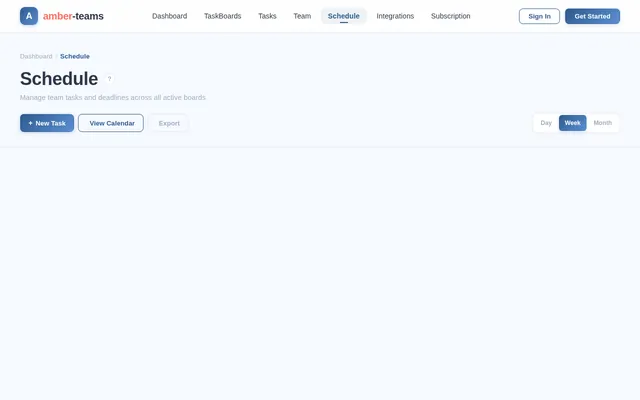
As a Frontend Developer, I want to implement the Schedule page based on the existing JSX design (Schedule v2) so that Admins can set schedules and Members can view them. The page should display a Gantt-style or calendar timeline view of tasks with deadlines and dependencies, accessible from the Dashboard.
Build Team Management Page
As a Frontend Developer, I want to implement the Team Management page (no existing design — design sub-step required) so that Admins can manage user roles, promote members to admin, and view team members. The page should be accessible from the Dashboard and align with the amber-teams design system.
Build Integrations Page
As a Frontend Developer, I want to implement the Integrations page (no existing design — design sub-step required) so that users can connect Google Calendar and Slack (Starter/Pro), and Premium users can connect Jira, GitHub, and Teams with bi-directional sync. The page should show connection status, OAuth flows, and be accessible from the Dashboard.
Build Subscription Page
As a Frontend Developer, I want to implement the Subscription/Upgrade page (no existing design — design sub-step required) so that users can view and upgrade their plan (Starter, Pro/Team, Premium/Enterprise). The page should display plan feature comparisons, pricing in INR, and upgrade CTAs. Accessible from the Dashboard for both Admin and Member personas.
Implement TaskBoards API
As a Backend Developer, I want to implement the TaskBoards API using FastAPI so that the frontend can create, read, update, and delete task boards. Endpoints: POST /boards, GET /boards, GET /boards/{id}, PUT /boards/{id}, DELETE /boards/{id}. Supports Admin create/edit/delete and Member read operations.
Implement Team Management API
As a Backend Developer, I want to implement the Team Management API using FastAPI so that Admins can manage user roles and team membership. Endpoints: GET /team, POST /team/invite, PUT /team/members/{id}/role, DELETE /team/members/{id}. Supports role promotion and team oversight.
Implement Integrations API
As a Backend Developer, I want to implement the Integrations API using FastAPI so that users can connect Google Calendar and Slack (all plans) and Premium users can connect Jira, GitHub, and Teams with bi-directional sync. Endpoints: POST /integrations/connect, GET /integrations, DELETE /integrations/{id}. Handles OAuth token storage and webhook management.
Implement Subscription API
As a Backend Developer, I want to implement the Subscription API using FastAPI so that users can view, upgrade, and manage their plan (Starter, Pro/Team, Premium/Enterprise). Endpoints: GET /subscriptions/plans, POST /subscriptions/upgrade, GET /subscriptions/current. Supports INR pricing and plan feature gating.
Build Dashboard Settings Page
As a Frontend Developer, I want to implement the Dashboard/Settings page (existing scaffold page, align with Dashboard v1 design style) so that users can manage their account, notification preferences, security settings, and subscription details. The page should include sections for profile, integrations, plan management, and (for Premium) SSO/audit log access.
Build Tasks Page
As a Frontend Developer, I want to implement the Tasks page based on the existing JSX design (Tasks v1) so that Admins can assign tasks and set deadlines, and Members can view, update, and comment on their assigned tasks. The page should support task detail views, status updates, deadline pickers, and comment threads. Navigates from/to TaskBoards.
Implement Tasks API
As a Backend Developer, I want to implement the Tasks API using FastAPI so that tasks can be created, assigned, updated (status, deadline), and commented on. Endpoints: POST /tasks, GET /tasks, GET /tasks/{id}, PUT /tasks/{id}, DELETE /tasks/{id}, POST /tasks/{id}/comments. Supports Admin assign/deadline and Member update/comment actions.
Build Portfolio Multi-Project View
As a Frontend Developer, I want to implement the Portfolio/Multi-Project page (no existing design — design sub-step required) so that Premium users can manage multiple projects in one overview with health indicators and filters. The page should display project health status cards, filter controls, and drill-down navigation to individual project dashboards.
Implement Portfolio API
As a Backend Developer, I want to implement the Portfolio API using FastAPI so that Premium users can retrieve a multi-project overview with health indicators. Endpoints: GET /portfolio, GET /portfolio/projects, GET /portfolio/projects/{id}/health. Gated by Premium subscription tier.
Build Custom Workflows Page
As a Frontend Developer, I want to implement the Custom Workflows page (no existing design — design sub-step required) so that Premium users can create and manage automation rules using a visual if-this-then-that rule builder. The page should support status change triggers, notification actions, and approval flows, accessible from the Dashboard settings.
Implement Workflows Automation API
As a Backend Developer, I want to implement the Custom Workflows API using FastAPI so that Premium users can create, activate, and manage automation rules. Endpoints: POST /workflows, GET /workflows, PUT /workflows/{id}, DELETE /workflows/{id}, POST /workflows/{id}/trigger. Gated by Premium subscription tier.
Implement Advanced Security Features
As a Backend Developer, I want to implement advanced security features for Premium users using FastAPI so that SAML/SSO authentication, role-based access control (admin, manager, viewer), project-level permissions, and audit logs are available. Endpoints: POST /auth/sso, GET /audit-logs, PUT /permissions/roles/{id}. Gated by Premium subscription tier.
Implement Schedule API
As a Backend Developer, I want to implement the Schedule API using FastAPI so that schedules and Gantt-style timelines can be created, retrieved, and updated. Endpoints: POST /schedules, GET /schedules, PUT /schedules/{id}. Supports Admin set and Member view operations.
Implement AI Task Prioritization
As an AI Engineer, I want to implement the AI-powered task prioritization feature using the configured AI tools so that Pro/Team users can auto-rank tasks by deadline, dependencies, and workload. The system should expose an API endpoint (POST /ai/prioritize) that accepts task data and returns a ranked list with suggested next actions. Premium tier should learn from user behavior and workflow preferences.
Implement AI Scheduling Feature
As an AI Engineer, I want to implement the AI-driven scheduling and timeline feature so that Premium users can auto-generate or adjust Gantt-style timelines based on task priorities, dependencies, and team capacity. Expose POST /ai/schedule endpoint. Support 'what-if' scenario modeling (shift deadlines, add resources) with AI-predicted impact for Premium tier.
Wire Frontend to Backend APIs
As a Frontend Developer, I want to integrate all frontend pages with their corresponding backend API endpoints so that real data flows through the application. This includes setting up API client utilities, authentication headers, error handling, and loading states across TaskBoards, Tasks, Schedule, Team, Integrations, Subscription, and AI pages.
Build AI Assistant Dashboard Page
As a Frontend Developer, I want to implement the Dashboard/AI-Assistant page (existing scaffold page, no separate design — align with Dashboard v1 style) so that Pro and Premium users can interact with the AI prioritization and scheduling features. The page should display AI-ranked task lists, timeline suggestions, and what-if scenario controls, consuming the /ai/prioritize and /ai/schedule endpoints.
No comments yet. Be the first!