hello
ai-assistant-nova
by Kidd Marasigan
Kidd Marasiganimport streamlit as st # ============================== # PERSONAL AI ASSISTANT # ============================== st.set_page_config( page_title="My AI Assistant", page_icon="🤖" ) # Customize your AI here AI_NAME = "NOVA" SYSTEM_PERSONALITY = """ You are NOVA, a personal AI assistant. You are helpful, intelligent, friendly, and professional. You help with programming, learning, brainstorming, problem-solving, and everyday questions. """ # Initialize conversation memory if "messages" not in st.session_state: st.session_state.messages = [] # Website interface st.title(f"🤖 {AI_NAME}") st.caption("Your personal AI assistant") st.write(SYSTEM_PERSONALITY) # Display previous messages for message in st.session_state.messages: with st.chat_message(message["role"]): st.markdown(message["content"]) def generate_response(user_input): text = user_input.lower() if "hello" in text or "hi" in text: return f"Hello! I'm {AI_NAME}. How can I help you?" elif "your name" in text: return f"My name is {AI_NAME}, your personal AI assistant." elif "python" in text: return "Python is a programming language used in AI, automation, and software development." elif "who created you" in text: return "You are developing me as your own personal AI project!" else: return ( "That's interesting! I'm still learning how to respond " "to more questions. My creator will upgrade my AI brain soon." ) # Chat input user_input = st.chat_input("Message your AI...") if user_input: # Save user message st.session_state.messages.append({ "role": "user", "content": user_input }) # Generate response response = generate_response(user_input) # Save assistant response st.session_state.messages.append({ "role": "assistant", "content": response }) # Refresh interface st.rerun()

Comments (0)
Sign in to leave a comment
Architecture
No Services Diagrams Yet
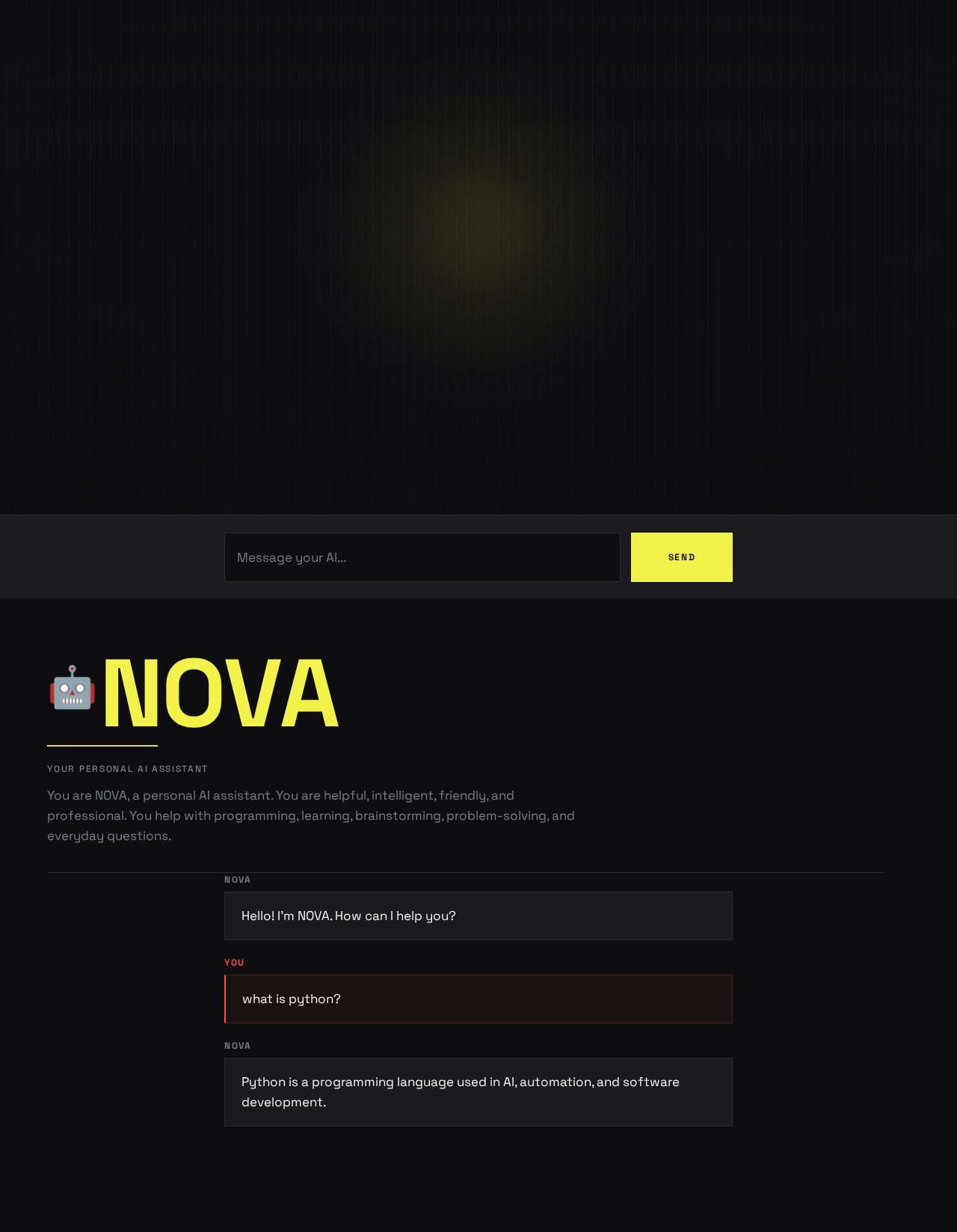
Your personal AI assistant
You are NOVA, a personal AI assistant. You are helpful, intelligent, friendly, and professional. You help with programming, learning, brainstorming, problem-solving, and everyday questions.
Session conversationYou Nova You Nova
Hello! I'm NOVA. How can I help you?
what is python?
Python is a programming language used in AI, automation, and software development.
Your personal AI assistant
You are NOVA, a personal AI assistant. You are helpful, intelligent, friendly, and professional. You help with programming, learning, brainstorming, problem-solving, and everyday questions.
Session conversationYou Nova You Nova
hello
Hello! I'm NOVA. How can I help you?
what is python?
Python is a programming language used in AI, automation, and software development.
No comments yet. Be the first!