ultra-website
 kavita
i want to create website for my business prince color world in kudasan. they deal with color applier and supplier also they do turnkey project
Comments (0)
Sign in to leave a comment
Project Tasks15
Implement Theme & Structure
As a developer, I want to implement the global color theme, typography, and layout structure across all scaffold pages so that they look exactly identical to the mock-design pages. This includes applying the primary palette (Rich Blue #003366, Bright Yellow #FFD700), font styles, spacing tokens, and removing any pages not present in the design (e.g. unused dashboard sub-pages like ai-assistant and settings). Scope: align home, login, signup, welcome, dashboard/overview with design tokens. Remove pages not in scope.
Build Home Page
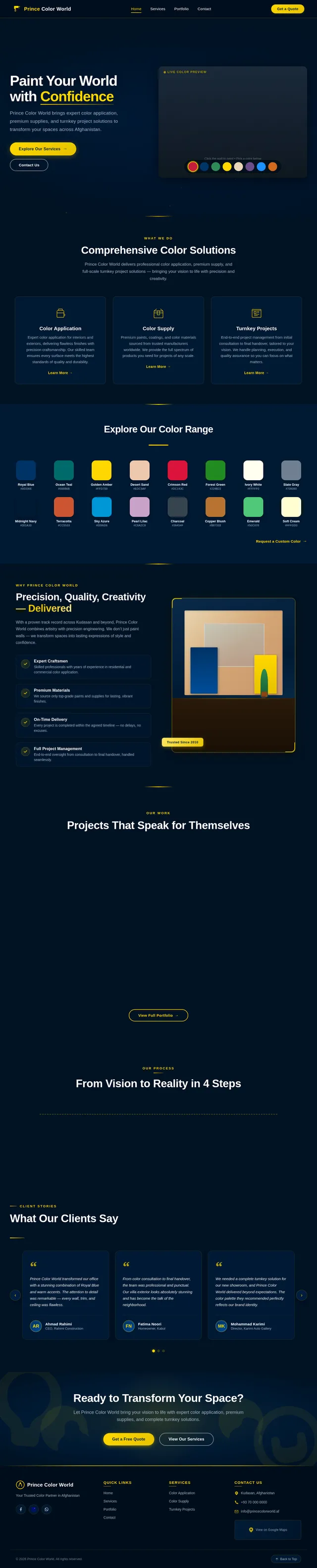
As a user, I want to use the frontend Home page so that I can view the interactive color canvas, explore Prince Color World's services, and navigate to other sections. Implement the Home (v2) design including the interactive color canvas with color palette and brushstroke animations, time-of-day gradient background, service highlights, and CTAs ('Explore Our Services', 'Contact Us'). Reference the existing Home (v2) JSX design for implementation.
Build Login Page
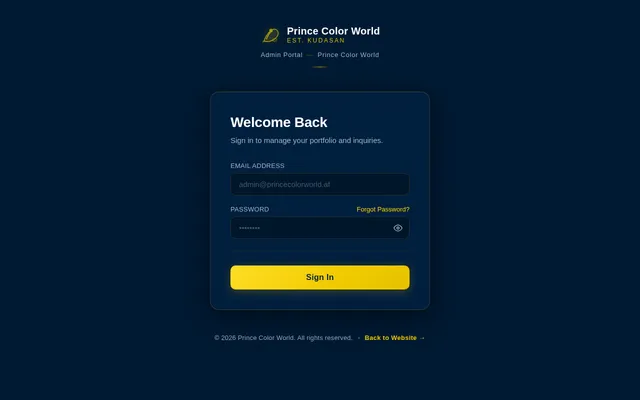
As an admin, I want to use the frontend Login page so that I can sign in securely to access the dashboard. Implement the Login (v2) design including the sign-in form, branding elements, and navigation to the dashboard on successful authentication. Reference the existing Login (v2) JSX design.
Build Contact Page
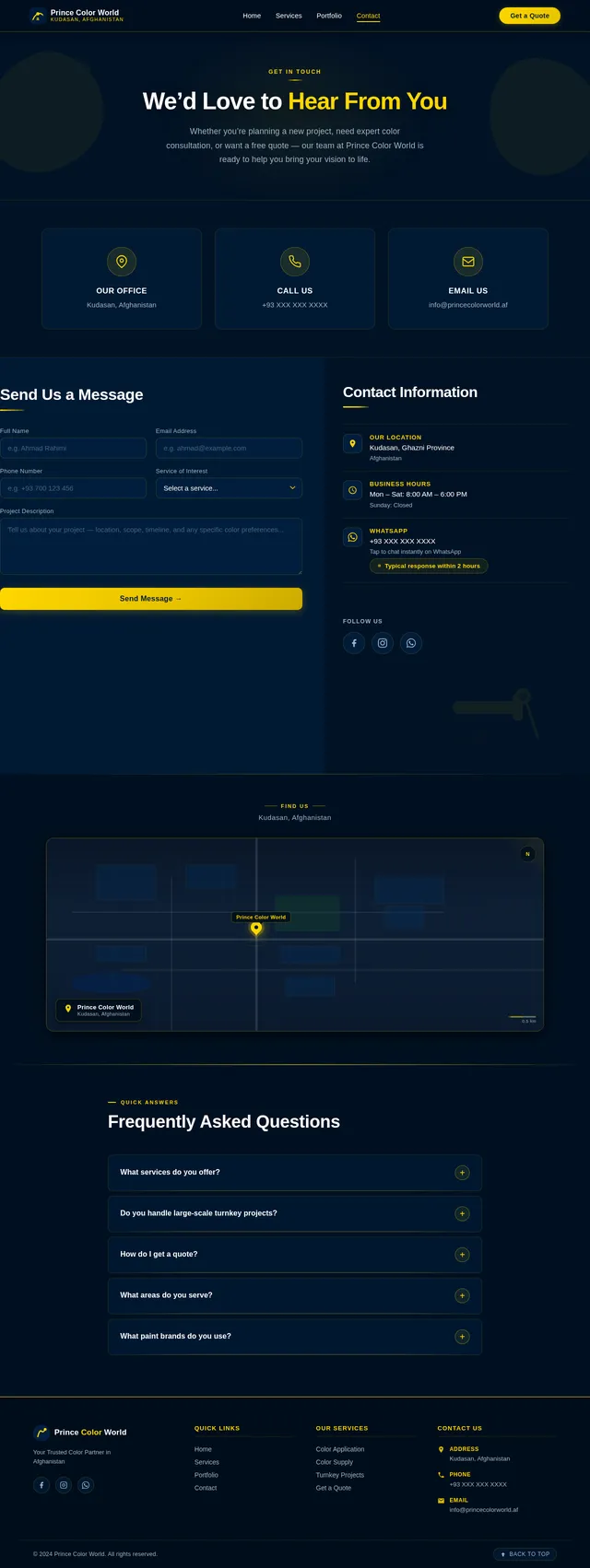
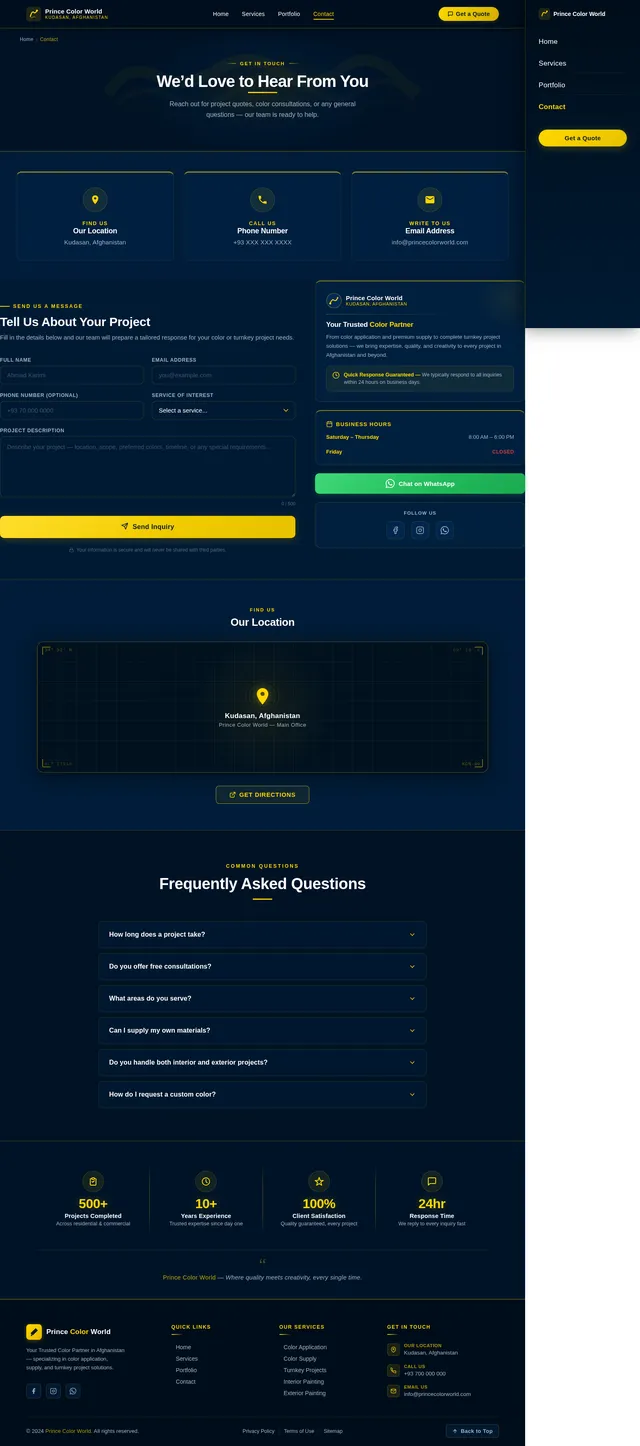
As a user, I want to use the frontend Contact page so that I can submit an inquiry to Prince Color World with my project details. Implement the Contact (v2) design including the inquiry submission form, location details (Kudasan, Afghanistan), map embed, and contact information. Reference the existing Contact (v2) JSX design.
Build Dashboard Page
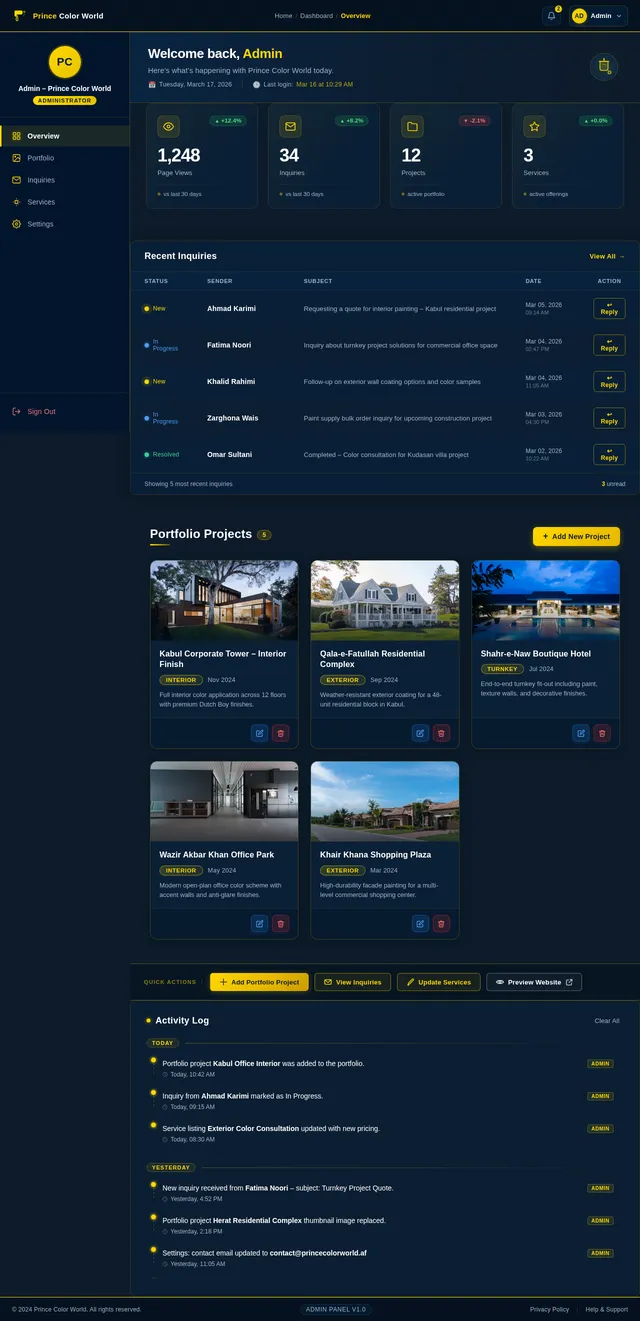
As an admin, I want to use the frontend Dashboard page so that I can view an overview of portfolio projects and inquiries. Implement the Dashboard (v2) design including the stats overview, recent inquiries panel, portfolio manager panel, quick actions strip, activity feed, and admin navigation sidebar. Reference the existing Dashboard (v2) JSX design.
Build Portfolio Page
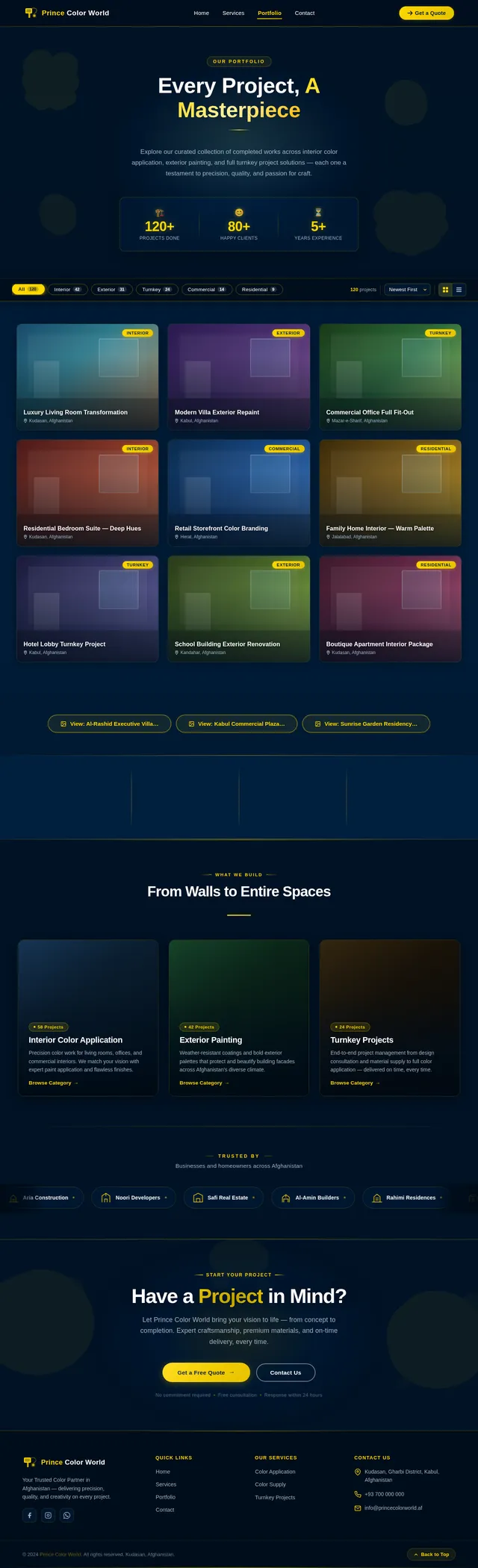
As a user, I want to use the frontend Portfolio page so that I can browse completed projects filtered by category (Interior, Exterior, Turnkey, Commercial, Residential) and view project details. Implement the Portfolio (v2) design including the PortfolioHero, FilterBar, ProjectGallery, ProjectDetailModal, StatsStrip, CategoryShowcase, and PortfolioCTA sections. Reference the existing Portfolio (v2) JSX design.
Build Services Page
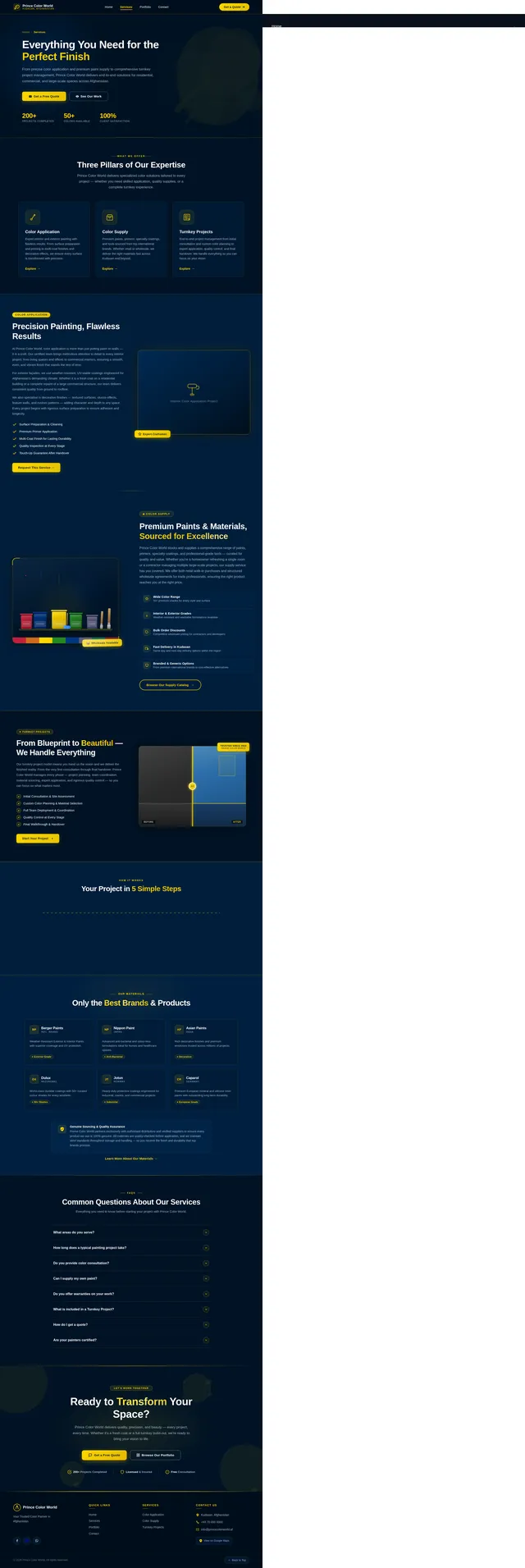
As a user, I want to use the frontend Services page so that I can view detailed information about color application, color supply, and turnkey project services offered by Prince Color World. Implement the Services (v2) design including service detail cards, descriptions, visuals, and CTAs. Reference the existing Services (v2) JSX design.
Implement Services Backend API
As a user, I want to use the backend API for services so that the Services page can dynamically fetch and display service listings (color application, color supply, turnkey projects) from the database. Implement FastAPI endpoints: GET /services, GET /services/{id}. Include MySQL schema for services table.
Implement Portfolio Backend API
As a user and admin, I want to use the backend API for portfolio so that projects can be fetched, filtered by category, created, updated, and deleted. Implement FastAPI endpoints: GET /projects, GET /projects/{id}, POST /projects, PUT /projects/{id}, DELETE /projects/{id}. Include MySQL schema for projects table with fields for title, category, description, location, year, images, and scope.
Build Inquiries Page
As an admin, I want to use the frontend Inquiries page so that I can view all submitted customer inquiries and respond to them. Implement the Inquiries (v2) design including the inquiry list with status indicators, filtering, detail view, and reply interface. Reference the existing Inquiries (v2) JSX design.
Implement Admin Portfolio Management
As an admin, I want to use the frontend dashboard to add, edit, and delete portfolio projects so that the website always reflects the latest completed work. Build the portfolio CRUD UI within the Dashboard page: add new project form with image upload, category selection, location and year fields; edit existing project modal; delete confirmation. Connect to the Portfolio backend API endpoints.
Implement Inquiries Backend API
As a user and admin, I want to use the backend API for inquiries so that users can submit inquiries via the contact form and admins can view and respond to them. Implement FastAPI endpoints: POST /inquiries, GET /inquiries, GET /inquiries/{id}, PUT /inquiries/{id}/status, POST /inquiries/{id}/reply. Include MySQL schema for inquiries table with fields for name, email, subject, message, status, and reply.
Implement Responsive Mobile Layout
As a user, I want to access the website seamlessly on mobile devices so that I can browse services, portfolio, and contact Prince Color World from any device. Audit and implement responsive breakpoints across all pages (Home, Services, Portfolio, Contact, Dashboard, Inquiries). Ensure navigation collapses to hamburger menu, cards stack properly, and interactive elements are touch-friendly. Comply with WCAG 2.1 accessibility standards.
Integrate Frontend with APIs
As a user and admin, I want the frontend pages to be connected to the live backend APIs so that all data (services, portfolio projects, inquiries) is dynamically loaded and submitted in real time. Wire up Services, Portfolio, Contact, and Inquiries pages to their respective FastAPI endpoints. Handle loading states, error states, and success feedback across all pages.
Performance & SEO Optimization
As a user, I want the website to load within 3 seconds on desktop and mobile so that I have a fast and seamless experience. Implement image lazy loading, code splitting, caching headers, and SEO meta tags (title, description, Open Graph) across all pages. Optimize bundle size and ensure Lighthouse performance score ≥ 90.
No comments yet. Be the first!