Global Presence
A Qatar-rooted group operating across continents, connecting regions, vendors, and partners on every major market.
 Chintan Radadiya
UCC Holding is a Qatar-based international company operating in Energy, Concessions, Infrastructure, and Construction, with multiple subsidiaries and a large project portfolio. The website acts as the digital face of the organization rather than a transactional platform Need to Redesign and redevelop company website under existing domain. Objective is to have a modern, professional corporate website along with a database-driven portal for managing vendors, contractors, and sales inquiries. Corporate Pages • Home • About Us • Company Profile • Services • Products / Solutions • Projects / Portfolio • Clients • News & Updates • Careers • Contact Us Website Features • Modern responsive design (Desktop, Tablet, Mobile) • English & Arabic language support • SEO-friendly structure • Contact & Inquiry Forms • WhatsApp Integration • Google Maps Integration • Social Media Integration • Download Center (Company Profile, Brochures, Catalogs) • SSL Security • CMS / Admin Panel for content management • Fast loading and optimized performance Vendor Registration Module • Online Vendor Registration Form • Vendor Database Management • Document Upload Facility (CR, VAT Certificate, Company Profile, Certificates, etc.) • Vendor Approval / Rejection Workflow • Automated Email Notifications • Search and Filter Functionality Contractor Database Module • Contractor Registration Form • Contractor Information Database • Category-wise Classification • Search, Filter and Export Options • Admin Dashboard for Management Sales & Contact Database • Sales Inquiry / RFQ Forms • Customer Contact Database • Lead Management System • Inquiry Tracking • Export to Excel/CSV • Dashboard Reporting Administration Requirements • Secure Admin Login • User Role Management • Data Backup Functionality • Analytics & Reporting Dashboard


Sign in to leave a comment
As a frontend developer, implement the Navbar section for the Home page. Build the `Navbar` component using `useState` for `menuOpen`, `lang` (EN/AR toggle), and `ripples` state, plus a `useRef` for ripple IDs. Render the animated SVG logo using `motion.svg` and three `motion.path` elements with `pathLength` draw-on animations (staggered by 0.35s delay per path, 1.2s duration) driven by `LOGO_PATHS` array including a gold accent underline path. Render `NAV_LINKS` (About, Services, Products, Projects, Clients, News, Careers, Contact) as `motion.a` elements with hover variants. Implement the language toggle `toggleLang` with a ripple effect — on click, capture click coordinates relative to the button, push a `{id, x, y}` ripple into state, toggle lang EN↔AR, and auto-remove after 650ms. Apply `dir='rtl'` to the root when `lang === 'AR'`. Include a hamburger/close menu (`Menu`/`X` icons from lucide-react) for mobile with `AnimatePresence` for animated mobile drawer. Import `Navbar.css` for all styling. Note: this component may already exist from a previous page — reuse if available.
As a frontend developer, implement the Navbar section for the Email page. This component may already exist from previous pages (Home, Projects, Confirmation). It uses useState for menuOpen, lang (EN/AR), and ripples state; useRef for rippleId. Features include: animated SVG logo with three LOGO_PATHS using framer-motion pathLength draw animations (staggered by 0.35s delay each), NAV_LINKS array with 8 routes, RTL support via isRtl flag toggled by toggleLang with ripple effect (ripple id tracked via useRef, cleaned up after 650ms), Globe and Menu/X icons from lucide-react, and AnimatePresence for mobile menu transitions. Reuse existing Navbar component if already implemented.
As a frontend developer, implement the Navbar section for the Categories page. This component may already exist from previous pages (Admin Login, Vendor Submissions, Contractor DB). Uses useState for `lang` (EN/AR toggle), `scrolled` (scroll-aware header class via useEffect window scroll listener), and `menuOpen` (burger menu toggle). Renders NAV_LINKS array with 9 navigation anchors, a language switcher with animated pill indicator (`nv-lang-pill`/`nv-pill-ar`), a Help & Support link using LifeBuoy from lucide-react, and a three-span animated burger button. Applies `nv-scrolled` class when scrollY > 12. Imports Navbar.css.
As a Backend Developer, implement authentication and authorization API endpoints for the admin portal. Include POST /api/auth/login (JWT token issuance), POST /api/auth/logout (token invalidation), POST /api/auth/refresh (token refresh), GET /api/auth/me (current user profile), and middleware for JWT validation on protected routes. Support role-based access control (RBAC) with roles: super_admin, admin, viewer. Hash passwords with bcrypt. Store sessions/tokens securely. Note: Frontend tasks AdminLoginForm (73a7d2b7) depends on this endpoint.
As a Backend Developer, implement the public contact/inquiry form submission API. Include: POST /api/contact (accepts name, email, phone, subject, message; validates input; stores in sales inquiries table with source='contact_form'; returns confirmation number like UCC-2026-XXXXXXX; triggers auto-reply email to submitter). Rate-limit endpoint to prevent spam. Note: Frontend tasks EmailContactForm (fdb8681a) and EmailFormConfirmation (85250fca) depend on this endpoint.
As a Backend Developer, implement secure file upload and storage API. Include: POST /api/files/upload (multipart upload, validates file type: PDF/PNG/JPG/DOCX, max 10MB, stores in local volume or S3-compatible storage, returns file URL and metadata), GET /api/files/:id (authenticated download with signed URL or stream), DELETE /api/files/:id (admin only). Implement file access control so only authenticated admins can download vendor documents. Store file metadata (filename, size, mime_type, uploader_id, created_at) in DB. Used by vendor registration and contractor record creation.
As a Backend Developer, design and implement the MySQL/MariaDB database schema and Alembic migrations. Tables required: users (id, email, password_hash, role, is_active, created_at, updated_at), vendors (id, company_name, vat_number, cr_number, company_type, website, country, city, address, contact_name, contact_email, contact_phone, contact_position, category_id, status[pending/approved/rejected], rejection_reason, submitted_at, reviewed_at, reviewed_by), contractors (similar schema), categories (id, name, type[vendor/contractor], is_active, created_at), sales_inquiries (id, company, contact_person, email, phone, type, status, priority, assigned_to, source, created_at), files (id, filename, mime_type, size_bytes, storage_path, uploader_id, related_type, related_id, created_at), audit_logs, seo_settings. Create seed data for admin user and default categories.
As a Backend Developer, configure Strapi CMS for managing website content. Create Strapi content types: Pages (slug, title, body, seo_meta), News (title, slug, excerpt, body, image, published_at, category), Projects (title, slug, category, description, image, location, year), Services (title, slug, description, icon, order), Products (title, slug, category, description, images), Careers (title, department, location, type, description, deadline), Downloads (title, file, category, description), Clients (name, logo, industry, featured). Configure media library, roles (public read, admin write), and API tokens. Expose Strapi API endpoints for frontend consumption. Document all content type schemas.
As a Frontend Developer, set up global state management for the React application. Implement: (1) Auth context/store with JWT token persistence in localStorage, auto-refresh logic, and protected route guards for admin pages. (2) Language/i18n context with EN/AR toggle, RTL layout switching (dir attribute on root), and translation key lookup using a translations object. (3) Theme/design-system tokens applied as CSS custom properties matching the SRD color palette (#004080 primary, #FF6600 secondary, #FFD700 accent, etc.). (4) API client setup using axios or fetch with base URL config, auth header injection interceptor, and 401 redirect to /Admin-Login. This setup is a prerequisite for all pages that consume live API data.
As a DevOps Engineer, configure a CI/CD pipeline for the project. Set up GitHub Actions (or equivalent) workflows: (1) PR validation: lint, type-check, run unit tests for frontend and backend. (2) Build workflow: Docker image build for frontend (React production build served via nginx), backend (FastAPI with uvicorn), and Strapi CMS. (3) Deploy workflow: push Docker images to registry, update docker-compose on staging/production server via SSH. Configure environment-specific .env files management (dev/staging/prod). Add health check step after deployment. Include a manual approval gate before production deploys.
As a DevOps Engineer, implement data backup and recovery procedures. Configure: (1) Automated daily MySQL/MariaDB database dumps via cron job inside docker-compose, stored in a mounted volume and optionally uploaded to S3-compatible storage. (2) Retention policy: keep last 30 daily backups, 12 weekly backups. (3) Uploaded file backups mirroring the storage volume. (4) Recovery runbook documentation with step-by-step restore procedure. (5) Backup health monitoring: alert if a backup job fails. Test restore procedure at least once before go-live.
About us page for the website that describes the vision, mission and provides information about the working
As a frontend developer, implement the `HomeHero` section for the Home page. Use `useRef` for `rootRef` and `hijackedRef` (scroll-hijack guard). Implement a `useEffect` that attaches a passive scroll listener on desktop only (skips `max-width: 767px` and `prefers-reduced-motion: reduce`), watching for when the hero's `getBoundingClientRect().bottom` drops below `window.innerHeight * 0.6` — at that point it sets `hijackedRef.current = true`, kills GSAP tweens, and calls `window.scrollTo({ top: destination, behavior: 'smooth' })` targeting the `.ho-slot-homeglobeexploration` element. Render `HEADLINE_WORDS` array (`Welcome`, `to`, `UCC`, `Holding` — last two with accent styling) using Framer Motion `containerVariants` (staggerChildren: 0.12, delayChildren: 0.15) and `itemVariants` (spring, stiffness 90, damping 16, y: 28 → 0). Render `STATS` array (30+ Years, 4 Continents, 500+ Projects, 120+ Vendors) as stat counters. Include a `scrollToGlobe` click handler on the `ChevronDown` scroll cue that targets `.ho-slot-homeglobeexploration`. Render decorative parallax `hh-deco` layers using CSS `--scroll` custom property. Import `HomeHero.css` and icons `ArrowRight`, `Building2`, `ChevronDown` from lucide-react.
As a frontend developer, implement the `HomeGlobeExploration` section for the Home page using `@react-three/fiber` Canvas, `@react-three/drei` OrbitControls and Stars, and `three.js`. Define `REGIONS` array (middle-east lat:25/lon:51, asia lat:22/lon:88, europe lat:50/lon:10, africa lat:4/lon:18) each with color, tag, short description, `projects` array, `services` array, and a lucide-react icon (Building2, Factory, Landmark, Mountain). Use `useState` for selected region and `useRef`/`useMemo`/`useEffect` for Three.js geometry. Implement a 3D interactive globe using `useFrame` for rotation animation within the R3F Canvas. Convert lat/lon to 3D sphere coordinates for region marker placement using THREE.js math. Render `AnimatePresence`-driven region detail panel with `motion` elements showing region blurb, projects list with metadata, and service links (`ArrowRight`, `ChevronRight` icons). Include a `MousePointerClick` interaction hint. Render clickable region markers on the globe surface with hover highlight using region color. Import `HomeGlobeExploration.css` and all icons from lucide-react. This is the most complex section — requires R3F, drei, three.js, and Framer Motion integration.
As a frontend developer, implement the `HomeHighlights` section for the Home page. Render `HIGHLIGHTS` array (6 items: Global Presence, Industry Expertise, Innovation, Reliability, Sustainability, Customer Focus) each with a numeric `tag` (01–06), `title`, `desc`, and a lucide-react icon (`Globe2`, `Award`, `Lightbulb`, `ShieldCheck`, `Leaf`, `HeartHandshake`). Animate the card grid using `gridVariants` (staggerChildren: 0.1, delayChildren: 0.05) and `cardVariants` (spring, stiffness 180, damping 20, y: 24 → 0) from Framer Motion, triggered on scroll into view. Render `STATS` bar (25+ Years Delivering, 40+ Countries Served, 1.2K+ Active Vendors, 98% On-Time Rate) below the grid. Include the section header with eyebrow text `'Why UCC Holding'` and `h2` with `id='hh-title'` for `aria-labelledby`. Render three parallax decorative layers (`hh-deco-bg`, `hh-deco-mid`, `hh-deco-grid`) using CSS `--scroll` custom property at -0.3x, -0.6x, and -0.45x parallax factors. Import `HomeHighlights.css`.
As a frontend developer, implement the `HomeServices` section for the Home page. Use `useState` to manage `openIds` (array of expanded accordion IDs), initialized to `['consulting']`. Render `SERVICES` array (4 items: Consulting/Briefcase, Project Management/ClipboardList, Supply Chain/Truck, IT Solutions/Cpu) as accordion cards. Implement `toggle(id)` handler that adds/removes IDs from `openIds` — allowing multiple open panels simultaneously. Use `AnimatePresence` with `motion` elements for animated panel expand/collapse using spring config `{ type: 'spring', stiffness: 300, damping: 30 }`. Each service card renders kicker, title, icon, description, tags array as pill badges, and an `ArrowRight` CTA link (`href` to /Services, /Projects, /Vendor Registration, /Products). Include a `MousePointerClick` interaction hint. Render two parallax decorative layers (`hs-deco-bg` at -0.3x, `hs-deco-grid` at -0.15x) using CSS `--scroll`. Include section header with `id='hs-title'`. Import `HomeServices.css` and `ChevronDown` for accordion toggles.
As a frontend developer, implement the `HomeProjects` section for the Home page. Use `useState` for active slide index, `useRef` for the carousel container, `useEffect` for ResizeObserver or window resize handling, and `useCallback` for drag handlers. Use Framer Motion `useScroll` and `useTransform` for parallax scroll effects on project card images. Render `PROJECTS` array (8 items: Lusail Boulevard Towers/Building2, Doha Metro Gold Line/Landmark, Al Wakrah Desalination Plant/Droplets, Hamad Airport Expansion/Plane, Sidra Industrial Park/Factory, Aspetar Medical Complex/Hospital, Pearl Marina Residences/Building2, Al Khor Coastal Highway/Hammer) as horizontally scrollable carousel cards — each with Unsplash image, category badge with icon, location (`MapPin` icon), project name, and description. Implement `ArrowLeft`/`ArrowRight` navigation buttons with disabled states at boundaries. Include `MoveHorizontal` drag hint icon. Import `HomeProjects.css`.
As a frontend developer, implement the `HomeCallToAction` section for the Home page. Build the `MagneticButton` sub-component using `useRef` for `wrapRef`/`btnRef`, `useState` for `offset ({x, y})` and `bursts` array, and `useCallback` for event handlers. Implement `handleMove` that computes distance from cursor to button center, and if within `MAGNET_RADIUS` (130px), applies `MAGNET_PULL` (0.35) magnetic offset clamped to `MAX_OFFSET` (15px) via `motion.a` `animate` prop with spring transition (stiffness 260). Implement `handleClick` that generates 10 particle burst objects with radial angle/radius offsets, adds them to `bursts` state, and auto-removes after 850ms. Use `gsap.fromTo` on each particle `ref` callback to animate opacity 1→0, scale 1→0.3, x/y outward over 0.8s with `power2.out` ease. Render two `MagneticButton` instances — `Mail` icon (Contact Us, `hcta-btn primary`) and `UserPlus` icon (Vendor Registration, `hcta-btn secondary`) with distinct `burstClass` values. Render `STATS` row (500+ Trusted Vendors, 50+ Countries, 120+ Projects Delivered, 30+ Years of Excellence) with `AnimatePresence`. Import `HomeCallToAction.css`.
As a frontend developer, implement the `Footer` section for the Home page. Use `useState` for `openCol` (accordion column title, initialized to first column), `hovered` (social icon hover state), and `rtl` (RTL toggle boolean). Render `linkColumns` array (4 columns: Company, Services, Resources, Legal — each with 4 links) as mobile accordion panels using `toggleCol` handler with `AnimatePresence` expand/collapse animations. Implement orbiting social icons layout using `ORBIT_RADIUS` (80px) — place `Linkedin`, `Twitter`, `Facebook`, `Instagram` icons at computed `Math.cos/sin(angle) * ORBIT_RADIUS` positions around the `ftr-logo-center` block (displaying 'UCC' / 'Holding'). Include `ftr-orbit-ring` decorative ring. Render contact info with `Mail`, `Phone`, `MapPin` icons. Include a `Globe` icon RTL toggle button that flips `dir` on the footer root. Render two parallax deco layers (`ftr-deco-bg` at -0.3x, `ftr-deco-mid` at -0.6x) using CSS `--scroll`. Import `Footer.css`. Note: this component may already exist from a previous page — reuse if available.
As a frontend developer, implement the Navbar section for the Projects page. Note: this component likely already exists from the Home page (task a29a8c85-6931-4c33-a30c-38b28cc5d287). Verify reuse of the existing Navbar component which includes: animated SVG logo with three LOGO_PATHS (stylized 'U' arc, 'C' arc, gold underline accent) using framer-motion pathLength draw animations, NAV_LINKS array with 8 routes (About, Services, Products, Projects, Clients, News, Careers, Contact), language toggle (EN/AR) with ripple effect via useState/useRef tracking ripple positions, mobile hamburger menu (Menu/X icons from lucide-react) with AnimatePresence, RTL layout support via `dir` attribute, and the ArrowRight hover indicator on nav links. Ensure the Projects route is highlighted as active.
As a frontend developer, implement the VendorRegistrationHero section for the Vendor Registration page. This section renders a static hero with a breadcrumb nav linking to /Home, an h1 headline with a vrh-headline-accent span, a subheadline paragraph, a 4-step progress indicator (Company Info, Documents, Review, Confirmation) using React.Fragment with vrh-step-circle/vrh-step-current/vrh-step-future/vrh-connector-active CSS classes driven by a hardcoded currentStep=1 state, and a process overview grid of 4 items (ClipboardCheck, Upload, Mail, BadgeCheck from lucide-react) each with title and desc. Import VendorRegistrationHero.css. Note: Navbar component may already exist from the Home page (task a29a8c85-6931-4c33-a30c-38b28cc5d287).
As a frontend developer, implement the VendorRegistrationForm section for the Vendor Registration page. This is a complex multi-step form using useState (step, form, errors, submitted, dragOver), useRef (crInputRef, vatInputRef, profileInputRef), and useCallback (updateField). It has 4 steps keyed as company/contact/documents/review defined in a STEPS array. The initialForm object tracks companyName, vatNumber, registrationNumber, companyType, website, country, city, address, contactName, contactEmail, contactPhone, contactPosition, alternatePhone, documentCR, documentVAT, documentProfile, and termsAccepted. Per-step validation logic is in validateStep() covering required fields and email regex. File upload fields support drag-and-drop via dragOver state with handlers setDragOver, and ref-triggered file inputs (crInputRef, vatInputRef, profileInputRef). formatSize() utility formats bytes to B/KB/MB. companyTypes array drives a select dropdown with 6 options. Step transitions use framer-motion AnimatePresence with animationVariants (enter/center/exit with opacity and x: 20/-20 slide). Import VendorRegistrationForm.css.
As a frontend developer, implement the VendorRegistrationTerms section for the Vendor Registration page. This section renders a legal compliance card with a motion.div entry animation (opacity 0→1, y 20→0, 0.5s easeOut). It maps over 3 termsItems (terms_accept, privacy_accept, accuracy_accept) each with an id, JSX label (including anchor links to /About), and description. State is managed via useState for checked (object keyed by item id) and showValidation (boolean). handleToggle toggles individual item checked state and resets showValidation. handleSubmitAttempt sets showValidation=true. allChecked is derived by checking every termsItem id. List items animate in using framer-motion containerVariants (staggerChildren: 0.1, delayChildren: 0.1) and itemVariants (opacity 0→1, x -12→0, 0.35s easeOut). Shield and Check icons from lucide-react are used. Import VendorRegistrationTerms.css.
As a frontend developer, implement the EmailHero section for the Email page. Features a Three.js WebGL canvas background (canvasRef, animRef) rendering 18 animated particles using THREE.TorusGeometry (ring), THREE.SphereGeometry (dot), and THREE.OctahedronGeometry (diamond/wireframe) with gold (0xffd700) and white materials at low opacity. Camera positioned at z=30 with PerspectiveCamera(50). Text content includes headline 'Get In Touch' animated character-by-character using headlineVariants with staggerChildren 0.04s and charVariants (opacity, y:32, rotateX:-40 → visible). Subheadline and description use fadeUpVariants with custom delay. An accent rule uses accentRuleVariants with scaleX draw animation. Renderer uses alpha:true and devicePixelRatio clamped to 2. Includes resize observer for responsive canvas sizing.
As a frontend developer, implement the Email Contact Form section for the Email page. Uses useState for form (INITIAL_FORM: name, email, phone, subject, message), touched (INITIAL_TOUCHED), submitting, and submitted states. Includes a validateField function with field-specific regex validation (email regex, phone regex /^[+\d][\d\s\-()]{6,18}$/, min-length checks). handleChange, handleBlur, and handleSubmit handlers with full touched-state management and early return on validation errors. Displays office hours via OFFICE_HOURS array (Sun–Thu open, Fri–Sat closed) and SOCIAL_LINKS with Linkedin, Twitter, Facebook, Instagram icons from lucide-react. Contact info icons: MapPin, Phone, Mail, Clock. Send and CheckCircle icons for submit button states. AnimatePresence used for error message transitions. Simulates async submission with setSubmitting/setSubmitted flags.
As a frontend developer, implement the Footer section for the Email page. This component may already exist from previous pages (Home, Projects, Confirmation). Uses useState for openCol (accordion column title, defaults to first column), hovered (social icon hover state), and rtl (boolean). Features: two parallax decoration divs (ftr-deco-bg at -0.3x scroll, ftr-deco-mid at -0.6x scroll) using CSS custom property --scroll. Orbiting social icons layout using ORBIT_RADIUS=80 with trigonometric positioning (Math.cos/Math.sin angle calculation across 4 socials: Linkedin, Twitter, Facebook, Instagram). Four linkColumns (Company, Services, Resources, Legal) each with 4 links, rendered as accordion on mobile via toggleCol. Contact info with Mail, Phone, MapPin icons. Globe icon for RTL toggle. AnimatePresence used for accordion open/close transitions with ChevronDown rotation. Reuse existing Footer component if already implemented.
As a frontend developer, implement the Navbar section for the Admin Login page. Reuse the existing Navbar component from previous pages (e.g., Confirmation, Email). The component uses useState hooks for `lang` (EN/AR language switcher with `nv-lang-pill` animated pill), `scrolled` (adds `nv-scrolled` class on window.scrollY > 12 via passive scroll listener in useEffect), and `menuOpen` (hamburger toggle with `nv-burger-open` class). Renders NAV_LINKS array (9 items: About, Company Profile, Services, Products, Projects, Clients, News, Careers, Contact) as anchor tags with `nv-link` class. Actions area includes EN/AR language toggle buttons with `aria-pressed`, a LifeBuoy icon Help & Support link to /Contact, and a three-span burger button with `aria-expanded`. Imports Navbar.css (6346 chars). Chain page-level dependency to Home page task.
As a frontend developer, implement the CategoriesPageHeader section for the Categories page. Renders a static `<section className='cph-root'>` containing a breadcrumb nav with two anchors (Admin → /Dashboard) and a current span (Categories), a title row with an `<h1 className='cph-title'>` reading 'Categories' and a `<span className='cph-badge'>` reading 'Admin Panel', and a description paragraph explaining vendor/contractor category management. No state or interactivity. Imports CategoriesPageHeader.css.
As a frontend developer, implement the CategoriesFiltersAndActions section for the Categories page. Uses useState for `search` (text input), `typeFilter` (all/vendor/contractor select), `statusFilter` (all/active/inactive select), and `selectedCount` (bulk action gating). Renders a search input with Search icon from lucide-react, two ChevronDown-decorated select dropdowns for type and status filters, and bulk action buttons (Delete with Trash2, Export with Download, Archive with Archive icons) that dispatch CustomEvents (`cfa:bulk-delete`, `cfa:bulk-export`, `cfa:bulk-archive`) via `window.dispatchEvent` and are disabled when selectedCount === 0. Add Category button dispatches `cfa:add-category` CustomEvent and uses the Plus icon. Imports CategoriesFiltersAndActions.css.
As a frontend developer, implement the CategoriesTable section for the Categories page. Uses useState for `sortField` (default 'createdDate'), `sortDir` ('asc'/'desc'), `currentPage`, and `deleteTarget` (confirmation modal target). Uses useMemo to sort CATEGORY_DATA (12 static entries: CAT-001 through CAT-012) by field with date conversion for createdDate. PAGE_SIZE is 8; renders paginated rows with ChevronLeft/ChevronRight pagination controls. Each row displays id, name, type badge, status pill (Active/Inactive styled separately), formatted date via toLocaleDateString, and Pencil (edit) and Trash2 (delete) action buttons. Delete triggers a confirmation modal using AnimatePresence + motion.div from framer-motion with AlertTriangle icon. Empty state uses FolderOpen icon. Column headers are sortable. Imports CategoriesTable.css.
As a frontend developer, implement the Footer section for the Categories page. This component may already exist from previous pages (Email, Vendor Submissions, Contractor DB). Renders a `<footer className='ftr-root'>` with a top section containing brand block (UCC logo mark, logo name, tagline) and three link-group columns (Company, Explore, Connect) generated from arrays: companyLinks (About, Company Profile, Services, Careers), exploreLinks (Projects, Products, Clients, News), connectLinks (Contact, Vendor Registration, Downloads). Bottom bar shows dynamic copyright year via `new Date().getFullYear()` and a legal nav (Privacy Policy, Security, Terms of Use) with `ftr-sep` separators rendered via React.Fragment. Imports Footer.css.
As a Backend Developer, implement vendor registration and management API endpoints. Include: POST /api/vendors/register (submit vendor form with multipart file upload for CR, VAT, Company Profile documents), GET /api/vendors (list with pagination, search, filter by status/category), GET /api/vendors/:id (vendor detail), PATCH /api/vendors/:id/approve (admin approve), PATCH /api/vendors/:id/reject (admin reject with reason), DELETE /api/vendors/:id (admin delete), GET /api/vendors/export (CSV/Excel export). Store uploaded files securely. Default submission status is 'pending'. Trigger email notification on approve/reject. Note: Frontend tasks VendorRegistrationForm (dcd9fcd5), VendorSubmissionsTable (77ac3f34), VendorSubmissionsDetailModal (37674290) depend on these endpoints.
As a Backend Developer, implement contractor database management API endpoints. Include: POST /api/contractors (create contractor record), GET /api/contractors (list with pagination, search, filter by category/status/date range), GET /api/contractors/:id (detail), PATCH /api/contractors/:id (update), PATCH /api/contractors/:id/approve, PATCH /api/contractors/:id/reject, DELETE /api/contractors/:id, GET /api/contractors/export (CSV/Excel). Support category-wise classification. Note: Frontend tasks ContractorDBTable (66d0b239), ContractorDBFilterBar (012dc65c) depend on these endpoints.
As a Backend Developer, implement category management API endpoints. Include: GET /api/categories (list all categories with type vendor/contractor, status active/inactive, pagination), POST /api/categories (create category), GET /api/categories/:id (detail), PATCH /api/categories/:id (update name, type, status), DELETE /api/categories/:id (with guard if category has linked vendors/contractors), GET /api/categories/export (CSV/Excel bulk export). Support bulk operations: DELETE /api/categories/bulk, PATCH /api/categories/bulk/archive. Note: Frontend tasks CategoriesTable (885947b3), CategoriesFormModal (dda3d2da), CategoriesFiltersAndActions (5c71b637) depend on these endpoints.
As a Backend Developer, implement sales inquiry management API endpoints. Include: POST /api/inquiries (public form submission — no auth required), GET /api/inquiries (admin list with pagination, search, filter by status/assignee/date/priority), GET /api/inquiries/:id (detail), PATCH /api/inquiries/:id (update status, assign, add notes), DELETE /api/inquiries/:id, GET /api/inquiries/export (CSV/Excel/PDF). Inquiry statuses: new, in-progress, resolved, closed. Support priority field (high/medium/low). Note: Frontend tasks SalesInquiriesTable (f1a3f7ef), SalesInquiriesFilterBar (71aa4911), SalesInquiriesSidebar (bca5ae90) depend on these endpoints.
As a Backend Developer, implement user and role management API endpoints. Include: GET /api/users (list admin users), POST /api/users (create admin user with role), GET /api/users/:id, PATCH /api/users/:id (update role, status), DELETE /api/users/:id. Roles: super_admin (full access), admin (vendor/contractor/inquiries management), viewer (read-only). Enforce role-based permission checks via middleware on all protected routes. Include GET /api/roles (list available roles with permissions).
As a Backend Developer, implement an audit log system to track all admin actions. Create an audit_logs table with columns: id, admin_user_id, action (create/update/delete/approve/reject/export/login/logout), resource_type (vendor/contractor/category/inquiry/user), resource_id, old_value (JSON), new_value (JSON), ip_address, user_agent, created_at. Create a log_action() utility called from service layer. Expose GET /api/audit-logs (paginated, filterable by admin/action/date) for super_admin role only.
As a Backend Developer, implement SEO settings management API. Include: GET /api/seo (list SEO configs per page slug), POST /api/seo (create page SEO entry), PATCH /api/seo/:slug (update meta title, meta description, og:title, og:description, og:image, canonical URL, robots directive, structured data JSON), DELETE /api/seo/:slug. Also expose a public GET /api/seo/public/:slug endpoint (no auth) so the frontend can fetch SEO metadata dynamically. These settings supplement the Strapi CMS SEO fields for custom module pages.
As a Frontend Developer, set up React Router for the full application. Define routes for all 24 design pages: /, /About, /Company-Profile, /Services, /Products, /Projects, /Clients, /News, /Careers, /Contact, /Downloads, /Vendor-Registration, /Confirmation, /Admin-Login, /Dashboard, /Vendor-Submissions, /Contractor-DB, /Categories, /Sales-Inquiries, /Content-CMS, /User-Roles, /SEO-Settings, /Email-Notifications. Implement ProtectedRoute wrapper that checks auth state before rendering admin pages, redirecting to /Admin-Login. Define public layout (with Navbar/Footer) and admin layout (with admin sidebar/navbar). Set up lazy loading via React.lazy and Suspense for code splitting.
As a Tech Lead, verify the end-to-end integration between the Admin Login frontend and the authentication backend API. Ensure AdminLoginForm posts credentials to POST /api/auth/login, receives JWT token, stores it in localStorage via auth context, and redirects to /Dashboard. Verify invalid credentials display the serverError state in the form. Confirm protected admin routes (Dashboard, Vendor Submissions, Contractor DB, Categories, Sales Inquiries) redirect to /Admin-Login when no valid token is present. Test token refresh and session expiry handling. Depends on frontend tasks 73a7d2b7, 29c73541 and backend task temp_backend_auth.
As a Tech Lead, verify the end-to-end integration between the Email/Contact page frontend and the contact form backend API. Ensure EmailContactForm posts to POST /api/contact, receives confirmation number, and transitions to the EmailFormConfirmation success state with the returned confirmation number (e.g., UCC-2026-XXXXXXX). Verify field-level validation errors from the API are surfaced in the form. Confirm the auto-reply email is triggered. Depends on frontend tasks fdb8681a, 85250fca and backend task temp_backend_contact_form.
As a frontend developer, implement the ProjectsHero section for the Projects page. This section includes: a Three.js CornerParticles component using THREE.Points with 12 glowing orange (0xff6600) particles, AdditiveBlending, slow rotation animation (points.rotation.y += 0.002, points.rotation.x += 0.001), responsive canvas resize via window resize listener, and full cleanup on unmount (cancelAnimationFrame, renderer.dispose, geometry.dispose, material.dispose). The headline 'Projects & Portfolio' is split char-by-char via splitHeadlineChars() with the '&' character rendered as an accent color. Breadcrumb navigation renders [{label:'Home',href:'/Home'},{label:'Projects',href:'/Projects',current:true}]. Decorative SVG accent paths (accentSvgPaths) animate with framer-motion staggered delays. The section mounts a PerspectiveCamera(40,1,0.1,20) with alpha WebGL renderer into a div ref (prh-three-accent).
As a frontend developer, implement the ProjectsFilter section for the Projects page. This section manages multi-state filtering with useState hooks: activeCategory (default 'all'), sortBy (default 'newest'), searchQuery (string), panelOpen (boolean), scrolled (boolean). CATEGORIES array has 6 entries (all:48, infrastructure:14, industrial:9, commercial:12, strategic:7, energy:6) rendered as filter pill buttons. SORT_OPTIONS has 4 values (newest, oldest, name-asc, name-desc) rendered in a dropdown. A sticky shadow effect activates when barRef.current.getBoundingClientRect().top <= 64 using requestAnimationFrame-throttled scroll listener. Mobile filter panel toggles via AnimatePresence with SlidersHorizontal and ChevronDown icons from lucide-react. Search input includes a clear (X) button via handleClearSearch callback. hasActiveFilters drives a badge on the toggle button. handleClearAll resets all three filter states. resultsCount displays live filtered count. useCallback memoizes handleCategory and handleClearSearch.
As a frontend developer, implement the ProjectsGrid section for the Projects page. This section renders 8 project cards from a static projects array with fields: id, title, description, category, and Unsplash image URL. Each card uses framer-motion for staggered entrance animations. Cards display: project image, category badge, title, truncated description, and two action elements — an Eye icon for preview and an ArrowRight icon linking to the project detail. An empty-state uses FolderOpen icon from lucide-react. The grid layout is CSS-driven (ProjectsGrid.css). Cards include whileHover scale/shadow transitions. The 8 projects include: Lusail Plaza Towers (Commercial), Doha Metro Gold Line (Infrastructure), Al Mana Twin Towers (Mixed-Use), Orbital Highway Package 3 (Infrastructure), Katara Hospitality Tower (Hospitality), Hamad Port Logistics Hub (Industrial), Education City Student Hub (Education), and Lusail Stadium Precinct Works.
As a frontend developer, implement the ProjectsCTA section for the Projects page. This section uses useInView (framer-motion) with a ref to trigger animations once when 30% of the section is visible. Contains two framer-motion variants: textVariants (opacity/y fade-in, 0.6s easeOut) and buttonVariants (opacity/y/scale entrance with custom index delay: 0.15 + i*0.12). Four decorative layered divs use CSS classes pcta-deco-bg, pcta-deco-mid, pcta-deco-corner, pcta-deco-dot-pattern (aria-hidden). The headline features a pcta-headline-accent span wrapping 'Explore Our Impact'. Two animated CTAs: primary button linking to /Contact with MessageCircle and ArrowRight icons (whileHover scale 1.03, whileTap scale 0.97), and secondary button linking to /Downloads with Download icon. Both buttons animate with staggered buttonVariants (custom 0 and custom 1).
As a frontend developer, implement the Footer section for the Projects page. Note: this component likely already exists from the Home page (task bcf50d89-f826-4e54-8031-a4ad60e6e08f). Verify reuse of the existing Footer which includes: an orbital social icons layout using ORBIT_RADIUS=80 with 4 social links (LinkedIn, Twitter, Facebook, Instagram) positioned via Math.cos/sin angle calculations, a ftr-orbit-ring decorative element, UCC logo center mark. Four linkColumns (Company, Services, Resources, Legal) each with 4 links rendered as accordion panels controlled by openCol useState. RTL toggle via `rtl` useState with `dir` attribute. Parallax decorative layers (ftr-deco-bg, ftr-deco-mid) using CSS var(--scroll) transform. Contact info icons (Mail, Phone, MapPin) and Globe language switcher from lucide-react. AnimatePresence for accordion open/close transitions.
As a frontend developer, implement the EmailFormConfirmation section for the Email page. Renders a success card (efc-card) using cardVariants (opacity, y:36, scale:0.96 → visible with cubic-bezier ease). Features: top accent bar (efc-accent-bar), animated CheckCircle icon wrapped in efc-icon-wrap using iconVariants (scale:0, rotate:-20 spring animation, stiffness:260, damping:14), pulsing ring (efc-pulse-ring) with infinite scale [1,1.8,1] and opacity [0,0.35,0] cycle (2.2s, repeatDelay:1.2s). Static confirmation number 'UCC-2026-0847291'. Three detailRows animated with rowVariants (opacity, x:-12 → visible, staggered by 0.1s delay per index starting at 0.4s): Confirmation (highlighted), Response Time, Receipt Sent To (email styled). Navigation buttons with ArrowRight and Home icons from lucide-react. All animations use whileInView with viewport once:true, amount:0.3.
As a frontend developer, implement the AdminLoginHero section for the Admin Login page. The component is a static presentational section (`ah-root`) with three decorative corner accent divs (`ah-accent-top`, `ah-accent-left`, `ah-accent-right`, all aria-hidden). Inside `ah-inner`: a badge row with ShieldCheck icon (size=14, strokeWidth=2.2), 'Secure Access' text, and an `ah-badge-dot` span; an h1 with two `ah-headline-word` spans ('Admin', 'Portal'); a subheadline paragraph with 'Administrator Authentication for Query-Ucc-holdings'; a description paragraph listing admin capabilities (vendors, contractors, sales inquiries, website content); and a decorative `ah-divider` div (aria-hidden). Imports AdminLoginHero.css (3016 chars). No state or interactivity.
As a frontend developer, implement the AdminLoginForm section for the Admin Login page. The component uses multiple useState hooks: `email`, `password`, `rememberMe`, `showPassword` (Eye/EyeOff icon toggle), `loading` (1500ms simulated auth delay via setTimeout), `errors` (field-level validation object), and `serverError` (displays AlertCircle + message in `alf-error` div). The `validate()` function checks email format (regex for @ addresses) and password minimum 6 chars, clearing individual field errors via `clearFieldError()` on input change. Renders `alf-card` with Shield icon badge (`alf-badge-icon`), h2 header, conditional `alf-error` server error block, and a noValidate form with: email/username field (Mail icon left, `alf-input-icon`, `alf-input-error` conditional class, error message span), password field (Lock icon left, Eye/EyeOff toggle button right, same error pattern), remember me checkbox (`alf-remember` label), 'Forgot Password?' link, and submit button with `loading` spinner state. Imports AdminLoginForm.css (9362 chars). Requires backend integration for real auth — currently uses simulated failure response.
As a frontend developer, implement the AdminLoginFooter section for the Admin Login page. Reuse the existing Footer component from previous pages (Projects, Confirmation, Email). The component renders a `ftr-root` footer with `ftr-inner` containing `ftr-top` (brand block + link columns) and `ftr-bottom` (copyright + legal nav). Brand block: `ftr-logo` with 'UCC' mark and 'UCC Holding / Building the Future, Globally' text, plus tagline paragraph. Three link group columns rendered from `linkGroups` array (Company: About, Company Profile, Services, Careers; Explore: Projects, Products, Clients, News; Connect: Contact, Vendor Registration, Downloads). Bottom bar: dynamic `currentYear` via `new Date().getFullYear()`, and legal nav (Privacy Policy, Security → /Admin Login, Terms of Use) with `ftr-sep` separators using React.Fragment. Imports Footer.css (3247 chars). No state or interactivity.
As a frontend developer, implement the CategoriesFormModal section for the Categories page. Uses useState for `isOpen` (default true), `categoryName` (text input, validated: required, min 2 chars, max 50 chars), `categoryType` (select: Vendor/Contractor, default 'Vendor'), `isActive` (boolean toggle), and `errors` (object keyed by field name). Renders a modal overlay (`cfm-overlay`) that closes on backdrop click; inner `cfm-modal` stops propagation. Header shows 'Add New Category' title and X (close) button from lucide-react. Body contains a Category Name input with inline error display using AlertCircle icon and role='alert', a Category Type select, and an Active status toggle with Check icon. `validate()` sets field errors; `handleSave` calls validate before closing. `resetForm` clears all state. Returns null when `isOpen` is false. Imports CategoriesFormModal.css.
As a frontend developer, implement the Navbar section for the Sales Inquiries page. Reuse the shared Navbar component that may already exist from previous pages (Vendor Submissions, Contractor DB, Categories). The component uses useState for menuOpen, lang (EN/AR), and ripples state, useRef for rippleId, framer-motion for animated SVG logo path drawing (three LOGO_PATHS with pathLength animations staggered by 0.35s delay), AnimatePresence for mobile menu slide-in/out, Globe and Menu/X lucide icons for language toggle and hamburger, RTL support via dir attribute when lang=AR, ripple effect on language toggle button with setTimeout cleanup, and NAV_LINKS array mapping to motion.a elements with hover animations.
As a Backend Developer, implement the automated email notification service. Use an SMTP provider (e.g., SendGrid or Mailgun via FastAPI background tasks). Implement email templates for: vendor/contractor approval notification, vendor/contractor rejection notification (with reason), contact form auto-reply with confirmation number, admin digest (optional). Create reusable send_email() utility with HTML template rendering (Jinja2). Expose GET /api/email-templates (admin list), PATCH /api/email-templates/:id (admin update template). Note: Vendor approval/rejection flow (backend task temp_backend_vendor) triggers these emails.
As a Backend Developer, implement dashboard analytics and reporting API endpoints. Include: GET /api/dashboard/stats (summary counts: total vendors, pending/approved/rejected, total contractors, total inquiries open/closed, new registrations this month), GET /api/dashboard/charts (time-series data for registrations over time, inquiry trends), GET /api/dashboard/recent-activity (last 20 admin actions from audit log). Aggregate data using SQL queries with GROUP BY and date filters. Cache responses for 5 minutes to reduce DB load.
As a Tech Lead, verify the end-to-end integration between the Vendor Registration frontend implementation and the Vendor Registration backend API. Ensure the multi-step form (VendorRegistrationForm) submits to POST /api/vendors/register with correct multipart form data including file uploads, receives the confirmation response, and redirects to the Confirmation page with the correct submission reference number. Verify file upload progress UI works, validation errors from the API surface in the form, and the confirmation page (ConfirmationStatus, ConfirmationDetails) renders backend-returned data correctly. Note: depends on frontend tasks dcd9fcd5, ebe04551, 00d56f6c, 9bafcc66, 723ef373 and backend tasks temp_backend_vendor, temp_backend_file_management.
As a Tech Lead, verify the end-to-end integration between the Contractor DB frontend and the contractor management backend API. Ensure ContractorDBTable fetches from GET /api/contractors with pagination, sorting, and filter params matching ContractorDBFilterBar selections. Verify approve/reject row actions call the correct PATCH endpoints, export button calls GET /api/contractors/export, and pagination (ContractorDBPagination) drives page/rowsPerPage query params correctly. Depends on frontend tasks 66d0b239, 012dc65c, 7bcce0d3 and backend task temp_backend_contractor.
As a Tech Lead, verify the end-to-end integration between the Categories frontend and the categories management backend API. Ensure CategoriesTable fetches from GET /api/categories with pagination and filter params, the Add Category CategoriesFormModal posts to POST /api/categories and refreshes the table, edit/delete row actions call PATCH/DELETE endpoints, bulk actions (delete/export/archive) from CategoriesFiltersAndActions dispatch to correct bulk API endpoints, and the response updates table state without full page reload. Depends on frontend tasks 885947b3, dda3d2da, 5c71b637 and backend task temp_backend_categories.
As a Tech Lead, verify the end-to-end integration between the public-facing frontend pages and the Strapi CMS API. Ensure the Home, Projects, Services, Products, News, Careers, Downloads, Clients, About, Company Profile pages fetch content from Strapi REST or GraphQL API endpoints. Verify RTL content rendering when Arabic content is returned. Confirm SEO meta tags are populated from Strapi SEO fields. Verify Downloads page triggers Strapi media file downloads correctly. Validate that Strapi content updates reflect on the frontend without code changes. Depends on frontend tasks 1c7e5c45, 0da31d80, e24ccffd, 2b3645bd and backend task temp_strapi_setup.
As a frontend developer, implement the Navbar section for the Vendor Submissions page. This component reuses the shared Navbar already implemented in prior pages (Confirmation, Email, Admin Login). It uses useState for `lang` (EN/AR toggle), `scrolled` (scroll-position detection via useEffect + window.scroll listener), and `menuOpen` (hamburger toggle). Renders NAV_LINKS array with 9 routes, a language switcher with animated pill indicator, a LifeBuoy-icon Help & Support link, and a three-bar burger button with aria-expanded. Applies `nv-scrolled` class on scroll. Check if Navbar component already exists before recreating.
As a frontend developer, implement the SalesInquiriesHeader section for the Sales Inquiries page. The component renders atmospheric background layers (sih-bg-glow and sih-bg-pattern decorative divs), a breadcrumb nav with ChevronRight separators linking to /Home and /Dashboard, an animated title row with h1 using sih-heading-accent span for the word 'Inquiries', a description paragraph, action buttons row with Plus icon 'New Inquiry' primary link and Download icon 'Export' outline button, and a STATS array of four stat pills (Total=247, Open=89, Pending=42, Closed=116) each with a colored dot span and label. All child elements use framer-motion containerVariants with staggerChildren=0.08 and itemVariants with opacity/y slide-in transitions at 0.45s ease.
As a frontend developer, implement the SalesInquiriesSidebar section for the Sales Inquiries page. The component manages useState for sidebarOpen (mobile toggle), activeNav (default 'All Inquiries'), activeStatuses array, activePriorities array, dateFrom/dateTo strings, and activeDatePreset (default 'all'). It renders NAV_ITEMS (All Inquiries/Active/Resolved/Archived) with lucide icons (MessageSquare, TrendingUp, CheckCircle, Archive) and badge counts, STATUS_FILTERS checkboxes with colored dot indicators (sis-dot-new, sis-dot-open, sis-dot-medium, sis-dot-resolved, sis-dot-closed), PRIORITY_FILTERS checkboxes (sis-dot-high, sis-dot-medium, sis-dot-low), DATE_PRESETS quick-select buttons (today/week/month/quarter/all) with date range calculation logic using new Date(), manual dateFrom/dateTo inputs, EXPORT_OPTIONS (CSV/PDF/Excel) with FileSpreadsheet and FileText icons, a reset filters button using RotateCcw icon, and AnimatePresence for mobile drawer open/close with Menu/X/ChevronDown/Filter icons. Uses useMemo for derived state.
As a frontend developer, implement the SalesInquiriesFilterBar section for the Sales Inquiries page. The component manages useState for search, status (default 'all'), assignee (default 'all'), dateFrom, sortBy (default 'newest'), openDropdown (null), and drawerOpen. Uses useRef on rootRef and a useEffect mousedown listener for outside-click dropdown dismissal with cleanup. Renders a search input with Search icon and clear X button, custom dropdown for STATUS_OPTIONS (All Statuses/New/In Progress/Resolved/Closed with colored dot indicators), ASSIGNEE_OPTIONS dropdown (6 options including Unassigned), a Calendar date input, SORT_OPTIONS dropdown (Newest/Oldest/By Priority/Name A-Z/Name Z-A) with ArrowUpDown icon, a SlidersHorizontal advanced filter drawer toggle, a clearAll function that resets all state, and an activeFiltersCount badge computed from non-default filter states. Uses AnimatePresence for dropdown animation and a renderDropdown helper with Check icons on selected items.
As a frontend developer, implement the Footer section for the Sales Inquiries page. Reuse the shared Footer component that may already exist from previous pages (Vendor Submissions, Contractor DB, Categories). The component manages useState for openCol (accordion), hovered (social icon), and rtl (LTR/RTL toggle). Renders two parallax decorative divs (ftr-deco-bg at -0.3x, ftr-deco-mid at -0.6x scroll transform). Brand block features an orbiting social icons layout using ORBIT_RADIUS=80 with trigonometric angle calculation (Math.cos/Math.sin) for Linkedin/Twitter/Facebook/Instagram icons, a ftr-orbit-ring decorative ring, and ftr-logo-center 'UCC Holding' mark. Four linkColumns (Company/Services/Resources/Legal) with AnimatePresence accordion collapse on mobile, ChevronDown rotation animation. Contact info with Mail/Phone/MapPin icons. Globe RTL toggle. Bottom bar with copyright and language controls using framer-motion for social hover states.
As a Tech Lead, verify the end-to-end integration between the Vendor Submissions frontend and the backend vendor management API. Ensure VendorSubmissionsTable fetches from GET /api/vendors with correct pagination/filter params, the approve/reject actions in VendorSubmissionsDetailModal call PATCH /api/vendors/:id/approve and PATCH /api/vendors/:id/reject and update the table state, document downloads work via authenticated file API, and CSV export calls GET /api/vendors/export. Verify email notifications are triggered on status change. Depends on frontend tasks 77ac3f34, 37674290, 0db7ca0d, 2f500dd7 and backend tasks temp_backend_vendor, temp_backend_email.
As a Tech Lead, verify the end-to-end integration between the Sales Inquiries frontend and the sales inquiries backend API. Ensure SalesInquiriesTable fetches from GET /api/inquiries with filter/sort/pagination params driven by SalesInquiriesFilterBar and SalesInquiriesSidebar selections. Verify inquiry status updates call PATCH /api/inquiries/:id, export buttons call GET /api/inquiries/export with correct format param (CSV/PDF/Excel), and pagination (SalesInquiriesPagination) drives page/rowsPerPage params. Confirm the stat pills in SalesInquiriesHeader reflect live counts from GET /api/dashboard/stats. Depends on frontend tasks f1a3f7ef, 71aa4911, bca5ae90, e85d3327, 3f1118f6 and backend tasks temp_backend_sales, temp_backend_dashboard.
As a frontend developer, implement the VendorSubmissionsHeader section for the Vendor Submissions page. This is a static section rendering an `<h1>` title 'Vendor Submissions', a descriptive subtitle paragraph, and a `vsh-count-badge` displaying '24 total submissions'. Also renders two action buttons: a Refresh button (RefreshCw icon, 16px) and an Export CSV button (Download icon, 16px), both with `vsh-btn` styling variants (`vsh-btn-primary` and `vsh-btn-secondary`). Layout uses `vsh-inner` flexbox to space text block and actions row.
As a frontend developer, implement the VendorSubmissionsFilters section for the Vendor Submissions page. Uses useState for `activeTab` (all/pending/approved/rejected), `searchQuery`, `dateFrom`, `dateTo`, `category`, and `mobileOpen`. Renders STATUS_TABS array (4 tabs with counts: All 247, Pending 34, Approved 189, Rejected 24) as toggle buttons with `vsf-tab-active` class. Includes a Search input with Search icon, a date range picker with From/To inputs, and a 15-item CATEGORIES dropdown. Computes `activeFilterCount` from active non-default states. Provides `handleReset` to clear all filters. Mobile filter panel toggled via SlidersHorizontal icon button showing active filter count badge. Uses ChevronDown, RotateCcw, and X icons from lucide-react.
As a frontend developer, implement the VendorSubmissionsTable section for the Vendor Submissions page. Uses useState and useMemo for paginated, sortable table rendering. Data source is SUBMISSIONS_DATA (12 vendor records with fields: id, vendor, date, status, category, documents, email, company, cr). Implements ITEMS_PER_PAGE=8 pagination with ChevronLeft/ChevronRight controls. Uses framer-motion `motion` and `AnimatePresence` with `rowVariants` (hidden: opacity 0) for animated row entry. Renders status badges using STATUS_LABELS map (pending/approved/rejected). Each row includes Eye (view detail), Check (approve), and X (reject) action buttons, plus a Download icon. Includes a Search fallback empty state. Integrates with VendorSubmissionsDetailModal for row detail view.
As a frontend developer, implement the Footer section for the Vendor Submissions page. This is the shared Footer component reused across multiple pages (already implemented for Projects, Confirmation, Email). Renders `ftr-brand` block with UCC logo mark and tagline, and three `ftr-col` link groups: Company (About, Company Profile, Services, Careers), Explore (Projects, Products, Clients, News), and Connect (Contact, Vendor Registration, Downloads). Bottom bar shows dynamic `currentYear` via `new Date().getFullYear()` and legal nav links (Privacy Policy, Security, Terms of Use) separated by `ftr-sep` spans. Check if Footer component already exists before recreating.
As a frontend developer, implement the SalesInquiriesPagination section for the Sales Inquiries page. The component manages useState for currentPage (default 1) and rowsPerPage (default 10). Implements a buildPageNumbers utility function with ellipsis logic using 'ellipsis-start'/'ellipsis-end' sentinels that always includes first/last/current pages and siblingCount=1 neighbors — handles short lists (total<=7) with full range. Derives totalPages from Math.ceil(45/rowsPerPage), clamps safePage with Math.min, computes startItem/endItem display range, renders a 'Showing X–Y of Z' info span, ChevronLeft/ChevronRight nav buttons with disabled state at boundaries, page number buttons with sip-btn--active class on current page, ellipsis spans, and a ROWS_PER_PAGE_OPTIONS select (10/25/50/100) with handleRowsChange that resets to page 1.
As a frontend developer, implement the CmsHeader section for the Content CMS page. This section features a search bar with a cursor-reactive magnetic effect (handleMouseMove using getBoundingClientRect and setMagnetDelta state), a content type selector (useState contentType defaulting to 'pages') with CONTENT_TYPES options [pages, blog, media, documents], and filter dropdowns for STATUS_OPTIONS, AUTHOR_OPTIONS, and DATE_OPTIONS. Includes a subtle 3D background accent via React Three Fiber: a ParticlesField component renders 32 floating point-light particles using useRef for bufferGeometry positions, pointsMaterial with #FFD700 color and AdditiveBlending, and useFrame for continuous rotation (rotation.y at 0.08 speed, sinusoidal rotation.x). Action buttons include FilePlus, Save, and Send from lucide-react. Framer Motion AnimatePresence is used for filter/dropdown transitions. The component manages searchQuery, contentType, statusFilter, authorFilter, dateFilter, and magnetDelta states.
As a frontend developer, implement the VendorSubmissionsDetailModal section for the Vendor Submissions page. Uses React.useState for `isOpen` and `status` (pending/approved/rejected), and useRef for `bodyRef`. Locks body scroll via useEffect when `isOpen` is true. Handles backdrop click (closes on self-click), Escape keydown listener (added/removed via useEffect), and explicit close button. Renders framer-motion `AnimatePresence` wrapping a `motion.div` backdrop (opacity 0→1) and a `motion.div` panel (opacity/scale 0.95/y:24 → 1/0 with cubic-ease). Panel header shows avatar initials, company name, and Vendor ID. `statusConfig` maps pending/approved/rejected to Clock/CheckCircle/XCircle icons and CSS classes. DOCUMENTS array (3 items: CR PDF, VAT Certificate, Company Profile) rendered with FileText icon and Download button. `handleApprove`/`handleReject` update status state. Icons used: X, Download, FileText, CheckCircle, XCircle, Clock, Mail, Phone, MapPin, Building2, Calendar.
As a frontend developer, implement the CmsMediaLibrary section for the Content CMS page. This section renders a full media asset manager with 12 pre-defined MEDIA_DATA items (images, documents, videos) including ucc-tower-hero.jpg, qatar-refinery-project.pdf, site-walkthrough.mp4, and others. Features a folder tree sidebar with FOLDERS list using Folder/FolderOpen/Image/FileText/Film icons from lucide-react, toggling active folder state. The main grid/list view supports multi-select via checkbox selection, toggling between grid and list layout views, and a search bar filtering media by name. Each media card shows type icon (Image, FileText, Film, File), filename, size, date, and usage label. Context actions per item include Eye (preview), Copy (URL), Download, Edit3 (rename), and Trash2 (delete) via a MoreHorizontal dropdown. Implements drag-and-drop file upload zone (useRef, useCallback, dragover/drop events) with Inbox icon and upload progress UI. State managed: selectedFolder, selectedItems (Set), viewMode, searchQuery, items list, uploadDragging. Uses ChevronRight/ChevronDown for folder tree expand/collapse and RefreshCw for refresh action.
As a frontend developer, implement the CmsPublishSettings section for the Content CMS page. This section renders a publishing control panel with three status selectors (STATUSES: draft, scheduled, published) shown as radio-style cards with colored status dots. Visibility options panel uses VISIBILITY_OPTIONS [public, private, password-protected] with Globe, EyeOff, and Lock icons. Includes a scheduled publish datetime picker (useState scheduledDate). Language tabs rendered from LANGUAGES array [en, ar, fr, es] with flag emojis for multilingual content switching. SEO meta fields: title input with 60-char counter (SEOMetaTitleMax) and description textarea with 155-char counter (SEOMetaDescMax). Features a decorative Three.js scene (DecorativeScene via useEffect/useRef): TorusKnotGeometry wireframe mesh in #004080 and a TorusGeometry ring in #ff6600, both in a rotating Group with requestAnimationFrame loop, alpha WebGLRenderer, and resize observer cleanup. Framer Motion AnimatePresence animates panel transitions. Action buttons: Save (Save icon) and Send/Publish (Send icon). Imports Settings2, AlertCircle, CheckCircle2, Calendar from lucide-react.
As a frontend developer, implement the CmsVersionHistory section for the Content CMS page. This section renders a scrollable timeline of 12 version entries from VERSIONS array, each with version label (v4–v12), UTC timestamp, author name, summary text, changeType badge (publish/update/draft), and isCurrent marker. Uses Clock, User, GitCompare, RotateCcw, X, AlertTriangle, History, and Check icons from lucide-react. Implements a compare mode: useState selectedForCompare (array of up to 2 version IDs) with GitCompare button triggering a diff modal/panel rendered via AnimatePresence. Each version row has a RotateCcw restore button that triggers a confirmation modal (useState confirmRestore) with AlertTriangle warning icon before restoring. The current version (isCurrent: true) is visually highlighted with a Check badge. Framer Motion motion.div with layout animations handles list item entrance and the compare/restore modal slide-in. State managed: selectedForCompare, confirmRestore, expandedVersion (for summary expand/collapse).
As a frontend developer, implement the CmsBulkActions section for the Content CMS page. This section renders a bulk operations toolbar managing selection state across SAMPLE_COUNT (48) items. Uses useState for selectedCount, selectionState ('none'/'partial'/'all'), dropdownOpen, confirmAction, toast, and processing. A master checkbox (isAllSelected, isIndeterminate derived states) with handleSelectAll useCallback toggles between selecting all 48 or deselecting. A ChevronDown dropdown (useRef dropdownRef) lists BULK_ACTIONS: [delete (Trash2, destructive), archive (Archive, destructive), status change (RefreshCw), assign author (UserPlus)]. Destructive actions (delete/archive) trigger a confirmation modal (setConfirmAction) rendered via AnimatePresence with AlertTriangle warning. handleConfirm simulates async processing (1200ms setTimeout, setProcessing true/false) then fires an undo-capable toast notification (setToast with restoredCount). handleUndo useCallback re-applies the previous selection state. Toast auto-dismisses after 7000ms via toastTimerRef useRef. CheckCircle2 icon shown on success, X to dismiss. Framer Motion animates the dropdown, confirmation modal, and toast slide-in/out.
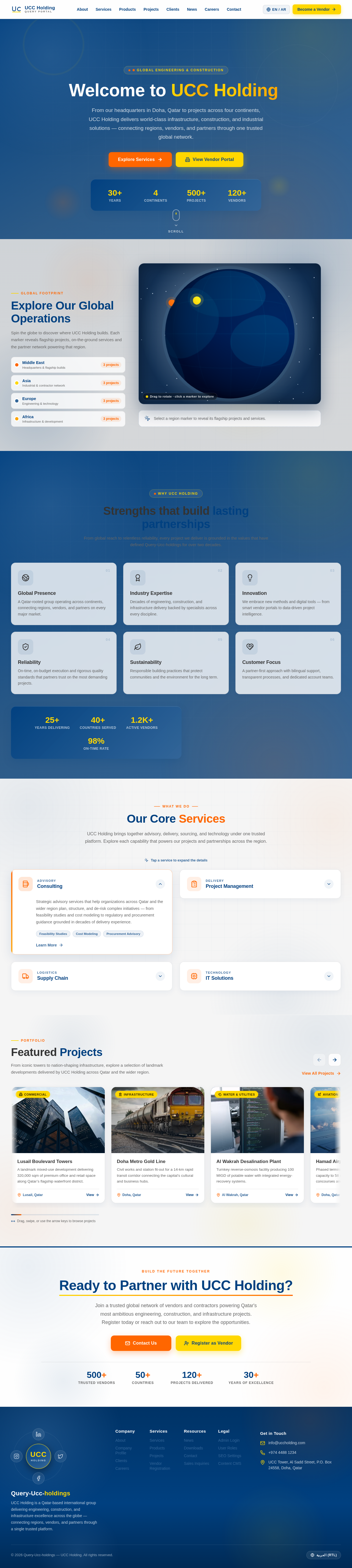
From our headquarters in Doha, Qatar to projects across four continents, UCC Holding delivers world-class infrastructure, construction, and industrial solutions — connecting regions, vendors, and partners through one trusted global network.
Global Footprint
Spin the globe to discover where UCC Holding builds. Each marker reveals flagship projects, on-the-ground services and the partner network powering that region.
From global reach to relentless reliability, every project we deliver is grounded in the values that have defined Query-Ucc-holdings for over two decades.
A Qatar-rooted group operating across continents, connecting regions, vendors, and partners on every major market.
Decades of engineering, construction, and infrastructure delivery backed by specialists across every discipline.
We embrace new methods and digital tools — from smart vendor portals to data-driven project intelligence.
On-time, on-budget execution and rigorous quality standards that partners trust on the most demanding projects.
Responsible building practices that protect communities and the environment for the long term.
A partner-first approach with bilingual support, transparent processes, and dedicated account teams.
UCC Holding brings together advisory, delivery, sourcing, and technology under one trusted platform. Explore each capability that powers our projects and partnerships across the region.
From iconic towers to nation-shaping infrastructure, explore a selection of landmark developments delivered by UCC Holding across Qatar and the wider region.
 Commercial
A landmark mixed-use development delivering 320,000 sqm of premium office and retail space along Qatar’s flagship waterfront district.
 Infrastructure
Civil works and station fit-out for a 14-km rapid transit corridor connecting the capital’s cultural and business hubs.
 Water & Utilities
Turnkey reverse-osmosis facility producing 100 MIGD of potable water with integrated energy-recovery systems.
 Aviation
Phased terminal expansion increasing annual capacity to 58 million passengers with new concourses and apron works.
 Industrial
Heavy-duty logistics and manufacturing campus featuring pre-engineered structures and a dedicated utility backbone.
 Healthcare
Specialist orthopaedic and rehabilitation centre delivered to international healthcare accreditation standards.
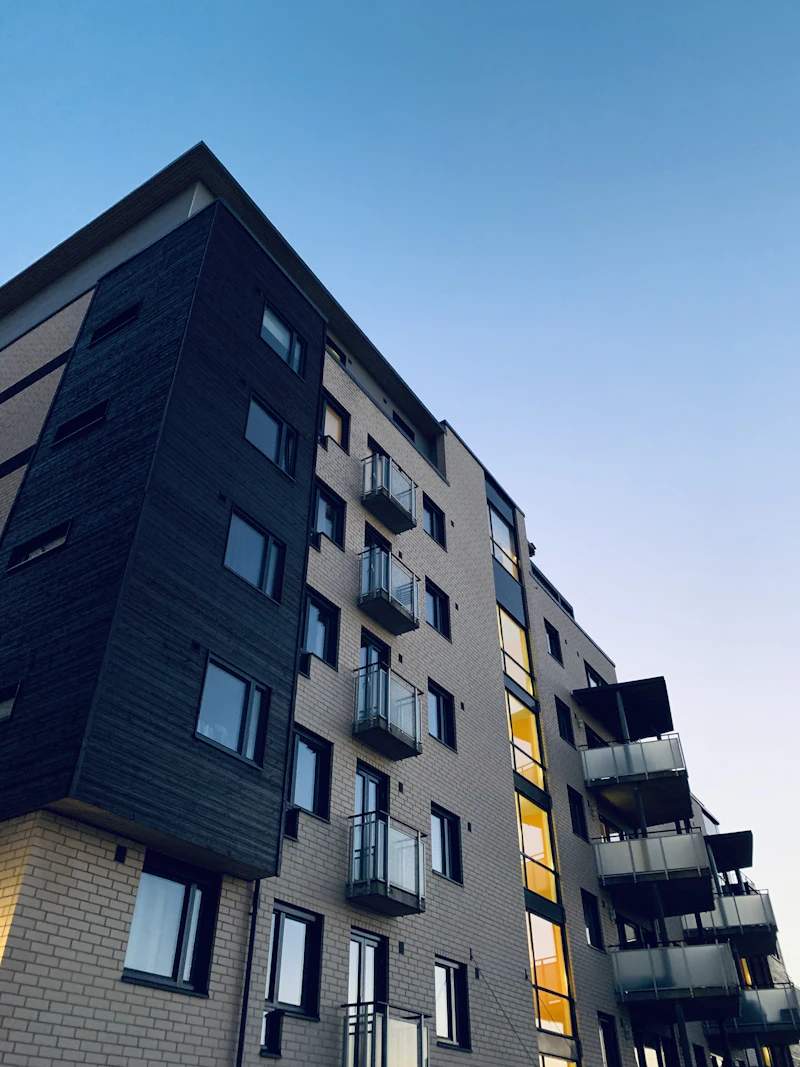 Residential
Luxury waterfront residences with marine works, podium landscaping and a private yacht promenade.
 Infrastructure
Dual-carriageway upgrade with grade-separated interchanges improving northern connectivity and freight flow.
Join a trusted global network of vendors and contractors powering Qatar's most ambitious engineering, construction, and infrastructure projects. Register today or reach out to our team to explore the opportunities.
No comments yet. Be the first!