PDF Chatbot
 Sharvari Gohane
Build a complete production-style PDF Chatbot using Python, Streamlit, LangChain, Google Gemini API, and FAISS. Requirements: Allow users to upload multiple PDF files. Extract text from PDFs. Split documents into chunks. Generate embeddings and store them in FAISS. Implement Retrieval-Augmented Generation (RAG). Use Gemini API to answer questions based only on the uploaded PDFs. Show source text chunks used for the answer. Create a clean and modern Streamlit UI. Include error handling and loading indicators. Generate a requirements.txt file. Generate a README.md with setup instructions. Organize the code into multiple files following best practices. Explain the project architecture.


Comments (0)
Sign in to leave a comment
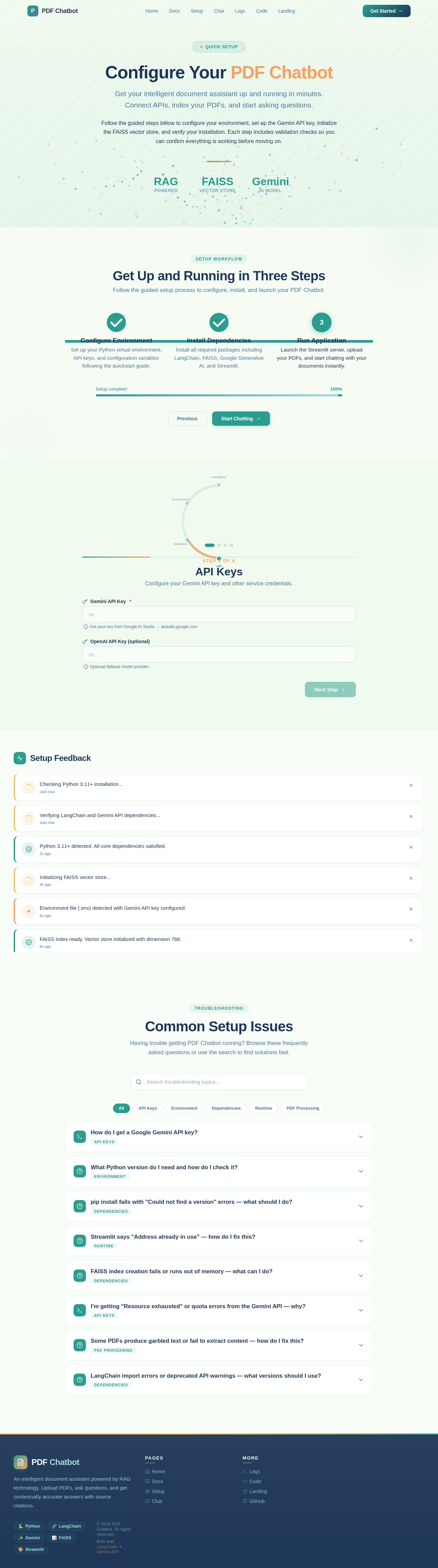
Configure Your PDF Chatbot
Get your intelligent document assistant up and running in minutes. Connect APIs, index your PDFs, and start asking questions.
Follow the guided steps below to configure your environment, set up the Gemini API key, initialize the FAISS vector store, and verify your installation. Each step includes validation checks so you can confirm everything is working before moving on.
Get Up and Running in Three Steps
Follow the guided setup process to configure, install, and launch your PDF Chatbot.
Configure Environment
Set up your Python virtual environment, API keys, and configuration variables following the quickstart guide.
Install Dependencies
Install all required packages including LangChain, FAISS, Google Generative AI, and Streamlit.
Run Application
Launch the Streamlit server, upload your PDFs, and start chatting with your documents instantly.
API Keys
Configure your Gemini API key and other service credentials.
Setup Feedback
Checking Python 3.11+ installation...
Verifying LangChain and Gemini API dependencies...
Python 3.11+ detected. All core dependencies satisfied.
Initializing FAISS vector store...
Environment file (.env) detected with Gemini API key configured.
FAISS index ready. Vector store initialized with dimension 768.
Building document chunker pipeline...
Port 8501 is already in use. Streamlit cannot bind to the default port.
Common Setup Issues
Having trouble getting PDF Chatbot running? Browse these frequently asked questions or use the search to find solutions fast.
No comments yet. Be the first!