Woodcraft
DYI
by Monish Raj
Monish RajI run a small DIY product business and I want to create a complete digital platform for my business. My business has a small product catalogue with a maximum of 6 products. The products are handmade/DIY products, and some products are essential/basic items while others are final/complete products. One example could be a miniature home or similar DIY creation. I want customers to discover my products, understand what each product is, explore the details, and purchase them directly from the website. Create the complete product experience for this business, including the customer-facing website and an admin dashboard for managing the business. CUSTOMER WEBSITE The website should allow customers to: - Discover the brand and understand what the business creates - Explore all available DIY products - View individual product details - Understand what is included in each product - See product images and different product information - Add products to cart - Add products to wishlist - Purchase products through checkout - Complete online payment - View their orders - Track delivery progress - View previous orders - Manage their profile The website should also include common brand/content pages such as: - About Us - How We Make / Our Process - Contact Us - Careers - Testimonials - A visual section showing the making/DIY process - Product highlights and brand story The overall experience should make the products feel special and handcrafted rather than like a generic ecommerce store. ADMIN DASHBOARD Create an admin dashboard where the business owner can manage: - Overview / business dashboard - Products - Product details and pricing - Inventory / stock - Orders - Order status and delivery progress - Customers - Wishlist/activity insights - Sales - Revenue - Best-selling products - Low-stock products - Basic business analytics The dashboard should be practical for a small business owner with only a few products. Avoid unnecessary enterprise-level complexity. IMPORTANT PRODUCT LOGIC The platform should understand that this is a small DIY business, not a large ecommerce marketplace. There are only a few products, so the experience should focus on storytelling, product discovery, craftsmanship, trust, and conversion rather than showing hundreds of products. Customers should be able to clearly understand: What is the product? What does it include? How is it made? Why is it special? How much does it cost? How long does delivery take? How can I buy it? Create a logical user journey from discovering the brand → exploring products → viewing product details → adding to wishlist/cart → checkout → payment → order tracking. For the admin journey, create a simple flow from dashboard → product/stock management → order management → sales insights. DESIGN DIRECTION The website should have a strong DIY / handmade / creative identity. Do NOT make it look like a typical ecommerce website with repetitive rectangular sections, generic cards, standard SaaS layouts, or a template-style section divider. The visual language should feel inspired by: - Handmade craft - DIY worktables - Paper, sketches and cut-outs - Craft materials - Miniature making - Workshop environments - Product assembly - Creative storytelling Use these ideas subtly in the UI rather than turning the website into an illustration-heavy children's website. The design should feel modern, premium, creative and commercially usable. Use interesting compositions, layered content, organic shapes, visual storytelling, editorial-style sections, product photography areas, subtle craft-inspired details and transitions between sections. The website should feel like a real creative DIY brand, not a generic ecommerce template. Keep the customer website visually expressive, while keeping the admin dashboard clean, practical and data-focused. Create a clear separation between: 1. Customer Website 2. Customer Account / Shopping Experience 3. Admin Dashboard Before generating the final screens, establish a logical product structure and user flow based on the requirements above.

Comments (0)
Sign in to leave a comment
Project Tasks
No tasks generated yet.
Tasks will appear here as requirements are defined.
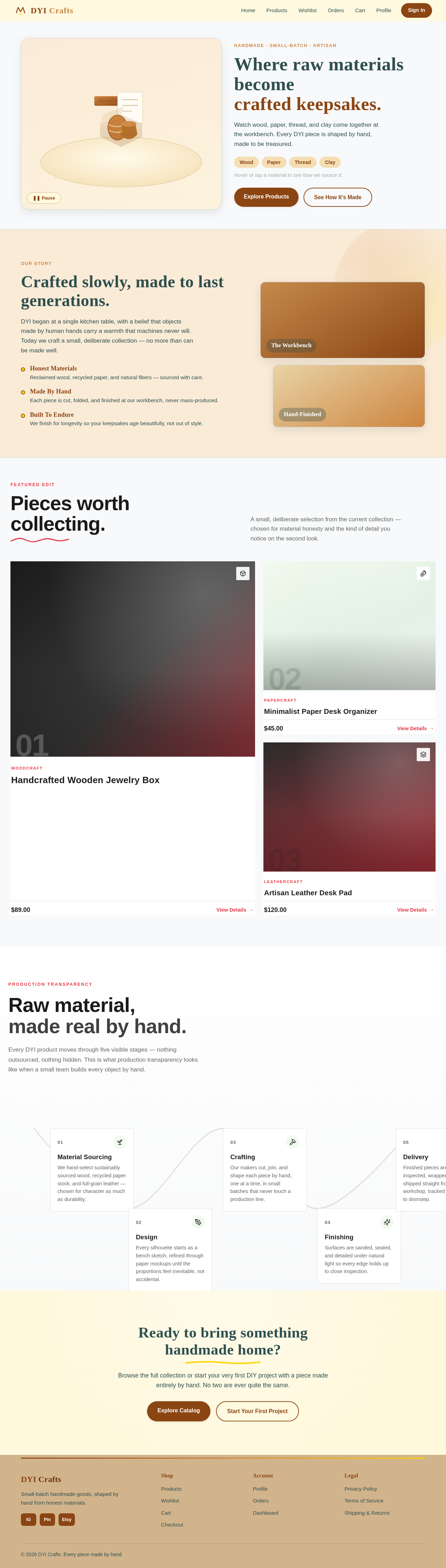
Handmade · Small-batch · ArtisanWhere raw materials become
Where raw materials become
crafted keepsakes.
Watch wood, paper, thread, and clay come together at the workbench. Every DYI piece is shaped by hand, made to be treasured.
Hover or tap a material to see how we source it.
Our Story
Crafted slowly, made to last generations.
DYI began at a single kitchen table, with a belief that objects made by human hands carry a warmth that machines never will. Today we craft a small, deliberate collection — no more than can be made well.
Honest Materials
Reclaimed wood, recycled paper, and natural fibers — sourced with care.
Made By Hand
Each piece is cut, folded, and finished at our workbench, never mass-produced.
Built To Endure
We finish for longevity so your keepsakes age beautifully, not out of style.
The Workbench
Hand-Finished
Featured EditPieces worth
Pieces worth
collecting.
A small, deliberate selection from the current collection — chosen for material honesty and the kind of detail you notice on the second look.
Papercraft
Minimalist Paper Desk Organizer
Leathercraft
Artisan Leather Desk Pad
Production TransparencyRaw material,
Raw material,
made real by hand.
Every DYI product moves through five visible stages — nothing outsourced, nothing hidden. This is what production transparency looks like when a small team builds every object by hand.
- 01
Material Sourcing
We hand-select sustainably sourced wood, recycled paper stock, and full-grain leather — chosen for character as much as durability.
- 02
Design
Every silhouette starts as a bench sketch, refined through paper mockups until the proportions feel inevitable, not accidental.
- 03
Crafting
Our makers cut, join, and shape each piece by hand, one at a time, in small batches that never touch a production line.
- 04
Finishing
Surfaces are sanded, sealed, and detailed under natural light so every edge holds up to close inspection.
- 05
Delivery
Finished pieces are inspected, wrapped, and shipped straight from our workshop, tracked from bench to doorstep.
Ready to bring something handmade home?
Browse the full collection or start your very first DIY project with a piece made entirely by hand. No two are ever quite the same.
Handmade · Small-batch · ArtisanWhere raw materials become
Where raw materials become
crafted keepsakes.
Watch wood, paper, thread, and clay come together at the workbench. Every DYI piece is shaped by hand, made to be treasured.
Hover or tap a material to see how we source it.
Our Story
Crafted slowly, made to last generations.
DYI began at a single kitchen table, with a belief that objects made by human hands carry a warmth that machines never will. Today we craft a small, deliberate collection — no more than can be made well.
Honest Materials
Reclaimed wood, recycled paper, and natural fibers — sourced with care.
Made By Hand
Each piece is cut, folded, and finished at our workbench, never mass-produced.
Built To Endure
We finish for longevity so your keepsakes age beautifully, not out of style.
The Workbench
Hand-Finished
Featured EditPieces worth
Pieces worth
collecting.
A small, deliberate selection from the current collection — chosen for material honesty and the kind of detail you notice on the second look.
Woodcraft
Handcrafted Wooden Jewelry Box
Papercraft
Minimalist Paper Desk Organizer
Leathercraft
Artisan Leather Desk Pad
Production TransparencyRaw material,
Raw material,
made real by hand.
Every DYI product moves through five visible stages — nothing outsourced, nothing hidden. This is what production transparency looks like when a small team builds every object by hand.
- 01
Material Sourcing
We hand-select sustainably sourced wood, recycled paper stock, and full-grain leather — chosen for character as much as durability.
- 02
Design
Every silhouette starts as a bench sketch, refined through paper mockups until the proportions feel inevitable, not accidental.
- 03
Crafting
Our makers cut, join, and shape each piece by hand, one at a time, in small batches that never touch a production line.
- 04
Finishing
Surfaces are sanded, sealed, and detailed under natural light so every edge holds up to close inspection.
- 05
Delivery
Finished pieces are inspected, wrapped, and shipped straight from our workshop, tracked from bench to doorstep.
Ready to bring something handmade home?
Browse the full collection or start your very first DIY project with a piece made entirely by hand. No two are ever quite the same.
No comments yet. Be the first!