Baby Teeth Braces
Build an orthodontic site that specializes in braces for baby teeth. Use images and photos of pround parents releaved that their toddler now has straight teeth. Nevermind the fact that all of those teeth are going to fall out!


Comments (0)
Sign in to leave a comment
Project Tasks22
Implement TestimonialsHero for Testimonials
As a frontend developer, implement the TestimonialsHero section for the Testimonials page. This section renders a full-width hero using Framer Motion animations with `headlineVariants`, `subVariants`, `iconRowVariants`, `iconVariants`, and `statsVariants` animation configs. Includes: a decorative background layer (`th-bg-layer`) with three large subtle emoji icons (🦷 ⭐ 😊) positioned via CSS classes `th-bg-icon--1/2/3`; an animated accent line using `motion.div` with keyframed width animation `[0, 48, 64]`; an eyebrow badge with star and 'Parent Testimonials' text; a `motion.h1` headline reading 'Real Stories from Happy Parents' with `.th-highlight` span styling; a `motion.p` subheadline referencing Baby Teeth Braces; a staggered icon row from `decorativeIcons` array (😊 ⭐ 💙 ✨ 🦷) using `iconRowVariants` with `staggerChildren: 0.08`; and a stats row from `statData` array (1,200+ Happy Little Smiles, 98% Parent Satisfaction, 15+ Years of Experience) animated with `statsVariants`. All animations trigger on mount (`initial`/`animate`). Import `TestimonialsHero.css` for layout. No backend calls.
Implement TestimonialsGrid for Testimonials
As a frontend developer, implement the TestimonialsGrid section for the Testimonials page. This section renders a responsive grid of testimonial cards using Framer Motion with `whileInView` viewport-based reveal animations. Includes: a custom `StarIcon` SVG component accepting a `filled` boolean prop with `.tg-star` and `.tg-star-empty` CSS classes; a `VerifiedIcon` SVG component with a checkmark path rendered in white (#FFFFFF); a `testimonials` array of 4+ objects each containing `id`, `parentName`, `initials`, `childAge`, `emojiBefore`, `emojiAfter`, `rating`, and `text` fields (e.g., Sarah Mitchell / 'SM' / 3yo, David Okonkwo / 'DO' / 4yo, Jennifer Park / 'JP' / 2.5yo, Marcus Williams / 'MW' / 5yo). Each card renders the parent's initials avatar, before/after emoji transition, star rating row using `StarIcon`, testimonial body text, parent name, child age, and the `VerifiedIcon` badge. Cards animate in with staggered `whileInView` transitions. Import `TestimonialsGrid.css` for grid layout. No backend calls.
Implement FeaturedStory for Testimonials
As a frontend developer, implement the FeaturedStory section for the Testimonials page. This section renders a two-column featured testimonial layout using Framer Motion `whileInView` viewport animations with `fadeInUp` (opacity+y) and `scaleIn` (opacity+scale) variants, each using the custom cubic-bezier ease `[0.25, 0.46, 0.45, 0.94]`. Left column (`fs-images`) contains two image panels loaded from Unsplash URLs (600×450, `fit=crop&crop=faces`): a 'Before' panel (photo-1606811841689-23dfddce3e95, age 3 initial consultation) and an 'After' panel (photo-1606811971618-4486d14f3f99, blue badge, age 4 after 8 months), separated by an `fs-arrow-indicator` with `fs-arrow-line` decorators and 'Transformation' label. Right column (`fs-story`) includes: an `fs-badge` with animated dot and 'Featured Story' text; an `fs-divider` HR; a `blockquote` with `fs-quote` styling containing `“` and `”` entities with two `fs-highlight` spans ('genuinely amazed', 'blossomed'); and additional story detail elements. Both columns animate with `custom` prop indices (0 and 1) for staggered `fadeInUp` delays. `fs-surface-layer` provides a decorative background layer. Import `FeaturedStory.css`. No backend calls.
Implement TestimonialsCTA for Testimonials
As a frontend developer, implement the TestimonialsCTA section for the Testimonials page. This section is an interactive CTA with cursor-reactive parallax effects using `useState`, `useCallback`, `useEffect`, and `useRef` hooks from React, plus `motion`, `AnimatePresence` from Framer Motion and `Calendar`, `ArrowRight`, `Heart`, `Star` icons from lucide-react. State: `cursorPos` ({ x: 0.5, y: 0.5 }) and `hovered` (boolean) are tracked via `onMouseMove` and `onMouseLeave` handlers on the root `section` element (ref: `rootRef`). A `useEffect` applies `--cursor-x` and `--cursor-y` CSS custom properties directly to the root element for CSS-driven glow positioning. Decorative floating layer (`tcta-bubbles`) maps over `bubbleConfig` array (7 items with `size`, `top`, `left`, `speed`, `type` fields) — `type: 'smile'` renders `.tcta-bubble-smile` divs with ☺ emoji, `type: 'bubble'` renders `.tcta-bubble` divs — each bubble's `transform: translate(offsetX, offsetY)` is computed as `(cursorPos.x - 0.5) * b.speed * 120` for live parallax. An ambient `.tcta-glow` div toggles `opacity` between 0.5 (hovered) and 0.2 (idle). Headline uses `headlineParts` array with `accent` boolean to apply accent styling to 'Smile?'. CTA buttons include primary (Calendar icon + 'Book Free Consultation') and secondary (ArrowRight icon). Import `TestimonialsCTA.css`. No backend calls.
Implement EducationHero for Education
As a frontend developer, implement the EducationHero section for the Education page. This section uses framer-motion with six distinct animation variants (breadcrumbFade, headlineFade, subFade, ctaFade, statsFade, decoEnter) to stagger-animate a breadcrumb nav, headline, subtitle, CTA buttons, stats row, and decorative icons into view. Three inline SVG icon components are defined — SmileIcon, ToothIcon, and StarIcon — each rendered as motion.div elements with decoEnter (opacity 0→1, scale 0.7→1, 0.7s ease, 0.55s delay). The section uses edhero-root, edhero-surface (decorative background panel), edhero-decorations (aria-hidden), and edhero-deco--smile-1/2 and edhero-deco--tooth-1 positioned CSS classes. Imports StarIcon.css and EducationHero.css for layout tokens. The hero communicates the Education page value prop with animated stats. No API calls.
Implement EducationContentGrid for Education
As a frontend developer, implement the EducationContentGrid section for the Education page. This section manages a CATEGORIES filter array ('All', 'Early Intervention', 'Smile Development', 'Parent Tips') with useState for active category selection, and uses useMemo to derive a filtered subset of the ARTICLES array (6 article objects each with id, category, badge, headline, description, Unsplash image URL, imageAlt, and href). Renders article cards using framer-motion AnimatePresence for enter/exit transitions when the filter changes. Each card displays a badge chip, category label, headline, description excerpt, and a lazy-loaded image. Imports EducationContentGrid.css for the grid layout. No API calls — data is hardcoded in ARTICLES constant.
Implement EducationFeaturedArticle for Education
As a frontend developer, implement the EducationFeaturedArticle section for the Education page. This section uses a useState hook (imgLoaded) to control a lazy-load fade-in transition (opacity 0→1, 0.4s ease) on the featured article image. The EFA_ARTICLE constant defines a single featured article with label, badge ('Must Read'), headline, long description, readTime, pubDate, and an author object (name: 'Dr. Sarah Mitchell', role, initials: 'SM'). Layout is a two-column efa-grid: left column renders the Unsplash image with a positioned efa-image-badge overlay, right column renders efa-meta (pubDate + SVG clock icon + readTime), efa-headline h2, efa-description p, efa-author block (avatar with initials, name, role), and an efa-cta anchor linking to /Education. Imports a dedicated CSS file for layout and badge styling.
Implement EducationBenefits for Education
As a frontend developer, implement the EducationBenefits section for the Education page. This section renders a 4-item benefits grid using lucide-react icons (Smile, ShieldCheck, Heart, Sparkles). Framer-motion containerVariants applies staggerChildren: 0.15 on the eb-inner wrapper, triggered via whileInView (once: true, amount: 0.15). Each benefit card uses itemVariants (opacity 0→1, y: 30→0, 0.55s easeOut) and renders the lucide Icon at strokeWidth 1.8 inside eb-icon-wrap, followed by eb-benefit-headline h3 and eb-benefit-desc p. The section header includes an eb-overline span, eb-heading h2 (id: eb-heading for aria-labelledby), and eb-subtitle p. Data is hardcoded in the benefits array. Imports EducationBenefits.css.
Implement EducationCTA for Education
As a frontend developer, implement the EducationCTA section for the Education page. This section uses framer-motion with two animation variants: fadeUp (opacity 0→1, y: 28→0, staggered via custom delay index i) and scaleFade (opacity 0→1, scale 0.8→1) both triggered via whileInView (once: true, margin: '-60px'). Three inline SVG components are defined: ToothIcon (complex tooth path with var(--primary) accent circles and smile stroke), StarIcon (18×18 star for rating display), and ArrowRight (18×18 chevron for CTA button). A socialProof constant defines rating: 5 and text '2,000+ Parents Trust Us'. Background contains three ecta-decor-circle divs (aria-hidden) for decorative depth. The section renders the tooth icon, animated h2 headline (id: ecta-heading), and CTA button with ArrowRight arrow span. Imports ArrowRight.css and EducationCTA.css.
Database Models and Migrations
As a backend developer, define the MySQL/MariaDB database schema and SQLAlchemy ORM models. Create the following tables: appointments (id, parent_first_name, parent_last_name, parent_email, parent_phone, child_first_name, child_last_name, child_age, child_concerns, appointment_date, appointment_time, appointment_type, insurance_provider, insurance_id, insurance_file_path, status, created_at, updated_at), testimonials (id, parent_name, initials, child_age, emoji_before, emoji_after, rating, text, is_featured, status, created_at), articles (id, category, badge, headline, description, image_url, image_alt, href, read_time, pub_date, author_name, author_role, author_initials, created_at). Use Alembic for migrations. Create initial migration and seed scripts for articles and testimonials data. Ensure PII fields in appointments are encrypted at rest for HIPAA compliance.
Design System Theme Setup
As a frontend developer, set up the global design system and theme configuration for the Baby Teeth Braces site. Create a global CSS file or CSS custom properties file defining all color tokens from the SRD: --primary: #4A90E2, --primary-light: #B3D4FC, --secondary: #F5A623, --accent: #E94E77, --highlight: #F8E71C, --bg: #FFFFFF, --surface: rgba(74,144,226,0.1), --text: #333333, --text-muted: #777777, --border: rgba(233,233,233,0.5). Include global typography resets, responsive breakpoints, shared animation utility classes (for framer-motion reuse), and a base layout wrapper. Configure framer-motion globally if needed. This task must complete before any section-level frontend tasks begin. Note: frontend section tasks (15b77077, 2e952d64, 8e0613cc, c03688a5, 189bad56, 31b0cbe2, 34bd9657, 4ee9acf0, 78c95e39, a3ca9b3b, a8b2e48b, c3f60082, cdcb7521) depend on this.
Implement BookingHero for Booking
As a frontend developer, implement the BookingHero section for the Booking page. This section renders a `<section className='bh-root'>` with an animated badge (framer-motion `initial={{ opacity: 0, scale: 0.92 }}` → `animate={{ opacity: 1, scale: 1 }}`), an animated `<h1>` with a `<span className='bh-headline-em'>` highlight, an animated subheadline paragraph, a `bh-divider`, and a `flowSteps` array of 3 steps (Pick a Date, Tell Us About Your Child, Confirm & Relax) each with an inline SVG icon, title, and desc. The steps are rendered using `containerVariants` (staggerChildren: 0.13, delayChildren: 0.1) and `itemVariants` (opacity/y fade-in, duration 0.5) via framer-motion `motion.div`. All entrance animations use `animate` (not `whileInView`) for immediate on-load rendering. Styles live in `BookingHero.css`. Note: this is the first section of the Booking page and depends on Education page tasks to establish page-level chaining.
Appointments API Endpoints
As a backend developer, implement the appointments REST API using FastAPI. Create endpoints: POST /api/appointments (create appointment with HIPAA-compliant data handling), GET /api/appointments/{id} (retrieve appointment details), GET /api/appointments/slots?date={date} (retrieve available time slots for a given date), and PATCH /api/appointments/{id}/status (update appointment status). Include input validation with Pydantic models for all 15 form fields (parentFirstName, parentLastName, parentEmail, parentPhone, childFirstName, childLastName, childAge, childConcerns, appointmentDate, appointmentTime, insuranceProvider, insuranceId, insuranceFile, appointmentType). Ensure all patient data is encrypted at rest and in transit per HIPAA requirements. Sends confirmation email on successful booking.
Testimonials API Endpoints
As a backend developer, implement the testimonials REST API using FastAPI. Create endpoints: GET /api/testimonials (list all approved testimonials with optional pagination), GET /api/testimonials/featured (retrieve the single featured testimonial for FeaturedStory section), POST /api/testimonials (submit a new testimonial, stored with status: pending), and PATCH /api/testimonials/{id}/approve (admin endpoint to approve testimonials). Pydantic models should include parentName, initials, childAge, emojiBefore, emojiAfter, rating, text, and isFeatured fields to align with the TestimonialsGrid and FeaturedStory frontend components.
Educational Content API Endpoints
As a backend developer, implement the educational content REST API using FastAPI. Create endpoints: GET /api/articles (list all articles with optional category filter query param), GET /api/articles/featured (retrieve the featured article for EducationFeaturedArticle section), GET /api/articles/{id} (retrieve a single article). Pydantic models should include id, category, badge, headline, description, imageUrl, imageAlt, href, readTime, pubDate, and author fields to align with EducationContentGrid and EducationFeaturedArticle frontend components. Seed the database with the 6 hardcoded articles from the frontend ARTICLES constant.
Frontend API Client Setup
As a frontend developer, set up a centralized API client for the React frontend to communicate with the FastAPI backend. Create an axios or fetch-based API client with base URL configuration (from environment variable REACT_APP_API_URL), request/response interceptors for error handling, and typed service modules for each resource: appointmentService (createAppointment, getAvailableSlots), testimonialService (getTestimonials, getFeaturedTestimonial), articleService (getArticles, getFeaturedArticle). Include environment variable setup for development (.env.development) and production (.env.production). This is a prerequisite for all integration tasks.
Implement AppointmentForm for Booking
As a frontend developer, implement the AppointmentForm section for the Booking page. This is a complex 4-step multi-step form using `useState` for `step` (0–3), `form` (INITIAL_FORM object with 15 fields), `errors`, and `submitted`. Steps are defined in the `STEPS` array: ['type', 'info', 'schedule', 'review']. Step 0 renders `APPOINTMENT_TYPES` (4 card options: Initial Consultation, Follow-Up Visit, Emergency Appointment, Brace Adjustment) as selectable cards. Step 1 renders parent/child info fields (parentFirstName, parentLastName, parentEmail, parentPhone, childFirstName, childLastName, childAge, childConcerns). Step 2 renders a date picker for `appointmentDate` and `TIME_SLOTS` grid (13 slots) for `appointmentTime`, plus optional insurance fields (insuranceProvider, insuranceId, insuranceFile upload). Step 3 is a review/confirmation screen. Navigation uses `validateStep(stepIndex)` with inline error display. Step transitions use framer-motion `AnimatePresence` with `slideVariants` (`enter: { x: 60, opacity: 0 }`, `center`, `exit: { x: -60, opacity: 0 }`). `updateField` uses `useCallback` to clear field errors on change. On submit, `setSubmitted(true)` shows a success state. Styles live in `AppointmentForm.css`.
Implement BookingFAQ for Booking
As a frontend developer, implement the BookingFAQ section for the Booking page. This section renders a `<section className='bfq-root'>` with a header containing a `bfq-eyebrow` span ('Got Questions?') and `<h2>` title ('Frequently Asked Questions'). It uses `useState` for `openId` (null by default) to track the single open accordion item. The `faqItems` array contains 6 FAQ entries (age, duration, pain, cost, preparation, aftercare) each with `id`, `question`, and `answer`. `handleToggle(id)` toggles `openId` — sets to `null` if already open, otherwise sets to the clicked id (accordion pattern). Answer visibility is controlled via framer-motion `AnimatePresence` with animated height/opacity transitions on the answer panel. Styles live in `BookingFAQ.css`. This section is independent of AppointmentForm and can be built in parallel.
Implement BookingCTA for Booking
As a frontend developer, implement the BookingCTA section for the Booking page. This section renders a `<section className='bcta-root'>` with three sub-areas: (1) A `bcta-headline` `motion.div` with `whileInView={{ opacity: 1, y: 0 }}` (viewport once, margin '-60px') containing an `<h2>` and supporting `<p>`. (2) A `bcta-trust-row` rendering the `trustBadges` array (3 items: Clinic Certified/AAPD Accredited, Parent Reviews/4.9★/320+, Board Certified/15+ Years) each as a `motion.div` using `badgeVariants` with custom `i` index for staggered `delay: i * 0.12` whileInView animations, each badge showing an emoji icon with class `bcta-badge-icon--cert/star/shield`, label, and value. (3) A `bcta-action-cards` div with 2 framer-motion cards using `cardVariants` (delay: `0.4 + i * 0.15`): a support/contact card with a phone SVG icon and a second emergency card, both with `whileInView` viewport animations. Styles live in `BookingCTA.css`.
Integrate Testimonials with API
As a Tech Lead, verify the end-to-end integration between the Testimonials page frontend sections (TestimonialsGrid, FeaturedStory) and the Testimonials backend API. Ensure TestimonialsGrid fetches from GET /api/testimonials and maps API response fields (parentName, initials, childAge, emojiBefore, emojiAfter, rating, text) to card props, FeaturedStory fetches from GET /api/testimonials/featured, loading states and empty states are handled gracefully, and animations still trigger correctly after async data loads. Note: depends on TestimonialsGrid (c3f60082), FeaturedStory (31b0cbe2), Testimonials API (temp_backend_testimonials), and API client (temp_api_client).
Integrate Education Content API
As a Tech Lead, verify the end-to-end integration between the Education page frontend sections (EducationContentGrid, EducationFeaturedArticle) and the Educational Content backend API. Ensure EducationContentGrid fetches from GET /api/articles?category={category} when filters are applied (replacing hardcoded ARTICLES constant), EducationFeaturedArticle fetches from GET /api/articles/featured (replacing hardcoded EFA_ARTICLE constant), category filter state correctly updates the API query param, AnimatePresence transitions still work after API-driven data changes, and loading/error states are handled. Note: depends on EducationContentGrid (a3ca9b3b), EducationFeaturedArticle (34bd9657), Content API (temp_backend_content), and API client (temp_api_client).
Integrate Appointment Booking Flow
As a Tech Lead, verify the end-to-end integration between the AppointmentForm frontend implementation and the Appointments backend API. Ensure the 4-step form (type → info → schedule → review) correctly posts to POST /api/appointments, that GET /api/appointments/slots is called when the user reaches the schedule step (Step 2) to populate available TIME_SLOTS dynamically, that API validation errors are surfaced inline in the form steps, and that the success/submission state reflects a real API response. Confirm HIPAA-compliant data transmission (HTTPS, no PII logged client-side). Note: depends on AppointmentForm task (15b77077) and Appointments API task (temp_backend_appointments) and API client (temp_api_client).
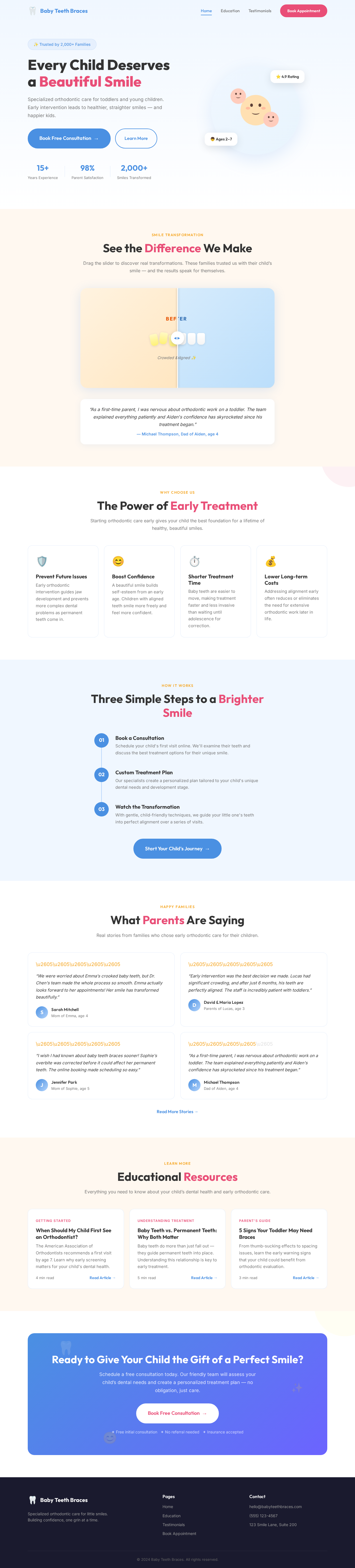
Every Child Deserves a Beautiful Smile
Specialized orthodontic care for toddlers and young children. Early intervention leads to healthier, straighter smiles — and happier kids.
See the Difference We Make
Drag the slider to discover real transformations. These families trusted us with their child’s smile — and the results speak for themselves.
“We were worried about Emma's crooked baby teeth, but Dr. Chen's team made the whole process so smooth. Emma actually looks forward to her appointments! Her smile has transformed beautifully.”
— Sarah Mitchell, Mom of Emma, age 4The Power of Early Treatment
Starting orthodontic care early gives your child the best foundation for a lifetime of healthy, beautiful smiles.
Prevent Future Issues
Early orthodontic intervention guides jaw development and prevents more complex dental problems as permanent teeth come in.
Boost Confidence
A beautiful smile builds self-esteem from an early age. Children with aligned teeth smile more freely and feel more confident.
Shorter Treatment Time
Baby teeth are easier to move, making treatment faster and less invasive than waiting until adolescence for correction.
Lower Long-term Costs
Addressing alignment early often reduces or eliminates the need for extensive orthodontic work later in life.
Three Simple Steps to a Brighter Smile
Book a Consultation
Schedule your child's first visit online. We'll examine their teeth and discuss the best treatment options for their unique smile.
Custom Treatment Plan
Our specialists create a personalized plan tailored to your child's unique dental needs and development stage.
Watch the Transformation
With gentle, child-friendly techniques, we guide your little one's teeth into perfect alignment over a series of visits.
What Parents Are Saying
Real stories from families who chose early orthodontic care for their children.
“We were worried about Emma's crooked baby teeth, but Dr. Chen's team made the whole process so smooth. Emma actually looks forward to her appointments! Her smile has transformed beautifully.”
“Early intervention was the best decision we made. Lucas had significant crowding, and after just 6 months, his teeth are perfectly aligned. The staff is incredibly patient with toddlers.”
“I wish I had known about baby teeth braces sooner! Sophie's overbite was corrected before it could affect her permanent teeth. The online booking made scheduling so easy.”
“As a first-time parent, I was nervous about orthodontic work on a toddler. The team explained everything patiently and Aiden's confidence has skyrocketed since his treatment began.”
Educational Resources
Everything you need to know about your child’s dental health and early orthodontic care.
When Should My Child First See an Orthodontist?
The American Association of Orthodontists recommends a first visit by age 7. Learn why early screening matters for your child's dental health.
Baby Teeth vs. Permanent Teeth: Why Both Matter
Baby teeth do more than just fall out — they guide permanent teeth into place. Understanding this relationship is key to early treatment.
5 Signs Your Toddler May Need Braces
From thumb-sucking effects to spacing issues, learn the early warning signs that your child could benefit from orthodontic evaluation.
Ready to Give Your Child the Gift of a Perfect Smile?
Schedule a free consultation today. Our friendly team will assess your child’s dental needs and create a personalized treatment plan — no obligation, just care.
Book Free Consultation →✦ Free initial consultation ✦ No referral needed ✦ Insurance accepted
No comments yet. Be the first!