gilded-notes
 Dev Kalyani
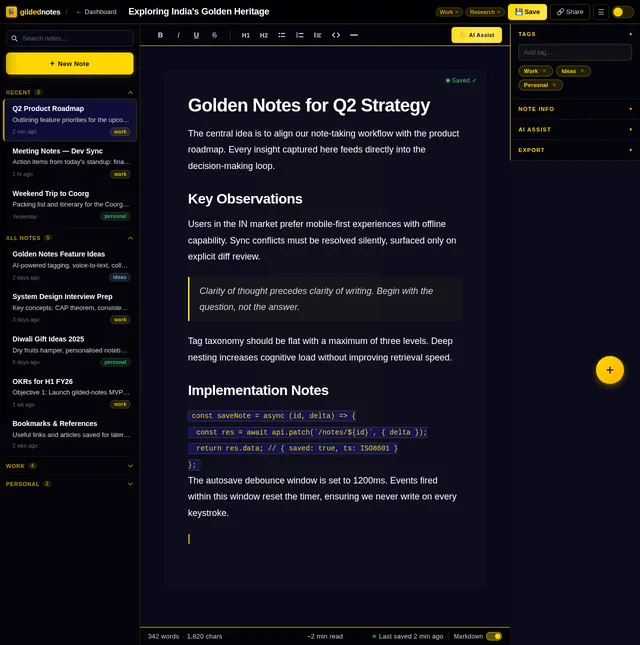
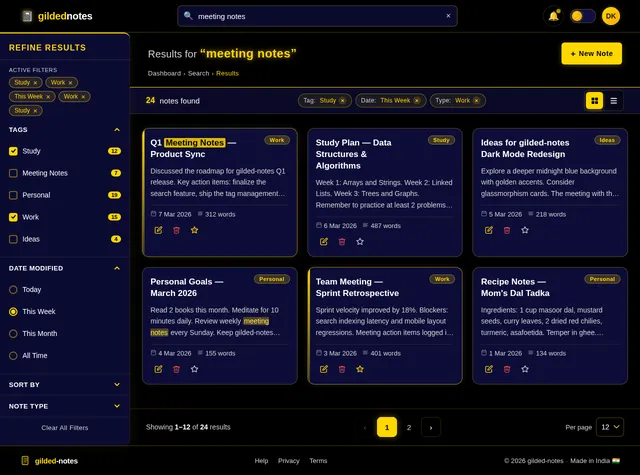
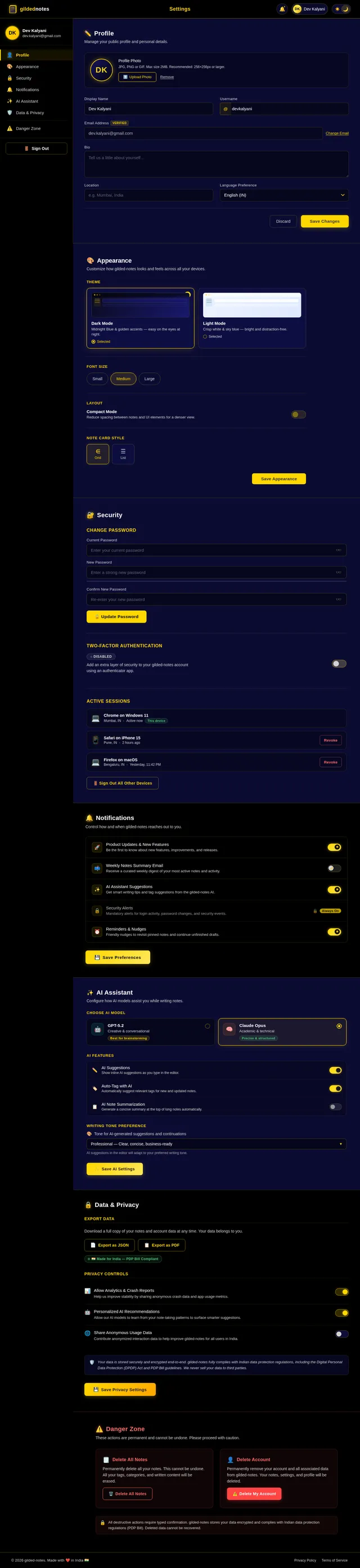
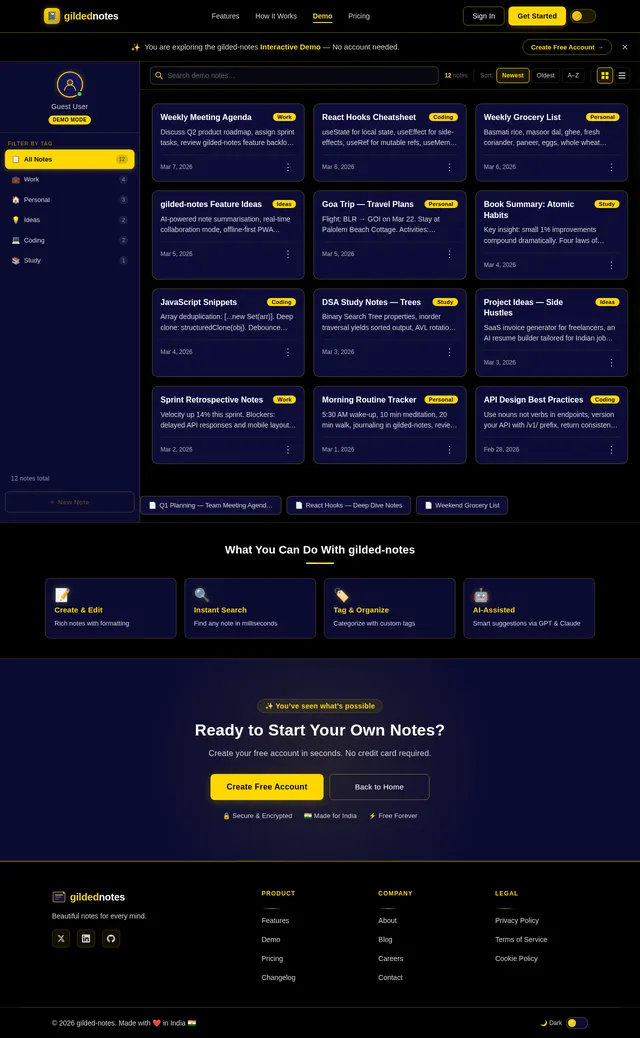
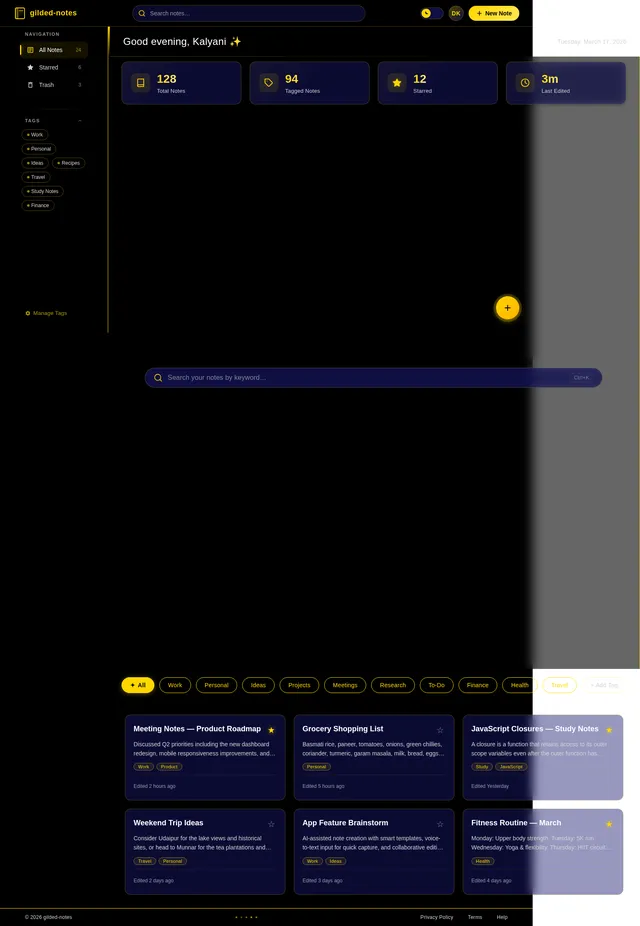
Create a notes taking web application. Features: - Create, edit, and delete notes - Search notes - Tag notes with categories - Dark and light mode - Responsive UI
Comments (0)
Sign in to leave a comment
System Requirements
System Requirements Document (SRD)
Project Name: gilded-notes
1. Introduction
The gilded-notes project is a responsive and feature-rich notes-taking web application tailored for users in India (IN). This application will empower users to create, edit, delete, search, and organize notes efficiently. Designed with usability, accessibility, and aesthetics in mind, gilded-notes will provide seamless functionality across devices and include both dark and light modes to suit user preferences.
This document outlines the system requirements for the development of gilded-notes, ensuring alignment with Dev Kalyani's vision and the needs of users in India.
2. System Overview
gilded-notes is a web-based application designed to simplify note-taking and organization. It will feature:
- A responsive user interface optimized for both desktop and mobile devices.
- CRUD (Create, Read, Update, Delete) functionality for notes.
- Advanced search capabilities to locate notes quickly.
- Categorization through tags for better organization.
- A toggleable dark/light mode for user comfort.
The application will be built using modern technologies, ensuring scalability, security, and performance.
3. Functional Requirements
As User:
- I should be able to create, edit, and delete notes.
- I should be able to search notes using keywords.
- I should be able to tag notes with categories for organization.
- I should be able to toggle between dark and light mode.
- I should be able to access the application on both desktop and mobile devices.
4. User Personas
1. Regular User
- Description: Individuals who use the application to manage personal or professional notes.
- Goals: Efficiently create, organize, and retrieve notes.
- Pain Points: Difficulty in finding notes quickly or managing large volumes of notes.
2. Guest User
- Description: Users who access the application without signing up.
- Goals: Explore the app's features and functionality before committing to full usage.
- Pain Points: Limited access to features without an account.
5. Visuals Colors and Theme
Color Palette:
- Primary Colors:
- Light Mode: White (#FFFFFF), Sky Blue (#87CEEB), Charcoal Gray (#333333).
- Dark Mode: Black (#000000), Midnight Blue (#191970), Light Gray (#D3D3D3).
- Accent Colors:
- Golden Yellow (#FFD700) for highlights and buttons.
- Emerald Green (#50C878) for success indicators.
- Font Colors:
- Light Mode: Black (#000000).
- Dark Mode: White (#FFFFFF).
Typography:
- Font Family: Roboto, sans-serif.
- Font Sizes:
- Headings: 24px - 32px.
- Body Text: 16px - 18px.
Theme:
The application will feature a clean, minimalist design with intuitive navigation. The dark/light mode toggle will be prominently displayed for easy access.
6. Signature Design Concept
Interactive Golden Notebook Landing Page
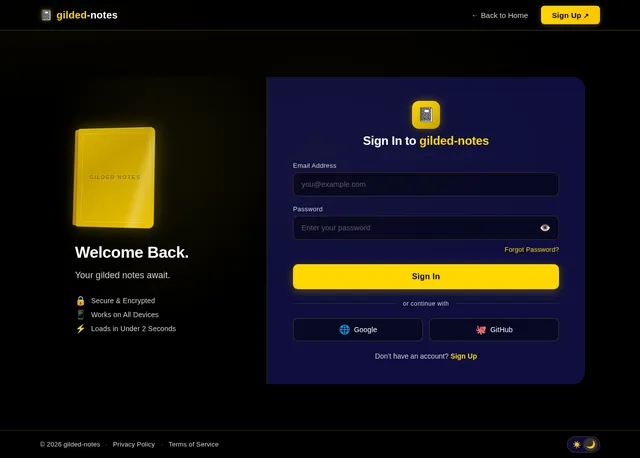
The homepage will feature a 3D animated golden notebook that opens when the user hovers over it. As the notebook opens, the pages will flip dynamically, revealing key sections of the application (e.g., "Create Notes," "Search Notes," "Tag Notes").
Animation Details:
- The notebook will shimmer with a subtle golden glow, emphasizing the "gilded" theme.
- Pages will flip with smooth transitions, accompanied by soft paper rustling sounds.
- Hovering over sections will highlight them with a glowing effect.
User Interaction:
- Clicking on a page will zoom into the respective feature, transitioning the user to the corresponding section of the app.
- The background will feature a gradient of golden hues transitioning to deep blues, creating a luxurious and calming aesthetic.
Micro-Interactions:
- Buttons will pulse gently when hovered over.
- The toggle for dark/light mode will animate as a sun and moon icon sliding across the screen.
This design will make the homepage unforgettable and set the tone for the rest of the application.
7. Non-Functional Requirements
- Performance: The application should load within 2 seconds on standard broadband connections.
- Scalability: Support up to 10,000 concurrent users.
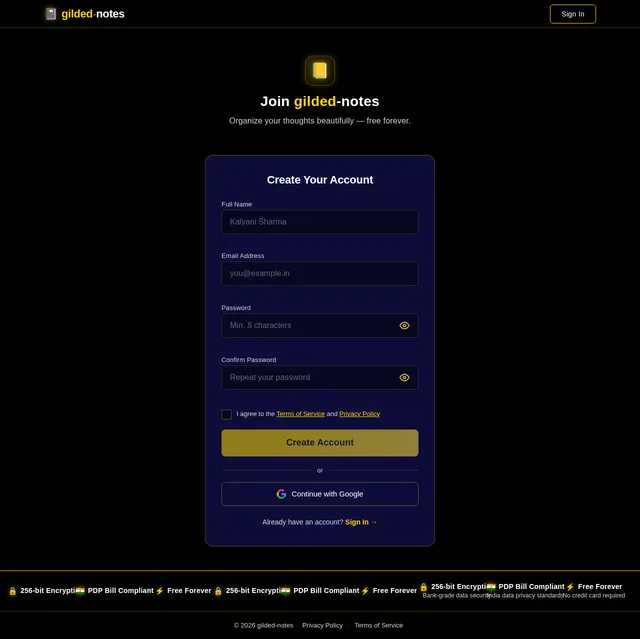
- Security: Implement secure authentication and data encryption.
- Localization: Default language set to English (IN).
- Accessibility: Ensure WCAG 2.1 compliance for users with disabilities.
8. Tech Stack
Frontend:
- React for Web.
Backend:
- Python with FastAPI.
Database:
- MySQL or MariaDB for structured data storage.
- Alembic for database migrations.
AI Models:
- GPT 5.2 for user-friendly responses.
- Claude 4.5 Opas for academic or coding-related notes.
AI Tools:
- Litellm for LLM Routing.
- Langchain for AI-driven workflows.
Local Orchestration:
- Docker and docker-compose.
Server-Side Orchestration:
- Kubernetes for scaling and management.
9. Assumptions and Constraints
Assumptions:
- Users will primarily access the application via modern browsers (Chrome, Firefox, Edge).
- The application will be hosted on cloud infrastructure.
Constraints:
- Limited budget for initial development and hosting.
- Compliance with Indian data protection laws (e.g., PDP Bill).
10. Glossary
- CRUD: Create, Read, Update, Delete.
- WCAG: Web Content Accessibility Guidelines.
- LLM: Large Language Model.
- Responsive UI: User interface that adapts to various screen sizes.
- Docker: A tool for containerizing applications.
- Kubernetes: A system for automating deployment, scaling, and management of containerized applications.
This document provides a comprehensive foundation for the development of gilded-notes. Dev, let me know if there are any additional features or adjustments you'd like to see!
No comments yet. Be the first!