swift-ai
 Hemen Ashodia
build an AI blog app

Comments (0)
Sign in to leave a comment
Project Tasks21
Implement Settings API
As a backend developer, I want to implement API endpoints for user settings: GET /settings, PUT /settings/profile, PUT /settings/generation (rate limit, frequency interval), PUT /settings/ai-models, PUT /settings/notifications, PUT /settings/security (password change, 2FA). Store settings per user in MySQL.
Implement Theme & Global Styles
As a frontend developer, I want to implement the swift-ai hacker theme design system — Black (#000000) background, White (#FFFFFF) text, Neon Blue (#00BFFF) accents, Dark Gray (#1E1E1E) secondary sections, Light Gray (#D4D4D4) non-primary text — by setting up global CSS custom properties, typography, shared component tokens, hacker-style animations (scrolling code background, ripple effects, terminal command line), and removing any scaffold pages not needed (plain welcome/placeholder pages). This task is independent and must be completed first before all page implementations.
Implement Topics CRUD API
As a backend developer, I want to implement RESTful API endpoints for topic management: GET /topics (list with pagination), POST /topics (create), PUT /topics/{id} (update), DELETE /topics/{id} (delete). Each topic has a name, description, status (active/paused), and associated source count. Built with FastAPI + MySQL via Alembic migrations.
Implement Sources CRUD API
As a backend developer, I want to implement RESTful API endpoints for source management: GET /sources, POST /sources, PUT /sources/{id}, DELETE /sources/{id}, with fields for URL, associated topic, status (active/paused/error), last checked timestamp, and articles generated count. Include a POST /sources/{id}/test-fetch endpoint for health checking. Built with FastAPI + MySQL.
Build Home Page
As a user, I want to experience the swift-ai Home page featuring the Interactive Hacker Workspace (Section 6 of SRD) — a live 'coding screen' effect with scrolling lines of code in the background, smooth fade-in and slide-in transitions mimicking terminal commands, micro-interactions with ripple effects on hover, and an interactive 'command line' at the bottom for navigation. Includes navigation to Login/Signup. Implement based on the hacker theme design system.
Implement Articles CRUD API
As a backend developer, I want to implement RESTful API endpoints for article management: GET /articles (with filters by topic/status), GET /articles/{id}, PUT /articles/{id} (edit content), POST /articles/{id}/publish (publish action), DELETE /articles/{id}. Stores article content, summary, image URL, topic reference, status, and timestamps in MySQL. Supports single article view with metadata, summary, and deduplication history.
Build Signup Page
As a new user, I want to use the Signup page to create a swift-ai account with name, email, and password fields, role selection (Admin/User), and a link back to Login. Apply the hacker theme with Black background, Neon Blue accents, and terminal-style animations consistent with the design system. Redirect to Dashboard after successful registration.
Implement Rate Limiting for Generation
As a backend developer, I want to implement a rate-limiting layer that enforces the user-configured max blogs per day setting. The system should track daily generation counts per user in MySQL, reject new generation jobs when the limit is reached, and expose current usage via GET /settings/generation/usage for the dashboard progress bar.
Build Login Page
As a user, I want to use the Login page to authenticate into swift-ai using my credentials. The page should match the hacker theme (Black background, Neon Blue accents, Dark Gray card), include email/password fields, a 'Forgot Password' link, a link to Sign Up, terminal-style micro-interactions, and redirect to the Dashboard on success. Align styles with the hacker theme design tokens.
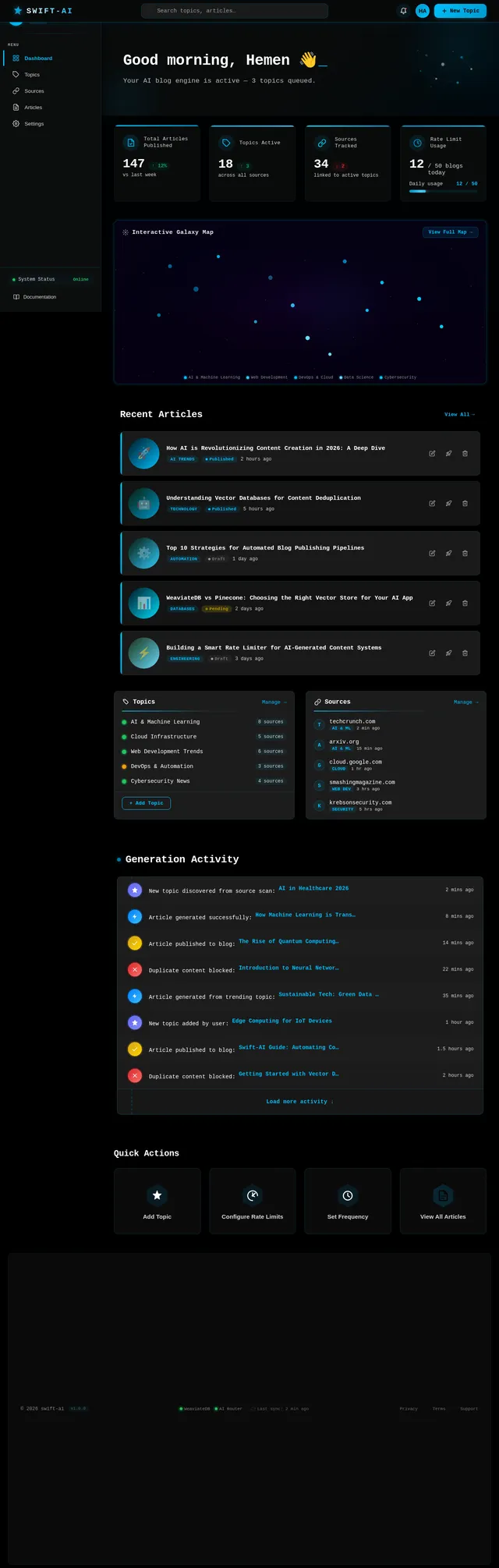
Build Dashboard Page
As a user, I want to use the Dashboard page to view quick stats on generated/published articles, monitor system status (WeaviateDB, AI Router), and navigate to Topics, Sources, Articles, and Settings. Implement based on the existing Dashboard (v6) JSX design with hacker theme — TopBar, Sidebar, WelcomeBanner, stats cards, recent articles feed, and StatusBar. Admin flow: Dashboard → Topics → Sources; User flow: Dashboard → Articles → Settings.
Implement Dashboard Stats API
As a backend developer, I want to implement API endpoints to power the Dashboard page: GET /dashboard/stats (total topics, total sources, articles generated today, articles published, rate limit usage), GET /dashboard/recent-articles (latest 5 articles), GET /dashboard/system-status (WeaviateDB connectivity, AI router health, last sync timestamp).
Implement Topic Source Scraper
As a backend developer, I want to implement a background worker that searches each active source URL for its associated topic, scrapes article headlines/summaries, and queues them for AI article generation. Should run at the user-configured frequency interval (30 min / 1 hr / 3 hr / 6 hr / daily). Built with Python + Langchain web loaders.
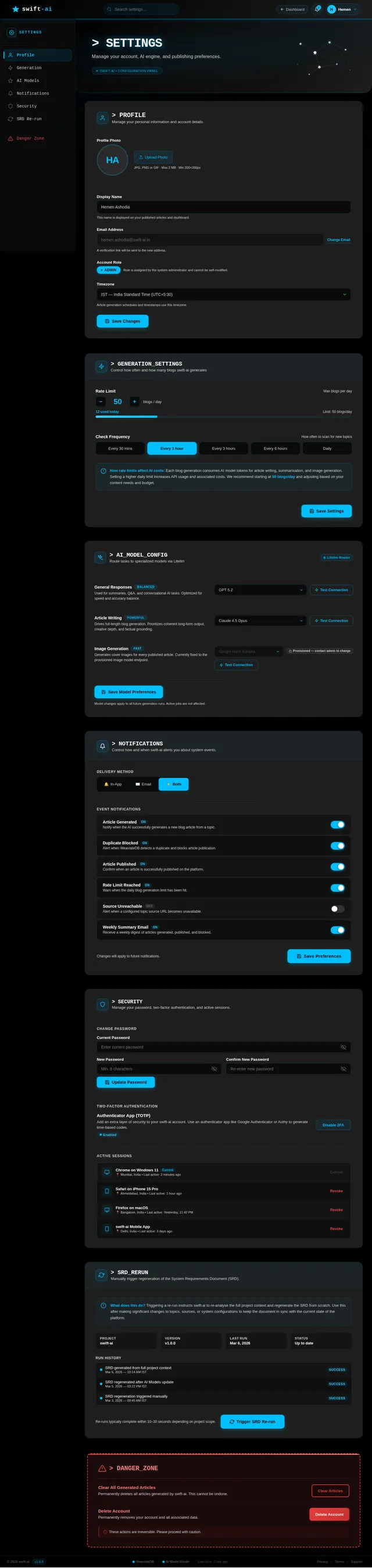
Build Settings Page
As a user, I want to use the Settings page to configure my profile, set rate limits (max blogs per day), select frequency intervals for topic checks (30 min / 1 hr / 3 hr / 6 hr / daily), configure AI model preferences, manage notifications, update security/password, and access the Danger Zone. Implement based on the existing Settings (v6) JSX design with hacker theme including SettingsHeader, SettingsNav, ProfileSettings, GenerationSettings, AIModelSettings, NotificationSettings, SecuritySettings, and DangerZone sections. Flow: Dashboard/Articles → Settings.
Build Articles Page
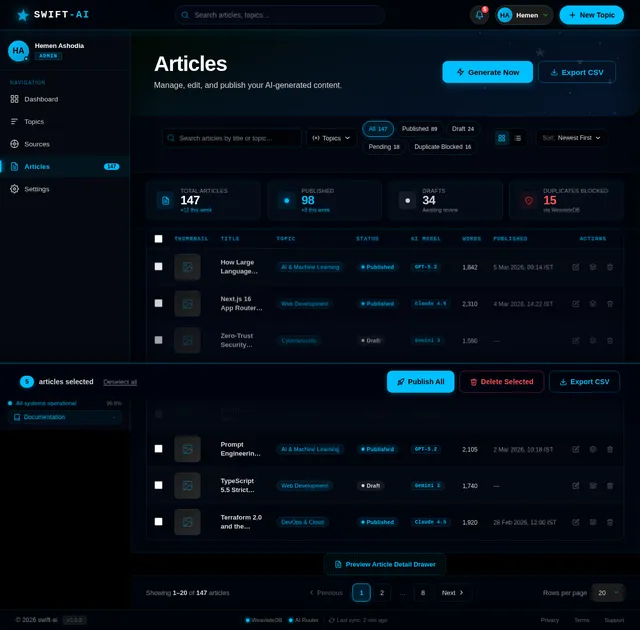
As a user, I want to use the Articles page to view all AI-generated articles, see their publication status, edit article content, and publish articles. The page should support filtering by topic/status, article preview cards, an edit modal/drawer, and publish actions. Implement based on the existing Articles (v5) JSX design with hacker theme. Flow: Dashboard → Articles → Filter Articles → Single Article.
Implement Article Deduplication with WeaviateDB
As a system, I want to write article summaries as vector embeddings to WeaviateDB and query for semantic similarity before generating a full article, so duplicate content is never published. If similarity score exceeds threshold, skip generation. If no duplicate found, proceed and save the new embedding after publishing.
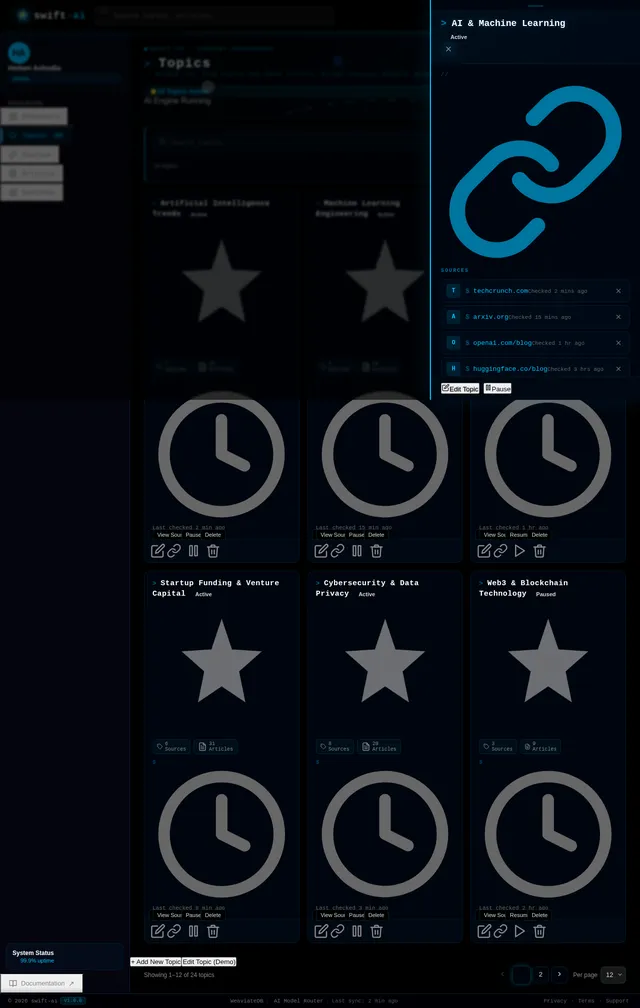
Build Topics Page
As a user, I want to use the Topics page to add, edit, delete, and manage my list of blog topics. The page should include a topic list/table, add/edit modal, topic status badges, search/filter toolbar, and source count per topic. Implement based on the existing Topics (v5) JSX design with hacker theme. Links to Sources page per topic. Flow: Dashboard → Topics → Sources.
Build Single Article Page
As a user, I want to view a single article in detail including Title, Featured Image, Full Article Text, Summary, Metadata (publication date, topic, source), Deduplication History, and Related Articles. The page should include options to Edit the article, Regenerate using AI, and Publish/Unpublish. Implement based on the existing Article (v2) JSX design with hacker theme. Flow: Articles → Single Article → Edit/Publish.
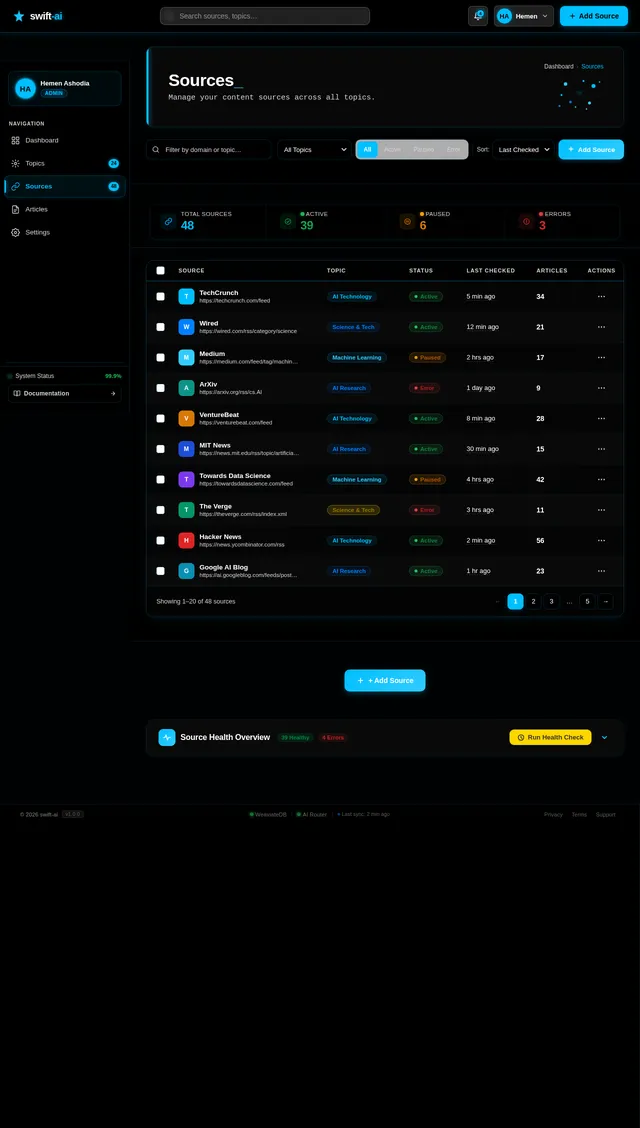
Build Sources Page
As a user, I want to use the Sources page to add, edit, delete, and manage content sources for each topic. The page should include SourcesPageHeader, SourcesToolbar (search/filter), SourcesStatsBar (total/active/paused/errors chips), SourcesTable (domain, topic, status, last checked, articles generated, actions), AddEditSourceModal, and SourceHealthPanel. Implement based on the existing Sources (v5) JSX design with hacker theme. Flow: Topics → Sources.
Implement AI Article Generation Pipeline
As a system, I want to use Litellm to route AI requests to GPT 5.2, Claude 4.5 Opus, or Gemini 3 Pro (configurable per user) to: (1) generate a brief article summary from scraped source content, (2) write the full article after deduplication check passes, and (3) return the generated content for storage and publishing. Integrate Langchain chains for prompt management.
Implement AI Image Generation
As a system, I want to use Google Nano Banana (via Litellm) to generate a relevant cover image for each newly written article. The image URL should be stored with the article record in MySQL and displayed on the Articles page and Single Article page.
Integrate Frontend with Backend APIs
As a frontend developer, I want to wire all page components (Dashboard, Topics, Sources, Articles, Single Article, Settings) to their corresponding backend REST APIs using a centralized API service layer (axios/fetch with auth headers, error handling, loading states, and toast notifications). Replace all mock/static data with live API responses.
No comments yet. Be the first!