autumn-automation
okay i need to create a project , i need you to create a automation system using which we can automate article genration tasks , so basically in that we will need to enter a simple automation tool that activates every Monday and thursday , it will already have the data of the user's industry and it will choose , it will do a websearch using apis ( either duck duck go or gemini or somehting that will be used to fetch the latest news about that industry withing last 72 to 84 hour ) , and based on that it will create a article about that in simple terms and easy to understand words and it will get autmatically publihsind on my website

Comments (0)
Sign in to leave a comment
Project Tasks18
Implement Theme & Color System
As a user I want to see a consistent autumn-themed visual identity across all pages. Implement global CSS variables and theme tokens: Primary #FF7F50, Secondary #8B4513, Accent #FFD700, Background #F5F5F5. Set up Open Sans (headings) and Georgia (body) typography. Apply theme to all existing scaffold pages (home, login, signup, welcome, dashboard/overview, dashboard/ai-assistant, dashboard/settings). Remove pages not needed per the design: remove dashboard/ai-assistant and dashboard/overview if replaced by new designs. Ensure all pages inherit the autumn-automation brand identity.
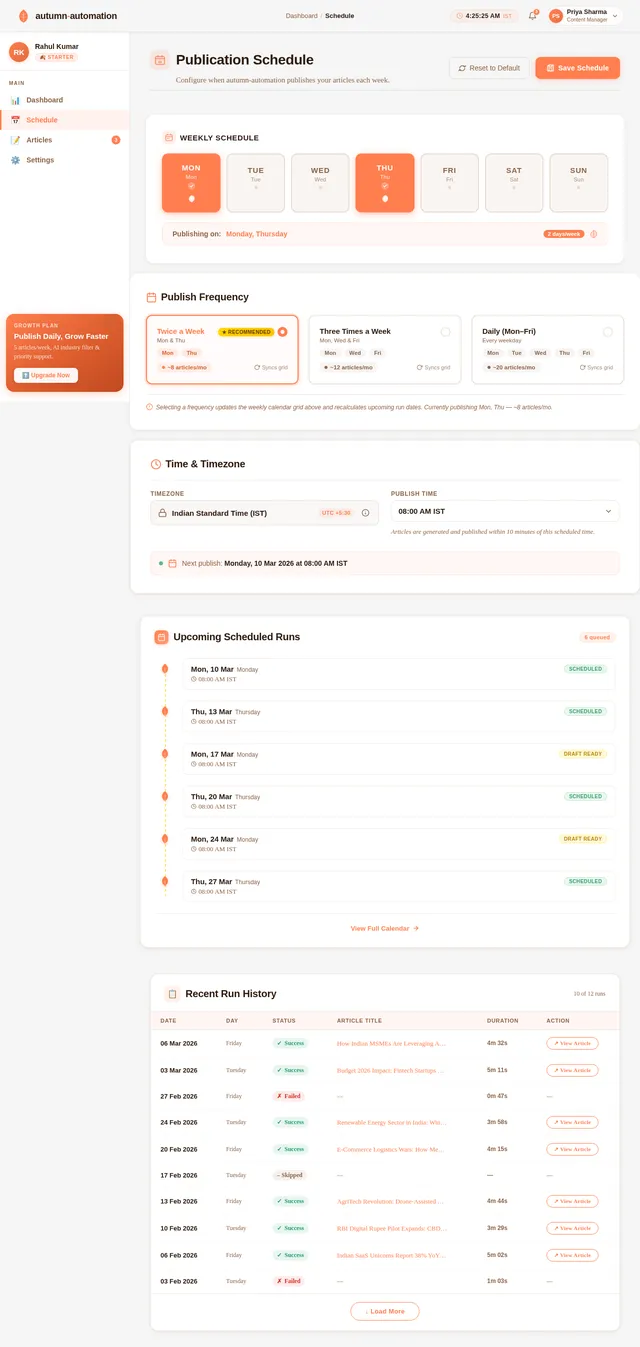
Build Schedule Page
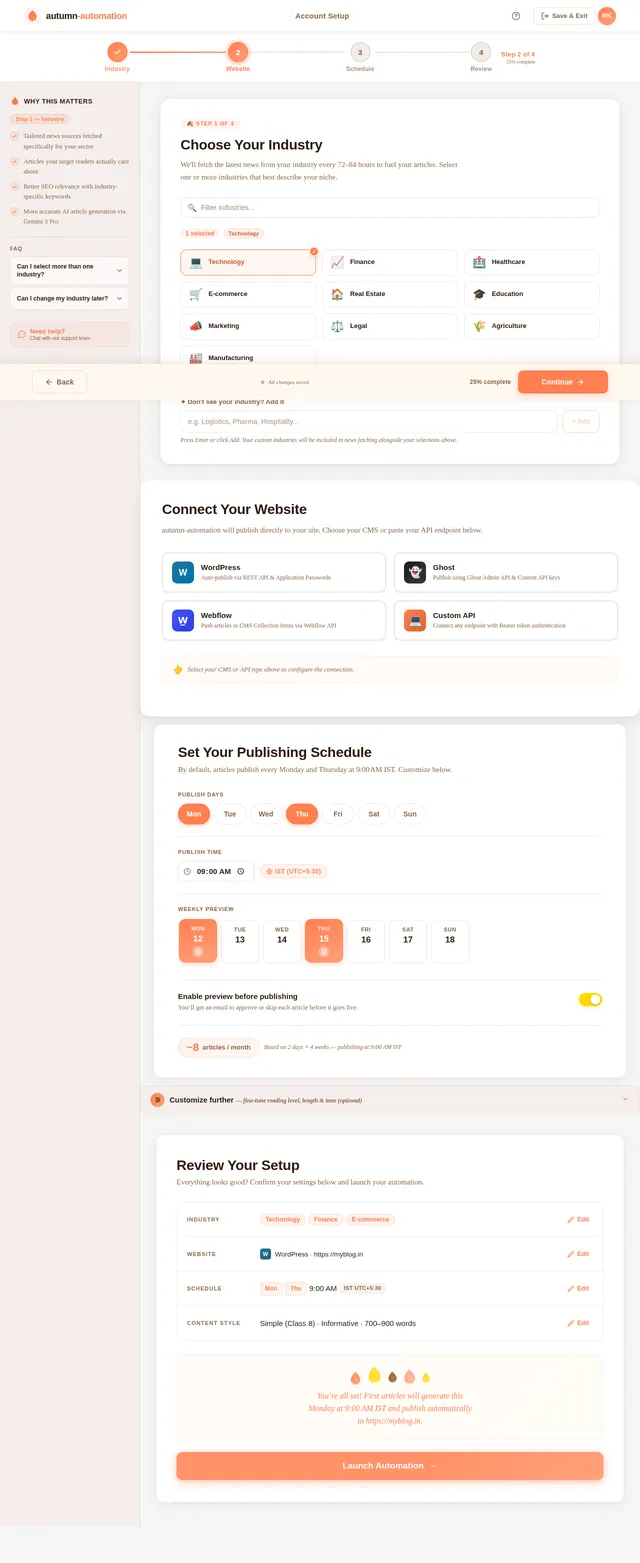
As a user I want to configure my publishing schedule on the Schedule page so articles are generated and published on my preferred days and times. Implement the Schedule page based on the existing JSX design (Schedule v2). Include: day-of-week selector (default Mon + Thu), time picker with IST timezone badge, weekly calendar preview, preview-before-publish toggle, articles-per-month estimator. Accessible from Dashboard.
Build Dashboard Page
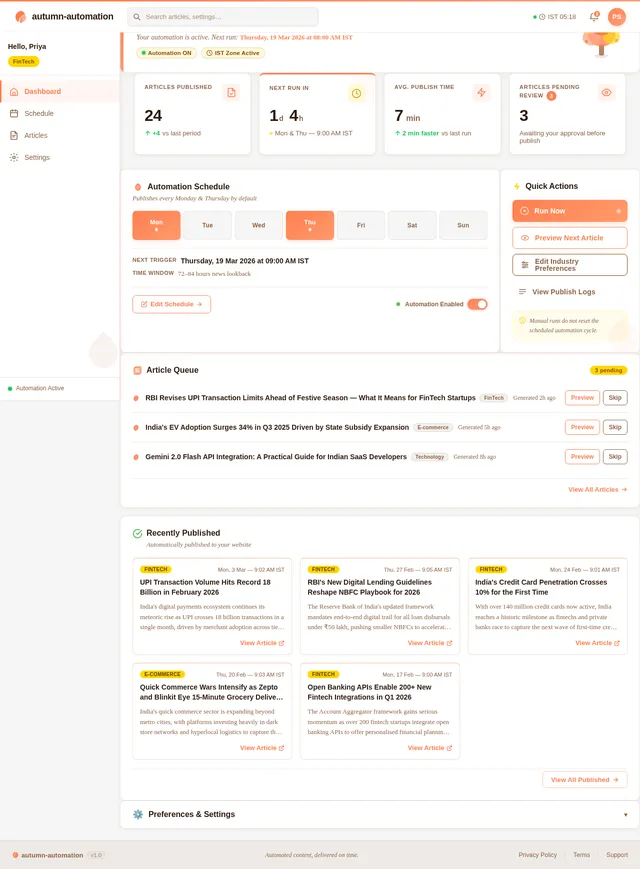
As a user I want to view my automation status on the Dashboard so I can monitor article generation and publishing activity. Implement the Dashboard page based on the existing JSX design (Dashboard v2). Include: automation status overview, recent articles summary, quick-access links to Articles, Schedule, and Settings pages. Top navigation bar and sidebar consistent with theme.
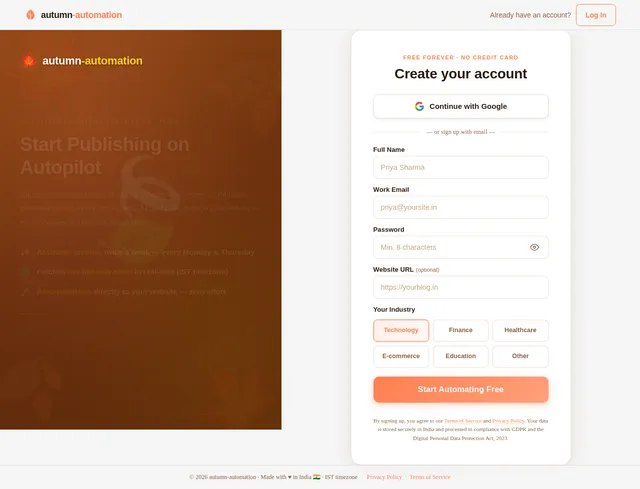
Build Signup Page
As a user I want to create an account on the Signup page so I can start using autumn-automation. Implement the Signup page based on the existing JSX design (Signup v2). Include: account creation form (name, email, password), autumn-themed styling, form validation, and navigation to the Setup page upon successful registration. Wire up to existing authentication backend.
Build Landing Page
As a user I want to view the Landing page with the interactive Autumn Leaves animation and feature highlights so I can understand the product. Implement the Landing page based on the existing JSX design (Landing v2). Include: falling autumn leaves animation with feature labels, smooth scroll transitions, fade-in/slide-in micro-interactions, bounce effects on CTAs, and navigation to Signup. Remove or replace any existing home page scaffold with this design.
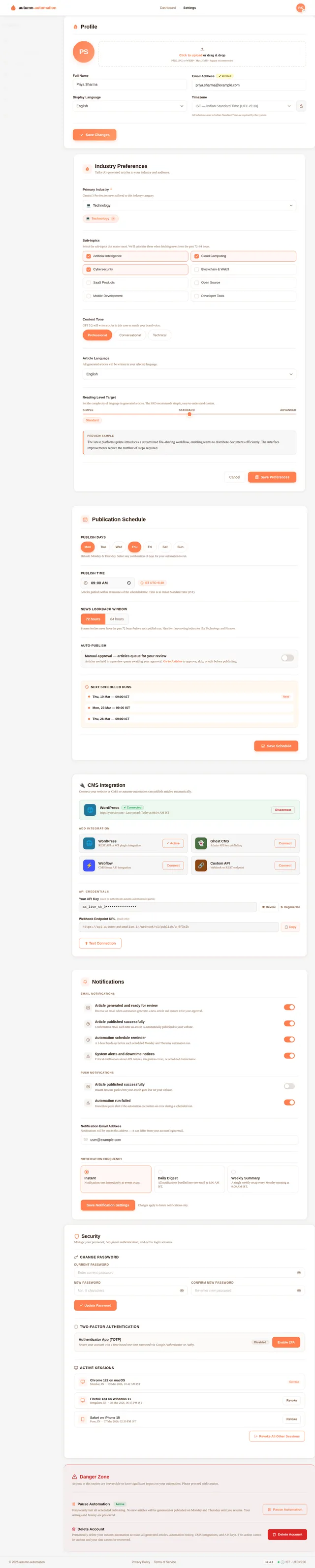
Build Settings Page
As a user I want to update my industry, website, schedule, and content preferences on the Settings page so I can keep my automation configuration current. Implement the Settings page based on the existing JSX design (Settings v2). Include: industry preference update, website integration management, schedule reconfiguration, content style preferences, and account management sections. Accessible from Dashboard.
Build Setup Page
As a user I want to configure my initial preferences on the Setup page so the system knows my industry, website, schedule and content style. Implement the Setup page based on the existing JSX design (Setup v2). Includes a multi-step wizard: Step 1 Industry Selection, Step 2 Website Integration, Step 3 Schedule Configuration (ScheduleConfiguration section — day selector pills Mon–Sun with Mon+Thu default, IST time picker, weekly calendar preview, preview-before-publish toggle, articles-per-month badge), Step 4 Content Preferences, Step 5 Review & Confirm. Progress stepper, sidebar guide, and footer action bar included. Navigates to Dashboard on completion.
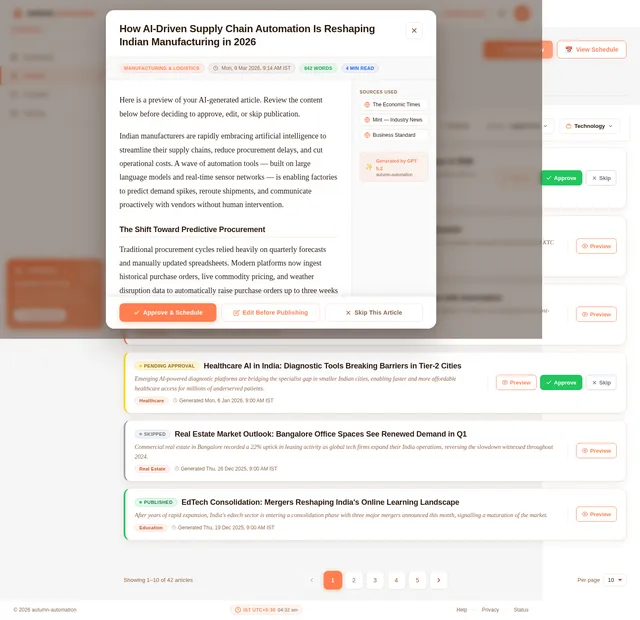
Build Articles Page
As a user I want to preview, approve, or skip generated articles on the Articles page so I have control over published content. Implement the Articles page based on the existing JSX design (Articles v2). Includes: ArticlesFilterBar (search input, status filter tabs All/Pending Approval/Published/Scheduled/Skipped, sort dropdown, industry filter dropdown, mobile bottom sheet), ArticlesTable with status badge cards, ArticlePreviewModal, ArticlesPagination, and ArticlesPageHeader with stats strip.
Implement User Setup API
As a user I want to use the backend API to save my initial setup preferences (industry, website integration, schedule, content style) so the system can personalise automation for me. Implement FastAPI endpoints: POST /api/setup/industry, POST /api/setup/website, POST /api/setup/schedule, POST /api/setup/content-preferences. Store preferences in MySQL. Include Alembic migration for user_preferences table.
Implement Schedule Config API
As a user I want to use the backend API to read and update my publishing schedule so the automation triggers on my preferred days and times. Implement FastAPI endpoints: GET /api/schedule, PUT /api/schedule. Fields: publish_days (list), publish_time (IST), preview_enabled (bool). Include Alembic migration for schedule table.
Implement News Fetching Service
As a user I want the backend to fetch the latest industry news so my articles are based on recent and relevant information. Implement a Python service using Gemini 3 Pro or DuckDuckGo API to fetch news from the past 72–84 hours filtered by user's industry. Expose as an internal service callable by the article generation workflow. Handle API rate limits and error cases.
Implement Article Generation Service
As a user I want the AI to generate easy-to-understand articles from fetched news so I get quality content without manual effort. Implement a Langchain workflow using GPT 5.2 via Litellm to generate articles in simple, readable language based on news fetched for the user's industry. Output: article title, body, word count, reading time. Store generated articles in MySQL articles table with status 'pending_approval' or 'scheduled'.
Implement Settings Update API
As a user I want to use the backend API to update my industry, website, schedule, and content preferences from the Settings page so my automation stays current. Implement FastAPI endpoints: GET /api/settings, PUT /api/settings/industry, PUT /api/settings/website, PUT /api/settings/content-preferences. Reuse schedule API from t10 for schedule updates.
Implement Articles Management API
As a user I want to use the backend API to list, filter, preview, approve, and skip articles so I can manage my content before publishing. Implement FastAPI endpoints: GET /api/articles (with filters: status, industry, sort, search, pagination), GET /api/articles/{id}, POST /api/articles/{id}/approve, POST /api/articles/{id}/skip. Return article metadata (title, excerpt, status, industry, generated_at, word_count).
Implement Automation Scheduler
As a user I want the system to automatically trigger article generation every Monday and Thursday at my configured time so I don't have to initiate it manually. Implement a Python scheduler (APScheduler or Celery beat) that reads each user's schedule configuration and triggers the news fetch → article generation → publish pipeline at the configured IST time. Must complete within 10 minutes of trigger.
Integrate Frontend with Backend APIs
As a user I want all frontend pages to be connected to the live backend APIs so the application is fully functional end-to-end. Wire up: Setup page → User Setup API, Schedule page → Schedule Config API, Articles page → Articles Management API, Settings page → Settings Update API, Dashboard page → automation status and articles summary endpoints. Use React Query or Axios for data fetching. Handle loading, error, and empty states consistently.
Implement Auto-Publish Service
As a user I want the system to automatically publish approved articles to my website so I don't need to do it manually. Implement a FastAPI service that integrates with user's configured CMS (WordPress, Ghost, Webflow, or Custom API). On article approval or scheduled trigger (when preview disabled), POST article content to the user's website endpoint. Handle auth tokens, retry logic, and publish status tracking.
Implement Preview Email Notification
As a user I want to receive an email notification when a new article is ready for preview so I can approve or skip it before it goes live. Implement an email notification service (SMTP or SendGrid) triggered after article generation when preview_enabled=true. Email includes article title, excerpt, and direct approve/skip action links. Links call /api/articles/{id}/approve or /api/articles/{id}/skip.
No comments yet. Be the first!