space-hii
Hii


Comments (0)
Sign in to leave a comment
Project Tasks23
Implement Theme & Global Styles
As a frontend developer, I want to implement the Orbitra cosmic theme (Deep Black #000000 background, Electric Blue #3498DB accent, Galactic Purple #9B59B6, Midnight Blue #2C3E50, starfield CSS animations, shared design tokens as CSS custom properties) across the entire scaffold project so that all pages inherit the correct look and feel. This task also includes removing any unused scaffold pages not present in the design pages list, and setting up the global font (Inter), CSS reset, and shared component primitives (buttons, chips, badges, glassmorphism card mixin). This task MUST be completed before any page implementation task begins.
Build Signup Page
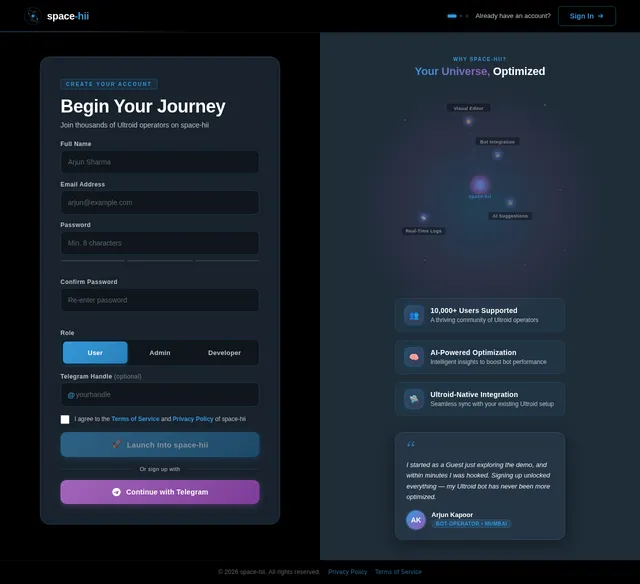
As a guest user, I want to create a new account so that I can access the full Orbitra platform. Implement the Signup page based on the existing v2 JSX design. Includes: registration form (name, email, password, confirm password), inline validation, 'Create Account' Electric Blue CTA, terms acceptance, and link back to Login. User flow: Demo → Signup → Login → Dashboard.
Build Landing Page
As a guest user, I want to explore the Orbitra Landing page so that I can understand the platform and navigate to signup. Implement the Landing page based on the existing v2 JSX design. The page includes: NavBar with glassmorphism, HeroGalaxy section with interactive 3D galaxy map centerpiece, TrustBadges band, FeatureConstellation 3-column grid, HowItWorks horizontal orbital timeline, PersonaShowcase tabbed section, AIAssistantTeaser spotlight, DemoInvitation split layout, Testimonials carousel, PricingOverview 3-plan cards, CallToAction band, and Footer. User flow: Landing → View Galaxy Map → Demo or Signup.
Build Login Page
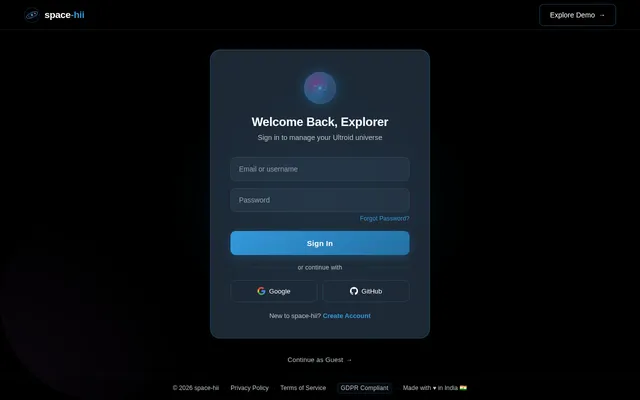
As a user/admin/developer, I want to sign in to the Orbitra platform so that I can access my dashboard. Implement the Login page based on the existing v2 JSX design. Includes: cosmic-themed centered card with glassmorphism surface, email + password inputs with Electric Blue focus rings, 'Sign In' primary CTA, 'Forgot Password' link, social login options, and a link to Signup. Connects to existing authentication backend. User flow: Login → Dashboard.
Build Dashboard Page
As a user/admin, I want to view the main Dashboard so that I can manage bots, monitor usage, and navigate to other sections of Orbitra. Implement the Dashboard page based on the existing v2 JSX design. Includes: sticky TopBar, collapsible Sidebar with bot selector and nav links, WelcomeBanner, StatsCards (bot count, active users, uptime, response time), BotStatusGrid, ActivityFeed, QuickActions panel, and compact AI suggestion strip. Admin view shows multi-bot management; User view shows single-bot status. User flow: Login → Dashboard → Monitor / Editor / Analytics / AI Assistant / Team.
Build Demo Page
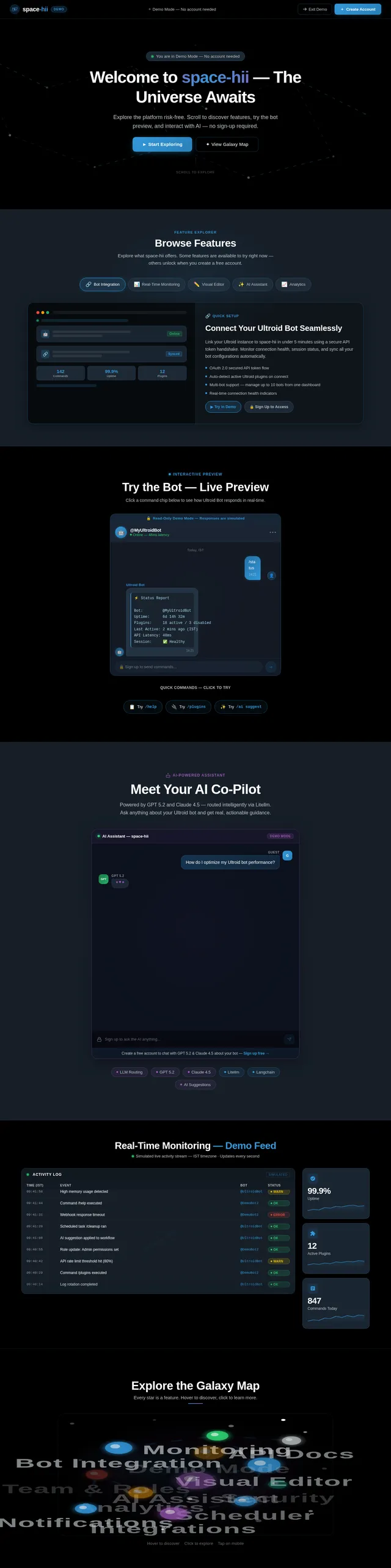
As a guest user, I want to explore the Orbitra platform in demo mode without creating an account so that I can evaluate its features before signing up. Implement the Demo page based on the existing v2 JSX design. Includes: a read-only galaxy map preview, feature tour carousel, bot preview panel showing sample commands and logs, gated feature indicators pointing to signup, and a persistent 'Create Account' CTA banner. User flow: Landing → Demo: Browse Features → Demo: Try Bot Preview → Signup.
Implement Bot Management API
As a backend developer, I want to implement FastAPI endpoints for bot management so that the Dashboard, Monitor, and Integration pages can fetch and update Ultroid bot data. Endpoints: GET /bots (list all connected bots), POST /bots (connect new bot), GET /bots/{id} (bot detail + status), PUT /bots/{id} (update config), DELETE /bots/{id} (disconnect), GET /bots/{id}/status (live status ping). Includes Ultroid API integration layer, error handling, and IST-aware timestamps in all responses.
Implement Workflow Editor API
As a backend developer, I want to implement FastAPI endpoints for workflow CRUD and deployment so that the Editor page can save, load, and deploy visual workflows. Endpoints: GET/POST /workflows, GET/PUT/DELETE /workflows/{id}, POST /workflows/{id}/deploy, GET /workflows/{id}/nodes, POST /workflows/{id}/test. Supports Visual, YAML, and JSON format serialization/deserialization. Returns node execution results for the PropertiesPanel Logs tab.
Implement AI Assistant API
As an AI engineer, I want to implement the LLM-routed AI assistant backend so that the AI Assistant page can send messages and receive intelligent bot optimization suggestions. Includes: POST /ai/chat endpoint with Litellm routing (GPT 5.2 for general queries, Claude 4.5 Opus for technical/coding), conversation history management, context injection (current bot config, recent logs), POST /ai/optimize endpoint for full workflow audit, and streaming SSE responses for real-time typing effect.
Implement Analytics API
As a backend developer, I want to implement FastAPI analytics endpoints so that the Analytics page can fetch KPI metrics, chart data, and generate downloadable reports. Endpoints: GET /analytics/kpis (total commands, active users, uptime, avg response time), GET /analytics/activity (time-series command volume), GET /analytics/bots/performance (per-bot table data), GET /analytics/commands/breakdown (category + top commands), GET /analytics/reports/export (PDF/CSV generation). Supports IST timezone and date-range filtering.
Implement Scheduler API
As a backend developer, I want to implement FastAPI CRUD endpoints for scheduled tasks so that the Scheduler page can create, update, pause, and delete automated bot tasks. Endpoints: GET/POST /tasks, GET/PUT/DELETE /tasks/{id}, POST /tasks/{id}/pause, POST /tasks/{id}/resume. Includes cron expression parsing, IST timezone handling, task execution history, and integration with a job queue (e.g., Celery or APScheduler).
Implement Real-Time Logs API
As a backend developer, I want to implement a WebSocket endpoint and REST API for real-time bot activity logs so that the Monitor page can stream live events. Includes: WebSocket /ws/bots/{id}/logs for live streaming, GET /bots/{id}/logs for paginated historical logs with filters (level, time range, bot), and log aggregation from Ultroid API. Supports IST timezone conversion for all timestamps.
Implement API Docs Backend
As a backend developer, I want to expose structured OpenAPI/Swagger documentation and a live test proxy endpoint so that the API Docs page can render endpoint details and execute test calls. Includes: auto-generated FastAPI OpenAPI schema at /openapi.json, GET /api-docs/endpoints for structured endpoint catalogue, POST /api-docs/test-proxy to securely forward authenticated test requests from the UI, and code snippet generation helpers (Python, cURL).
Implement Team Management API
As a backend developer, I want to implement FastAPI endpoints for team role and permission management so that the Team page can invite members, assign roles, and update permissions. Endpoints: GET/POST /team/members, GET/PUT/DELETE /team/members/{id}, POST /team/members/invite, GET/PUT /team/roles, GET/PUT /team/permissions/{member_id}. Enforces RBAC with Admin-only access guards.
Build Integration Page
As a developer/user, I want to connect my Ultroid bot to the Orbitra platform so that I can manage it through the dashboard. Implement the Integration page based on the existing v2 JSX design. Includes: TopBar, Sidebar, bot connection wizard (API token input, validation, connection status), connected bots list with status indicators, webhook configuration, integration health panel, and quick-start guide. User flow: Editor → Integration: Connect Ultroid Bot.
Implement AI Schedule Suggestions
As an AI engineer, I want to implement an AI-powered schedule suggestion endpoint so that the Scheduler page can display intelligent task recommendations based on bot usage patterns. Includes: POST /ai/schedule-suggestions endpoint that analyzes bot activity history and returns ranked suggestions (task name, cron expression, plain-English description, confidence %). Uses GPT 5.2 via Litellm with bot context injection.
Build API Docs Page
As a developer, I want to browse API endpoints and test them directly within Orbitra so that I can integrate and extend Ultroid functionality. Implement the API Docs page based on the existing v2 JSX design. Includes: TopBar, collapsible endpoint sidebar (grouped by resource), endpoint detail panel (method badge, URL, parameters table, request/response schema with syntax highlighting), interactive test console (fill params, execute, view live response), authentication token input, and copy-code snippets in Python/cURL. User flow: Dashboard → API Docs: Browse Endpoints → API Docs: Test Endpoint.
Build Monitor Page
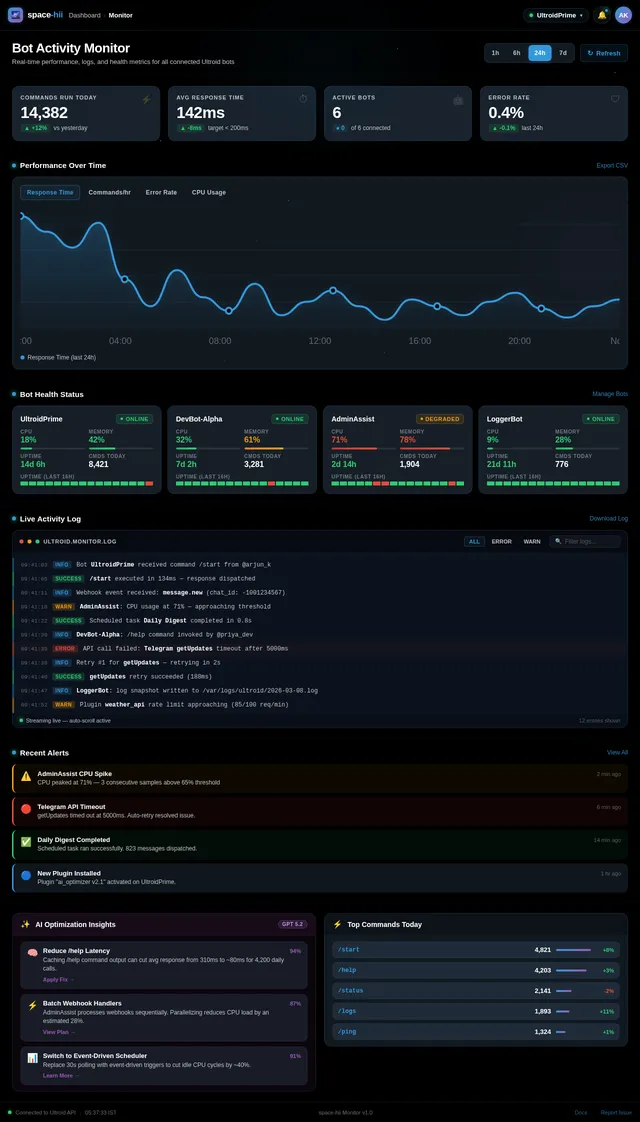
As a user, I want to view real-time activity logs and bot performance metrics so that I can monitor my Ultroid bot on Orbitra. Implement the Monitor page based on the existing v2 JSX design. Includes: TopBar, Sidebar, real-time log stream panel with syntax highlighting, performance metric charts (response time, command count, error rate), filters by bot/time range/log level, and export functionality. User flow: Dashboard → Monitor: View Activity Logs.
Build AI Assistant Page
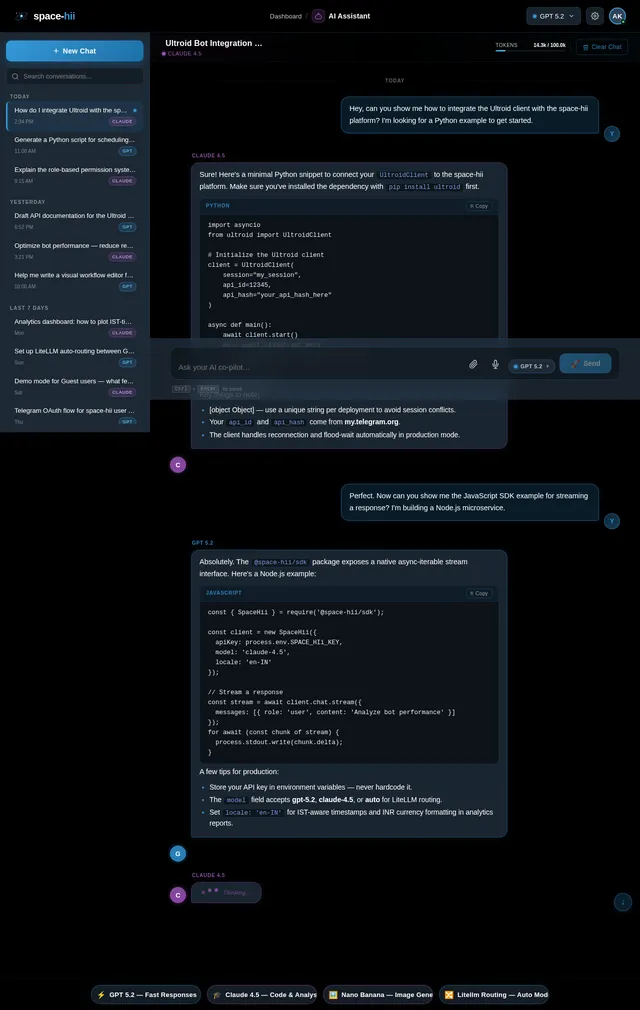
As a user, I want to interact with an AI assistant on Orbitra so that I can receive suggestions for optimizing my Ultroid bot performance. Implement the AI Assistant page based on the existing v2 JSX design. Includes: TopBar, Sidebar, chat interface with user and AI message bubbles (GPT 5.2 / Claude labeled), model selector, conversation history, context-aware suggestions panel, quick-prompt chips, and 'Optimize Bot' CTA. Integrates with Litellm-routed LLM backend. User flow: Dashboard → AI Assistant: Get Suggestions.
Build Analytics Page
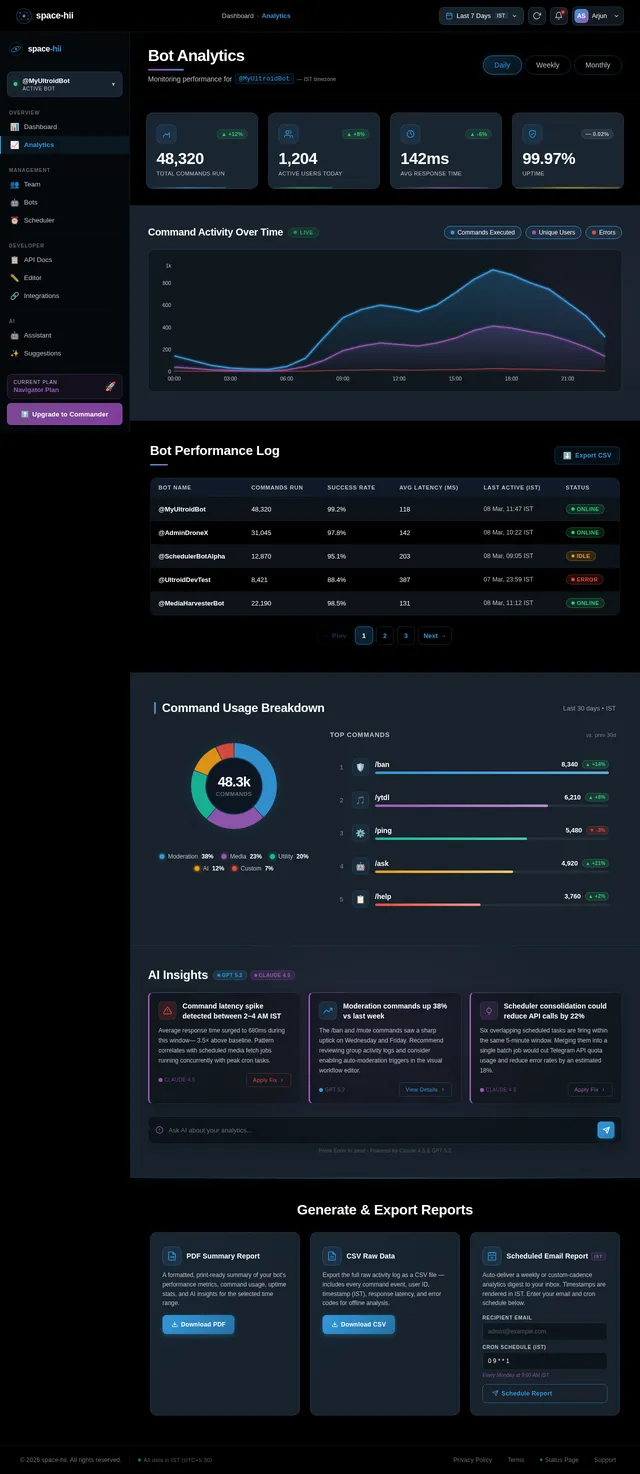
As an admin, I want to view detailed analytics and generate reports on bot usage on Orbitra so that I can make data-driven decisions. Implement the Analytics page based on the existing v2 JSX design. Includes: TopBar with date-range picker and IST timezone, Sidebar, AnalyticsHeader with time granularity toggle, KPICards (total commands, active users, avg response time, uptime), ActivityChart (area/line chart with gradient fill), BotPerformanceTable (status badges, pagination, CSV export), CommandUsageBreakdown (donut chart + ranked list), AIInsightsPanel (3 insight cards + AI prompt bar), and ReportExport options (PDF, CSV, Scheduled Email). User flow: Dashboard → Analytics: View Reports.
Build Team Page
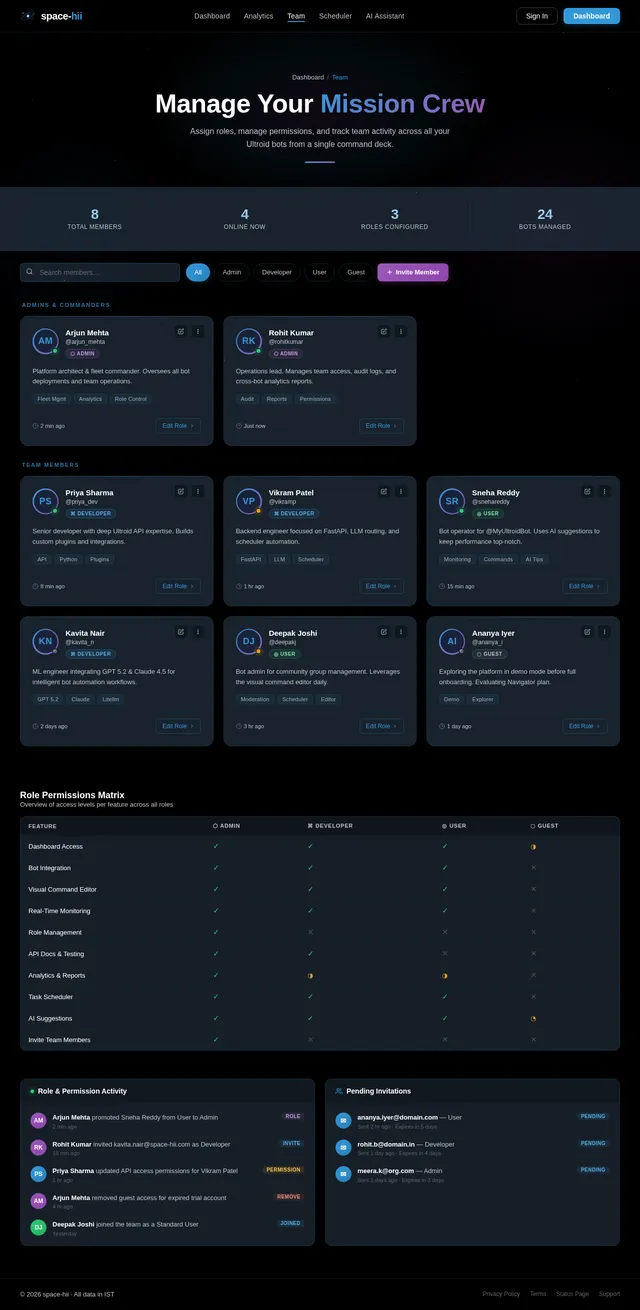
As an admin, I want to assign roles and manage permissions for team members on Orbitra so that I can control access to my bots. Implement the Team page based on the existing v2 JSX design. Includes: TopBar, Sidebar, team member list with avatar, role badge (User/Admin/Developer), permission toggles, invite member modal, role assignment dropdown, and permission matrix editor. User flow: Dashboard → Team: Assign Roles → Team: Edit Permissions.
Build Editor Page
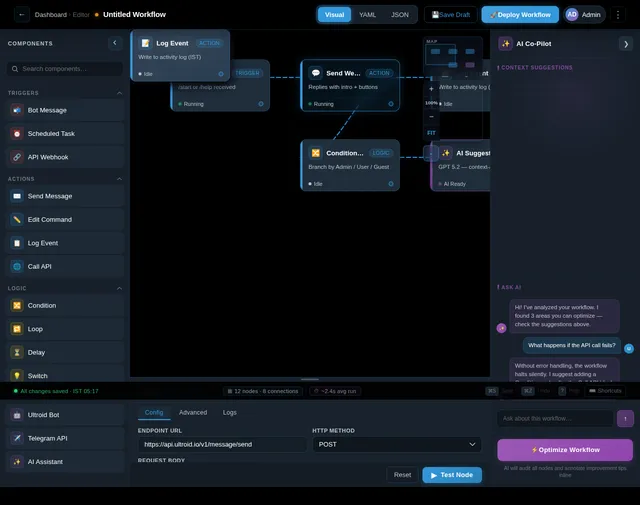
As a user/developer, I want to customize bot commands and build automated workflows using a visual editor so that I can tailor my Ultroid bot behavior on Orbitra. Implement the Editor page based on the existing v2 JSX design. Includes: EditorTopBar (breadcrumb, workflow name input, Visual/YAML/JSON mode toggle, Save Draft + Deploy buttons), CommandPalette left sidebar (draggable node types: Triggers, Actions, Logic, Integrations), WorkflowCanvas with dot-grid, glassmorphism nodes, animated SVG bezier connections, minimap, zoom controls, PropertiesPanel (Config/Advanced/Logs tabs), AISuggestionPanel (AI Co-Pilot), and EditorStatusBar. User flow: Dashboard → Editor → Integration.
Build Scheduler Page
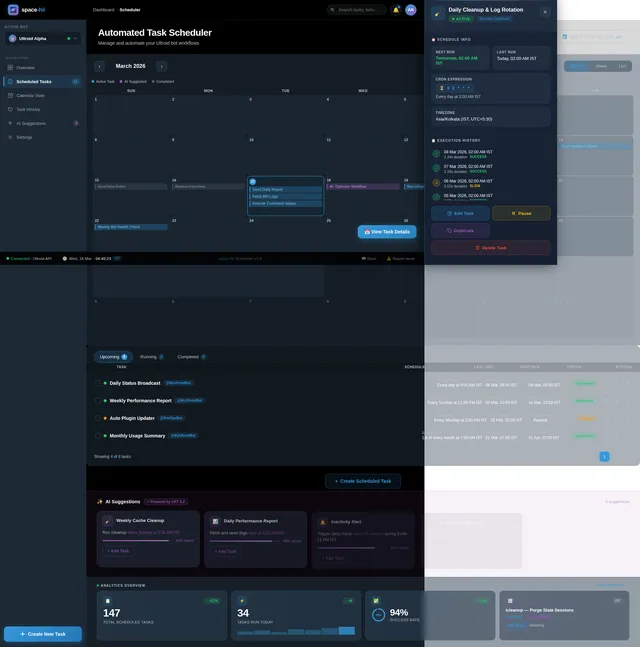
As a user, I want to schedule automated tasks for my Ultroid bot on Orbitra so that they run at defined intervals without manual intervention. Implement the Scheduler page based on the existing v2 JSX design. Includes: TopBar, SchedulerSidebar with bot selector, SchedulerHeader with view toggles and date-range picker, TaskCalendarView (month/week/day), TaskListPanel (Upcoming/Running/Completed tabs), TaskCreationModal (cron builder, timezone IST), TaskDetailDrawer, AIScheduleSuggestions strip, SchedulerAnalytics stat cards, and StatusBar with live IST clock. User flow: Editor → Scheduler: Set Automated Tasks.
No comments yet. Be the first!