zinc-ticket
 Divyam Dawar
make a service now ticket understanding & auto closing resolving agent website
Comments (0)
Sign in to leave a comment
System Requirements
System Requirements Document (SRD) for zinc-ticket
1. Introduction
The zinc-ticket project aims to revolutionize the way ServiceNow tickets are managed by introducing an automated agent capable of understanding, resolving, and auto-closing a wide variety of tickets. This system will leverage advanced natural language processing (NLP) and automation logic to handle diverse ticket types, ensuring faster resolutions and reduced manual effort. Designed for flexibility and scalability, zinc-ticket will integrate seamlessly with ServiceNow via APIs while also supporting manual ticket uploads.
This document outlines the system requirements for zinc-ticket, tailored to meet the needs of Divyam Dawar and his vision for a cutting-edge ticket management solution.
2. System Overview
zinc-ticket is a web-based platform designed to automate the understanding and resolution of ServiceNow tickets. The system will:
- Utilize NLP to interpret ticket details.
- Leverage automation logic to resolve or close tickets.
- Support integration with ServiceNow APIs for real-time ticket processing.
- Allow manual ticket uploads for standalone functionality.
- Handle a wide variety of ticket types, including but not limited to password resets, software requests, and hardware issues.
- Provide an intuitive interface for monitoring ticket statuses and system performance.
The platform will be optimized for users in India (IN), with locale-specific defaults such as IST timezone and INR currency where applicable.
3. Functional Requirements
- As a User, I should be able to upload tickets manually in various formats (e.g., CSV, JSON).
- As a User, I should be able to view the status of all tickets in real-time.
- As a User, I should be able to filter tickets by type, priority, or status.
- As an Admin, I should be able to configure API integrations with ServiceNow.
- As an Admin, I should be able to define automation rules for ticket resolution.
- As a System, I should support a wide variety of options/inputs as pre-resolved by the API supervisor.
- As a System, I should use NLP to understand ticket descriptions and categorize them.
- As a System, I should auto-resolve tickets based on predefined rules or API inputs.
- As a System, I should notify users when tickets are resolved or closed.
- As a System, I should log all actions for audit purposes.
4. User Personas
4.1 Admin
- Role: Configures the system, manages integrations, and defines automation rules.
- Goals: Ensure the system operates efficiently and aligns with organizational needs.
- Pain Points: Complexity in setting up integrations and defining rules.
4.2 User
- Role: Monitors ticket statuses and uploads tickets manually if needed.
- Goals: Achieve faster ticket resolutions with minimal manual effort.
- Pain Points: Delays in ticket resolution and lack of visibility into ticket statuses.
4.3 System
- Role: Automated agent that processes, resolves, and closes tickets.
- Goals: Maximize automation and accuracy in ticket handling.
- Pain Points: Ambiguity in ticket descriptions and edge cases not covered by rules.
5. Visuals Colors and Theme
Color Palette
- Background: #F4F8FB (soft sky blue)
- Surface: #FFFFFF (pure white)
- Text: #2C3E50 (deep navy blue)
- Accent: #FF6F61 (vibrant coral)
- Muted: #B0BEC5 (cool gray)
This palette reflects a professional yet approachable aesthetic, aligning with the system's purpose of simplifying complex processes.
6. Signature Design Concept
Interactive Ticket Universe
The homepage of zinc-ticket will feature an interactive galaxy map where each "star" represents a ticket. Users can zoom in and out of the galaxy, with clusters of stars representing ticket categories (e.g., password resets, software requests). Clicking on a star will open a detailed view of the ticket, including its status, priority, and resolution steps.
- Animations: Stars will gently pulse, and clusters will subtly shift positions to create a dynamic, living universe.
- Transitions: Smooth zoom and pan effects will make navigation intuitive and engaging.
- Color Shifts: Resolved tickets will glow green, pending tickets will glow orange, and critical tickets will flash red.
- Micro-Interactions: Hovering over a star will display a tooltip with a brief ticket summary.
- User Experience: This design will make ticket management visually engaging and intuitive, turning a mundane task into an interactive experience.
7. Non-Functional Requirements
- Performance: The system should process up to 10,000 tickets per hour with minimal latency.
- Scalability: Must support scaling to handle increased ticket volumes and additional users.
- Security: Ensure data encryption in transit and at rest. Implement role-based access control (RBAC).
- Availability: 99.9% uptime with robust failover mechanisms.
- Localization: Default to Indian Standard Time (IST) and support INR currency for any financial transactions.
8. Tech Stack
Frontend
- React for Web
Backend
- Python
- FastAPI
Database
- MySQL (with Alembic for migrations)
AI Models
- GPT 5.4 for user-friendly responses
- Claude 4.6 Opas for academic or coding work
- Gemini 3.1 Pro for friendly responses
AI Tools
- Litellm for LLM Routing
- Langchain
Orchestration
- Docker
- Kubernetes
9. Assumptions and Constraints
- The system assumes that ServiceNow APIs are accessible and properly documented.
- The system will rely on predefined automation rules for ticket resolution.
- NLP models will require periodic updates to maintain accuracy.
- The system will operate primarily in English, with potential for multilingual support in future versions.
10. Glossary
- ServiceNow: A cloud-based platform for IT service management.
- NLP: Natural Language Processing, a branch of AI focused on understanding human language.
- RBAC: Role-Based Access Control, a method of restricting system access based on user roles.
- API: Application Programming Interface, a set of rules that allows software programs to communicate with each other.
Welcome Back
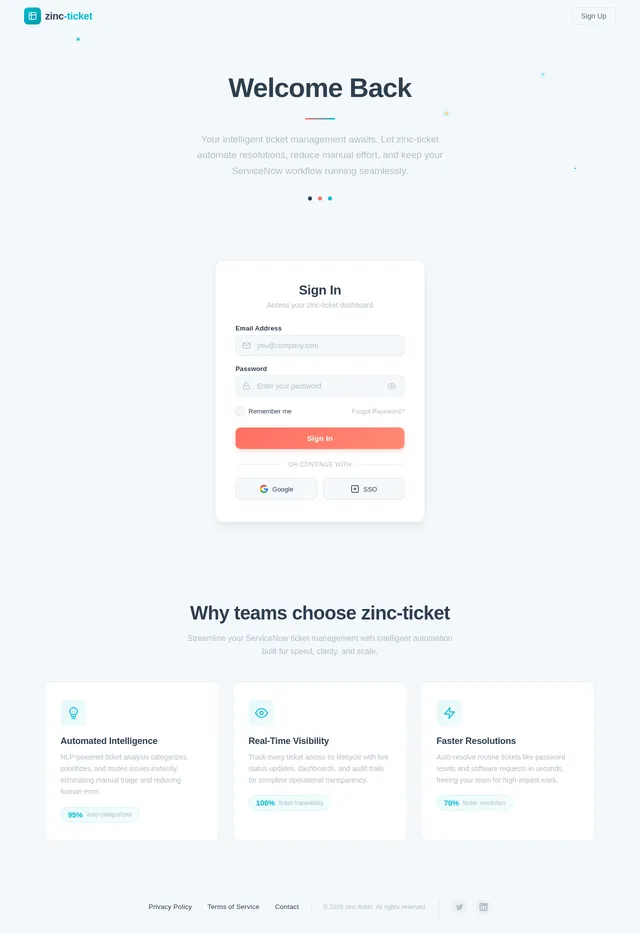
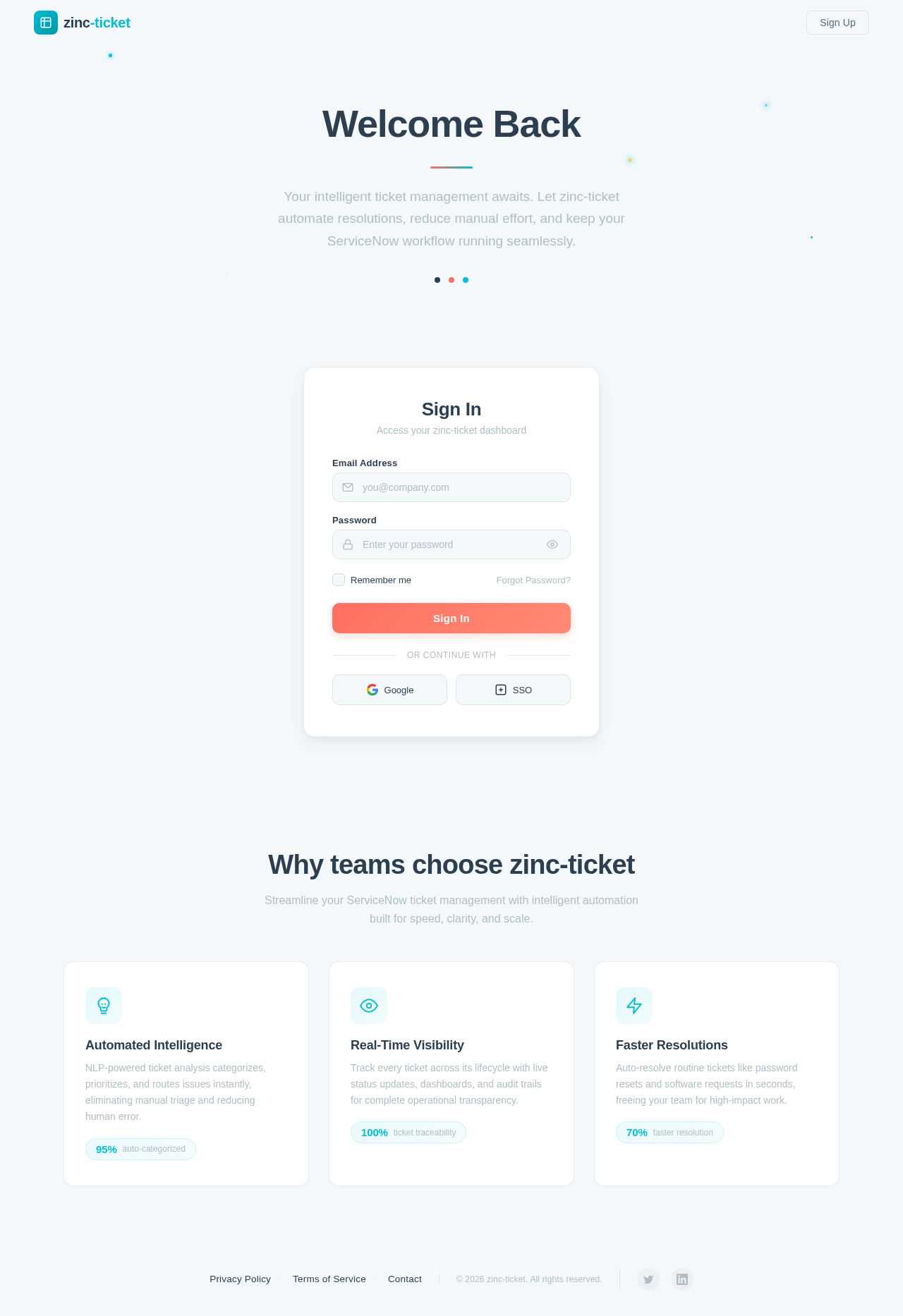
Your intelligent ticket management awaits. Let zinc-ticket automate resolutions, reduce manual effort, and keep your ServiceNow workflow running seamlessly.
Why teams choose zinc-ticket
Streamline your ServiceNow ticket management with intelligent automation built for speed, clarity, and scale.
NLP-powered ticket analysis categorizes, prioritizes, and routes issues instantly, eliminating manual triage and reducing human error.
Track every ticket across its lifecycle with live status updates, dashboards, and audit trails for complete operational transparency.
Auto-resolve routine tickets like password resets and software requests in seconds, freeing your team for high-impact work.
No comments yet. Be the first!