Home
Your feed, your pace
Text, photo, and video posts from people you follow. Like, comment, share, and save straight from the scroll.
 Moradeyo mute
Create a modern mobile social networking application focused on chatting, status updates, and short-form vertical videos. The app should have a clean, premium, youthful interface that is easy to navigate and feels modern, fast, and engaging. App Structure Create these main sections in the bottom navigation: Home Videos Status Chats Profile 1. Home The Home screen should show a personalized social feed. Include: User profile picture and username Text posts Image posts Video posts Like button Comment button Share button Save button Post timestamp Follow/Following button "Create Post" floating/action button At the top, include a horizontal Status/Stories section showing circular profile pictures of users. The first item should be "Your Status" with a plus icon. 2. Short Video Feed Create a full-screen vertical video-scrolling experience similar to TikTok/Reels. Users should be able to: Swipe vertically to move to the next video Automatically play videos when they appear on screen Pause/play videos by tapping Like videos Comment Share Save videos Follow the video creator View creator's profile See username and caption See music/audio information Place the interaction buttons vertically on the right side: ❤️ Like 💬 Comment ↗ Share 🔖 Save 👤 Follow Display the creator's username and video caption at the bottom-left. Videos should occupy the entire screen with minimal UI elements. Add tabs at the top: For You | Following 3. Status / Stories Create a WhatsApp/Instagram-style Status feature. Users should be able to create: Text status Photo status Video status Status disappears automatically after 24 hours. Users can: View other people's statuses Reply to a status React to a status See who viewed their status Delete their own status Display statuses as circular profile pictures with a colored ring. When a status is opened, show it full-screen with: Progress indicator at the top User profile picture Username Time posted Reply field Reaction buttons 4. Chat System Create a complete real-time messaging interface. Users should be able to: Search for users Start a new conversation Send text messages Send emojis Send images Send videos Send voice messages Reply to messages Delete messages React to messages See message timestamps See online/offline status See "typing..." indicator See delivered/read status The Chats screen should contain: Search bar Then a list of conversations showing: Profile picture Username Last message Time Unread message count Online indicator Create a clean conversation screen with rounded message bubbles. 5. User Profiles Each user should have a profile containing: Profile picture Cover/profile header Username Display name Bio Followers Following Likes Follow button Message button Below the profile information, show tabs: Posts | Videos | Saved Users should be able to edit their own profile. 6. Authentication Create: Sign Up Login Logout Forgot Password Email/phone authentication Username creation Profile picture setup Users should not be able to access private user features until they are authenticated. 7. Notifications Create a notification center for: New followers Likes Comments Message notifications Status reactions Status replies Mentions Show an unread notification indicator. 8. Search Create a global search system. Users should be able to search for: Users Videos Posts Hashtags Show search results in organized sections. 9. Create Button Add a prominent "+" create button. When tapped, allow users to choose: Create Post Create Status Upload Video For videos, allow users to: Upload from device Add caption Add hashtags Choose thumbnail Post video 10. Design Use a modern dark/light interface with a premium social-media appearance. Design principles: Minimalistic Smooth animations Rounded cards Clean typography Large media content Consistent spacing Easy navigation Responsive layouts Modern icons Smooth page transitions The video feed should prioritize the video itself and avoid unnecessary UI clutter. Use a professional color system with one distinctive primary accent color. 11. Backend and Database Create a proper backend structure for: Users Profiles Posts Videos Comments Likes Followers Following Chats Messages Status/Stories Status views Notifications Saved posts/videos Use real persistent data rather than dummy data wherever possible. Implement appropriate relationships between users and their content. 12. Important Requirements The application should be: Mobile-first Fast Responsive Scalable Secure Easy to use Suitable for real users Use reusable components throughout the application. Include loading states, empty states, error states, and confirmation dialogs. Make the navigation intuitive so that a new user can understand the app immediately. Build the application with production-quality structure rather than a simple static prototype.

Sign in to leave a comment
zimpals is a modern mobile social networking application designed to provide a vibrant and engaging platform for chatting, status updates, and short-form vertical videos. Targeted at a youthful audience, the app aims to deliver a clean, premium interface that is easy to navigate, fast, and engaging.
zimpals offers a comprehensive social networking experience with features such as personalized feeds, real-time messaging, and dynamic video content. The app is structured around five main sections accessible via bottom navigation: Home, Videos, Status, Chats, and Profile. It supports user authentication and provides a notification center, global search, and content creation capabilities. The application is mobile-first, ensuring responsiveness, scalability, and security.
zimpals is delivered as a mobile-first application with a focus on private user features accessible only after authentication. The app uses a dark/light interface with a distinctive primary accent color, ensuring a premium social-media appearance. The backend supports persistent data storage and real-time processing, ensuring a seamless user experience. Anonymous users are introduced to the app via a Landing page, while authenticated users gain access to private features through a Login page.
Not applicable as no explicit content_source directive is provided.
Authentication Flow:
Home Feed Interaction:
Video Feed Interaction:
Status Interaction:
Messaging Interaction:
Profile Management:
Notification Management:
Search and Discovery:
Content Creation:
A vibrant full-bleed video with interactive buttons on the right and caption and username at the bottom left, using hot pink and yellow accents. This design leverages the playful maximalism theme, ensuring immediate engagement and visual appeal.
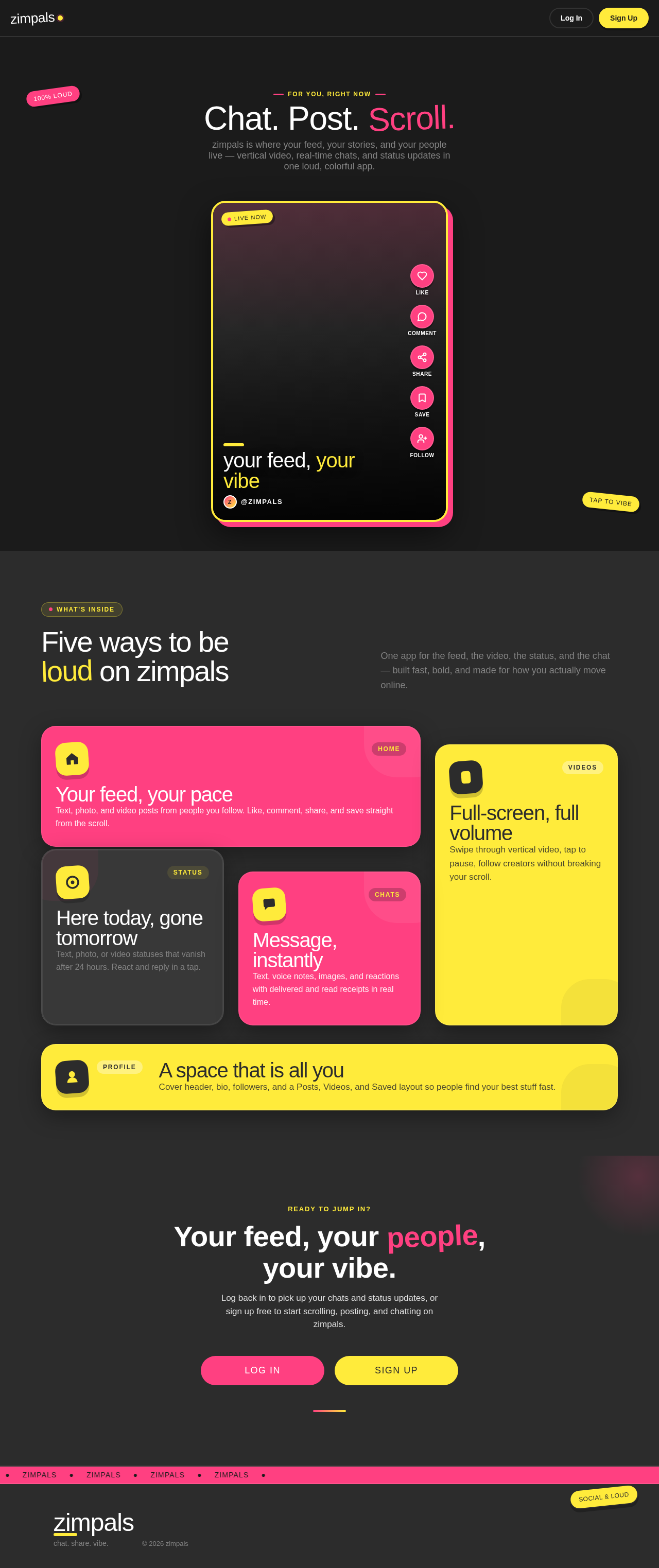
zimpals is where your feed, your stories, and your people live — vertical video, real-time chats, and status updates in one loud, colorful app.
your feed, your vibe
Z@zimpalsOne app for the feed, the video, the status, and the chat — built fast, bold, and made for how you actually move online.
Text, photo, and video posts from people you follow. Like, comment, share, and save straight from the scroll.
Swipe through vertical video, tap to pause, follow creators without breaking your scroll.
Text, photo, or video statuses that vanish after 24 hours. React and reply in a tap.
Text, voice notes, images, and reactions with delivered and read receipts in real time.
Cover header, bio, followers, and a Posts, Videos, and Saved layout so people find your best stuff fast.
Ready to jump in?
Log back in to pick up your chats and status updates, or sign up free to start scrolling, posting, and chatting on zimpals.
zimpals is where your feed, your stories, and your people live — vertical video, real-time chats, and status updates in one loud, colorful app.
your feed, your vibe
Z@zimpalsOne app for the feed, the video, the status, and the chat — built fast, bold, and made for how you actually move online.
Text, photo, and video posts from people you follow. Like, comment, share, and save straight from the scroll.
Swipe through vertical video, tap to pause, follow creators without breaking your scroll.
Text, photo, or video statuses that vanish after 24 hours. React and reply in a tap.
Text, voice notes, images, and reactions with delivered and read receipts in real time.
Cover header, bio, followers, and a Posts, Videos, and Saved layout so people find your best stuff fast.
Ready to jump in?
Log back in to pick up your chats and status updates, or sign up free to start scrolling, posting, and chatting on zimpals.
No comments yet. Be the first!