Strength Training
Free weights, machines, and power racks for every level
 Harshil Chavda
make a gym website

Sign in to leave a comment
The zen-gym project aims to create a vibrant and engaging gym website that evokes energy, motivation, and a sense of community. The target audience includes potential gym visitors looking to explore gym offerings and contact information, as well as gym staff or owners who need to maintain the website's public-facing content.
The zen-gym website will deliver a public-facing platform for gym visitors to learn about the gym's offerings and contact details. It will also provide a secure administrative interface for gym staff or owners to update and maintain the website content. The website will feature a bold and energetic design inspired by Haraldur Thorleifsson's style, with saturated colors and character illustrations to create a welcoming atmosphere.
The website will consist of four main pages: Landing, Contact, Login, and Admin. The Landing and Contact pages will be publicly accessible, while the Login and Admin pages will require authentication and role-based access for gym staff or owners. The system will use application-owned identity to manage access and maintain durable public-facing information.
Not applicable as no explicit content_source directive is provided.
The Landing page will feature a large, bold character illustration with a vibrant color block background and oversized type. The navigation bar will be color-blocked with large, bold text, and animated character illustrations will engage users on hover. The design will avoid corporate blue tones and minimalist, sterile designs.
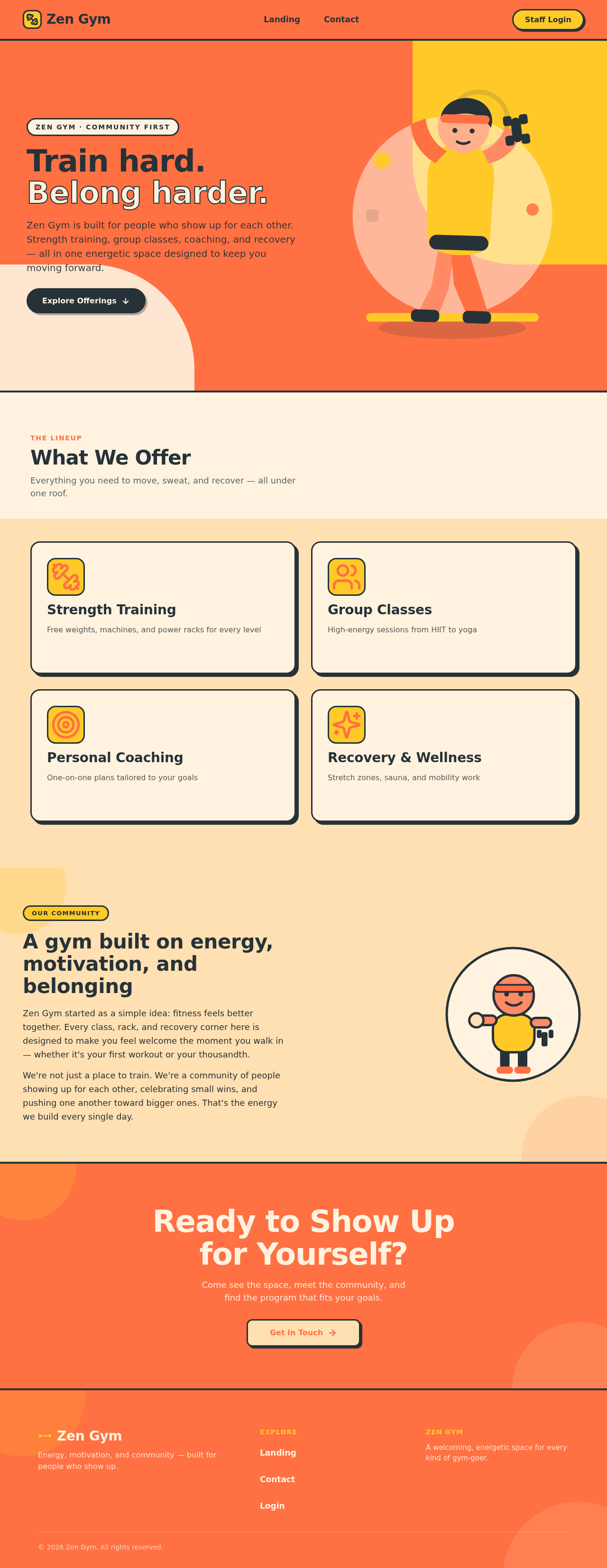
Zen Gym is built for people who show up for each other. Strength training, group classes, coaching, and recovery — all in one energetic space designed to keep you moving forward.
Everything you need to move, sweat, and recover — all under one roof.
Free weights, machines, and power racks for every level
High-energy sessions from HIIT to yoga
One-on-one plans tailored to your goals
Stretch zones, sauna, and mobility work
Zen Gym started as a simple idea: fitness feels better together. Every class, rack, and recovery corner here is designed to make you feel welcome the moment you walk in — whether it's your first workout or your thousandth.
We're not just a place to train. We're a community of people showing up for each other, celebrating small wins, and pushing one another toward bigger ones. That's the energy we build every single day.
Come see the space, meet the community, and find the program that fits your goals.
Get In TouchZen Gym is built for people who show up for each other. Strength training, group classes, coaching, and recovery — all in one energetic space designed to keep you moving forward.
Everything you need to move, sweat, and recover — all under one roof.
Free weights, machines, and power racks for every level
High-energy sessions from HIIT to yoga
One-on-one plans tailored to your goals
Stretch zones, sauna, and mobility work
Zen Gym started as a simple idea: fitness feels better together. Every class, rack, and recovery corner here is designed to make you feel welcome the moment you walk in — whether it's your first workout or your thousandth.
We're not just a place to train. We're a community of people showing up for each other, celebrating small wins, and pushing one another toward bigger ones. That's the energy we build every single day.
Come see the space, meet the community, and find the program that fits your goals.
Get In Touch
No comments yet. Be the first!