wooden-android
 kunal sethia
i want to make android and ios app for my B2B business. for stock and invertory manegement and to manage order form


Comments (0)
Sign in to leave a comment
System Requirements
System Requirements Document for wooden-android
1. Introduction
The wooden-android project aims to develop a mobile application for Android and iOS platforms, specifically designed for B2B businesses. The application will facilitate stock and inventory management and manage order forms. It will feature three distinct login categories to accommodate different user roles within the business.
2. System Overview
The wooden-android application is a B2B mobile solution for managing stock, inventory, and order forms. It is designed to support business users in efficiently handling complex data through a clear and functional interface. The application will be accessible on both Android and iOS platforms and will include three login categories to ensure role-specific access to its features.
2a. Product Interpretation and Delivery Boundary
The application will be delivered as a mobile app for Android and iOS, focusing on stock and inventory management and order form management. The app will support three login categories, which must be defined to configure role-specific access. Users will need to enroll based on their login category and verify their identity upon returning to the app. The app will maintain a strict boundary around these roles, ensuring that access and permissions are appropriately managed.
2b. Source Content Inventory
Not applicable as there is no explicit content_source directive.
2c. Page Content and Component Coverage
Landing
- Purpose: Introduce the app and its functionalities related to stock, inventory, and order management.
- Components:
- Overview of app features.
- Navigation to login.
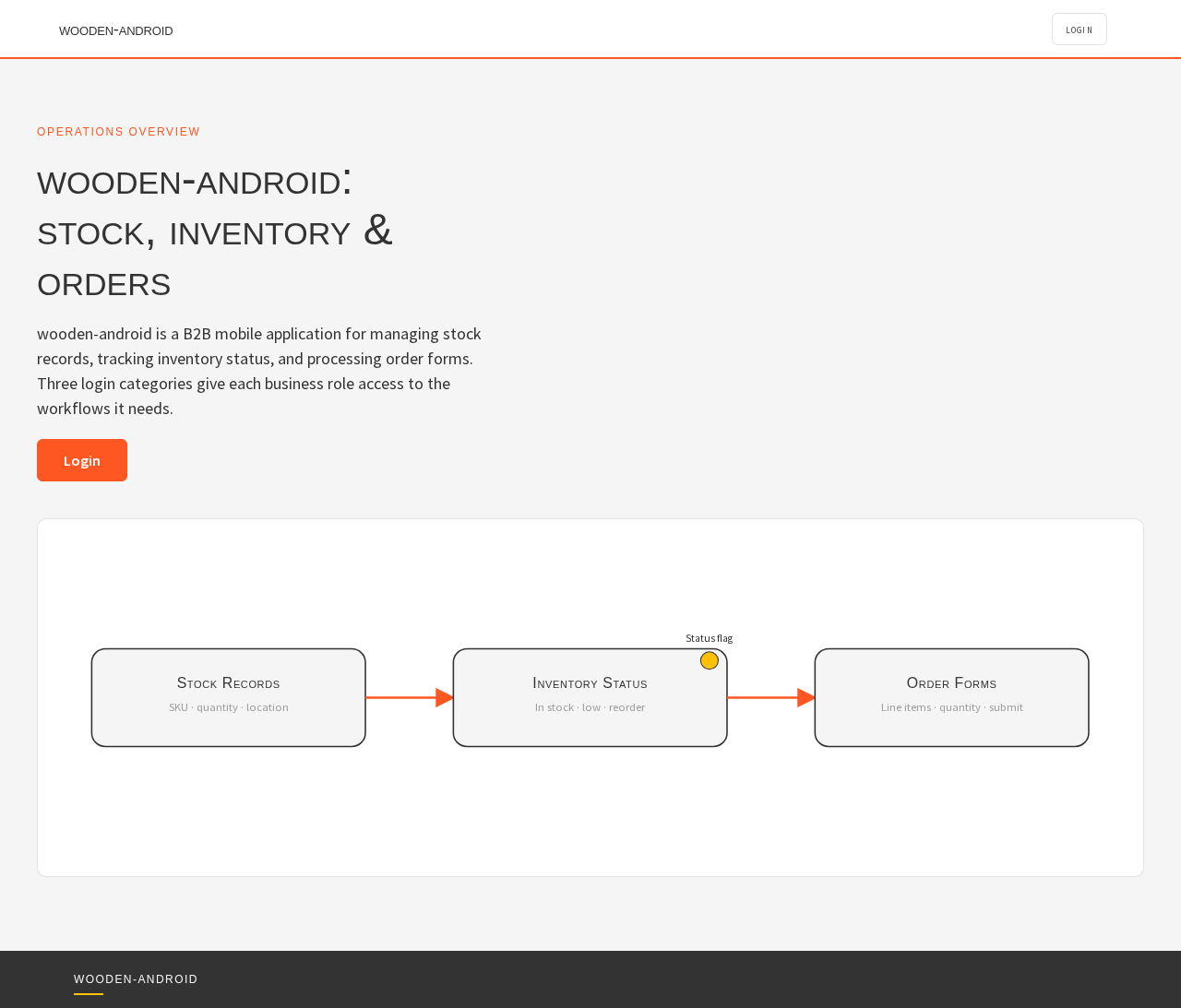
- Diagrammatic illustration of core functionalities.
Login
- Purpose: Provide access to the app based on user roles.
- Components:
- Fields for username and password.
- Options for three login categories.
- Password recovery and support links.
Inventory
- Purpose: Display an overview of stock records and current inventory status.
- Components:
- List of inventory items.
- Search and filter options.
- Summary of inventory status.
Inventory Details
- Purpose: Manage and edit stock and inventory records.
- Components:
- Detailed view of selected inventory item.
- Edit and update options.
- Save and cancel actions.
Orders
- Purpose: Provide an overview of orders and their statuses.
- Components:
- List of orders.
- Search and filter options.
- Order status summary.
Order Form
- Purpose: Create and manage order information.
- Components:
- Form fields for order details.
- Submit and reset actions.
- Order confirmation and summary.
3. Functional Requirements
- As a business user, I should be able to log in using one of the three login categories to access role-specific features. (Provenance: explicit)
- As an Inventory Manager, I should be able to view and manage stock and inventory records to keep inventory information up-to-date. (Provenance: required_inference)
- As an Order Manager, I should be able to create and manage order forms to ensure accurate order processing. (Provenance: required_inference)
- As a returning user, I should be able to verify my identity through the login process to access protected workflows. (Provenance: required_inference)
4. User Personas
Inventory Manager
- Context: Manages stock and inventory records for the business.
- Primary Goal: Maintain accurate and current inventory information.
- Responsibilities: Reviewing inventory status, updating stock records.
- Interactions: Uses the Inventory and Inventory Details pages to manage data.
Order Manager
- Context: Manages order forms and processes for the business.
- Primary Goal: Ensure accurate and efficient order processing.
- Responsibilities: Creating and managing order forms, reviewing order statuses.
- Interactions: Uses the Orders and Order Form pages to handle order information.
5. Core User Flows
5.1 Inventory Management Flow
- Start: Inventory Manager opens the app and logs in via the Login page.
- Navigate: Access the Inventory page to view stock records.
- Action: Select an item to view details on the Inventory Details page.
- Update: Edit stock information and save changes.
- Completion: Return to the Inventory page to continue managing other items.
5.2 Order Management Flow
- Start: Order Manager opens the app and logs in via the Login page.
- Navigate: Access the Orders page to view current orders.
- Action: Select an order to view or edit details on the Order Form page.
- Update: Modify order information and submit changes.
- Completion: Return to the Orders page to manage additional orders.
6. Visuals Colors and Theme
- Palette: Background #F5F5F5, Surface #FFFFFF, Text #333333, Primary #FF5722, Accent #FFC107, Muted #9E9E9E.
- Typography: Headings in Söhne — Medium weight, small caps; Body in Source Sans Pro.
- Shape Language: Modular grid with rounded-rectangle controls.
- Layout: Structured grid with precise alignment.
- Imagery: Diagrammatic line art with minimal decoration.
7. Signature Design Concept
The public entry page will feature a full-width diagrammatic illustration that explains the app's core functionality. Rounded-rectangle controls will provide a consistent and approachable UI, with small caps for labels to enhance readability. Signal orange accents will be used sparingly to indicate primary actions.
8. Interaction Model & Motion Direction
- Interaction Model: Static
- Motion Tempo: Restrained
- Hero Dimensionality: Flat
- Landing Hero Motion Brief: A composed first frame with a full-width diagrammatic illustration. Subtle state changes provide instant, mechanical feedback on interactions.
9. Non-Functional Requirements
- The application must be responsive and performant on both Android and iOS platforms. (Provenance: explicit)
- The user interface should adhere to the principles of clarity and functionality inspired by Dieter Rams. (Provenance: explicit)
10. Tech Stack
- Frontend: React Native for cross-platform mobile development.
- Backend: Python/FastAPI for API services.
- Storage: Appropriate database solution for inventory and order data.
- Deployment: Docker for containerization.
11. Assumptions and Constraints
- The application will support exactly three login categories, but their specific labels and permissions are not defined.
- The app will be used in a B2B context, focusing on stock, inventory, and order management.
12. Glossary
- B2B: Business-to-Business, referring to transactions between businesses.
- Inventory Manager: A user role responsible for managing stock and inventory records.
- Order Manager: A user role responsible for creating and managing order forms.
Operations Overview
wooden-android: stock, inventory & orders
wooden-android is a B2B mobile application for managing stock records, tracking inventory status, and processing order forms. Three login categories give each business role access to the workflows it needs.
LoginOperations Overview
wooden-android: stock, inventory & orders
wooden-android is a B2B mobile application for managing stock records, tracking inventory status, and processing order forms. Three login categories give each business role access to the workflows it needs.
Login
No comments yet. Be the first!