As a Backend Developer, I need to design the user and role models to support authentication and authorization, ensuring that all users have access to premium features without subscription barriers.
As a Backend Developer, I need to create the device and part models in the database to support the compatibility search features.
As a Data Engineer, I need to set up the MongoDB database to store user, device, and part data for the app.
As a DevOps Engineer, I need to configure Docker and Kubernetes for local and server-side orchestration to ensure the app's scalability and reliability.
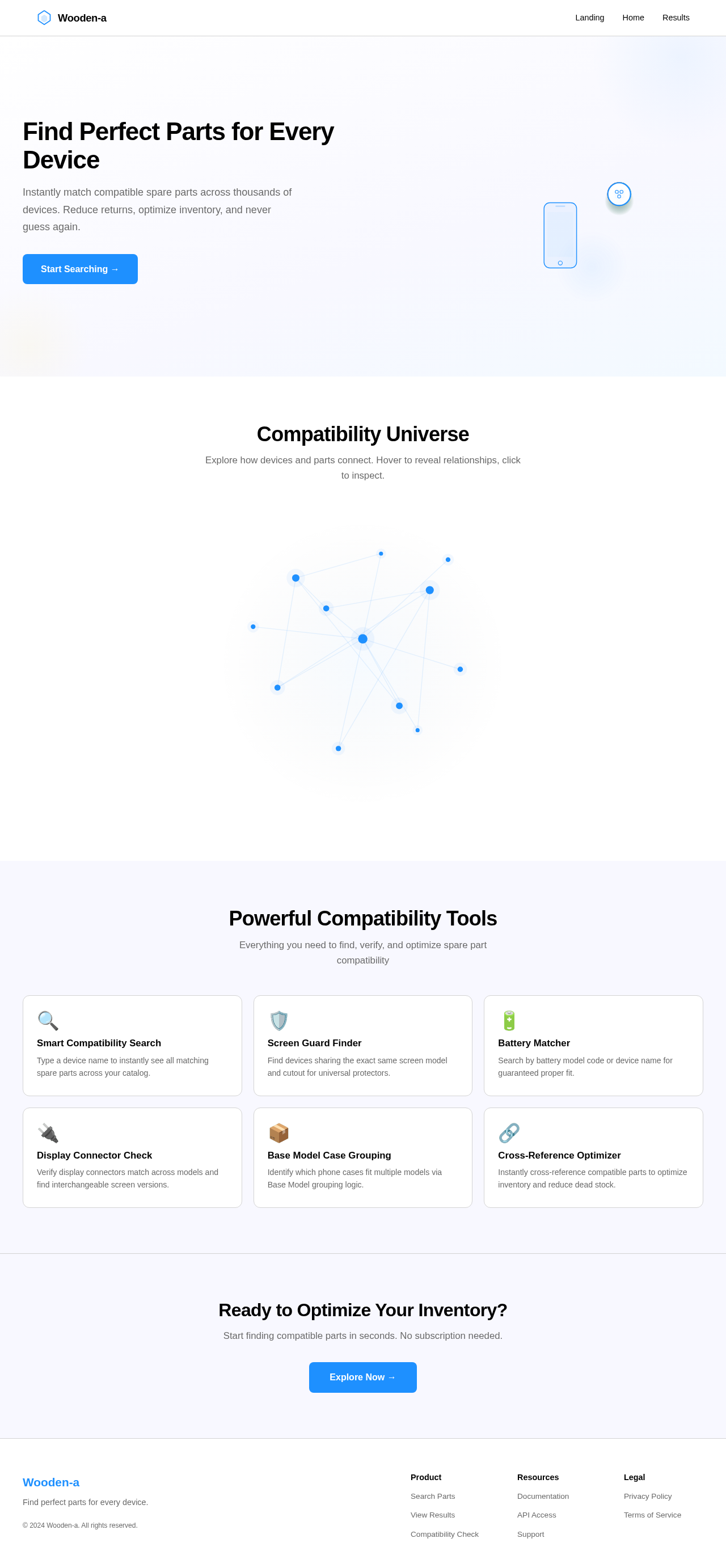
As a frontend developer, implement the Navbar section for the Landing page. This section includes a sticky navigation bar with a brand logo, app name 'Wooden-a', and navigation links to 'Landing', 'Home', and 'Results'. The Navbar should be responsive, featuring a mobile hamburger toggle that rotates 90° on click to reveal/hide the menu. The logo should animate on page load using <motion.path> with strokeDasharray and strokeDashoffset. Ensure the navigation links underline smoothly on hover using <motion.div>. The Navbar must maintain a fixed height of 64px and a high z-index to stay above other content. Acceptance criteria: The Navbar must render exactly once on the Landing page, expose valid routes, and maintain brand presence. The design must adhere to the specified white background and primary blue text theme. The mobile toggle must function correctly, and the logo animation must execute as described. The Navbar is shared across all pages and must be accessible to all personas.
Page access: shared by all personas (Regular User). This is verification context and does not request role-specific implementation.
As a frontend developer, implement the LandingFeatures section to showcase the six core capabilities: Smart Compatibility Search, Screen Guard Finder, Battery Matcher, Display Connector Check, Base Model Case Grouping, and Cross-Reference Optimizer. Each feature should be presented as a card with an icon, title, and description. The grid layout should be responsive, displaying 3 columns on desktop and 1 column on mobile, with alternating card backgrounds of ghost white (#F8F8FF) and white (#FFFFFF). Icons should use primary blue (#1E90FF) with accent highlights (#FF4500). Implement staggered card entrance animations using <motion.div> and ensure card hover elevation with icon pulsing. Acceptance criteria: The Landing page must render the LandingFeatures section exactly once. All six feature cards must be visible with correct icons, titles, and descriptions. The grid layout must adapt responsively across device sizes. The design structure and theme must match the provided JSX and CSS. No backend integration is required as the data is static. The page is shared and accessible by Regular Users.
Page access: shared by all personas (Regular User). This is verification context and does not request role-specific implementation.
As a frontend developer, implement the LandingCTA section to encourage users to explore the app's capabilities. This section should feature a headline ('Ready to Optimize Your Inventory?'), supporting copy, and a prominent button that navigates to the Home page ('/home'). The button should use accent blue (#1E90FF) with white text, and on hover, it should change to a lighter blue (#63B8FF). Implement a magnetic button pull effect using motion/react libraries. Acceptance criteria: The Landing page must render the LandingCTA section exactly once. The headline, supporting copy, and button must be visible and styled as per the design contract. The button must navigate to '/home' on click. The magnetic effect must be functional within a 100px radius. The page is shared and accessible by Regular Users.
Page access: shared by all personas (Regular User). This is verification context and does not request role-specific implementation.
As a frontend developer, implement the Footer section as a shared global component appearing on all routed pages. The footer should display the Wooden-a brand, copyright notice, project links, and legal content. It should use primary blue (#1E90FF) text on a white (#FFFFFF) background with a light gray (#D3D3D3) top border. Implement responsive stacking on mobile with hamburger-style link groups. Acceptance criteria: The Footer must render on the Landing page and all other routed pages exactly once. It must display all specified content and links correctly. The design structure and theme must match the provided JSX and CSS. The footer must be responsive, with link groups collapsing into accordions on mobile. The page is shared and accessible by Regular Users.
Page access: shared by all personas (Regular User). This is verification context and does not request role-specific implementation.
As a frontend developer, implement the HomeQuickTips section for the Home page. This section provides users with quick tips to get started, displayed as a vertical list with icons and text. Use motion/react to animate the tips as they enter the viewport. Ensure the section is responsive and maintains the design theme. Acceptance criteria: Home page must render the HomeQuickTips section once; all tips must be visible and animate on scroll; section must be accessible to Regular Users.
Page access: shared by all personas (Regular User). This is verification context and does not request role-specific implementation.
As a Backend Developer, I need to implement the authentication API using JWT to allow users to log in and access the app.
Depends on:#1
Waiting for dependencies
As a Backend Developer, I need to develop the compatibility search API to allow users to find compatible spare parts by entering a device name.
Depends on:#2
Waiting for dependencies
As a frontend developer, implement the LandingHero section for the Landing page. This section features an animated device transformation with parts orbiting around it, using motion/react and gsap. The animation should loop every 10 seconds, with parts like battery and screen orbiting around a central device. The hero section includes a headline, subheadline, and a primary CTA button that navigates to the Home page. Interactive hover states should reveal detail layers. Acceptance criteria: The LandingHero must render exactly once on the Landing page, with the device and parts animation functioning as described. The headline and CTA button must be visible and interactive, adhering to the design theme. The section must be accessible to all personas.
Page access: shared by all personas (Regular User). This is verification context and does not request role-specific implementation.
Depends on:#7
Waiting for dependencies
As a frontend developer, implement the LandingGalaxy section for the Landing page. This section includes an interactive 3D galaxy map using @react-three/fiber and gsap. Each star represents a device or part category, with users able to click stars to open detail cards and drag to rotate the galaxy view. Hovering over stars should highlight connection lines. Acceptance criteria: The LandingGalaxy must render exactly once on the Landing page, with interactive stars and connection lines functioning as described. The galaxy must be draggable, and detail cards must open and close correctly. The section must be accessible to all personas.
Page access: shared by all personas (Regular User). This is verification context and does not request role-specific implementation.
Depends on:#7
Waiting for dependencies
As a frontend developer, implement the HomeHero section for the Home page. This section introduces the Home page's purpose with a headline, subheading, and an animated device icon with orbiting parts. Use motion/react for the animation, ensuring the device silhouette and parts orbit smoothly in a clockwise loop every 8 seconds. Implement hover interactions to highlight parts and display tooltips with compatibility information. Ensure the section is responsive and maintains the design theme. Acceptance criteria: Home page must render the HomeHero section once; headline, subheading, and CTA must be visible; animation must loop continuously; tooltips must appear on part click and auto-dismiss after 3 seconds; section must be accessible to Regular Users.
Page access: shared by all personas (Regular User). This is verification context and does not request role-specific implementation.
Depends on:#7
Waiting for dependencies
As a Backend Developer, develop the Screen Guard Finder API to allow users to find devices sharing the exact same screen model and cutout. Ensure the API can handle requests efficiently and return accurate results. Acceptance criteria: API must return a list of devices with matching screen models and cutouts based on user input.
Depends on:#2
Waiting for dependencies
As a Backend Developer, develop the Battery Matcher API to allow users to search by battery model code or device name to ensure proper battery fit. Acceptance criteria: API must return battery compatibility results based on user input, ensuring accurate and efficient data retrieval.
Depends on:#2
Waiting for dependencies
As a Backend Developer, develop the Display Connector Check API to verify that display connectors match and find interchangeable screen versions. Acceptance criteria: API must return connector compatibility results based on user input, ensuring accurate and efficient data retrieval.
Depends on:#2
Waiting for dependencies
As a Backend Developer, develop the Sub-Board Model Check API to check model numbers for compatibility of microphone and fast-charging sub-boards. Acceptance criteria: API must return sub-board compatibility results based on user input, ensuring accurate and efficient data retrieval.
Depends on:#2
Waiting for dependencies
As a Backend Developer, develop the Base Model Case Grouping API to identify which phone cases fit multiple phone models by grouping inventory via 'Base Model'. Acceptance criteria: API must return case grouping results based on user input, ensuring accurate and efficient data retrieval.
Depends on:#2
Waiting for dependencies
As a Backend Developer, implement the Cross-Reference Optimizer API to allow users to instantly cross-reference compatible parts to optimize inventory and reduce dead stock. Acceptance criteria: API must return cross-reference results based on user input, ensuring accurate and efficient data retrieval.
Depends on:#2
Waiting for dependencies
As a frontend developer, implement the HomeFeaturesGrid section for the Home page. This section displays six interactive feature cards in a responsive grid. Each card should have an icon, title, description, and CTA button. Implement staggered entrance animations and hover effects using motion/react. Clicking a card should navigate to the Results page with the feature ID as a query parameter. Ensure the grid is responsive and maintains the design theme. Acceptance criteria: Home page must render the HomeFeaturesGrid section once; all feature cards must be visible and interactive; clicking a card must navigate to the Results page with the correct query parameter; section must be accessible to Regular Users.
Page access: shared by all personas (Regular User). This is verification context and does not request role-specific implementation.
Depends on:#4
Waiting for dependencies
As a frontend developer, implement the SearchContext section for the Results page. This section displays the active search context, including the query type (e.g., Smart Compatibility Search, Screen Guard Finder), the search term entered, and the total result count. It provides a 'Modify Search' link to return to the Home page with the preset query and a 'Clear Search' button to reset the search. The component uses a useState hook to manage search information and a useEffect hook to parse URL parameters for search type and term. Acceptance criteria: The SearchContext component must render exactly once on the Results page, displaying the search type badge, search term, and result count. The 'Modify Search' link should navigate back to the Home page with the current search parameters, and the 'Clear Search' button should reset the search context. The design must match the provided CSS, ensuring responsive behavior. The section should be accessible to all personas as the Results page is shared. This task depends on the Home page's HomeHero section.
Page access: shared by all personas (Regular User). This is verification context and does not request role-specific implementation.
Depends on:#13
Waiting for dependencies
As a frontend developer, implement the ResultsList section for the Results page. This section displays all matching compatibility records as a scrollable list or grid of cards. Each result card includes the device/part name, model code, compatibility metric, compatibility score, and status badge. The section supports sorting by compatibility score or alphabetical order and filtering by type or status. It uses useState hooks to manage selection, sorting, and filtering states. Acceptance criteria: The ResultsList component must render exactly once on the Results page, displaying result cards with accurate data and interactive sort and filter controls. The design must match the provided CSS, ensuring responsive behavior. The section should be accessible to all personas as the Results page is shared. This task requires backend integration to fetch actual compatibility results, relying on the 'Develop Compatibility Search API' capability.
Page access: shared by all personas (Regular User). This is verification context and does not request role-specific implementation.
Depends on:#4
Waiting for dependencies
As a Tech Lead, verify the end-to-end integration between the Compatibility Search frontend implementation and the Compatibility Search backend API. Ensure data flows correctly, API responses are handled properly in the UI, and all interactions work as expected.
Depends on:#4#17
Waiting for dependencies



No comments yet. Be the first!