windy-studio
 Sichu Nakarmi
make a website for animation studio that mainly work on SaaS product demo and explainer video existing website:https://fastblurpro.com/

Comments (0)
Sign in to leave a comment
System Requirements
System Requirements Document (SRD)
windy-studio
1. Introduction
windy-studio is a website for an animation studio specializing in creating SaaS product demos and explainer videos. The platform aims to showcase the studio's expertise, portfolio, and services while delivering a visually engaging experience that reflects the creative and dynamic nature of animation. This document outlines the requirements for building the website, ensuring it aligns with the studio's goals and aesthetic vision.
2. System Overview
The windy-studio website will serve as a digital portfolio and service hub for the animation studio. It will highlight the studio's experience, services, and portfolio, with a strong focus on visual storytelling and interactivity. The website will feature:
- A homepage with a standout portfolio section, including subcategories for SaaS demos and explainer videos.
- A navigation bar with links to key sections, including "Services," "Portfolio," "Experience," and "Contact."
- A visually dynamic design that reflects the animation studio's creative energy, with colors and themes matching the studio's logo.
- Interactive elements and animations to enhance user engagement.
The website will be optimized for both desktop and mobile devices, ensuring a seamless user experience across platforms.
3. Functional Requirements
- As a User, I should be able to view a visually engaging homepage with a portfolio section and subcategories (e.g., SaaS demos, explainer videos).
- As a User, I should be able to navigate to a "Services" section via the navigation bar to learn about the studio's offerings.
- As a User, I should be able to view an "Experience" section that highlights the studio's expertise and past projects.
- As a User, I should be able to explore a detailed portfolio with sub-portfolios categorized by project type.
- As a User, I should be able to contact the studio via a "Contact" page or form.
- As a User, I should experience smooth animations and transitions that reflect the studio's creative identity.
4. User Personas
-
Client
- Description: Business owners, product managers, or marketing professionals seeking high-quality SaaS product demos or explainer videos.
- Goals: To find a reliable animation studio with a proven track record and visually appealing portfolio.
- Needs: Easy access to portfolio, services, and contact information.
-
Visitor
- Description: General visitors exploring the website for inspiration or collaboration opportunities.
- Goals: To learn about the studio's expertise and view its creative work.
- Needs: A visually engaging experience with clear navigation.
5. Visuals Colors and Theme
The visual design will align with the animation studio's logo colors, creating a cohesive and professional aesthetic. Below is the custom color palette for windy-studio:
- primary: #FF6F61 (vibrant coral)
- primary_light: #FF9A8E (soft coral tint)
- secondary: #3A86FF (electric blue)
- accent: #FFD166 (bright amber)
- highlight: #FFB703 (golden yellow)
- bg: #F7F9FC (light grayish white)
- surface: rgba(255, 255, 255, 0.9) (semi-transparent white for cards/panels)
- text: #1A202C (dark charcoal)
- text_muted: #718096 (muted gray)
- border: rgba(26, 32, 44, 0.2) (light charcoal)
6. Signature Design Concept
Interactive Animation Studio Canvas
The homepage will feature an interactive canvas that immerses visitors in the world of animation. The design concept includes:
- Dynamic Background: A fluid, animated gradient background that shifts colors subtly, inspired by the studio's logo palette. The background will use
@react-three/fiberand@react-three/dreifor a 3D effect, creating a sense of depth and movement. - Portfolio Showcase: A central interactive carousel displaying portfolio items. Users can hover over each item to reveal a short animation preview, and clicking will open a detailed project view.
- Experience Timeline: A horizontal scrollable timeline with animated icons and transitions, showcasing the studio's milestones and achievements.
- Micro-Interactions: Hover effects, button animations, and smooth transitions powered by
framer-motionto enhance interactivity. - Signature Animation: A playful animation of the studio's logo that appears on page load, setting the tone for the website.
7. Interaction Model & Motion Direction
Landing/Home Page Interaction Model: Parallax
The homepage will use a parallax interaction model to create a layered depth effect. Decorative elements, such as animated shapes and gradients, will move at different speeds as the user scrolls, while the main content scrolls naturally.
Internal Pages Interaction Model: Animated
Internal pages, such as "Services" and "Portfolio," will feature moderate scroll-triggered reveals and hover transitions. These animations will be subtle to maintain focus on the content while adding a touch of polish.
Distinctive Section Mechanics:
- Portfolio Section: Interactive carousel with hover-triggered animations.
- Experience Section: Horizontal scroll with animated icons and text reveals.
- Contact Section: A form with animated input fields and a dynamic submit button.
8. Non-Functional Requirements
- The website must load within 3 seconds on a standard broadband connection.
- The design must be responsive and optimized for both desktop and mobile devices.
- The website must be accessible, adhering to WCAG 2.1 AA standards.
- The animations must be smooth and not hinder performance.
9. Tech Stack
- Frontend: React for Web
- Backend: FastAPI
- Database: MySQL (with Alembic for migrations)
- 3D and Animations:
@react-three/fiber+@react-three/dreifor 3D effectsframer-motionfor animations and transitionsgsapfor scroll-triggered animations
- Deployment: Docker and Kubernetes for containerization and orchestration
10. Assumptions and Constraints
- The website will be hosted on a scalable cloud platform to handle varying traffic.
- The design will prioritize creative visuals while maintaining usability and performance.
- The logo's colors will drive the overall theme and aesthetic.
- The website will not include e-commerce functionality.
11. Glossary
- SaaS: Software as a Service.
- Explainer Video: A short video that explains a product, service, or concept in a clear and engaging way.
- Parallax: A design technique where background elements move at a different speed than foreground elements, creating a sense of depth.
- Interactive Canvas: A dynamic, clickable area on a webpage that responds to user interactions.
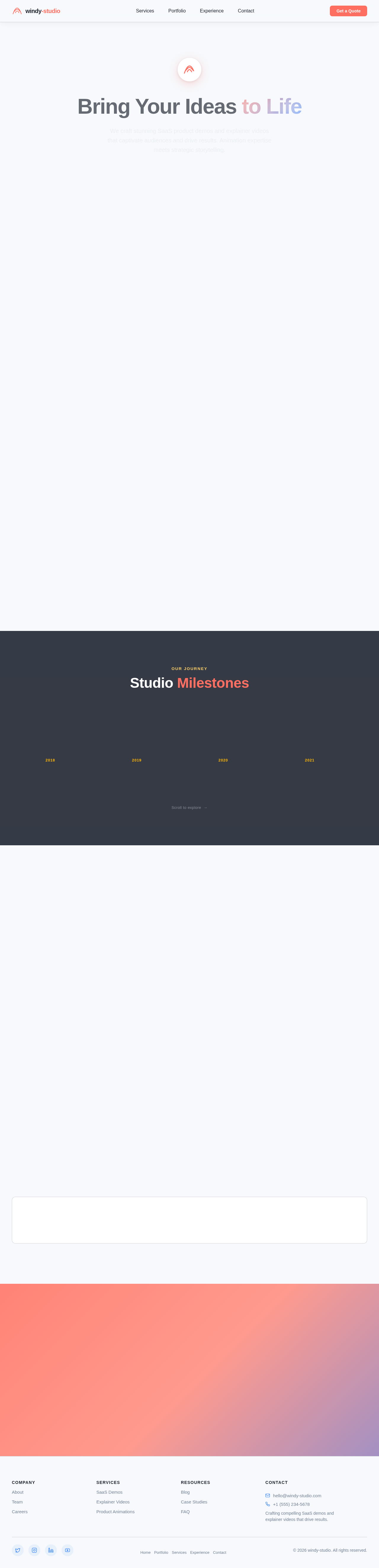
Bring Your Ideas to Life
We craft stunning SaaS product demos and explainer videos that captivate audiences and drive results. Animation expertise meets strategic storytelling.
Featured Work
Explore our latest SaaS demos, explainer videos, and product animations crafted for industry leaders.
CloudSync Dashboard Demo
FinFlow Explainer Series
DevOps Pipeline Showcase
HealthTrack Onboarding
EduPlatform Feature Reveal
Portfolio Categories
Explore our work across two core specializations that drive results for SaaS companies worldwide.
SaaS Product Demos
Showcase your software in action
Explainer Videos
Tell your story with motion
Our Journey
Studio Milestones
Studio Founded
windy-studio launched with a vision to revolutionize SaaS product storytelling through animation.
First Major Client
Partnered with a leading fintech platform to produce their flagship product demo video.
50 Projects Delivered
Reached a milestone of 50 completed animations spanning SaaS demos and explainer videos.
Team Expansion
Grew to a team of 12 animators, designers, and storytellers to meet rising demand.
Industry Award
Won Best Animated Explainer at the Digital Marketing Awards for our work with CloudSync.
100+ Happy Clients
Surpassed 100 satisfied clients across SaaS, healthtech, and edtech industries.
AI-Powered Workflows
Integrated AI tools into our pipeline, cutting production time by 40% without sacrificing quality.
Studio Services
From concept to final render, we bring your brand to life with animations that inform, engage, and convert.
SaaS Product Demos
Showcase your software with polished, interactive demo videos that highlight key features, streamline onboarding, and convert prospects into paying customers.
Learn More→Explainer Videos
Distill complex ideas into clear, engaging narratives. Our explainer videos simplify your value proposition and keep viewers watching until the final frame.
Learn More→Custom Animation
From brand stories to product launches, our bespoke animations are crafted frame-by-frame to match your unique visual identity and creative vision.
Learn More→Consultation
Not sure where to start? Book a strategy session with our creative directors to map out a video plan tailored to your goals, audience, and budget.
Learn More→Ready to Bring Your Vision to Life?
Whether you need a compelling SaaS demo, an engaging explainer video, or a full product animation suite, our team is ready to craft something extraordinary together.
No comments yet. Be the first!