wild-hope
 Malcolm Malcolm
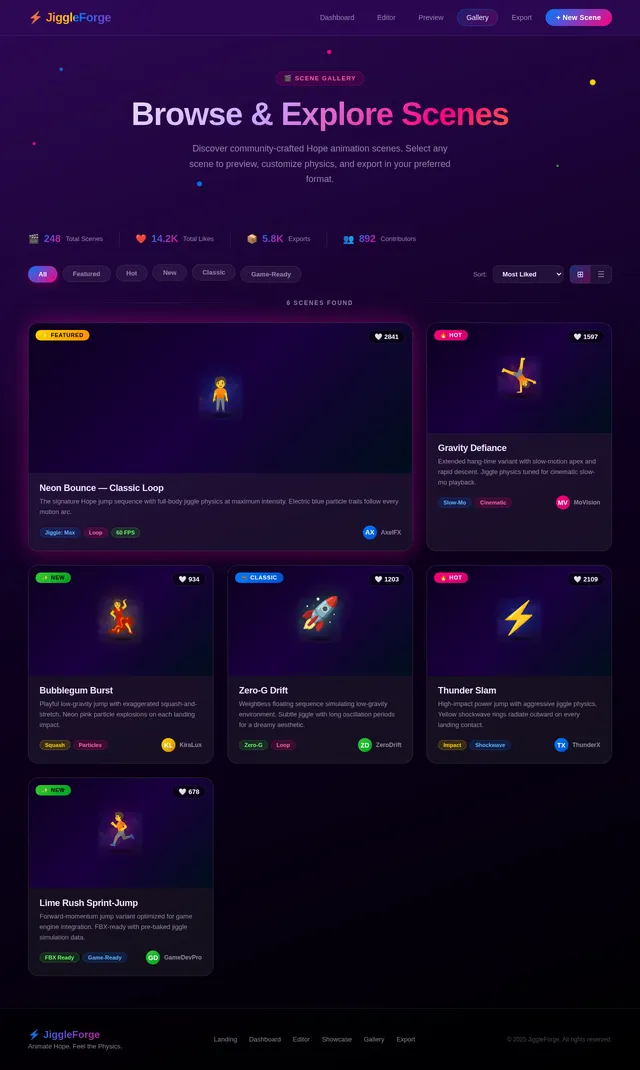
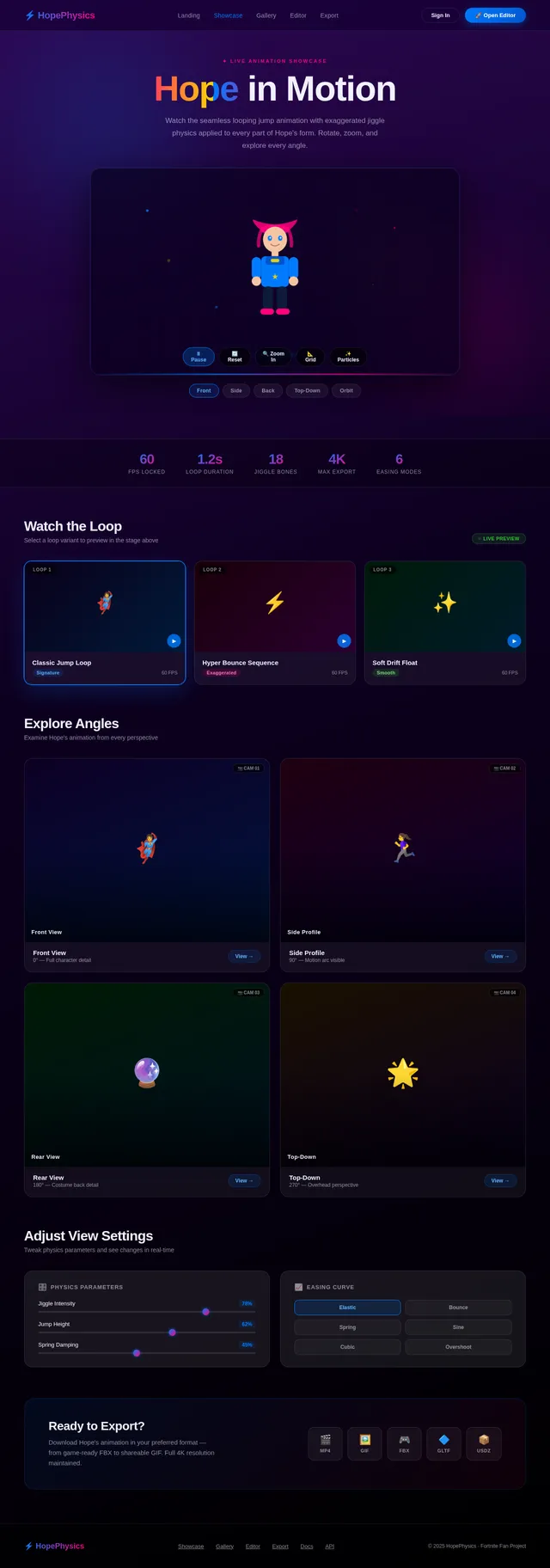
Hope from Fortnite jump, jumping up and down with jiggle physics

Comments (0)
Sign in to leave a comment
System Requirements
System Requirements Document (SRD)
1. Introduction
This document outlines the requirements for creating a dynamic and visually engaging standalone animation featuring the character "Hope" from Fortnite. The animation will focus on a looping jump sequence with exaggerated jiggle physics applied to the entire form of the character model. The goal is to create a playful, energetic, and captivating animation that highlights Hope's stylized design and exaggerated motion.
2. System Overview
The project involves creating a seamless looping animation of Hope from Fortnite performing a jump with exaggerated jiggle physics applied to her entire form. The animation will prioritize fluidity, natural motion, and visual appeal. The system will include tools for animation creation, physics simulation, and rendering. The final output will be a high-quality standalone animation file suitable for use in videos, social media, or other media platforms.
3. Functional Requirements as Story Points
- As a User, I should be able to see Hope from Fortnite perform a seamless looping jump animation.
- As a User, I should be able to observe exaggerated jiggle physics applied to the entire form of the character model.
- As a User, I should be able to adjust the intensity of the jiggle physics for customization.
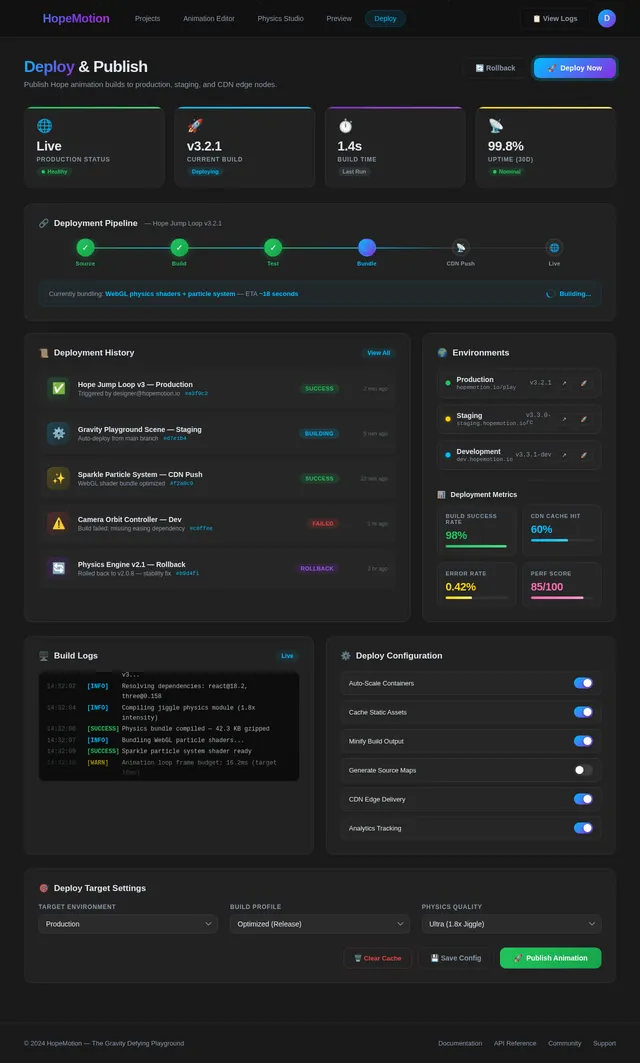
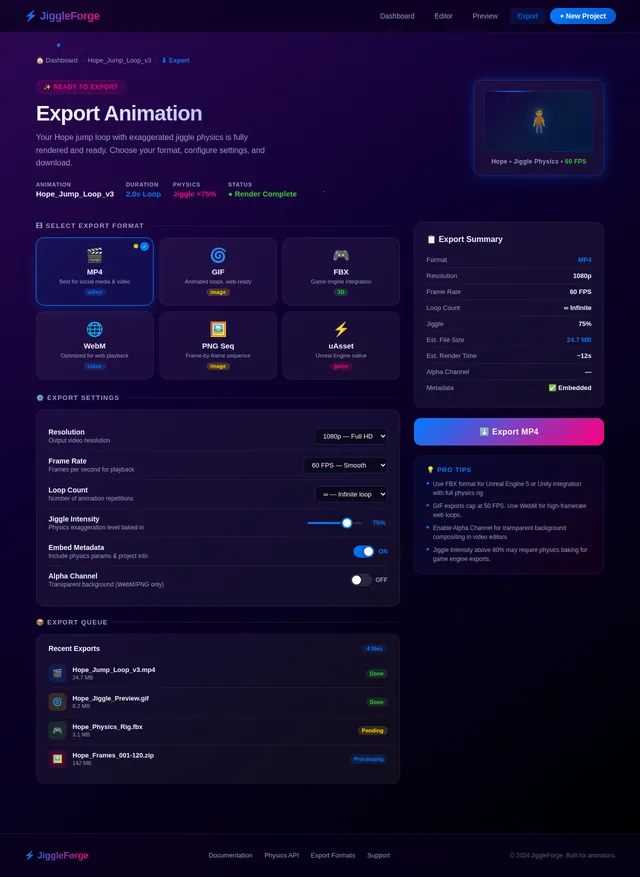
- As a User, I should be able to export the animation in multiple formats (e.g., MP4, GIF, FBX).
- As a User, I should be able to preview the animation in real-time within the application.
- As a User, I should be able to toggle between different easing curves to modify the jump's motion dynamics.
4. User Personas
1. Animator
- Description: A professional or hobbyist animator looking to create high-quality animations for personal or professional projects.
- Goals: To create visually appealing animations with dynamic physics effects.
- Pain Points: Limited tools for customizing physics effects, difficulty in achieving seamless loops.
2. Content Creator
- Description: A creator producing engaging content for social media or video platforms.
- Goals: To generate eye-catching animations that stand out.
- Pain Points: Limited access to unique and dynamic animations.
3. Enthusiast
- Description: A fan of Fortnite or animation who enjoys experimenting with creative tools.
- Goals: To explore and create fun animations for personal enjoyment.
- Pain Points: Lack of accessible tools for creating high-quality animations.
5. Visuals Colors and Theme
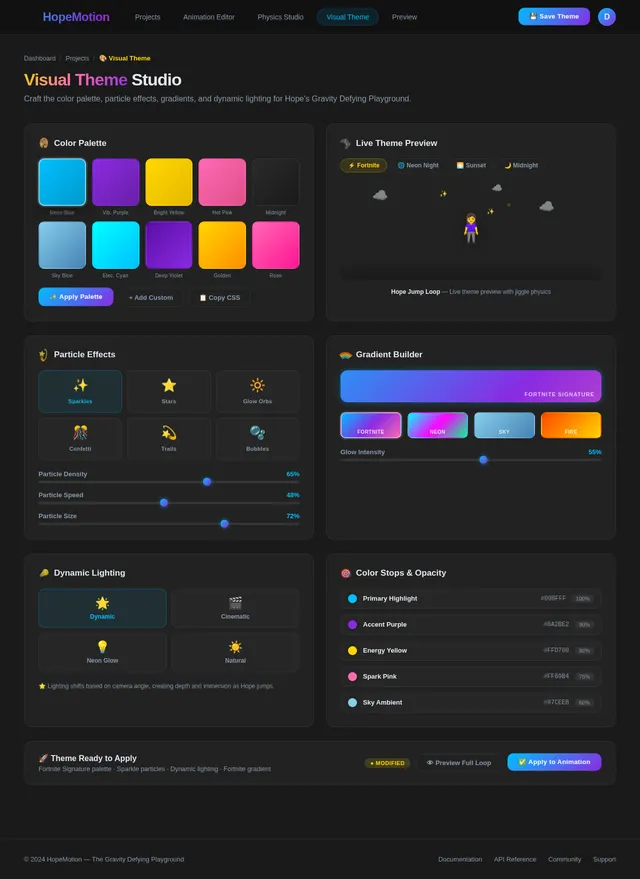
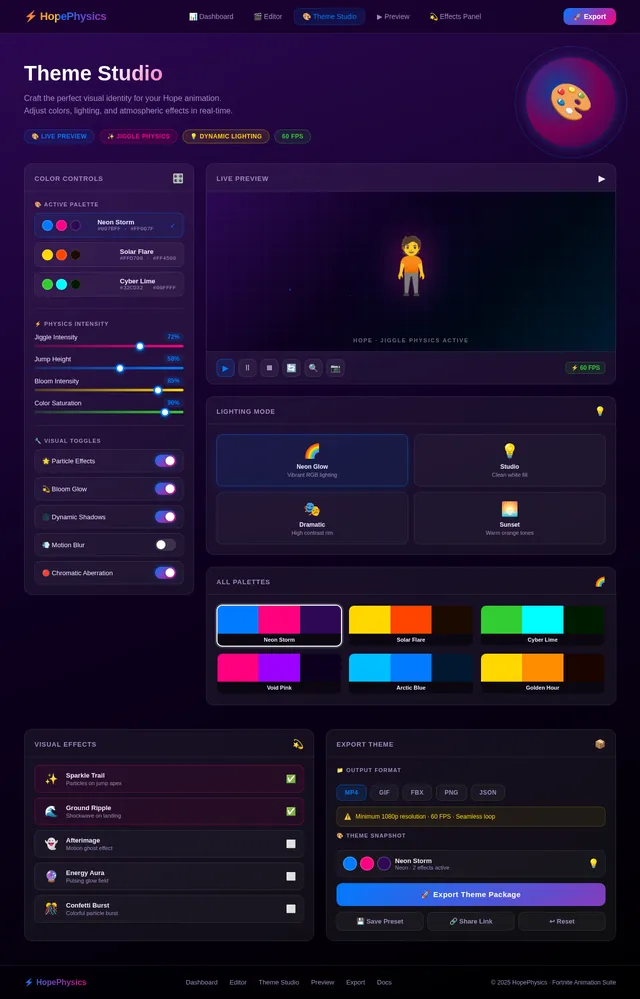
The visual theme for the project will be vibrant and playful, reflecting the energetic nature of the animation. The suggested color palette includes:
- Primary Colors: Electric Blue (#007BFF), Neon Pink (#FF007F)
- Secondary Colors: Bright Yellow (#FFD700), Lime Green (#32CD32)
- Background Colors: Gradient of Midnight Purple (#2E0854) to Deep Space Black (#000000)
The interface for the animation tool will feature a clean and modern design with intuitive controls, using the above color palette to highlight interactive elements. The design will emphasize fun and creativity, aligning with the exaggerated and lively nature of the animation.
6. Signature Design Concept
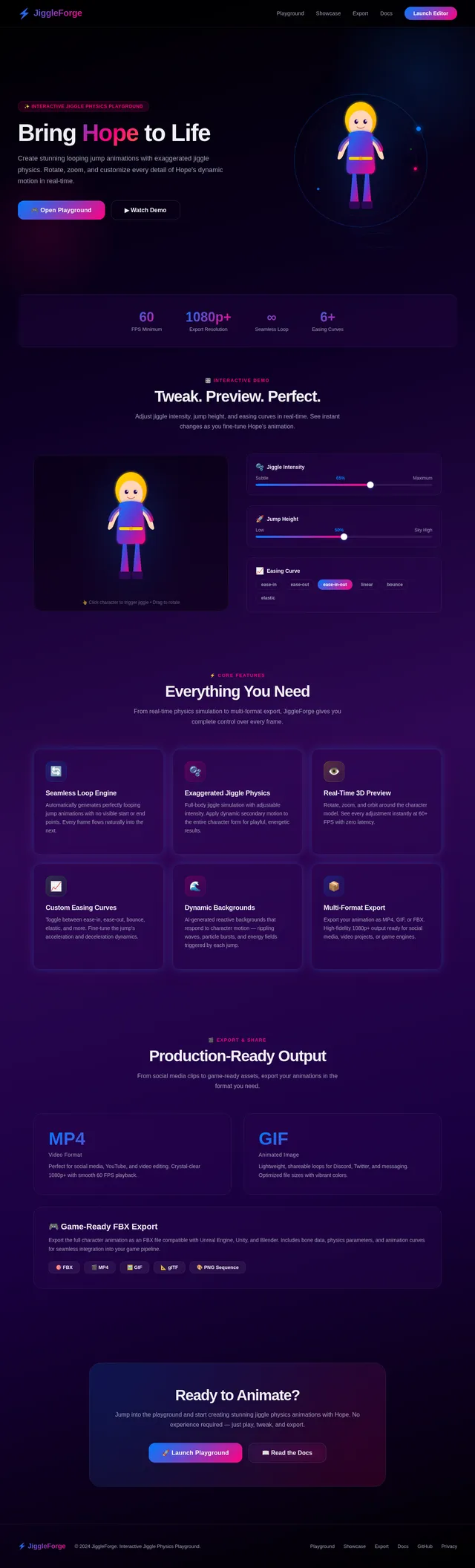
Interactive Jiggle Physics Playground
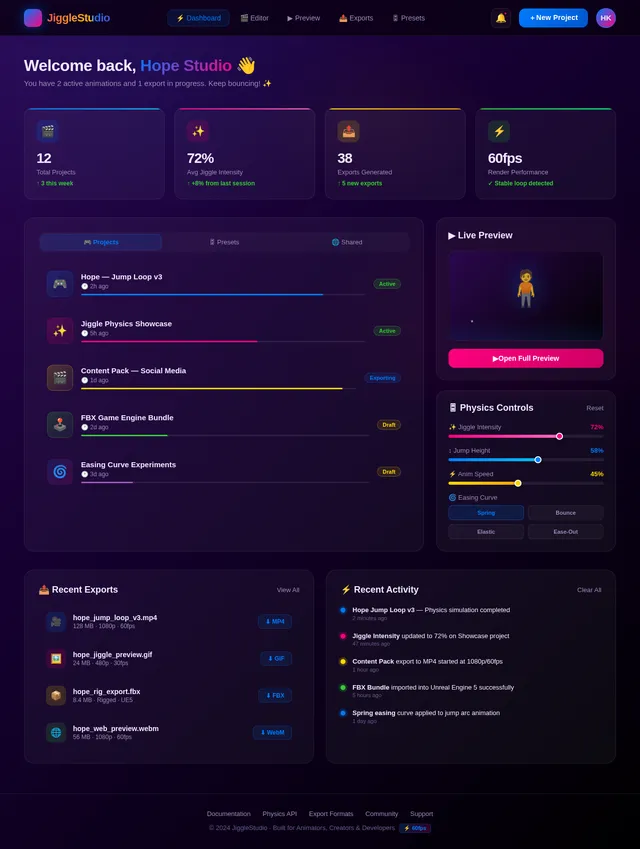
The homepage/landing page for this standalone animation project will feature an interactive 3D model of Hope from Fortnite performing the looping jump animation with exaggerated jiggle physics. Users will be able to:
- Rotate and zoom in/out on the character model in real-time.
- Adjust sliders for jiggle intensity, jump height, and easing curves directly on the homepage.
- See instant changes to the animation as they tweak the settings.
- Experience a dynamic background that reacts to the character's motion, such as rippling waves or particle effects triggered by the jump.
The transitions between sections of the homepage will mimic the jiggle effect, with UI elements "bouncing" into place as users scroll. Micro-interactions, like buttons that "squish" when clicked, will reinforce the playful theme. The overall experience will feel immersive and engaging, making the homepage itself a showcase of the animation's capabilities.
7. Non-Functional Requirements
- The animation must loop seamlessly without visible start or end points.
- The jiggle physics simulation must run at a minimum of 60 FPS for smooth motion.
- The system should support real-time previews with minimal latency.
- Exported animation files must maintain high fidelity and resolution (minimum 1080p for video formats).
- The interface must be responsive and accessible across devices.
8. Tech Stack
- Frontend: React for web-based animation tools and real-time previews.
- Backend: Python with FastAPI for handling physics simulation and export functionalities.
- Database: MySQL for storing user settings and preferences.
- AI Models: Google Nano Banana for generating dynamic background visuals.
- AI Tools: Litellm for routing user interactions and Langchain for managing animation presets.
- Local Orchestration: Docker for containerized development.
- Server-Side Orchestration: Kubernetes for scalable deployment.
9. Assumptions and Constraints
- The character model of Hope from Fortnite is available and compatible with the animation tools.
- Users have access to devices capable of rendering 3D animations in real-time.
- The exaggerated jiggle physics will not compromise the character's overall design or proportions.
- The system will not include tools for creating new character models; it focuses solely on animation and physics.
- The animation is intended to be a standalone project and will not be integrated into a larger system or game.
10. Glossary
- Jiggle Physics: A simulation technique used to create dynamic, secondary motion in animations, often applied to soft body parts or clothing.
- Easing Curves: Mathematical functions that define the acceleration and deceleration of motion in animations.
- Looping Animation: An animation that repeats seamlessly without visible start or end points.
- Real-Time Preview: The ability to view changes to an animation instantly as they are made.
- Export Formats: File types in which the final animation can be saved, such as MP4 for videos or FBX for 3D models.
This updated SRD specifies that the animation will be a standalone project, ensuring clarity and focus on delivering a high-quality, self-contained animation experience.
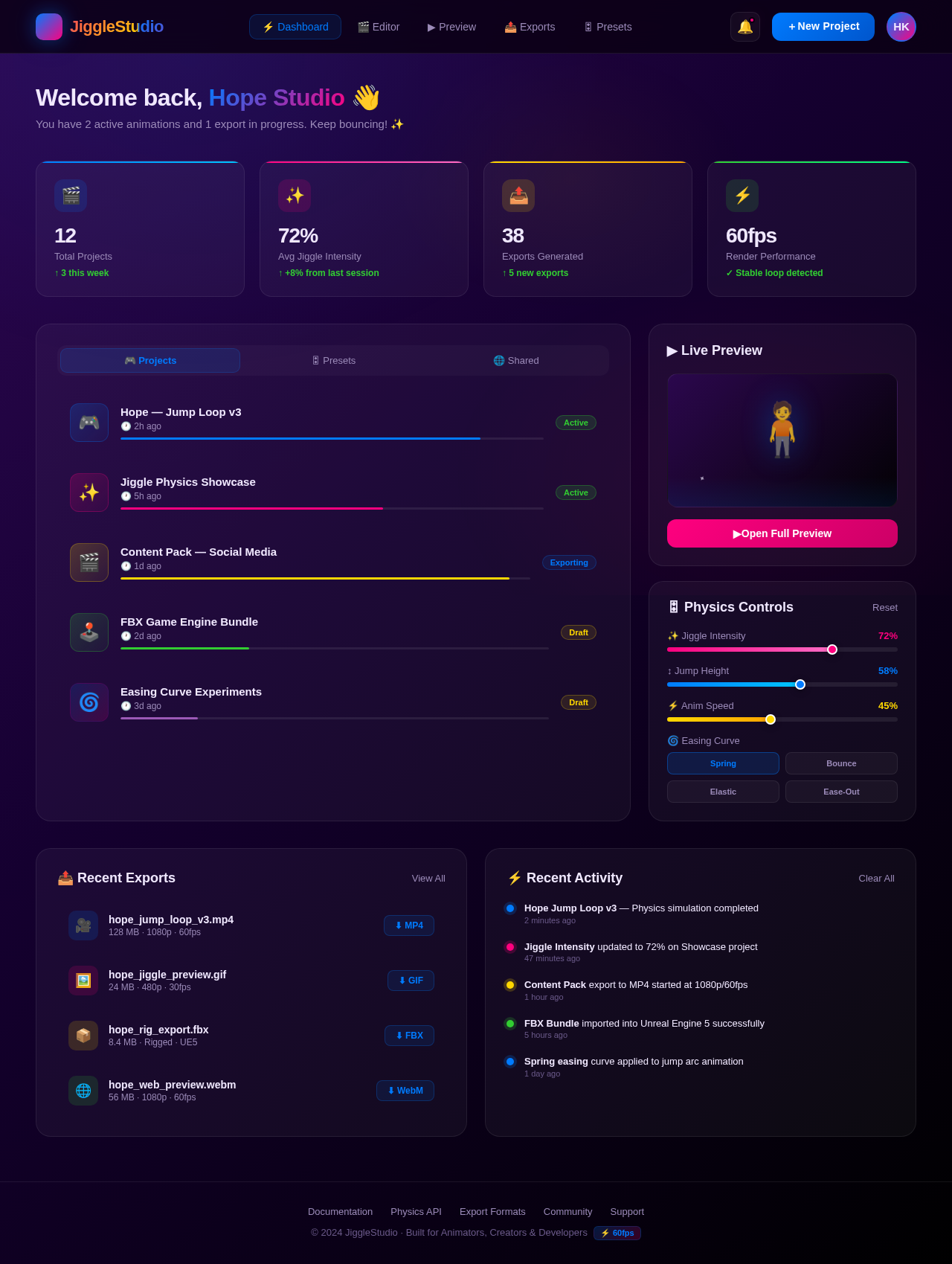
Welcome back, Hope Studio 👋
You have 2 active animations and 1 export in progress. Keep bouncing! ✨
No comments yet. Be the first!