wild-calculator
 Milan Ajudiya
i want to build the calculator



Comments (0)
Sign in to leave a comment
System Requirements
System Requirements Document (SRD)
Project Name: wild-calculator
1. Introduction
The wild-calculator project is a modern, feature-rich calculator designed to provide users with a seamless and intuitive experience for performing mathematical calculations. The project aims to cater to a wide range of users, from students and professionals to casual users, by offering both basic and advanced functionalities.
This document outlines the system requirements for the wild-calculator project, ensuring clarity and alignment with the goals of Milan Ajudiya, based in India. Locale-specific considerations, such as timezone (IST) and currency (INR), have been incorporated where relevant.
2. System Overview
The wild-calculator will be a cross-platform application available on both web and mobile platforms. It will support basic arithmetic operations, advanced scientific calculations, and additional features like history tracking, unit conversions, and customizable themes. The system will prioritize user-friendliness, speed, and accuracy.
Key features include:
- A responsive and modern user interface.
- Support for both light and dark modes.
- Advanced scientific calculator functionalities.
- History tracking for previous calculations.
- Localization for Indian users, including INR currency formatting.
3. Functional Requirements
- As a User, I should be able to perform basic arithmetic operations (addition, subtraction, multiplication, division).
- As a User, I should be able to perform advanced scientific calculations (e.g., trigonometric functions, logarithms, exponents).
- As a User, I should be able to view a history of my previous calculations.
- As a User, I should be able to switch between light and dark themes.
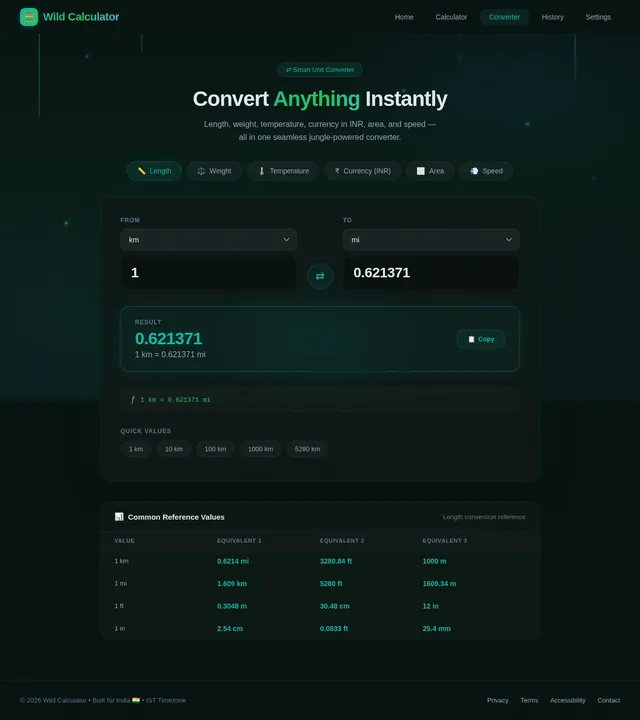
- As a User, I should be able to perform unit conversions (e.g., length, weight, temperature).
- As a User, I should be able to customize the calculator's appearance (e.g., color themes).
- As a User, I should be able to clear the history or reset the calculator.
- As a User, I should be able to use the calculator offline after the initial download.
4. User Personas
-
Casual User:
- Needs basic arithmetic functionalities.
- Prefers a simple and intuitive interface.
-
Student:
- Requires advanced scientific calculations for academic purposes.
- May use the history feature for reviewing previous calculations.
-
Professional:
- Uses the calculator for financial or technical calculations.
- Requires unit conversion and customization options.
-
Guest User:
- Can access basic functionalities without saving history or preferences.
5. Visuals Colors and Theme
The wild-calculator will feature a clean and modern design with the following color themes:
- Default Theme: Light mode with a white background, soft gray buttons, and blue accents.
- Dark Theme: Dark gray background with teal and white accents.
- Customizable Themes: Users can select from a palette of colors, including vibrant options like orange, green, and purple.
The design will prioritize readability and accessibility, ensuring that all text and buttons are easy to see and interact with.
6. Signature Design Concept
The wild-calculator will feature a dynamic, interactive "wild" theme on the homepage. The landing page will resemble a mathematical jungle, with animated vines and leaves that grow and sway subtly as users interact with the calculator.
- Homepage Animation: The calculator interface will appear as a glowing artifact in the center of the jungle, with numbers and symbols floating around like fireflies.
- Micro-interactions: Buttons will "bounce" slightly when clicked, and calculations will appear as glowing trails that fade into the background.
- Transitions: Smooth transitions between themes, with a ripple effect when switching from light to dark mode.
- Easter Egg: A hidden "wild mode" that transforms the calculator into a playful, animated experience with sound effects and quirky animations (e.g., numbers turning into animals momentarily).
This bold and eccentric design will make the wild-calculator unforgettable and engaging for users of all ages.
7. Non-Functional Requirements
- The system must load within 2 seconds on both web and mobile platforms.
- The calculator must work offline after the initial download.
- The application must support localization for Indian users, including INR currency formatting.
- The system must be accessible, adhering to WCAG 2.1 AA standards.
- The system must handle up to 1,000 concurrent users without performance degradation.
8. Tech Stack
-
Frontend:
- React for Web
- React Native for Mobile App
-
Backend:
- Python
- FastAPI
-
Database:
- MySQL (with Alembic for migrations)
-
AI Models:
- GPT 5.2 for user-friendly responses
-
AI Tools:
- Langchain
- Litellm for LLM Routing
-
Orchestration:
- Docker
- docker-compose
9. Assumptions and Constraints
- The application will primarily target users in India, with IST as the default timezone and INR as the default currency.
- The system will be designed for both web and mobile platforms, with a responsive design for various screen sizes.
- The application will not require user authentication for basic functionalities but may include optional login for saving preferences and history.
- The system will not include advertisements to ensure a clean user experience.
10. Glossary
- Arithmetic Operations: Basic mathematical functions such as addition, subtraction, multiplication, and division.
- Scientific Calculations: Advanced mathematical functions such as trigonometry, logarithms, and exponents.
- Unit Conversion: The process of converting values from one unit of measurement to another (e.g., kilometers to miles).
- Localization: Adapting the application to meet the cultural and regional preferences of users.
- WCAG: Web Content Accessibility Guidelines, a set of standards for making web content accessible to people with disabilities.
End of Document
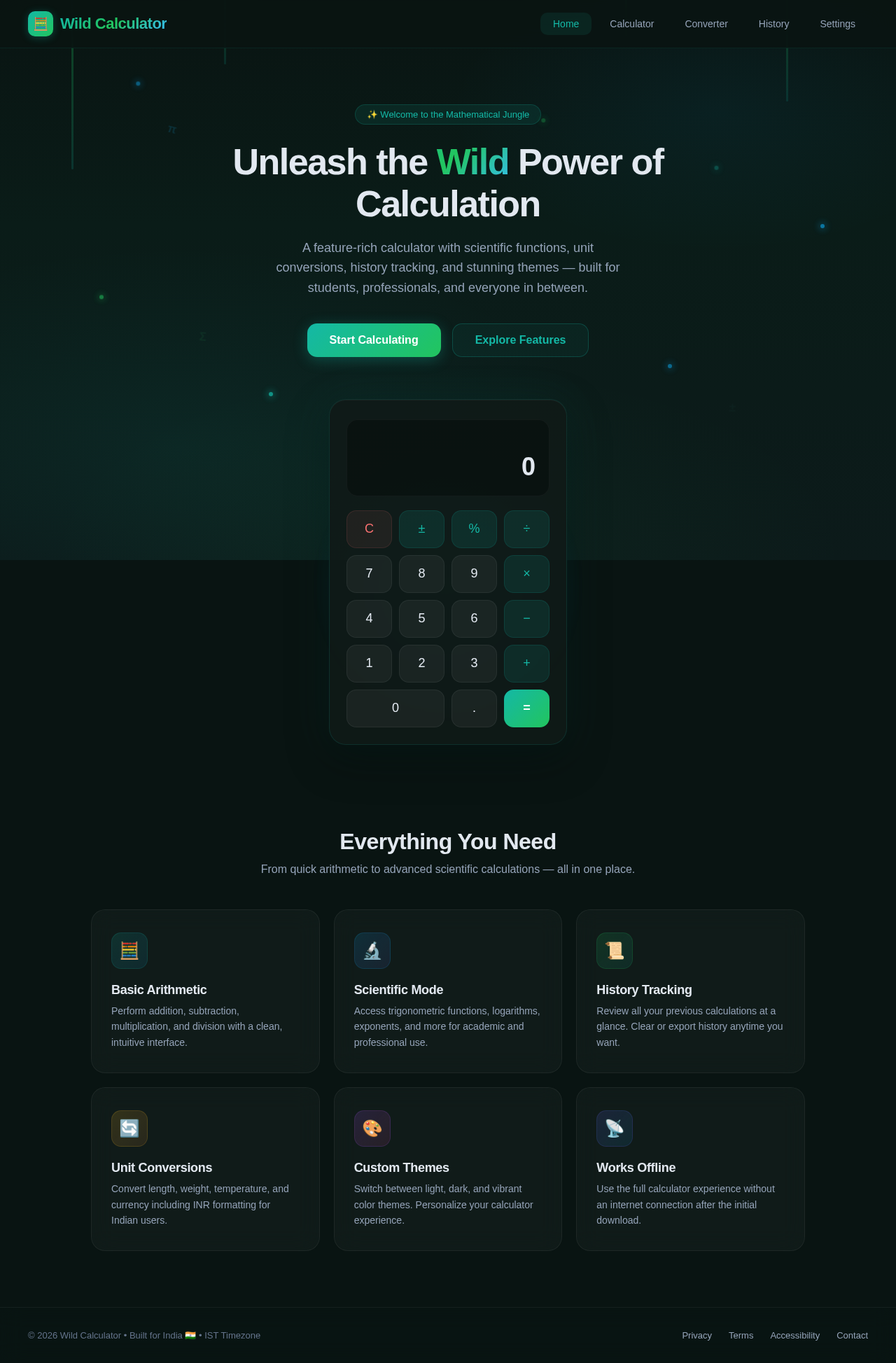
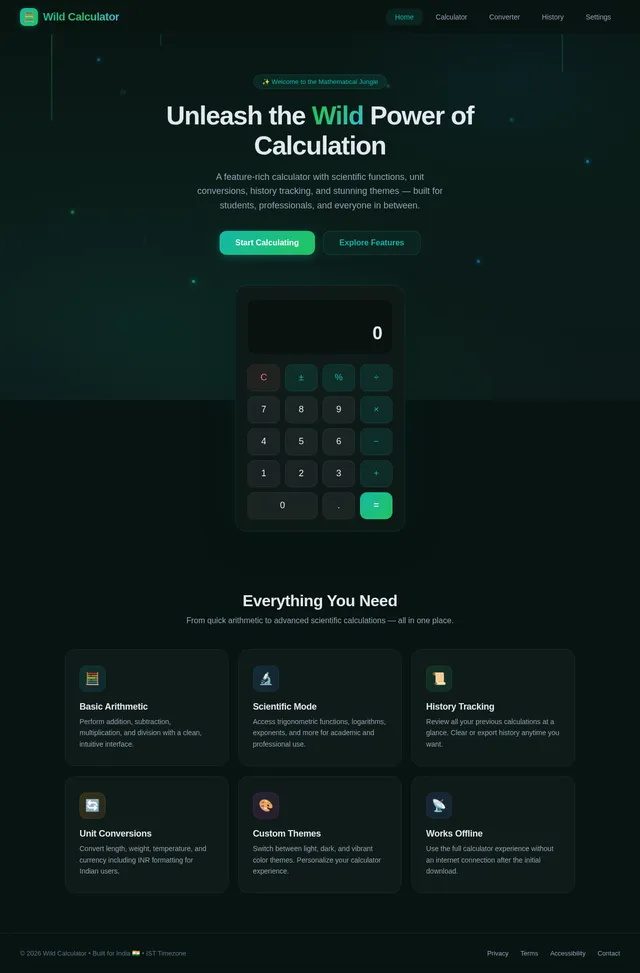
Unleash the Wild Power of Calculation
A feature-rich calculator with scientific functions, unit conversions, history tracking, and stunning themes — built for students, professionals, and everyone in between.
Everything You Need
From quick arithmetic to advanced scientific calculations — all in one place.
Basic Arithmetic
Perform addition, subtraction, multiplication, and division with a clean, intuitive interface.
Scientific Mode
Access trigonometric functions, logarithms, exponents, and more for academic and professional use.
History Tracking
Review all your previous calculations at a glance. Clear or export history anytime you want.
Unit Conversions
Convert length, weight, temperature, and currency including INR formatting for Indian users.
Custom Themes
Switch between light, dark, and vibrant color themes. Personalize your calculator experience.
Works Offline
Use the full calculator experience without an internet connection after the initial download.
No comments yet. Be the first!